

Overview
Effective event marketing is a cornerstone of many partner programs, enabling partners to host or participate in events that drive lead generation and brand awareness. The Event Marketing Management module empowers administrators to efficiently manage these events, ensuring partners have access to the necessary resources and information to successfully execute their event-related activities. This centralized approach reduces administrative overhead and promotes consistent messaging across the partner network.
Administrators can define event types, set up registration processes, and provide partners with co-brandable assets. The module also allows for tracking partner engagement with events, from initial setup to post-event reporting, providing valuable insights into the effectiveness of event-based marketing strategies.
Accessing Event Management
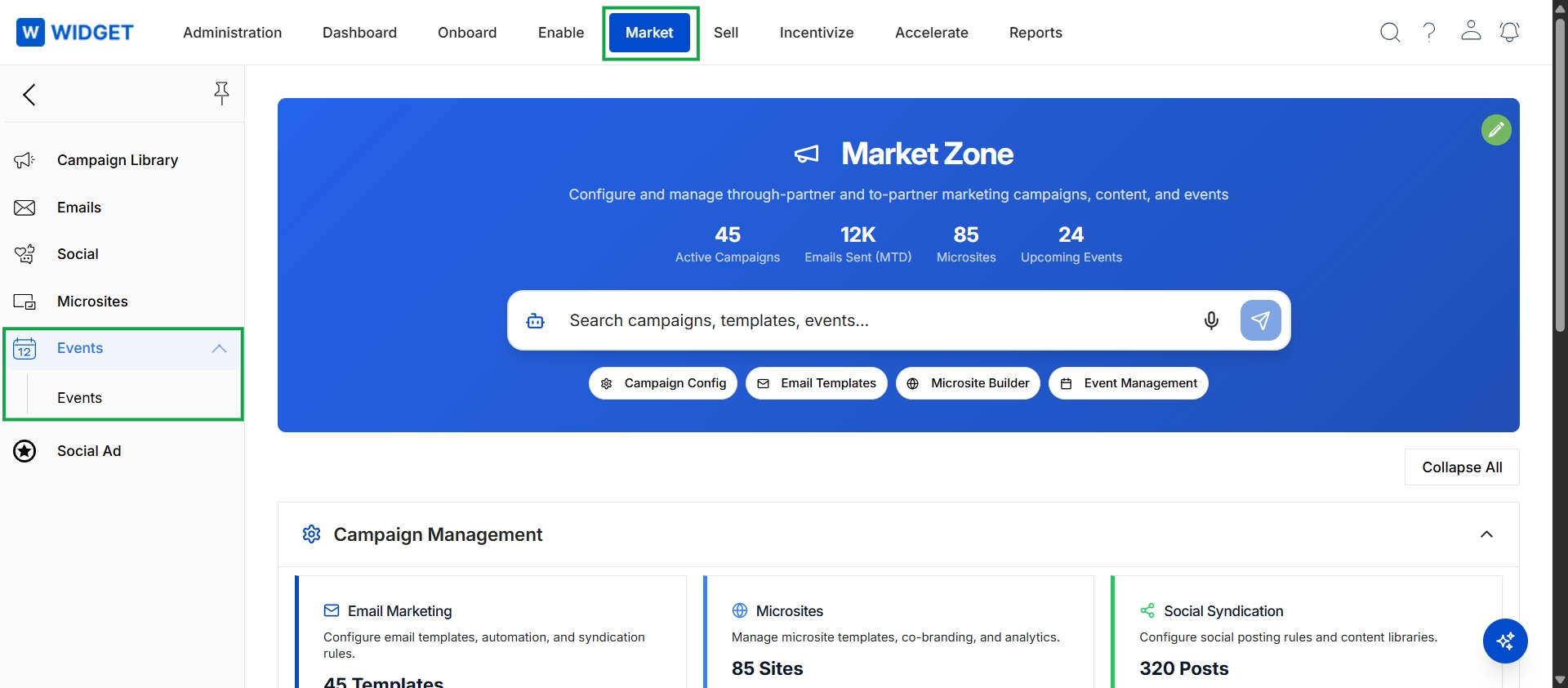
Click Market in the top navigation bar, then click Events in the left navigation panel, and then click Events in the expanded sub-menu.
Viewing Events
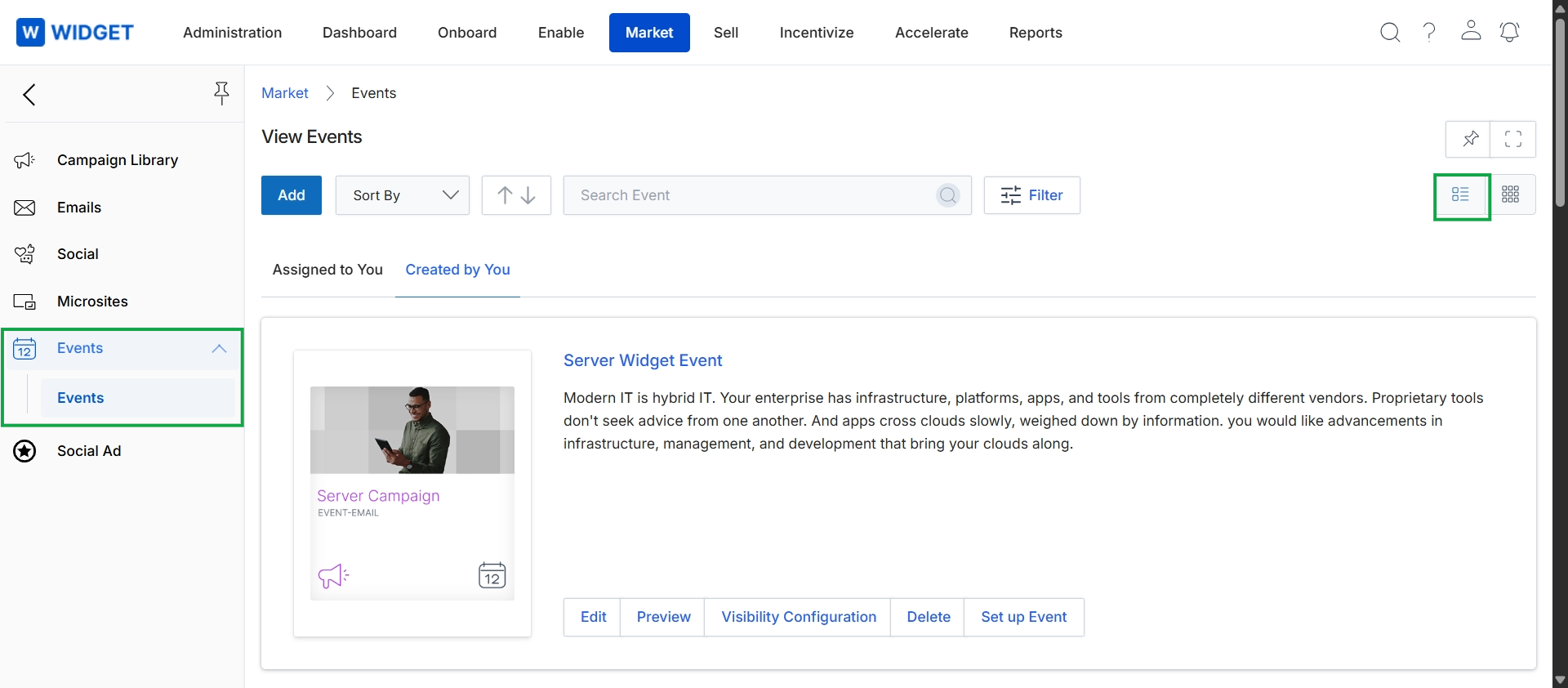
This screen displays a list of marketing events within the Market module, presented in a grid format. It provides an overview of each event, including its title, a brief description, and the associated campaign. Administrators can use this view to manage existing events, with options to edit details, preview content, configure visibility settings, delete events, or initiate the event setup process. The interface also includes functionalities to add new events, sort the displayed list, search for specific events, and apply filters to refine the event selection.
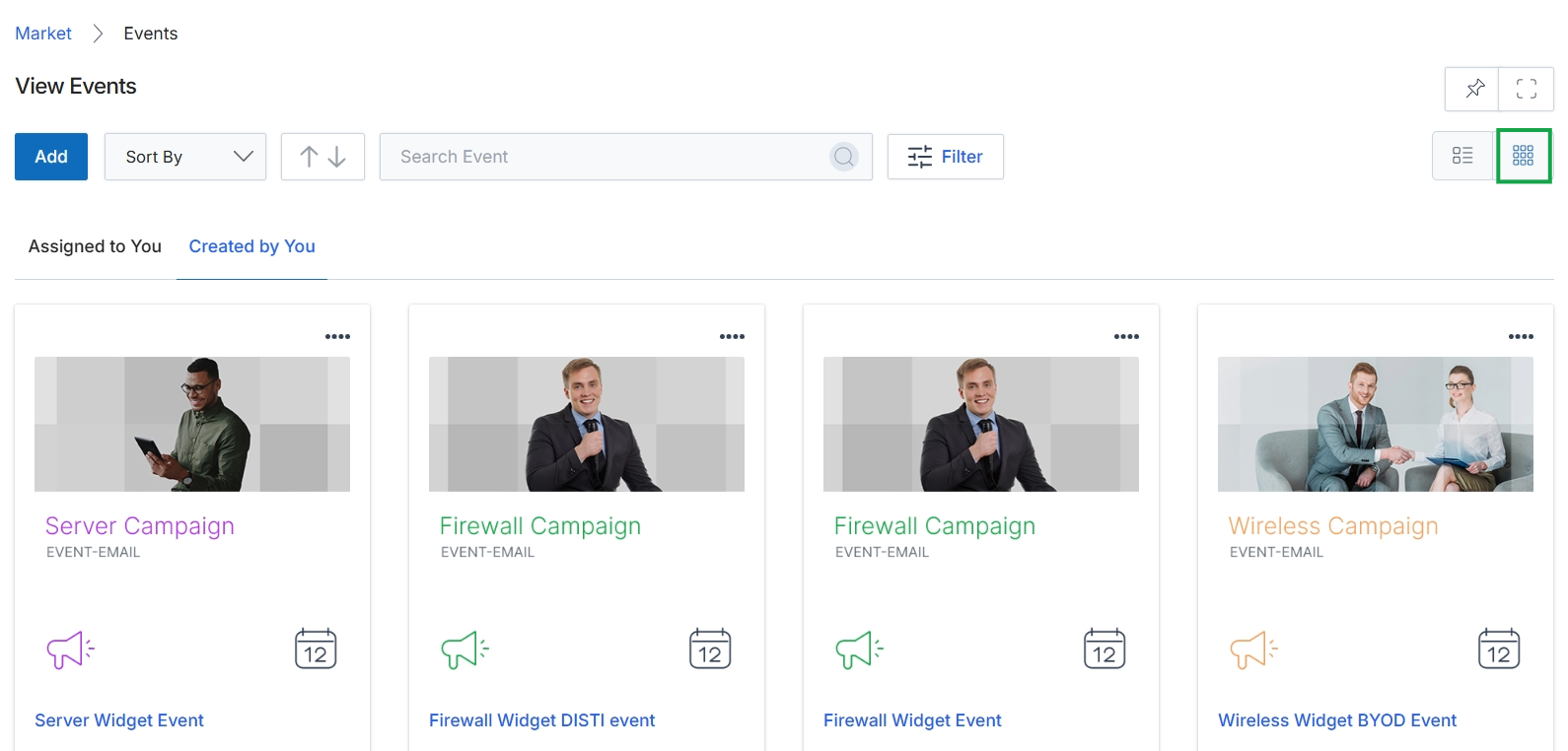
Click the thumbnail view icon.
Managing Individual Events
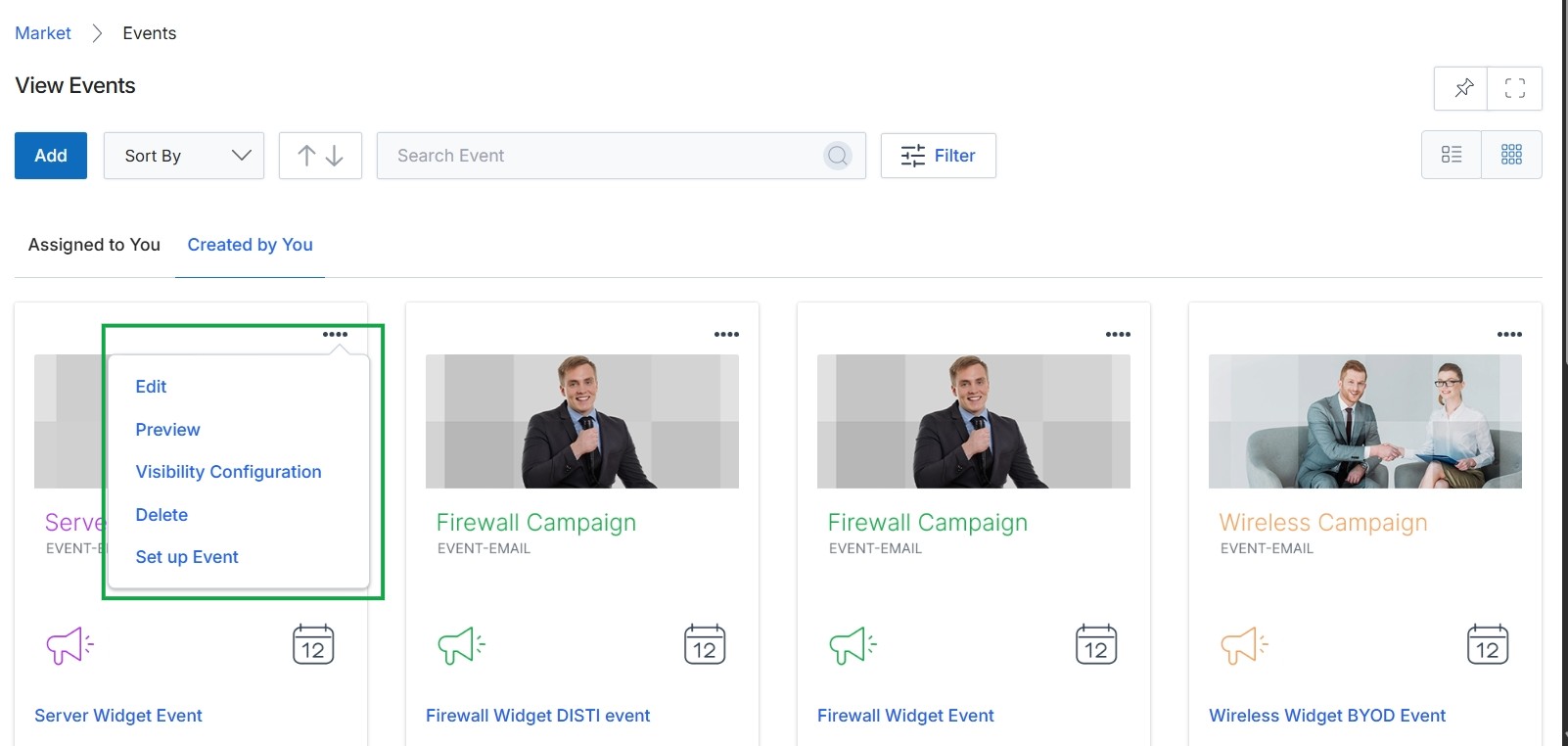
This screen displays a list of events in a card-based view, showing events that have been created by the current user. Each event card includes an image, title, and type, and provides a 'more options' menu, indicated by four dots, which reveals actions such as editing, previewing, configuring visibility, deleting, or setting up the event. This view allows users to manage their individual event marketing initiatives within the platform.