

Overview
Rebates are a critical component of partner incentive programs, offering retrospective rewards based on a partner's performance over a specific period, such as a quarter or fiscal year. These rewards encourage partners to achieve revenue targets and deepen their commitment to the vendor's products or services. The platform streamlines the management of these rebates, from initial accrual to final payment.
Administrators can access detailed rebate information, including the partner account, the timeframe for which the rebate applies, and the calculated accrued amount. The ability to add an 'Admin Contribution' allows for manual adjustments or additional incentives, providing flexibility in managing partner relationships. This ensures that all financial aspects of rebate programs are transparent and accurately recorded.
Accessing Rebate Records
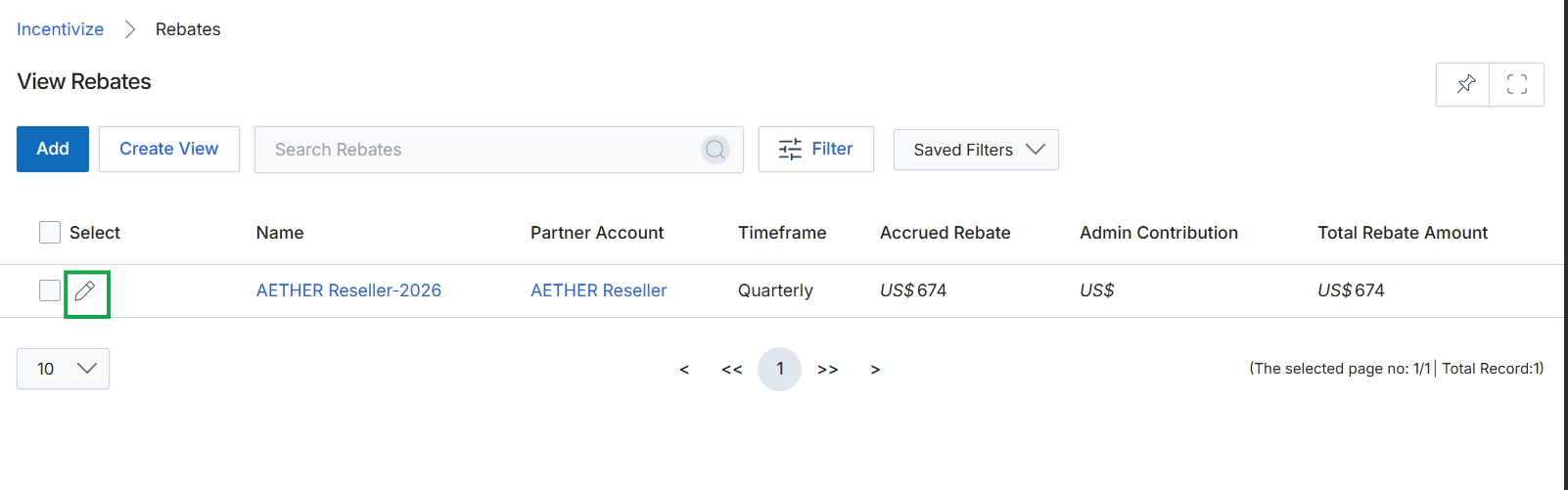
Click the pencil icon next to the rebate entry to edit it.
Editing Rebate Details
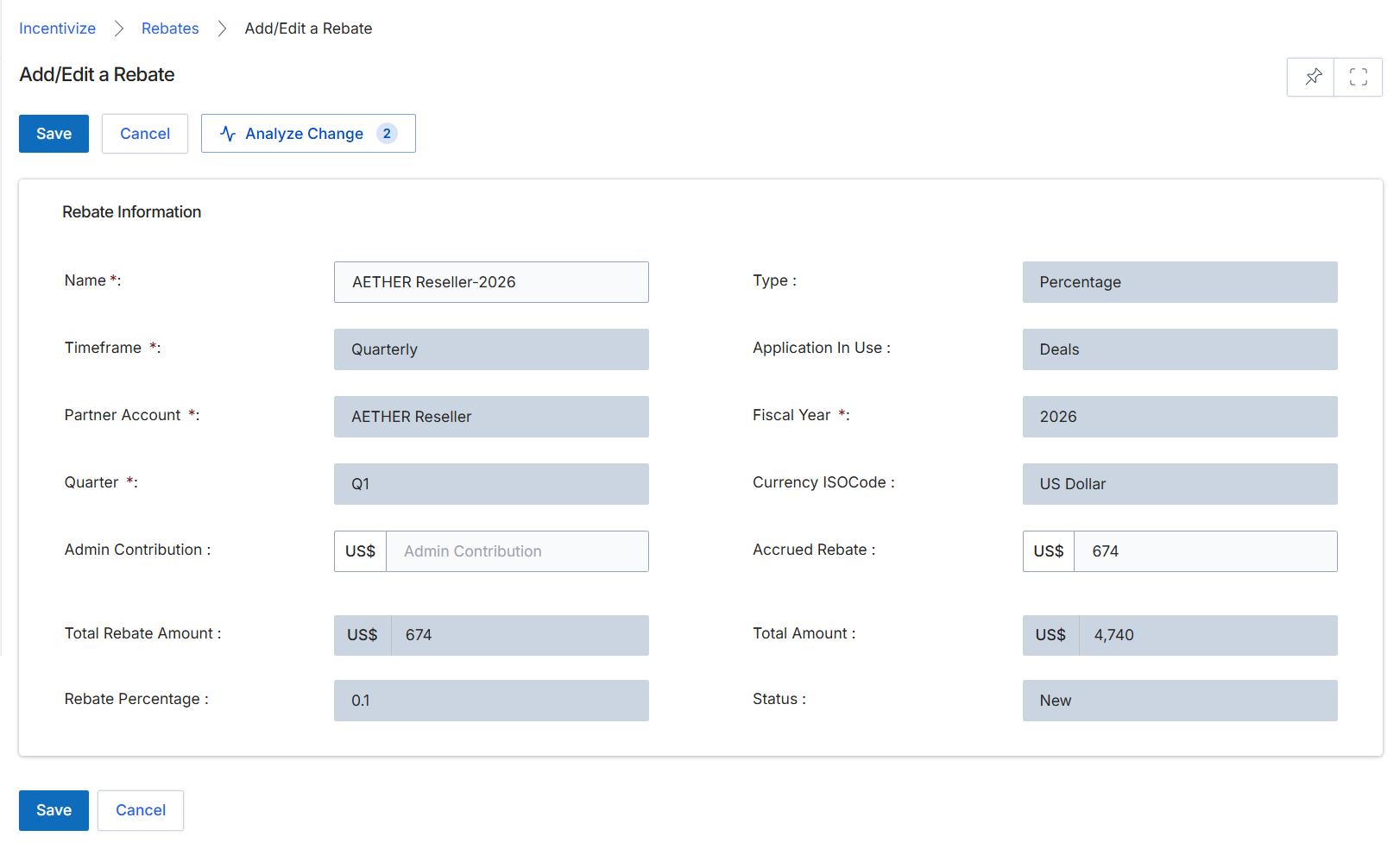
The Add/Edit a Rebate screen allows administrators to view and modify the details of a specific rebate record. Rebates are a type of retrospective financial reward for partners, typically based on revenue thresholds or growth targets over a defined period. This form displays key information about the rebate, including its name, associated partner, timeframe, and financial metrics. Administrators can use this screen to adjust certain rebate parameters, track its status, and analyze any changes made to the rebate's configuration, which is crucial for managing partner incentives and ensuring accurate payouts within the Incentivize module.
Review the details of the rebate displayed on the Add/Edit a Rebate screen.
Buttons
| Button | Description |
|---|---|
| Save | Saves any changes made to the rebate details. |
| Cancel | Discards any changes and returns to the previous screen. |
| Analyze Change | Compares the current rebate configuration with a previous version to highlight differences. |
Rebate Information
| Field | Description |
|---|---|
| Name | The unique name identifying the rebate. |
| Type | The type of rebate, such as 'Percentage' or 'Flat Amount'. |
| Timeframe | The period over which the rebate is calculated, such as 'Quarterly' or 'Annually'. |
| Application In Use | Indicates the module or context from which the rebate originates, such as 'Deals'. |
| Partner Account | The partner account associated with this rebate. |
| Fiscal Year | The fiscal year to which this rebate applies. |
| Quarter | The specific quarter within the fiscal year for which the rebate is active. |
| Currency ISO Code | The ISO currency code for the rebate amounts, such as 'US Dollar'. |
| Admin Contribution | The amount contributed by the administrator toward the rebate, displayed with its currency. |
| Accrued Rebate | The amount of rebate that has been accrued so far, displayed with its currency. |
| Total Rebate Amount | The total calculated rebate amount, displayed with its currency. |
| Total Amount | The overall total amount related to the rebate, displayed with its currency. |
| Rebate Percentage | The percentage rate applied for the rebate calculation. |
| Status | The current status of the rebate, such as 'New'. |