

Overview
Rebate programs are a crucial component of incentivizing partners to drive sales and achieve revenue targets. Unlike commissions, which are forward-looking per-event rewards, rebates are retrospective, calculated based on a partner's performance over a specific period, such as a quarter or year. These rules define how partners earn a percentage of revenue if their sales fall within certain bands or if they achieve specific growth targets.
Administrators use this module to set up these rules, specifying details like the eligible partner types, tiers, the calculation period, and the associated fund. Once configured and activated, the system automatically tracks partner revenue against these rules, calculates projected rebates, and facilitates the claim and payment process, ensuring partners are rewarded for their sustained performance.
Accessing and Editing Rebate Rules
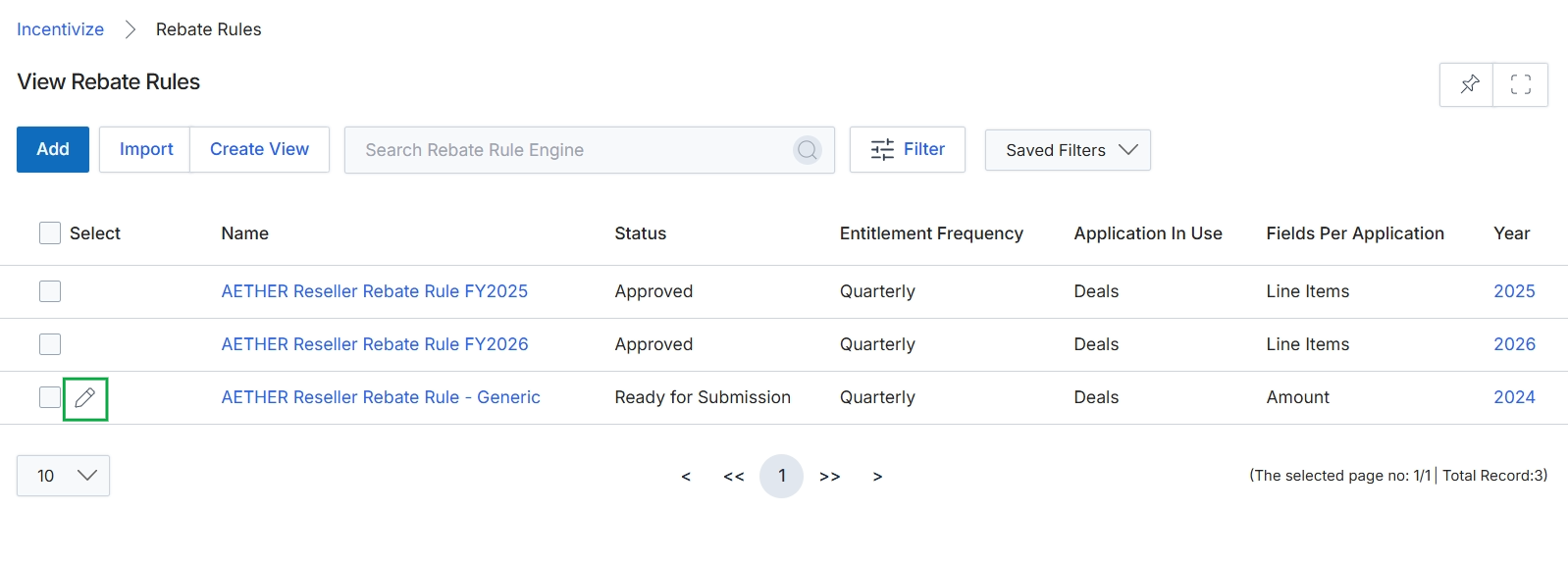
Click the pencil icon next to "AETHER Reseller Rebate Rule - Generic" to edit the rebate rule.
Configuring Rebate Rule Information
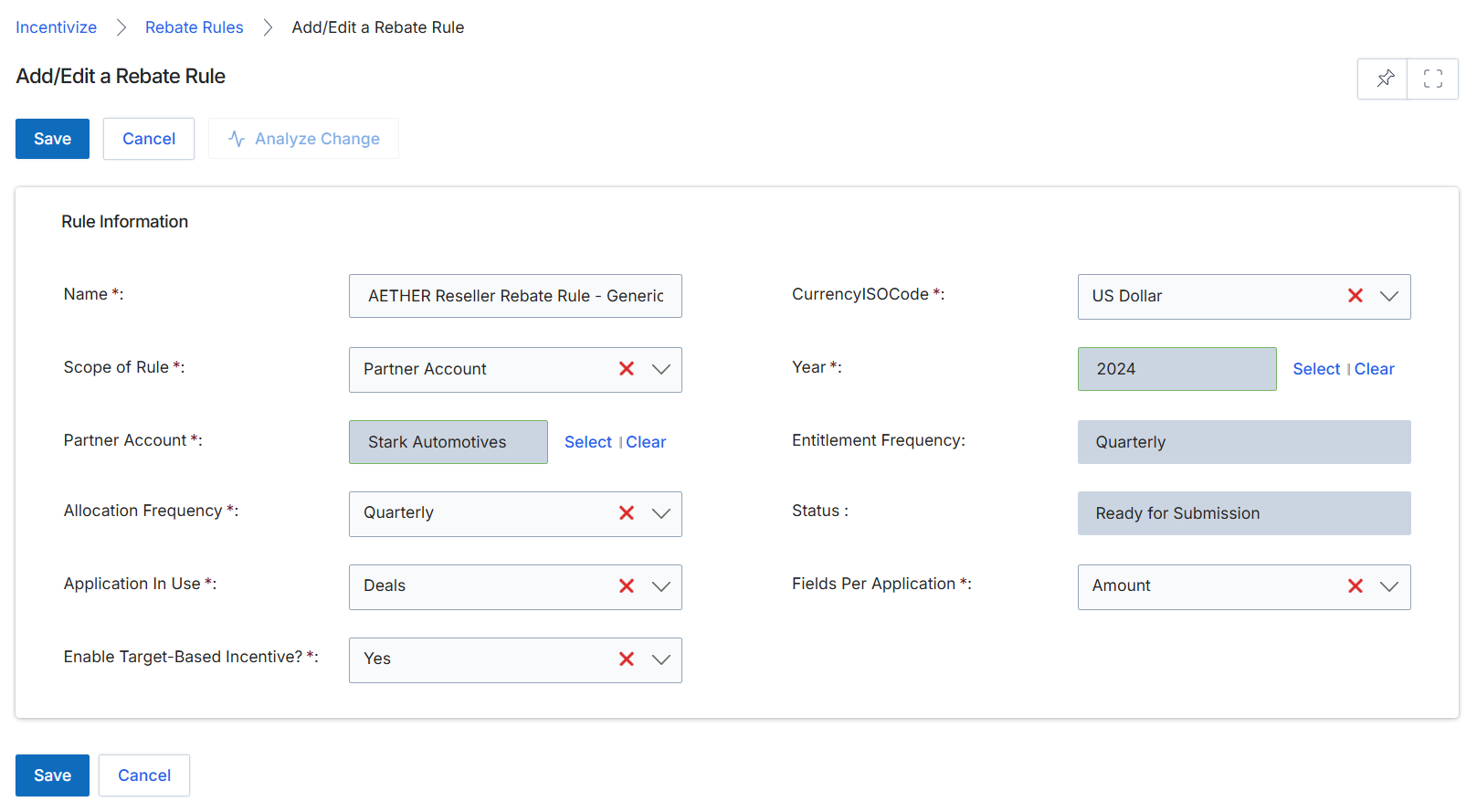
This screen displays the Add/Edit a Rebate Rule form, which administrators use to define the parameters for a rebate program. Rebate rules are a core component of the Incentivize module, allowing vendors to set up retrospective revenue-based rewards for partners. This form captures essential details such as the rule's name, scope, associated partner, currency, and the frequency of entitlement and allocation. It also specifies the application in use for tracking the rebate and whether the incentive is target-based, ensuring that the system can accurately calculate and manage partner rebates according to predefined criteria.
Configure the rebate rule by filling in the required fields on the Add/Edit a Rebate Rule form.
Buttons
| Button | Description |
|---|---|
| Save | Saves the configured rebate rule. |
| Cancel | Discards any changes and returns to the previous screen. |
| Analyze Change | Analyzes the impact of changes made to the rebate rule. |
Rule Information
| Field | Description |
|---|---|
| Name | The name of the rebate rule, which helps identify it within the system. |
| CurrencyISOCode | The currency in which the rebate will be calculated and paid, selected from a dropdown list. |
| Scope of Rule | Defines whether the rebate rule applies to a specific partner account or a broader category. |
| Year | The calendar year for which this rebate rule is active. |
| Partner Account | The specific partner account to which this rebate rule applies, if the scope is set to 'Partner Account'. |
| Entitlement Frequency | Indicates how often the partner becomes entitled to the rebate (e.g., Quarterly). |
| Allocation Frequency | Specifies how often the rebate funds are allocated. |
| Status | The current status of the rebate rule, indicating its stage in the workflow (e.g., Ready for Submission). |
| Application In Use | The module or application from which data is pulled to calculate the rebate (e.g., Deals). |
| Fields Per Application | The specific field within the chosen application that is used for rebate calculation (e.g., Amount). |
| Enable Target-Based Incentive? | A toggle to indicate whether this rebate rule is based on specific performance targets. |