

Overview
Rebate programs are a critical component of the Incentivize module, designed to reward partners retrospectively based on their sales performance over a defined period. Unlike commissions, which are often deal-specific and forward-looking, rebates incentivize overall revenue attainment and growth. This functionality provides a comprehensive view of each configured rebate rule, detailing its name, scope, currency, entitlement frequency, and the specific year it applies to. Understanding these configurations is essential for finance and program managers to accurately track, forecast, and disburse partner rebates, ensuring transparency and adherence to program terms.
Accessing Rebate Rules
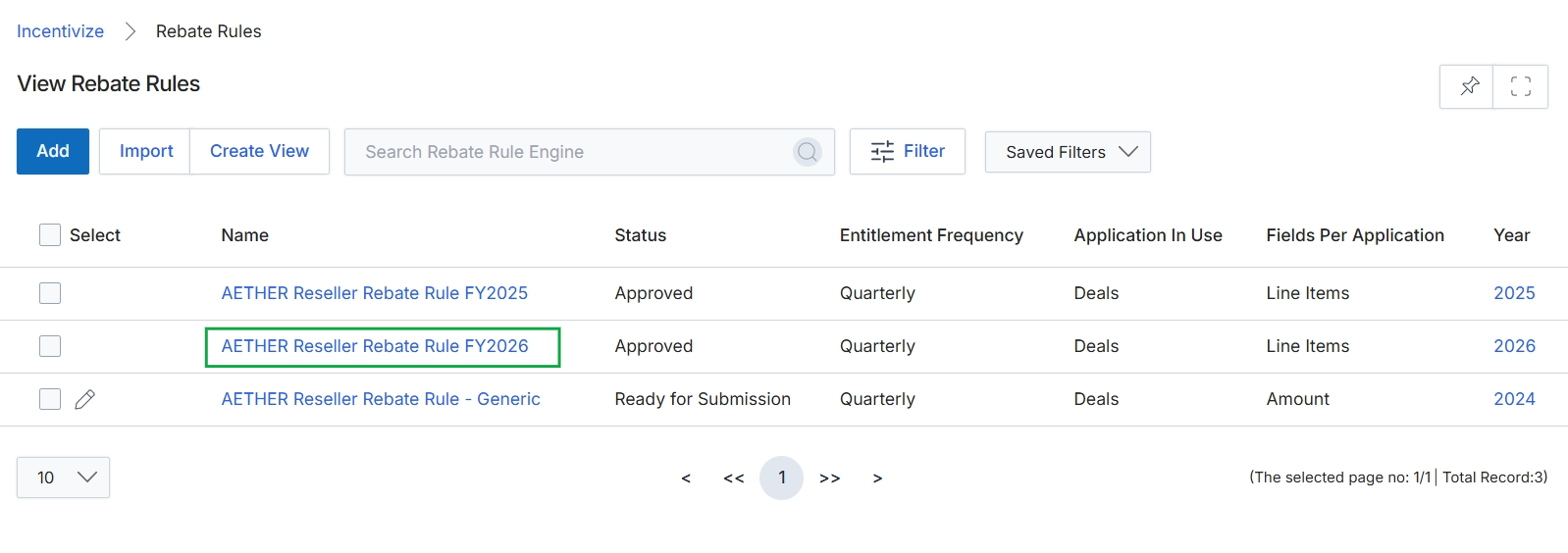
Click the AETHER Reseller Rebate Rule FY2026 link to view its detailed configuration.
Viewing Rebate Rule Details
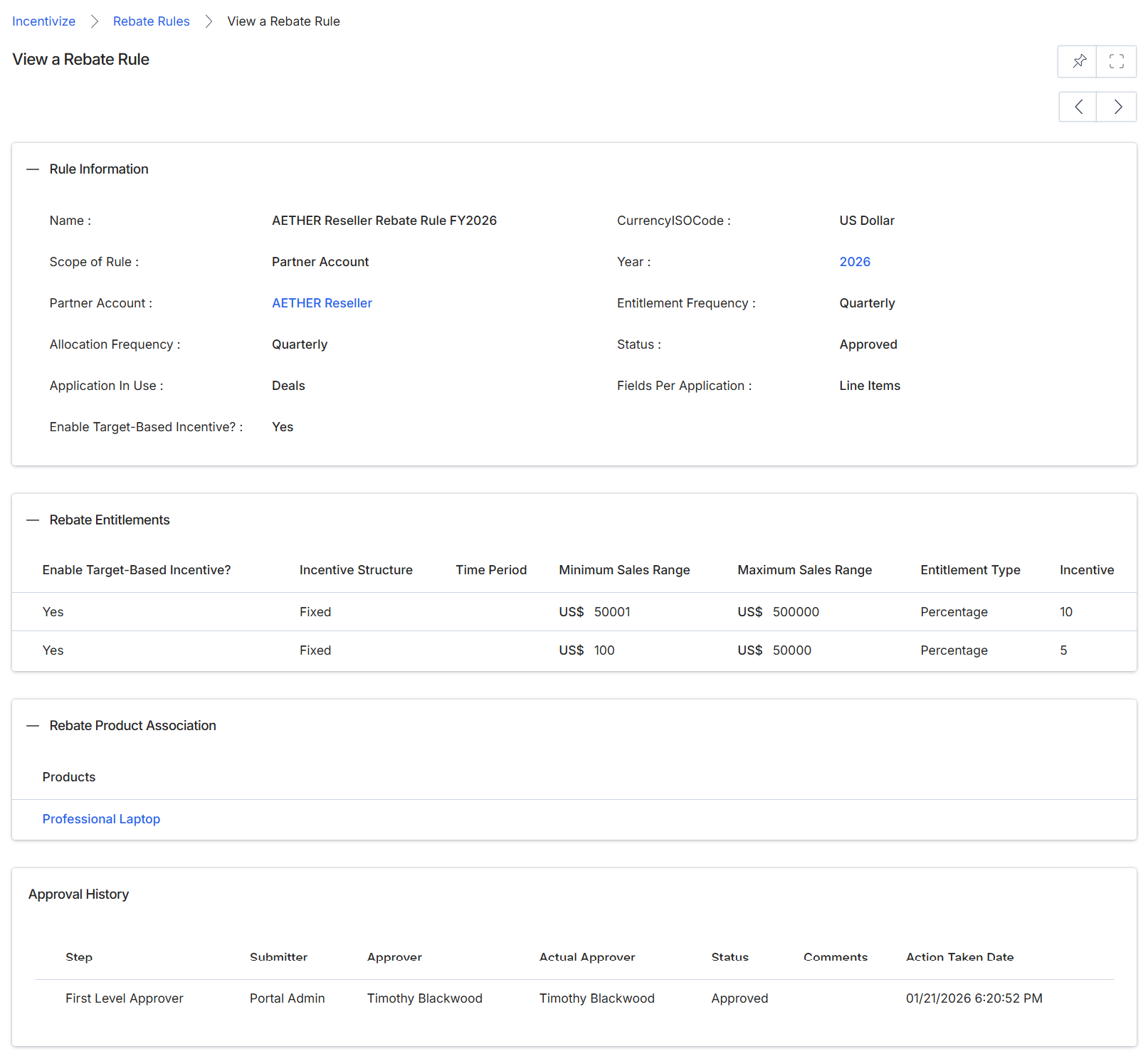
This screen displays the detailed configuration of a specific Rebate Rule, which defines how partners can earn retrospective revenue-based rewards. Rebate rules are a core component of the Incentivize module, allowing vendors to set up programs where partners receive a percentage or fixed amount based on their sales performance over a defined period. This view provides a comprehensive overview of the rule's general information, the specific entitlements or revenue bands that trigger rebates, any associated products, and its approval history, ensuring transparency and auditability for financial incentives. Administrators use this screen to review the parameters of an active or pending rebate program, verify its settings, and understand its current status within the incentive workflow.
Review the details of the AETHER Reseller Rebate Rule FY2026.
Rule Information
| Field | Description |
|---|---|
| Name | The name of the rebate rule, identifying its purpose and applicable period. |
| Scope of Rule | Indicates whether the rule applies to a specific partner account or is broader. |
| Partner Account | The specific partner account to which this rebate rule applies. |
| Allocation Frequency | How often the rebate is calculated or allocated, such as quarterly. |
| Application In Use | The module or context where this rebate rule is applied, such as Deals. |
| Enable Target-Based Incentive? | Indicates whether this rebate rule includes target-based incentives. |
| CurrencyISOCode | The ISO code for the currency used in this rebate rule, such as US Dollar. |
| Year | The fiscal year for which this rebate rule is active. |
| Entitlement Frequency | How often entitlements are determined or processed, such as quarterly. |
| Status | The current approval status of the rebate rule, such as Approved. |
| Fields Per Application | Specifies how fields are handled for each application, such as Line Items. |
Rebate Product Association
| Field | Description |
|---|---|
| Products | The product or products associated with this rebate rule. |
Rebate Entitlements
| Column | Description |
|---|---|
| Enable Target-Based Incentive? | Indicates if target-based incentives are enabled for this entitlement. |
| Incentive Structure | Describes the structure of the incentive, such as Fixed. |
| Time Period | The duration over which the sales range is measured for this entitlement. |
| Minimum Sales Range | The lower bound of the sales volume required to qualify for this incentive. |
| Maximum Sales Range | The upper bound of the sales volume for this incentive tier. |
| Entitlement Type | The type of entitlement, such as Percentage. |
| Incentive | The incentive value, which could be a percentage or a fixed amount. |
Approval History
| Column | Description |
|---|---|
| Step | The stage of the approval process. |
| Submitter | The user who initiated the approval step. |
| Approver | The user designated to approve this step. |
| Actual Approver | The user who actually performed the approval action. |
| Status | The status of the approval step, such as Approved. |
| Action Taken Date | The date and time when the approval action was taken. |