

Overview
Rebates are retrospective revenue-based rewards designed to incentivize partners to achieve specific sales targets or growth milestones over a defined period. Unlike commissions, which are typically paid per transaction, rebates are calculated and paid out after a period, based on aggregated performance. This module provides administrators with the tools to track and manage these rebate programs.
Administrators can view a comprehensive list of all rebates, apply filters to find specific records, and drill down into the details of each rebate. The detailed view includes all relevant information such as the rebate type, the partner account it belongs to, the fiscal year and quarter, the calculated rebate amount, and its current status. This ensures transparency and provides a clear audit trail for all rebate-related activities.
Accessing the Rebates List
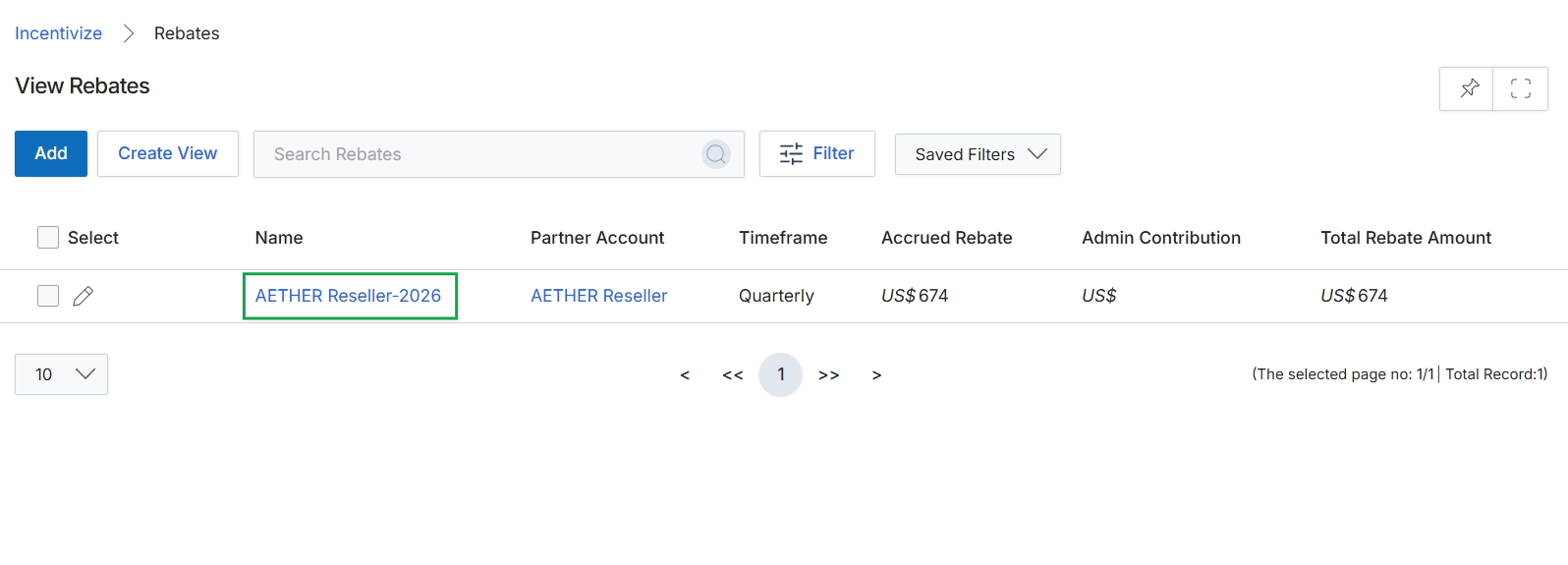
Click the AETHER Reseller-2026 link in the Name column.
Viewing Rebate Details
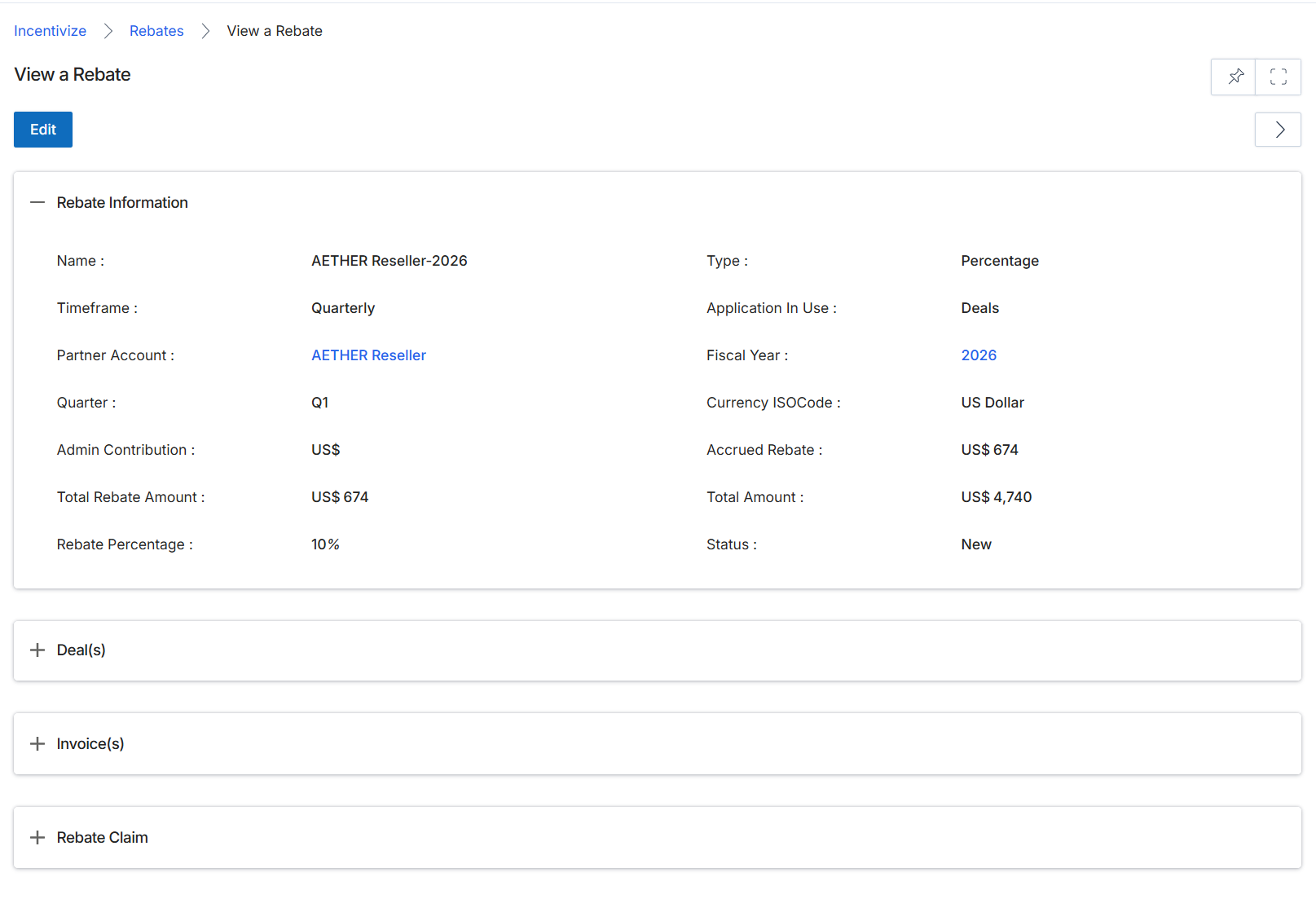
This screen displays the detailed information for a specific rebate record within the Incentivize module. Rebates are retrospective, revenue-based rewards calculated based on a partner's performance over a defined period, such as a quarter. This view provides a comprehensive overview of the rebate, including its type, associated partner, timeframe, and financial details. It serves as a central point for administrators to review the calculated rebate amount, understand its contributing factors, and track its current status, which is crucial for managing the payment workflow for partners.
Review the details of the selected rebate on this screen.
Buttons
| Button | Description |
|---|---|
| Edit | Click to modify the details of this rebate. |
Rebate Information
| Field | Description |
|---|---|
| Name | The name of the rebate, typically including the partner and year. |
| Timeframe | Indicates the period over which the rebate is calculated, such as 'Quarterly'. |
| Partner Account | The partner account associated with this rebate. |
| Quarter | The specific quarter for which the rebate is applicable. |
| Admin Contribution | The administrative contribution amount in US dollars. |
| Total Rebate Amount | The total calculated rebate amount in US dollars. |
| Rebate Percentage | The percentage rate applied to determine the rebate. |
| Type | The type of rebate, such as 'Percentage'. |
| Application In Use | Indicates which application or module generated the data for this rebate, such as 'Deals'. |
| Fiscal Year | The fiscal year to which this rebate applies. |
| Currency ISOCode | The ISO currency code used for the rebate, such as 'US Dollar'. |
| Accrued Rebate | The amount of rebate that has been accrued. |
| Total Amount | The total amount of revenue or sales that contributed to the rebate calculation. |
| Status | The current status of the rebate, such as 'New'. |
Fields
| Field | Description |
|---|---|
| Deal(s) | Click to expand and view the deals associated with this rebate. |
| Invoice(s) | Click to expand and view the invoices related to this rebate. |
| Rebate Claim | Click to expand and view the rebate claim details. |