

Overview
Mailing lists are a fundamental component of the Market module's email marketing capabilities, allowing vendors to segment and target specific audiences for their campaigns. Effective management of these lists ensures that marketing messages reach the intended recipients, whether they are prospects, partners, or other contact types. By maintaining accurate and up-to-date mailing lists, administrators can optimize campaign performance and ensure compliance with communication preferences.
This functionality supports both vendor-initiated campaigns and partner-executed campaigns, where partners can leverage pre-approved templates and their own contact lists. The ability to define mailing lists by source module, such as 'Prospects', helps streamline the process of populating lists from existing data within the platform, facilitating targeted communication strategies.
Accessing and Viewing Mailing Lists

Click the Mailing List New link.
Managing Mailing List Details
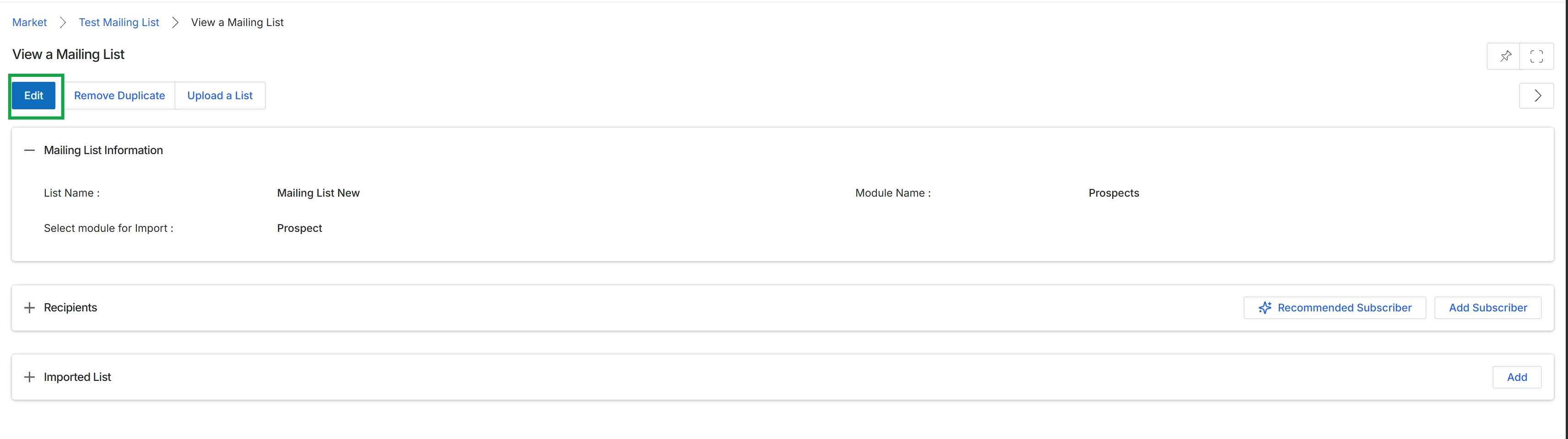
Click the Mailing List New link in the table.
Editing Mailing List Information
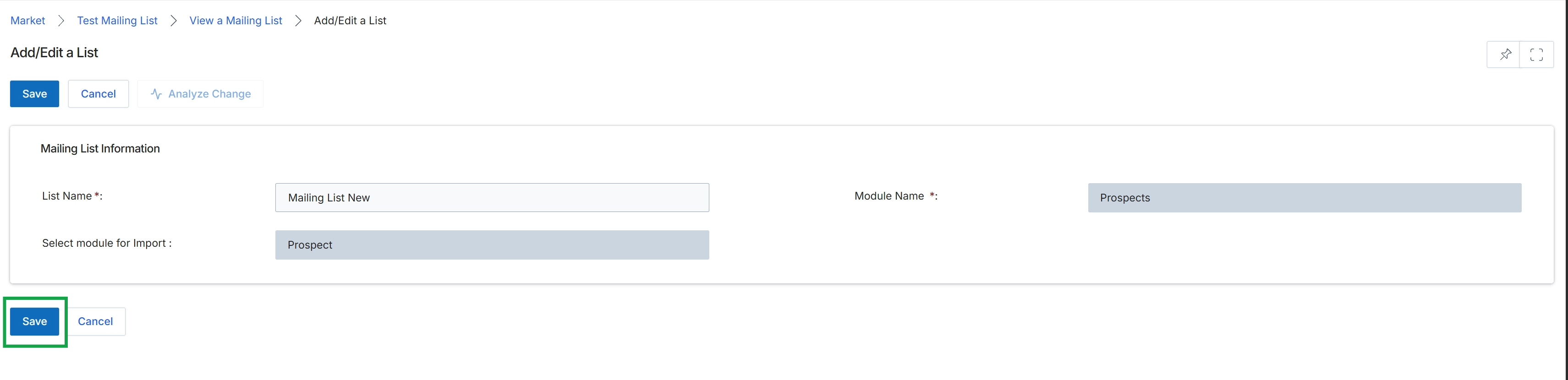
This screen serves as the interface for creating or modifying a mailing list within the Market module. Mailing lists are fundamental for organizing and targeting contacts for email campaigns, as described in the email campaign execution workflow (WF-06). Users define a unique name for the list and associate it with a specific module, such as Prospects, to import relevant contact data. This allows for segmented communication, ensuring that marketing messages reach the intended audience based on their relationship within the UPM platform. The configuration here directly impacts which contacts are available for selection when building and executing email marketing initiatives.
Click the "Save" button to finalize the creation or update of the mailing list.
Buttons
| Button | Description |
|---|---|
| Save | Saves the current mailing list configuration. |
| Cancel | Discards any changes and returns to the previous screen. |
| Analyze Change | Initiates an analysis of the changes made to the mailing list, likely to show impact or differences from a previous version. |
Mailing List Information
| Field | Description |
|---|---|
| List Name * | A required field for entering the unique name of the mailing list. |
| Module Name * | A required field to specify the module from which contacts will be sourced for this mailing list, such as 'Prospects'. |
| Select module for Import | Specifies the particular entity within the selected module (e.g., 'Prospect' from the 'Prospects' module) that will populate this mailing list. |