

Overview
The Email Marketing Management module enables both vendors and partners to execute and track email campaigns. This functionality is crucial for nurturing leads, engaging partners, and promoting products or services through targeted communications. Administrators can leverage this feature to monitor the performance and status of all emails dispatched through the platform, ensuring that marketing efforts are effectively managed and delivered.
Viewing the Outgoing Emails List
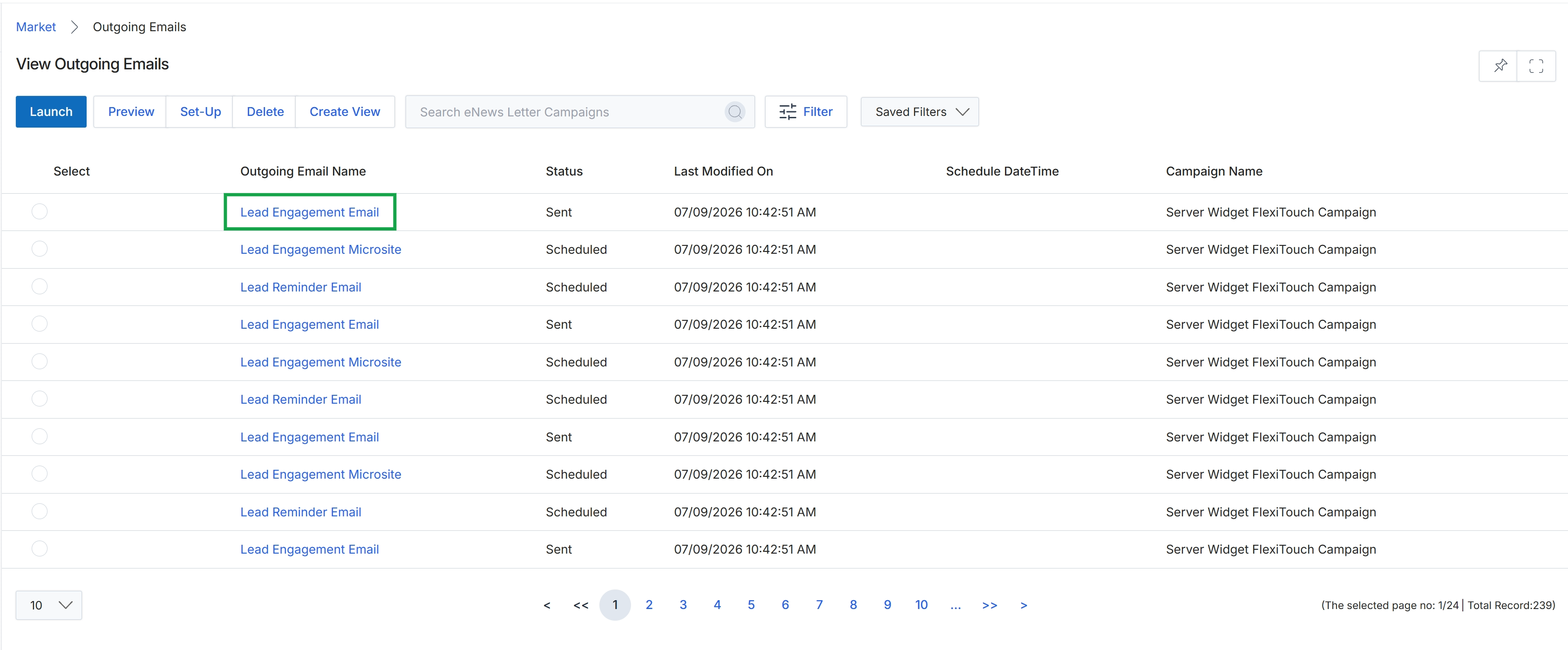
Click the Lead Engagement Email link in the "Outgoing Email Name" column.
Reviewing Outgoing Email Details
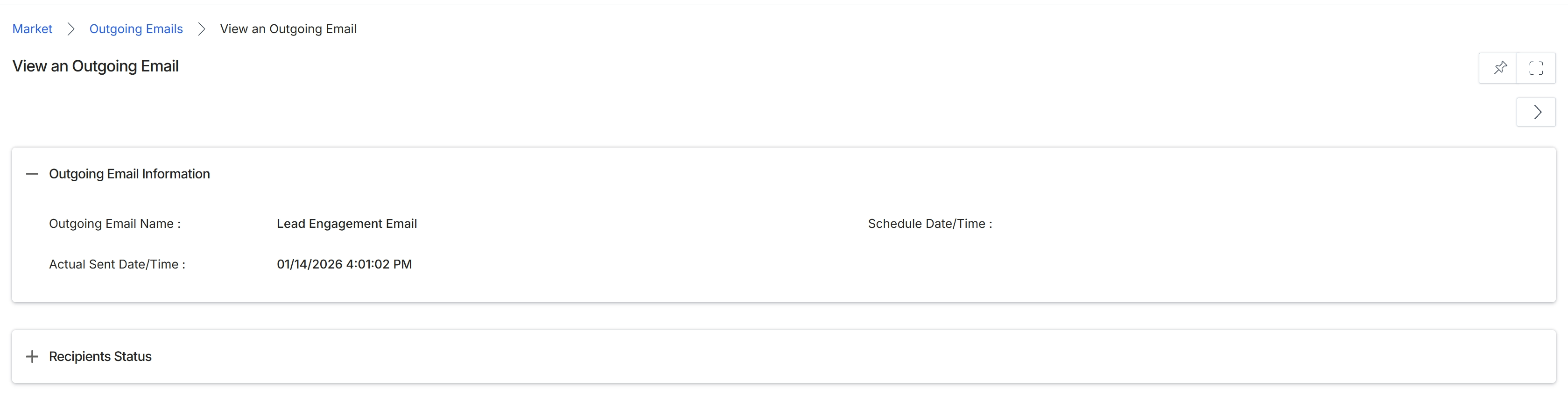
This screen displays the detailed information for a specific outgoing email that has been sent through the platform's email marketing management system. It provides an overview of the email's core attributes, such as its name and the exact date and time it was dispatched. This view is crucial for administrators to review the execution details of email campaigns, understand when communications were sent, and subsequently analyze their performance and recipient status, which can be expanded in the 'Recipients Status' section.
Review the details of the selected outgoing email.
Outgoing Email Information
| Field | Description |
|---|---|
| Outgoing Email Name | The name assigned to the email campaign or communication. |
| Schedule Date/Time | The date and time the email was scheduled to be sent. This field appears to be empty in the current view, suggesting it might be relevant for emails scheduled in the future or that were sent immediately. |
| Actual Sent Date/Time | The precise date and time when the email was actually dispatched by the system. |
Fields
| Field | Description |
|---|---|
| Recipients Status | An expandable section that would typically display detailed information about the email's recipients, including delivery status, opens, clicks, and other engagement metrics. |