

Overview
Effective email marketing is a cornerstone of successful partner-led demand generation. The platform's email marketing management capabilities, particularly co-branded emails, are designed to streamline this process by providing partners with ready-to-use, brand-compliant email templates. This ensures that partners can quickly launch marketing campaigns that align with the vendor's messaging and visual identity, without requiring extensive design or copywriting resources from the partner.
Administrators can create and manage a library of email templates, designating specific areas for partner customization while locking down critical brand elements. This balance of control and flexibility empowers partners to execute targeted email campaigns, nurture leads, and drive sales, all while maintaining brand consistency and enabling the vendor to track overall campaign performance and partner engagement.
Key Features
- Co-Brand Email Templates
- Email Campaign Management
- Mailing List Management
- Sender Profile Configuration
- Email Performance Tracking
- Template Creation & Editing
Accessing Email Marketing Features
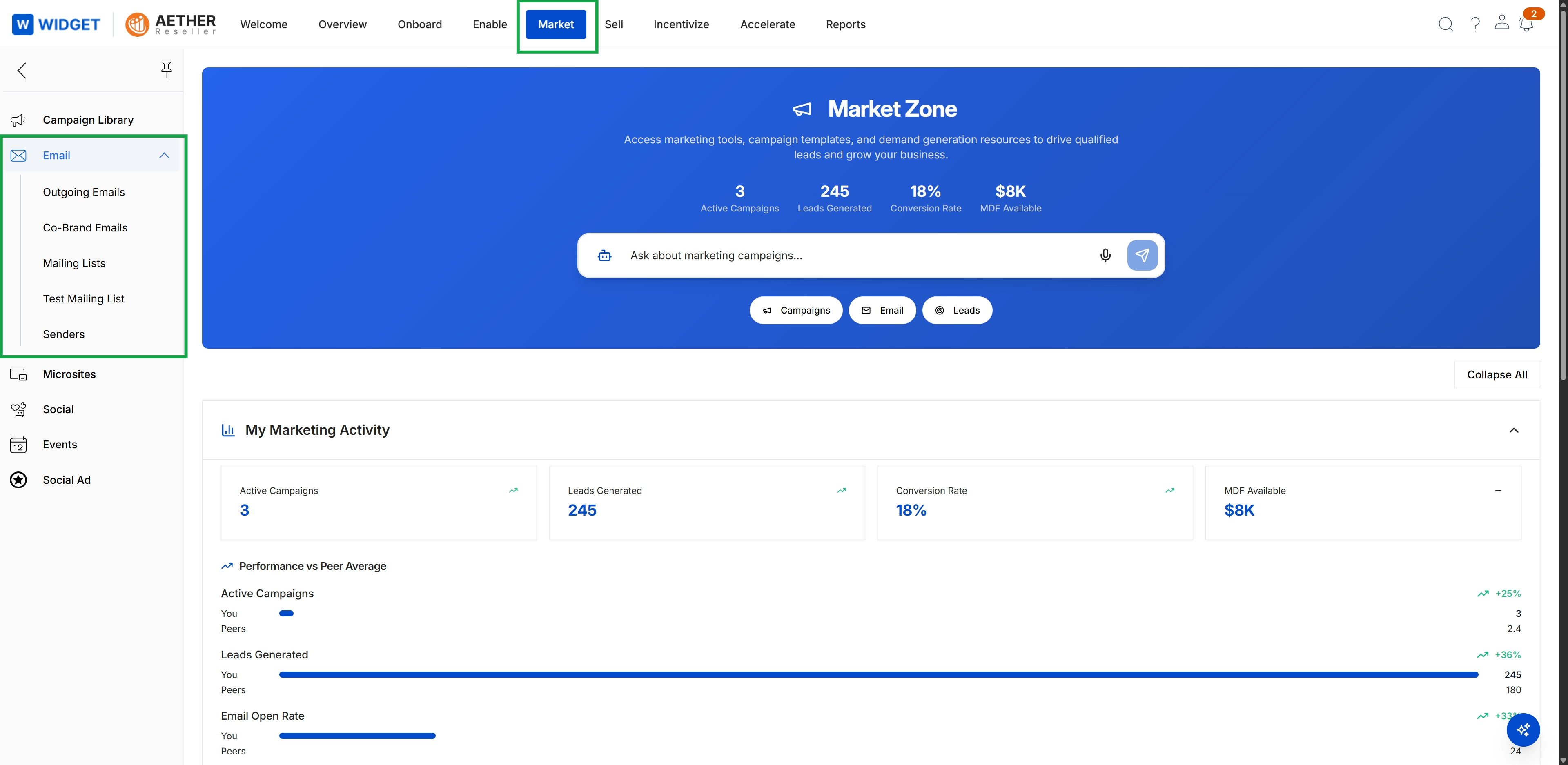
Click Market in the top navigation bar.
Viewing Co-Brand Email Templates
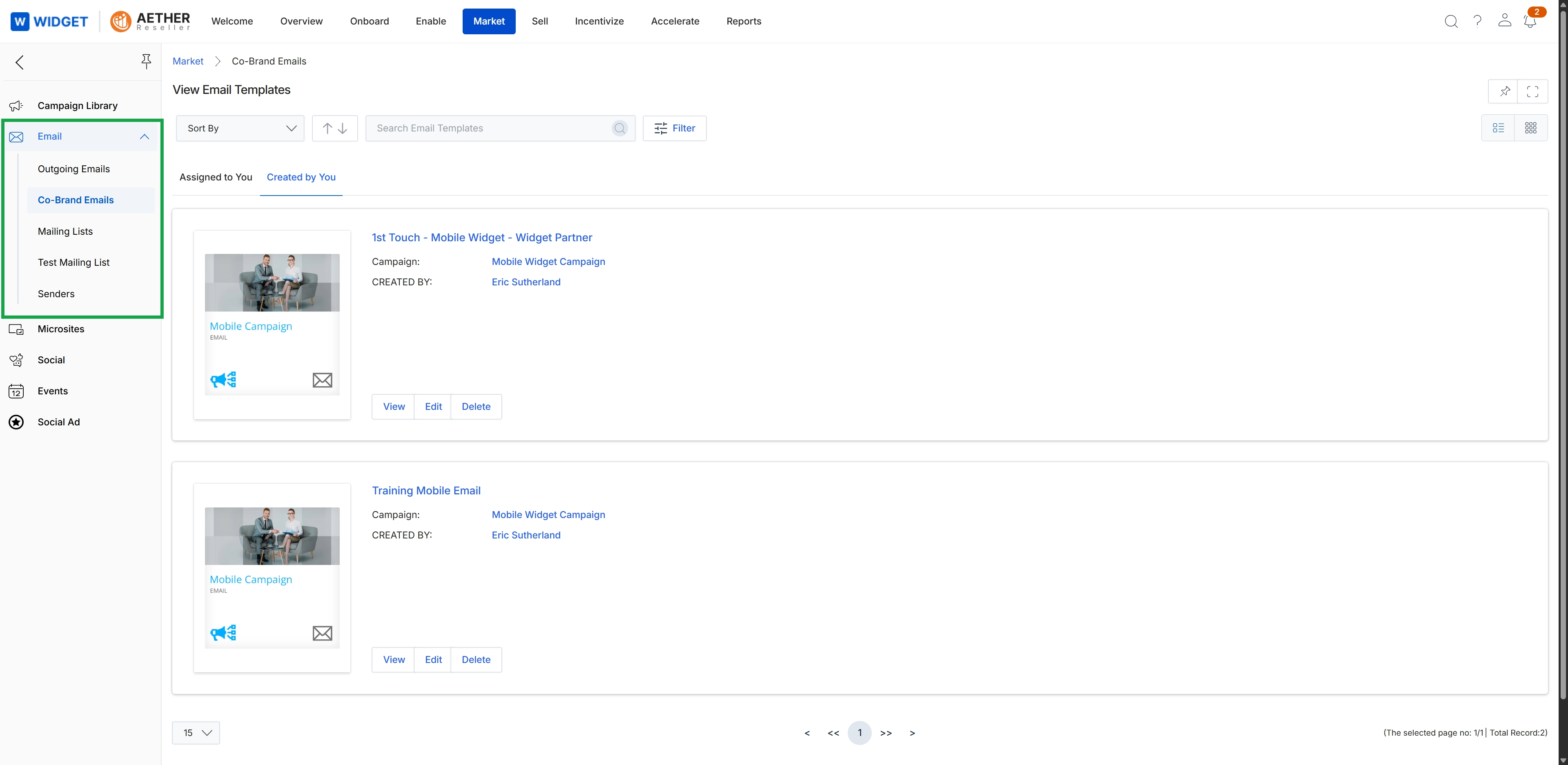
This screen displays a library of co-branded email templates available within the Market module, which partners can use for their marketing campaigns. It provides an overview of each template, including its name, associated campaign, and creator, allowing users to review and manage these pre-designed marketing assets. The view supports filtering and sorting to help users efficiently locate specific templates, representing a key component of the co-marketing workflow where vendors provide standardized, customizable email content to partners.
Frequently asked questions
- What is the purpose of the email module?
The module provides a centralized repository for managing co-branded email templates. It allows administrators to define and control marketing messages partners can use, ensuring brand consistency while facilitating localized efforts.
- How does this feature benefit partners?
Partners can leverage pre-approved, customizable email content for their campaigns, quickly launching marketing efforts aligned with brand guidelines. This eliminates the need for extensive design or copywriting resources.
- How do administrators use this module?
Administrators create and manage a library of email templates, designating specific areas for partner customization while locking down critical brand elements. This maintains brand consistency and enables tracking of campaign performance.
- What key capabilities does the email module offer?
Key capabilities include co-brand email templates, email campaign management, mailing list management, sender profile configuration, email performance tracking, and template creation and editing.
- How can I access email marketing features?
You can access email marketing features by navigating to the Market module landing page and clicking 'Market' in the top navigation bar.
- What information does the co-branded email templates library view provide?
This screen displays a library of co-branded email templates available in the Market module for partners to use. It provides an overview of each template, including its name, associated campaign, and creator, with filtering and sorting options.