

Overview
Effective email marketing often requires rigorous testing to ensure deliverability, correct formatting, and accurate personalization before a campaign is launched to a broad audience. The ability to create and manage 'test' mailing lists is crucial for this process. This module allows administrators to maintain a clear overview of all test lists, facilitating the quality assurance process for email campaigns within the platform. By providing tools to search, filter, and delete these lists, it helps keep the system organized and prevents clutter from outdated test data.
Accessing Test Mailing Lists
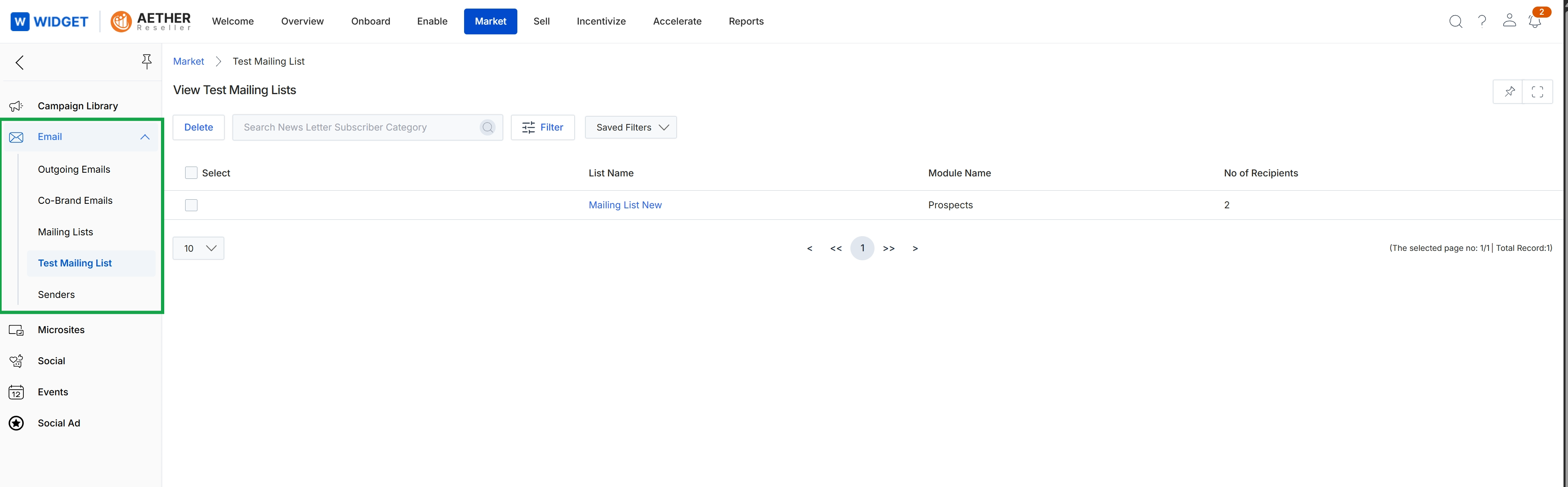
This screen displays a list of test mailing lists, which are used within the Market module's email marketing functionality to manage recipient groups for email campaigns. Administrators use this view to review existing mailing lists, identify the module they are associated with, and see the number of recipients in each list. This allows for efficient management and verification of test groups before deploying actual marketing campaigns. The list view supports searching and filtering to quickly locate specific mailing lists, and provides options for managing these lists.
Review the list of existing test mailing lists to verify their details and recipient counts.
Buttons
| Button | Description |
|---|---|
| Delete | A disabled button to delete selected mailing lists from the system. |
| Filter | A button with an icon to apply filters to the mailing list view, allowing users to narrow down the displayed results based on various criteria. |
| Saved Filters | A button with a dropdown arrow to access and apply previously saved filter configurations. |
Fields
| Field | Description |
|---|---|
| Search News Letter Subscriber Category | A text input field used to search for specific mailing lists by category or name. |
Column Headings
| Column | Description |
|---|---|
| Select | A checkbox column header used to select one or more mailing lists for bulk actions. |
| List Name | The name of the mailing list. Clicking on a list name (e.g., 'Mailing List New') typically navigates to its detailed view. |
| Module Name | Indicates the module within UPM that the mailing list is associated with. |
| No of Recipients | Displays the total number of recipients included in the mailing list. |
Managing Test Mailing Lists
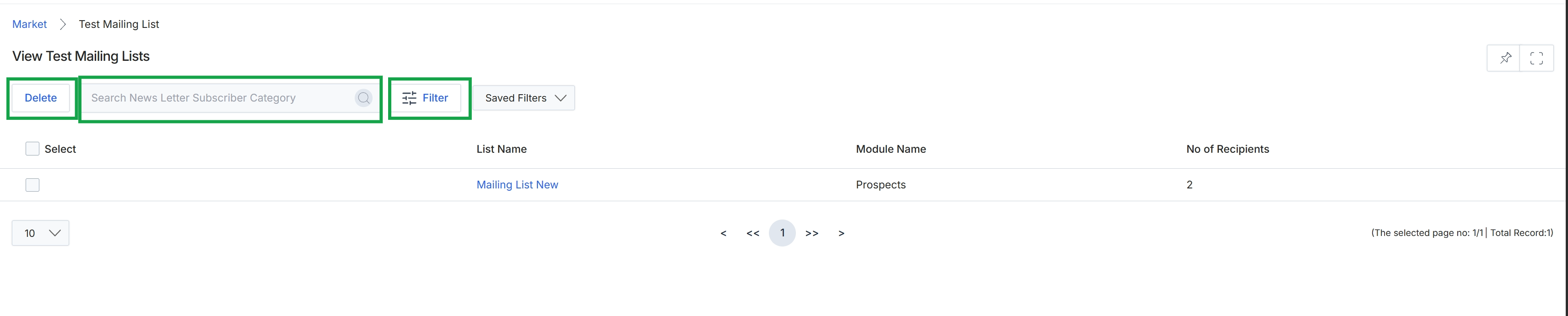
This screen displays a list of test mailing lists configured within the Market module, which are used for email marketing campaigns. It provides an overview of each list, including its name, the module it's associated with, and the number of recipients it contains. Administrators use this view to manage and review the test lists before they are utilized for actual email sends, ensuring proper segmentation and recipient counts.