

Overview
Agreement templates are crucial for formalizing relationships with partners, outlining terms, conditions, and legal obligations. Before an agreement can be used within a partner program, it must be activated. This activation process ensures that only approved and finalized legal documents are presented to partners, maintaining compliance and consistency across all partner engagements.
Administrators can review the full content of an agreement template, along with its metadata such as creation date, last modification, and current status, before proceeding with activation. Once activated, the template becomes available for assignment to partner types or programs, facilitating the automated agreement workflow during partner onboarding or when renewals are due.
Key Features
- Template Activation
- View Template Details
- Agreement Content Display
- Status Management
Reviewing Template Information
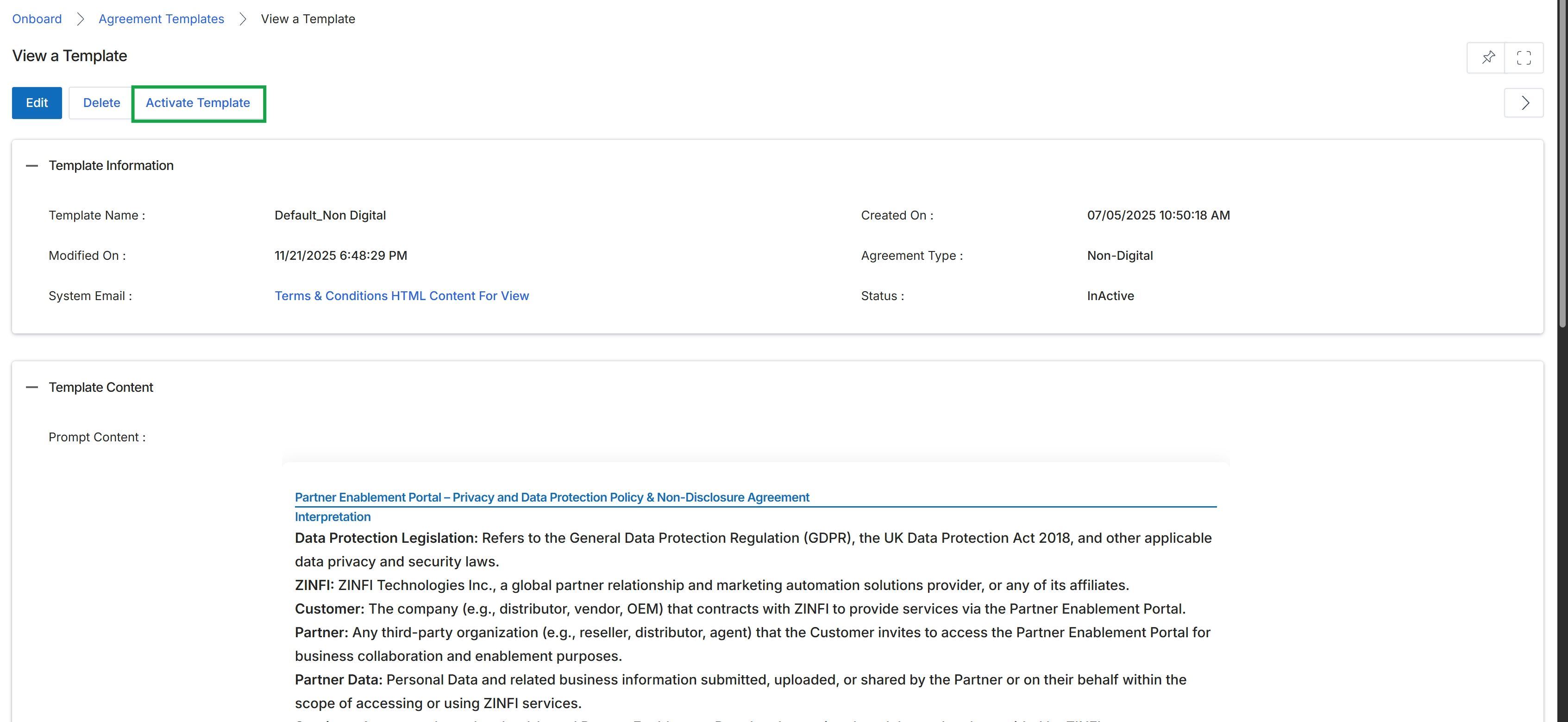
Click the Activate Template button.
Frequently asked questions
- What is the purpose of activating an agreement template?
Activating an agreement template makes it available for use in partner programs. This allows it to be sent to partners for review and e-signature during onboarding or renewal processes.
- Who can activate an agreement template?
UPM administrators are responsible for activating agreement templates.
- What happens to a template's status after activation?
Activating a template changes its status from 'Inactive' to 'Active'. This makes it accessible for assignment to partner types or programs.
- Why is template activation important for compliance?
The activation process ensures that only approved and finalized legal documents are presented to partners, maintaining compliance and consistency across all partner engagements.