

Overview
Effective partner management requires clear and legally binding agreements. The platform's Contract Templates feature provides administrators with the tools to define, store, and manage all contractual documents that govern partner relationships. These templates can range from general terms and conditions to specific agreements for different partner types or incentive programs, ensuring that the legal framework for every partnership is consistently applied and easily accessible.
By centralizing contract template management, administrators can streamline the onboarding process, quickly update agreements as business needs evolve, and maintain a historical record of all contract versions. This reduces administrative overhead, minimizes legal risks, and ensures that partners always have access to the most current and relevant contractual information, fostering transparency and compliance across the partner ecosystem.
Accessing and Viewing Contract Templates
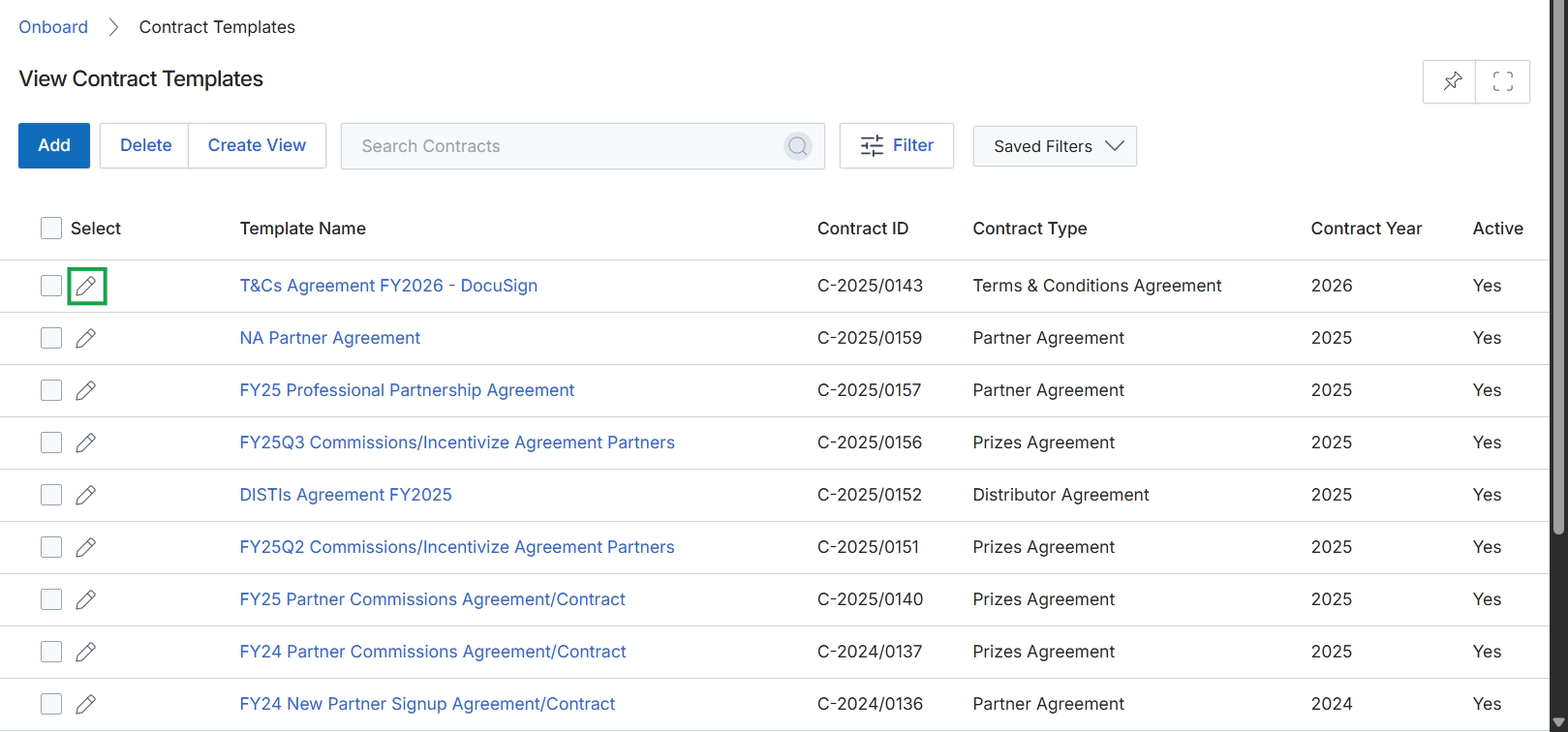
Click the pencil icon next to "T&Cs Agreement FY2026 - DocuSign" to edit the contract template.
Adding or Editing a Contract Template
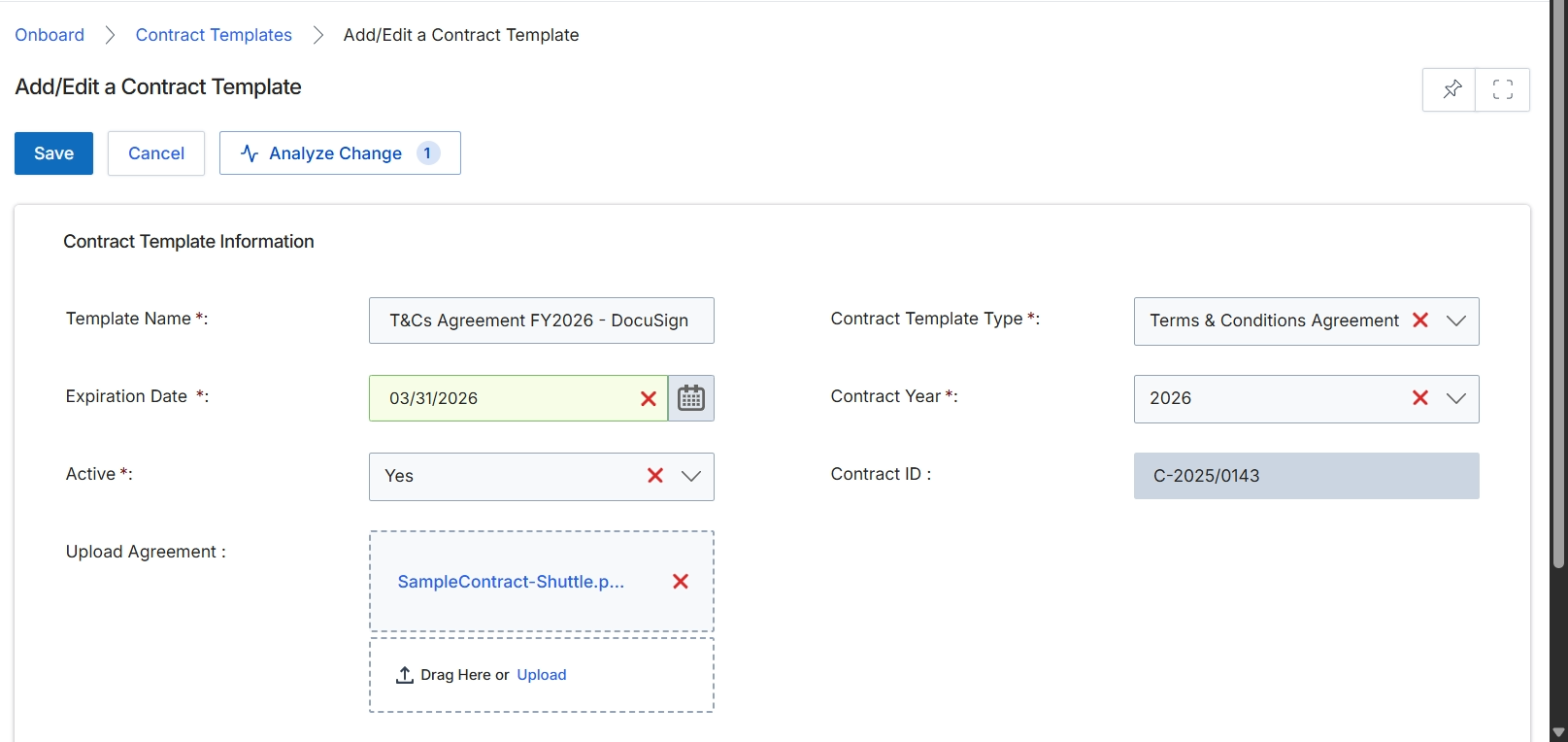
The Add/Edit a Contract Template form allows administrators to define and manage the various contract agreements used within the partner program. These templates are essential for standardizing legal terms, ensuring compliance, and streamlining the partner onboarding process, as partners often need to digitally sign agreements before gaining full access to the portal or specific program benefits. Each template specifies key details such as its name, type, expiration, and whether it is currently active. The form also supports uploading the actual agreement document, which partners will review and sign. Once configured, these templates can be assigned to different partner types or tiers, ensuring that the correct legal framework is applied to each partner relationship.
Fill in the required details for the new contract template on the Add/Edit a Contract Template form.
Buttons
| Button | Description |
|---|---|
| Save | Saves the current contract template details. |
| Cancel | Discards any changes and returns to the previous screen. |
| Analyze Change | Compares the current template with previous versions. |
Contract Template Information
| Field | Description |
|---|---|
| Template Name | The name of the contract template, such as 'T&Cs Agreement FY2026 - DocuSign'. This is a required field. |
| Contract Template Type | The category or type of the contract, such as 'Terms & Conditions Agreement'. This is a required field. |
| Expiration Date | The date when the contract template will no longer be valid. This is a required field. |
| Contract Year | The year associated with the contract template, such as '2026'. This is a required field. |
| Active | Indicates whether the contract template is currently active and available for use. This is a required field. |
| Contract ID | A unique identifier for the contract template. |
| Upload Agreement | Allows uploading the actual agreement document in a supported format, such as PDF. |