

Overview
Contract templates are foundational for managing legal agreements within the platform, ensuring all partners operate under standardized terms. This functionality is crucial for defining which partners are associated with specific agreements, such as reseller agreements, referral agreements, or non-disclosure agreements. By linking contract templates to partner groups, administrators can efficiently manage compliance and ensure that the correct legal documents are presented to and signed by relevant partners based on their type, tier, or other segmentation criteria. This prevents manual assignment errors and scales agreement distribution across a large partner ecosystem.
Viewing Assigned Groups
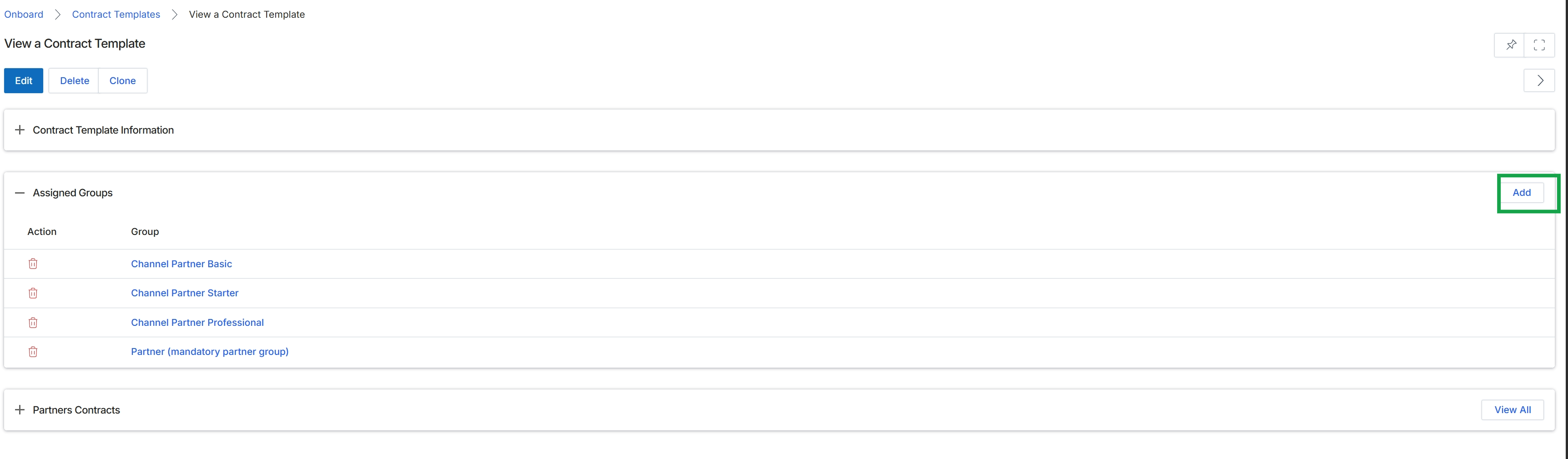
Click the Add button next to "Assigned Groups".
Assigning New Groups
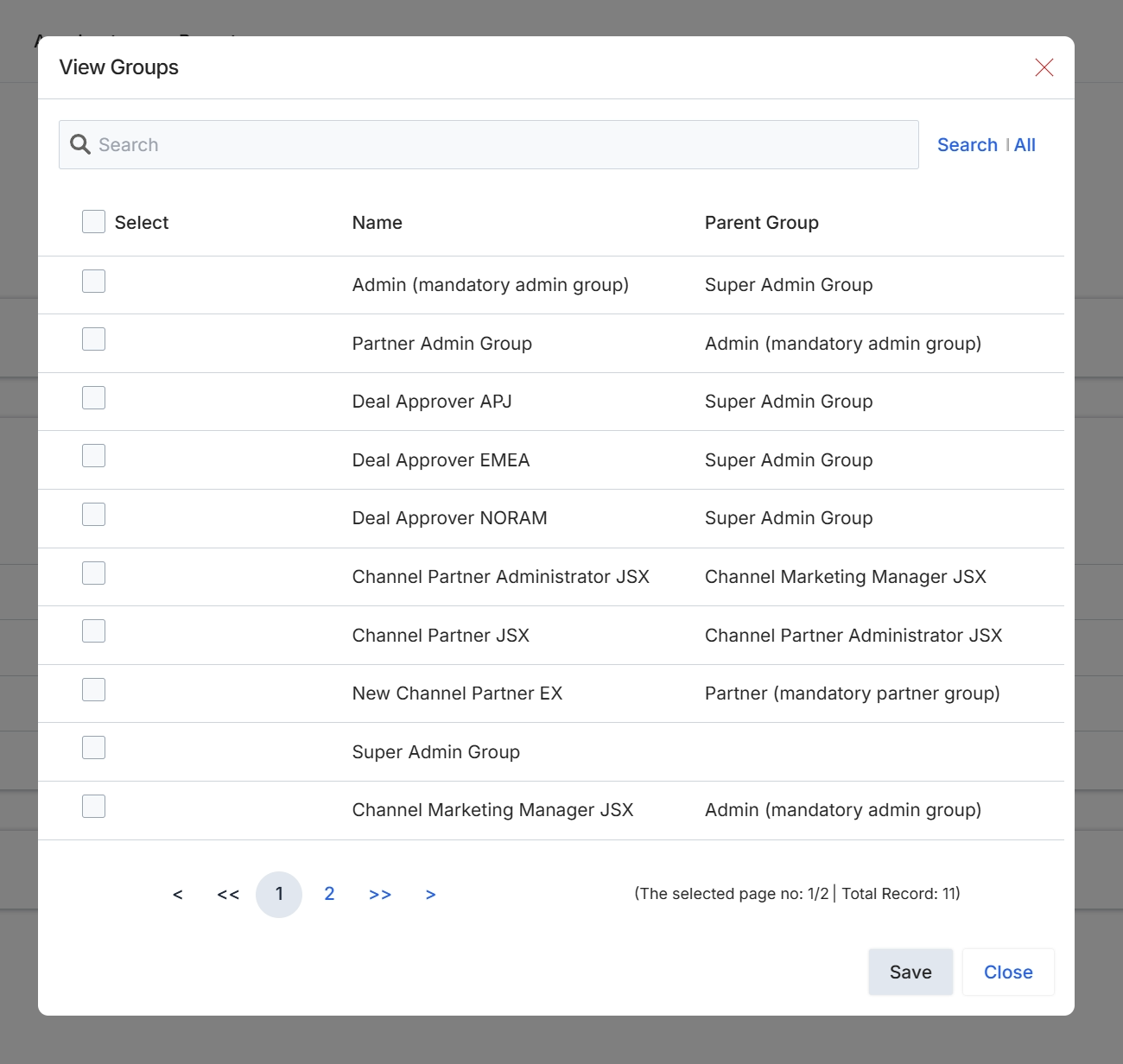
This screen displays a list of available user groups within the platform, which administrators can use to manage access and permissions. It allows for the selection of one or more groups to be associated with a specific configuration, such as a contract template. The list includes group names and their respective parent groups, providing a hierarchical view of the organizational structure. This functionality is crucial for ensuring that the correct users or roles have access to or are affected by the associated item.