

Overview
The Contract Templates module is a central repository for all legal agreements and contracts that partners will sign as part of their onboarding and ongoing engagement with the program. Administrators use this module to manage different versions of agreements, such as reseller agreements, referral agreements, and terms & conditions. Efficiently viewing and organizing these templates is crucial for ensuring partners are presented with the correct and up-to-date legal documents.
Custom views enhance an administrator's ability to quickly find and assess contract templates based on their specific needs. By creating saved views, administrators can streamline their workflow, focusing on relevant contract attributes like contract type, active status, or expiration dates without having to manually adjust column visibility each time.
Initiating a Custom View
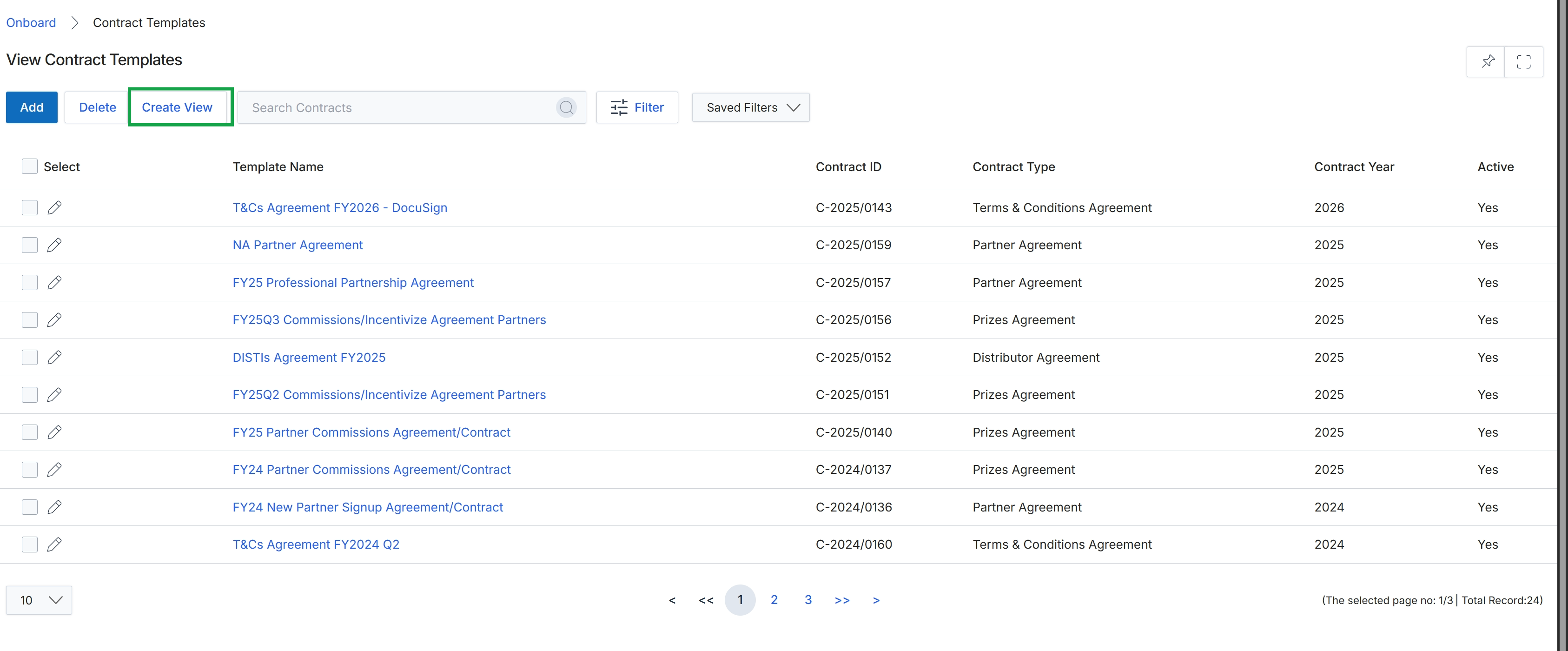
Click the Create View button.
Configuring Display Fields
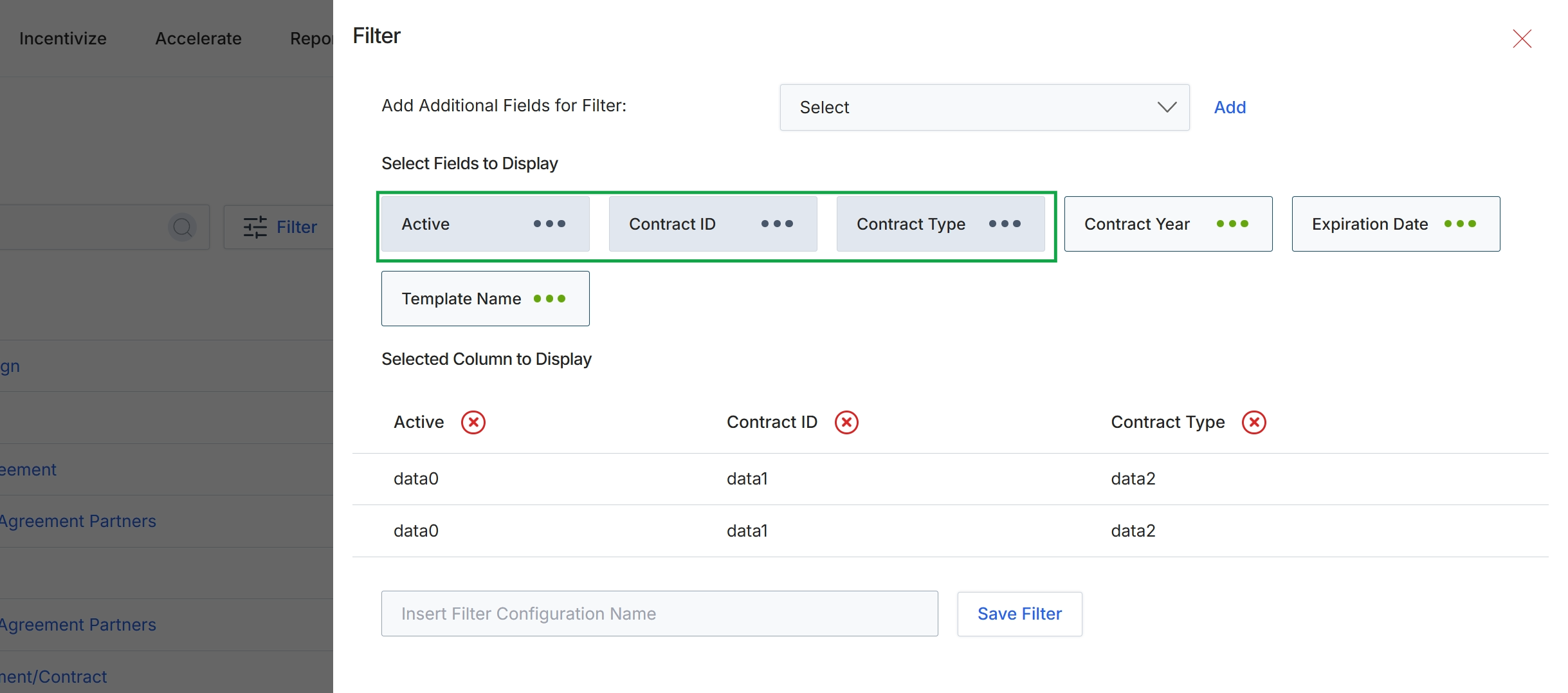
This filter configuration panel allows users to customize the columns displayed in a list view and define new filter criteria. It provides flexibility for administrators to tailor the data presentation to specific analytical or operational needs, ensuring that relevant information is readily accessible without clutter. Users can select from available fields to add them as display columns or to create new filter conditions, which helps in refining data views and expediting information retrieval. The ability to save these configurations as named filters streamlines future use and promotes consistency across different reporting or management tasks.
Click the 'Template Name' field to add it to the selected columns for display.
Buttons
| Button | Description |
|---|---|
| Add | A button to add the selected field from the dropdown as a new filter. |
| Active | A field representing the 'Active' status, currently selected to be displayed as a column. |
| Contract ID | A field representing the 'Contract ID', currently selected to be displayed as a column. |
| Contract Type | A field representing the 'Contract Type', currently selected to be displayed as a column. |
| Contract Year | A field representing the 'Contract Year', available to be selected for display. |
| Expiration Date | A field representing the 'Expiration Date', available to be selected for display. |
| Template Name | A field representing the 'Template Name', available to be selected for display. |
| Save Filter | A button to save the current filter configuration with the specified name. |
Fields
| Field | Description |
|---|---|
| Add Additional Fields for Filter | A dropdown menu to select additional fields that can be used for filtering the data. |
| Select | The dropdown to choose fields to add as new filter criteria. |
| Insert Filter Configuration Name | An input field to enter a name for the current filter configuration to save it for future use. |
Selected Column to Display
| Column | Description |
|---|---|
| Active | A column showing the 'Active' status of the items in the list view. |
| Contract ID | A column showing the 'Contract ID' of the items in the list view. |
| Contract Type | A column showing the 'Contract Type' of the items in the list view. |