

Overview
Effective partner program management relies on clear, legally binding agreements. The platform provides a robust system for managing these critical documents, ensuring that all partners operate under defined terms and conditions. Administrators can create different agreement types, such as Reseller, Referral, or Non-Disclosure Agreements, and customize their content to suit specific program requirements or regional legal standards.
These templates are essential for the partner onboarding workflow, as partners are often required to e-sign an agreement before gaining full access to the portal or specific program benefits. The system tracks the status and modification history of each template, providing an audit trail and enabling administrators to easily update agreements as legal or business requirements evolve.
Accessing and Selecting a Template
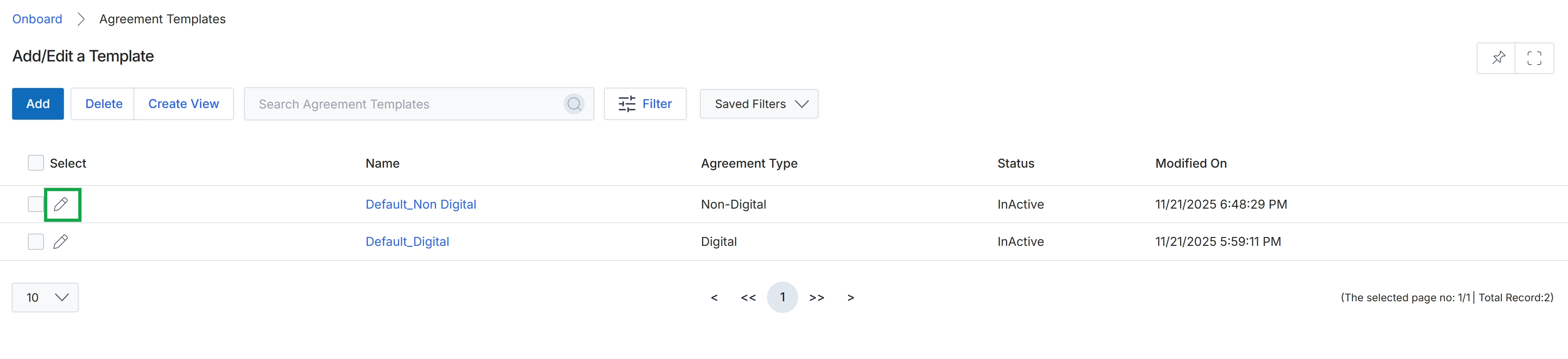
Click the Add button.
Editing Template Information and Content
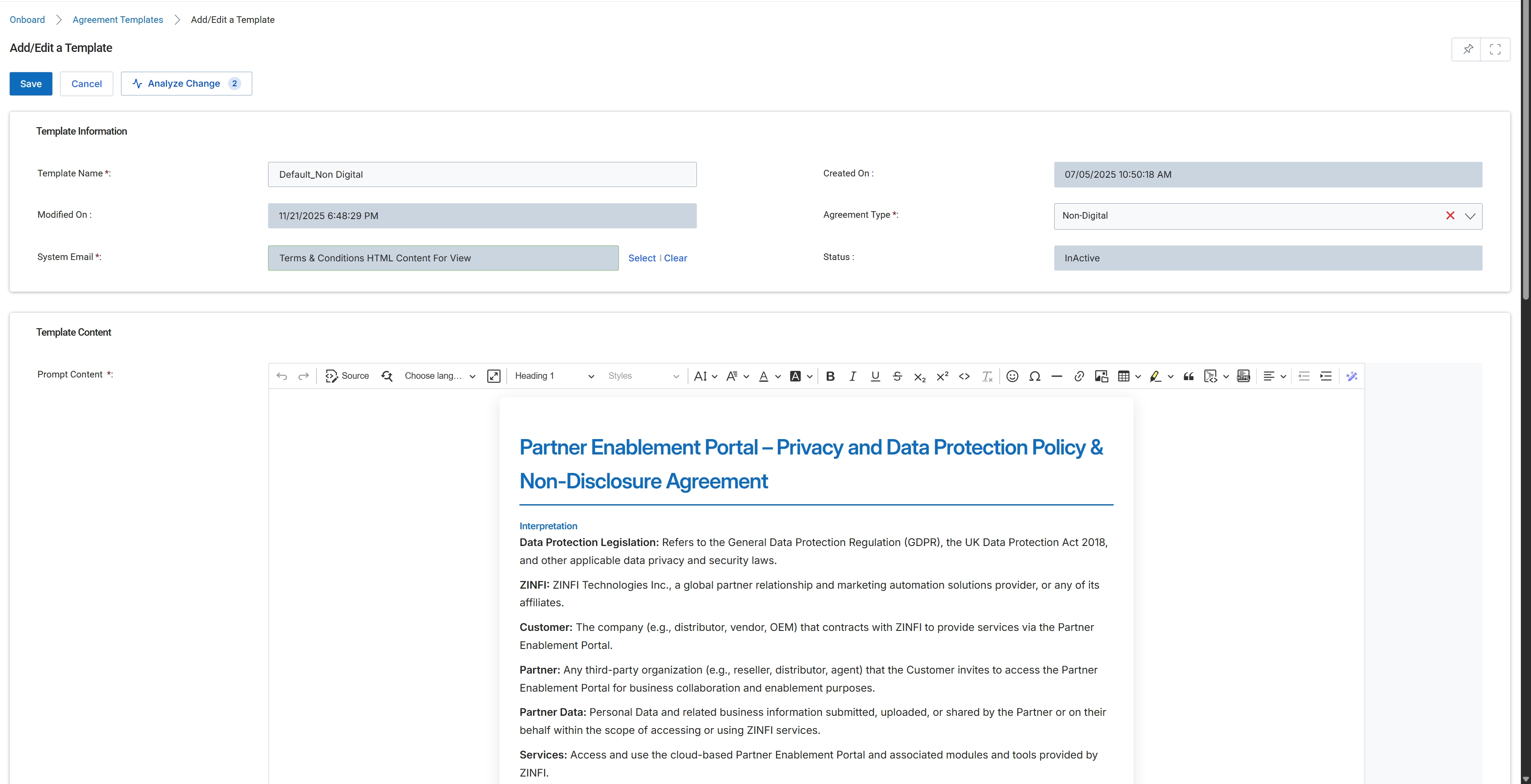
This screen displays the Add/Edit a Template form, which allows administrators to define and manage the legal agreements that partners must sign as part of their onboarding journey or for ongoing program participation. These templates are crucial for standardizing legal terms across the partner ecosystem and ensuring compliance. The form enables the configuration of template details such as name, type, and content, which is then used to generate agreements for partners. The rich text editor provides flexibility for drafting comprehensive legal documents, while fields like 'Agreement Type' categorize the template for appropriate use within different partner programs or for specific legal purposes, such as NDAs or reseller agreements. The 'Status' field indicates whether the template is active and available for use.
Review the details of the agreement template, including its name, type, and content, and make any necessary edits.
Buttons
| Button | Description |
|---|---|
| Save | Saves the current changes made to the agreement template. |
| Cancel | Discards any unsaved changes and returns to the previous screen. |
| Analyze Change | Compares the current template version with a previous one to highlight modifications. |
Template Information
| Field | Description |
|---|---|
| Template Name | The unique name for the agreement template. |
| Created On | The date and time the agreement template was originally created. |
| Modified On | The date and time the agreement template was last modified. |
| Agreement Type | The category or type of agreement, such as Non-Digital, NDA, or Reseller Agreement. |
| System Email | Specifies the system email template associated with this agreement for notifications or content display. |
| Status | Indicates whether the agreement template is Active or InActive. |
Template Content
| Field | Description |
|---|---|
| Prompt Content | A rich text editor used to define the actual legal content of the agreement template. |