

Overview
Effective partner management requires clear and enforceable agreements. The Partner Contracts module provides administrators with the tools to oversee all contractual relationships within their partner ecosystem. From initial onboarding agreements to specific program-related contracts, this module ensures that all legal and operational understandings are properly documented and accessible. It supports the entire lifecycle of a partner agreement, from creation and distribution to tracking its status and managing renewals, which is crucial for maintaining a compliant and well-regulated partner program. By centralizing contract management, the platform helps administrators quickly identify which partners have signed specific agreements, monitor contract statuses (e.g., New, InProgress, Signed), and associate contracts with individual partner accounts. This streamlines administrative tasks, reduces legal risks, and provides a clear audit trail for all partner engagements, ultimately supporting the smooth operation of various partner programs and incentives.
Accessing Partner Contracts
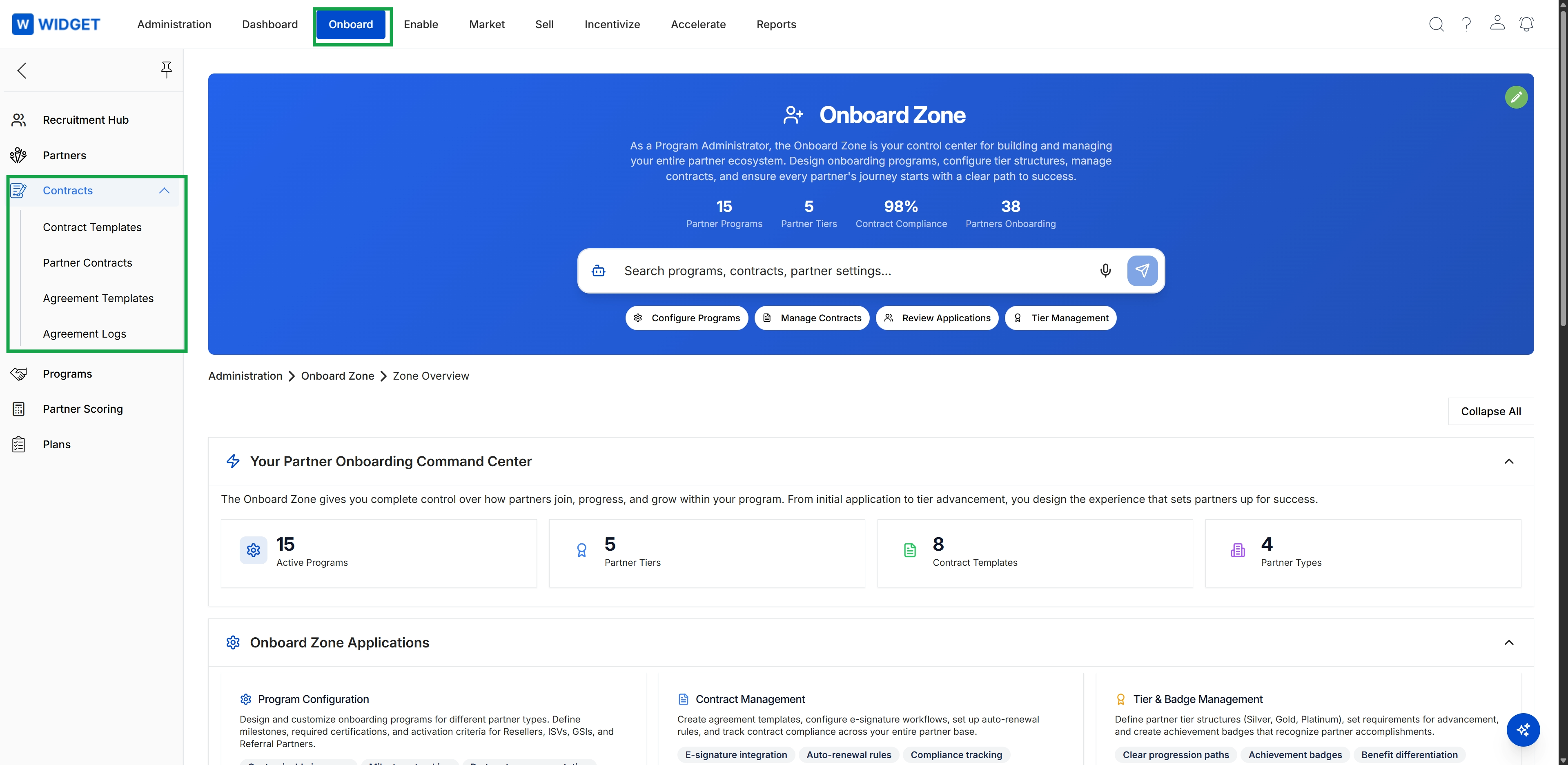
Click Onboard in the top navigation bar.
Viewing Partner Contracts List
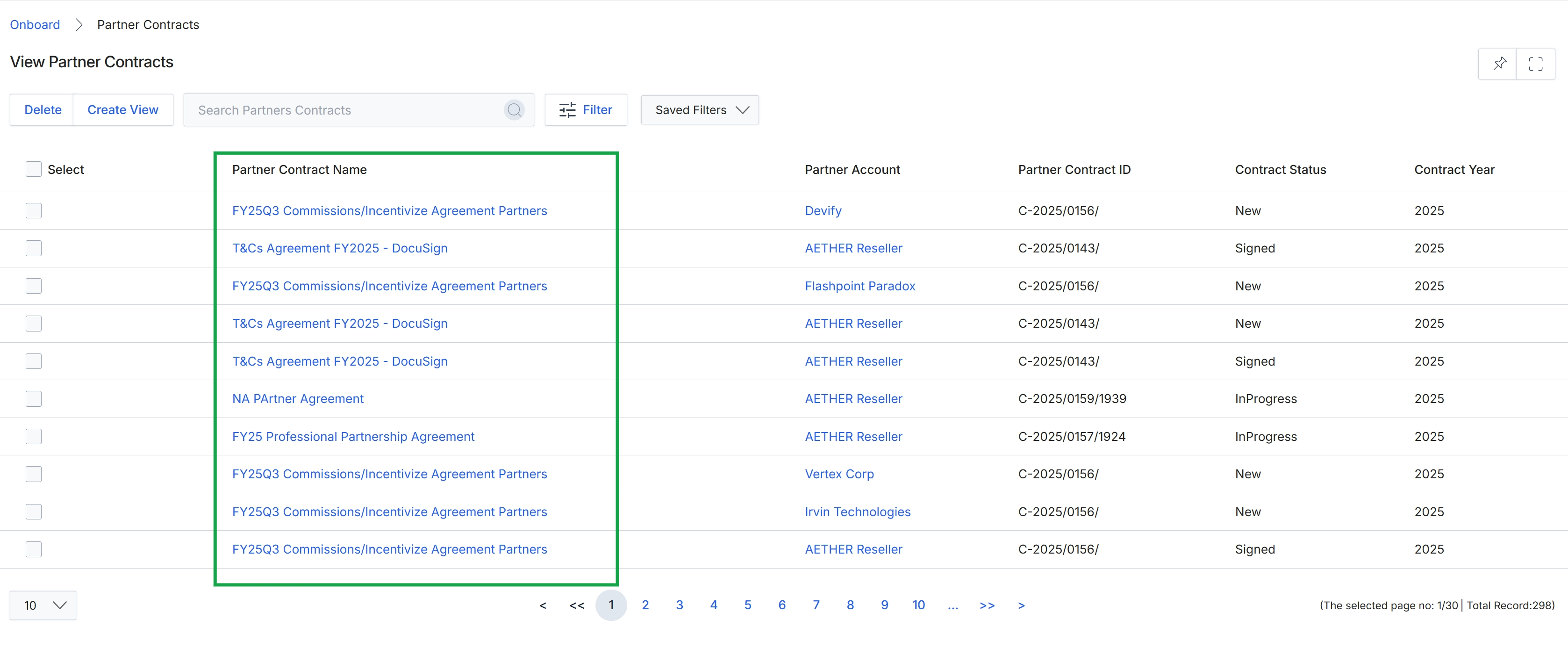
The Partner Contracts list view displays all agreements associated with partners within the platform. This screen is part of the Onboard module's agreement management workflow, allowing administrators to track the status, version, and key details of each contract. Agreements are critical for defining the terms of engagement between the vendor and its partners, and their status (e.g., New, Signed, InProgress) directly impacts a partner's access to certain features and benefits within the portal. Administrators use this view to monitor agreement compliance, identify expiring contracts, and initiate renewal processes, ensuring that all partners operate under valid terms.
Click on a Partner Contract Name to view its details.
Buttons
| Button | Description |
|---|---|
| Delete | Deletes selected partner contracts. |
| Create View | Opens a dialog to create a custom filtered view of partner contracts. |
| Filter | Opens a panel to apply advanced filters to the contract list. |
| Saved Filters | A dropdown to select and apply previously saved filter configurations. |
Fields
| Field | Description |
|---|---|
| Search Partners Contracts | A search bar to find specific partner contracts by keyword. |
Column Headings
| Column | Description |
|---|---|
| Select | A checkbox to select individual partner contracts for bulk actions. |
| Partner Contract Name | The name or title of the partner agreement, which is a clickable link to view contract details. |
| Partner Account | The name of the partner company associated with the contract. |
| Partner Contract ID | A unique identifier for the partner contract. |
| Contract Status | The current status of the contract, such as New, Signed, or InProgress. |
| Contract Year | The year the contract is effective or associated with. |