

Overview
Agreement templates are crucial for standardizing the legal relationship between the vendor and its partners. These templates define the terms and conditions that partners must agree to during the onboarding process or for specific programs. Administrators use this module to create, edit, activate, and manage these templates, ensuring that all legal requirements and program-specific clauses are accurately reflected. Proper management of agreement templates is essential for compliance, clarity, and efficient partner onboarding and ongoing engagement.
Viewing and Deleting an Agreement Template
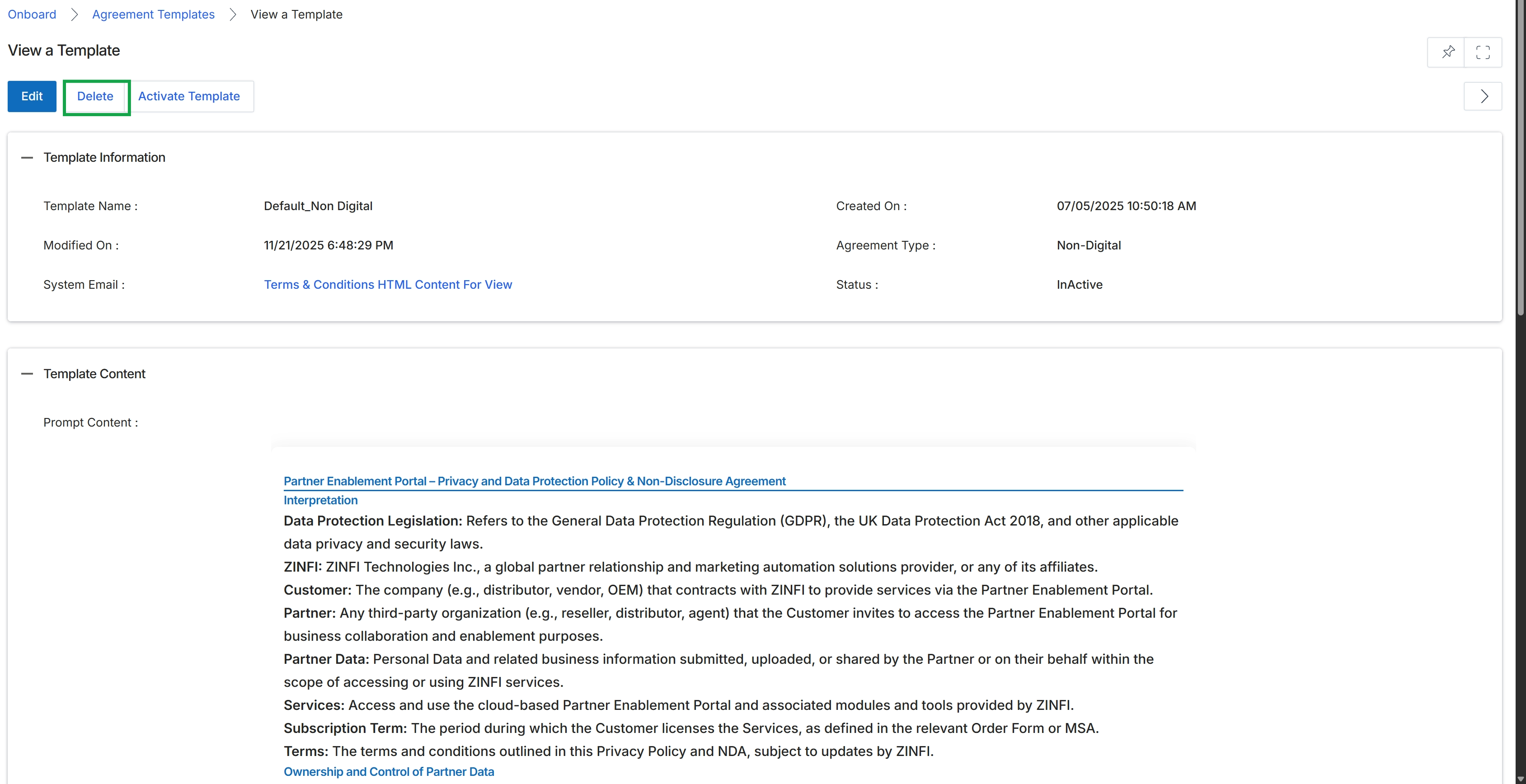
This screen displays the details of a specific agreement template, providing a comprehensive view of its configuration and content. Agreement templates are central to the Onboard module's workflow, as they define the legal terms and conditions that partners must accept during their onboarding journey. Administrators use this view to review template information, such as its name, creation and modification dates, agreement type, and current status. The screen also presents the full text of the agreement, allowing for a thorough review of the legal clauses and interpretations before it is activated and presented to partners for e-signing. This detailed view is crucial for ensuring compliance and accuracy in partner contracts.
Click the 'Delete' button to remove the agreement template.
Buttons
| Button | Description |
|---|---|
| Edit | Allows administrators to modify the details and content of the agreement template. |
| Delete | Removes the agreement template from the system. |
| Activate Template | Changes the status of the agreement template to active, making it available for use in partner programs. |
Template Information
| Field | Description |
|---|---|
| Template Name | The name assigned to this agreement template. |
| Modified On | The date and time when the agreement template was last modified. |
| System Email | Indicates the content used for the system email related to this template, often linking to the full terms and conditions. |
| Created On | The date and time when the agreement template was originally created. |
| Agreement Type | Specifies the category or type of the agreement, such as 'Non-Digital'. |
| Status | The current status of the agreement template, indicating whether it is active or inactive. |
Template Content
| Field | Description |
|---|---|
| Prompt Content | Displays the full text and legal clauses of the agreement template. |