

Overview
The Product Categories module is a fundamental component of the overall Product Catalog Management system, which underpins the 'Sell' zone of the platform. By organizing products into logical categories, vendors can present a clear and intuitive catalog to their partners. This structure is crucial for partners to efficiently browse, understand, and select products for their sales activities, including deal registrations, quotes, and co-selling efforts.
Effective product categorization also streamlines internal management for the vendor, ensuring that products are consistently grouped and easily discoverable. The ability to define parent-child relationships between categories supports a flexible and scalable catalog structure, accommodating a wide range of product portfolios and future expansion.
Accessing and Editing Categories
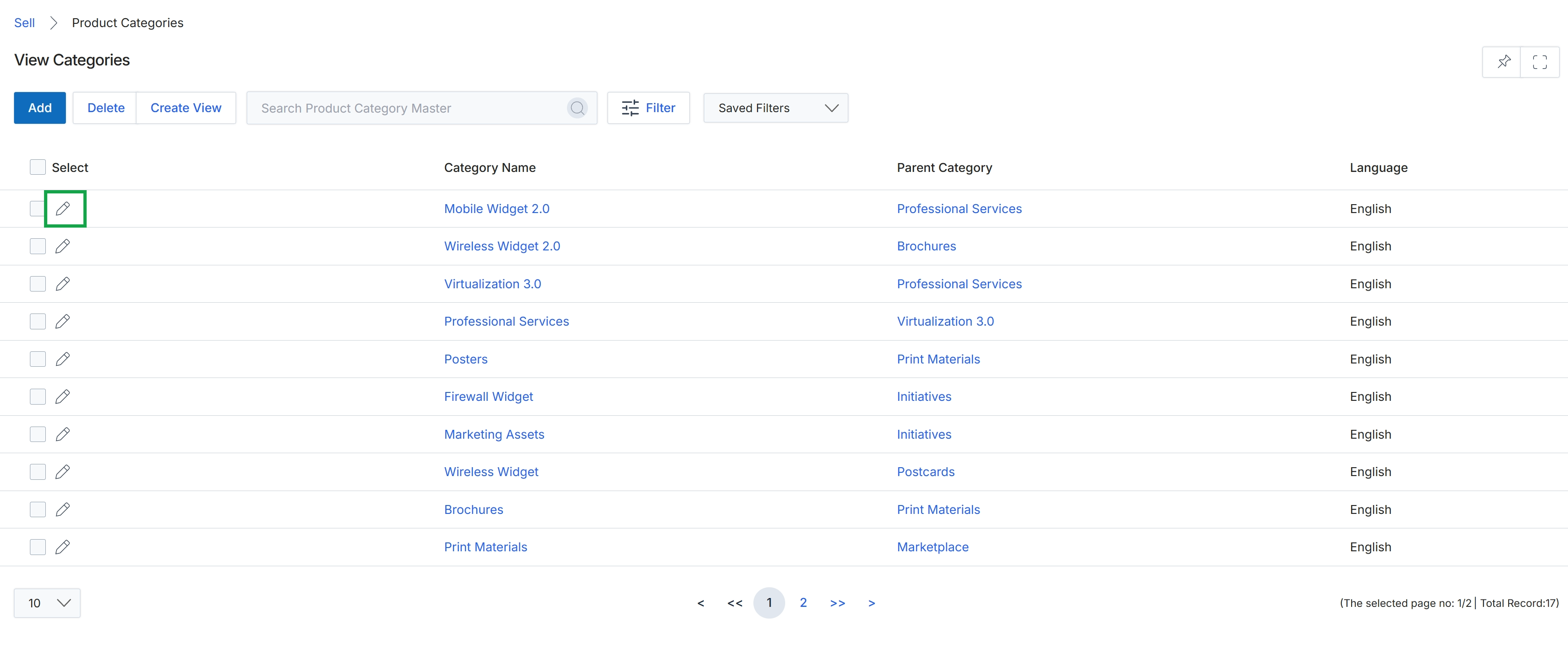
Click the pencil icon next to the category you want to edit.
Configuring Category Information
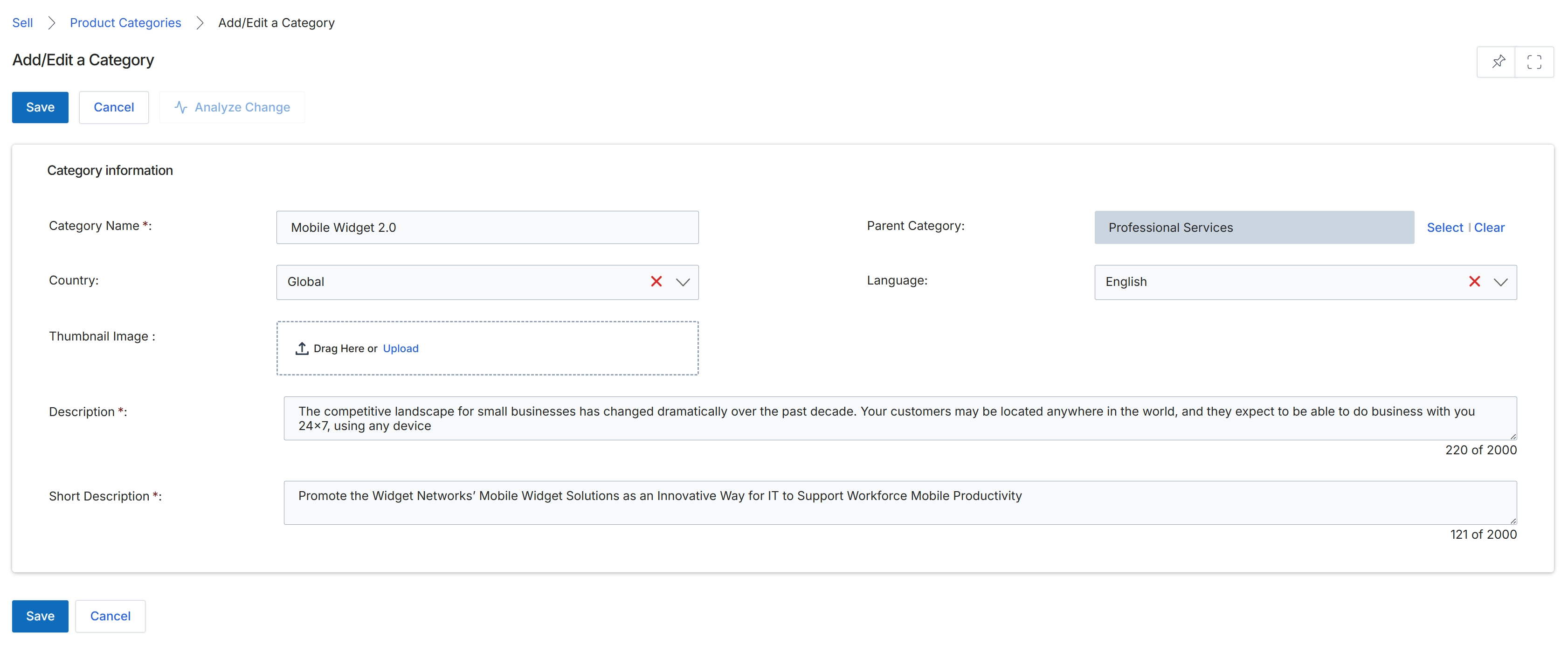
This screen allows administrators to define or modify product categories within the platform's product catalog. Product categories are essential for organizing offerings, enabling partners to easily find relevant products, and for structuring marketing campaigns and deal registrations. Each category can be assigned a name, a parent category for hierarchical organization, and specific language and country settings to tailor product visibility. Administrators can also upload a thumbnail image and provide detailed descriptions to enhance the category's presentation to partners. This structured categorization supports efficient product management and ensures that partners can effectively market and sell products.
After filling in the category details, click the top-left "Save" button to save the new or updated product category.
Buttons
| Button | Description |
|---|---|
| Save | Saves the current category information and applies the changes. |
| Cancel | Discards any changes made and returns to the previous screen. |
| Select | Opens a dialog or dropdown to select a parent category. |
| Clear | Clears the currently selected parent category. |
Category information
| Field | Description |
|---|---|
| Category Name | The name of the product category. This is a required field. |
| Parent Category | Allows selection of an existing category to establish a hierarchical relationship, making this a sub-category. |
| Country | Specifies the geographical region(s) where this product category is applicable. |
| Language | Defines the language for which this product category is configured. |
| Thumbnail Image | Allows uploading a visual representation for the category, which can be dragged and dropped or uploaded from a file. |
| Description | A detailed explanation of the product category, with a character limit of 2000. |
| Short Description | A concise summary of the product category, with a character limit of 2000. |