

Overview
Effective product catalog management is crucial for partners to accurately understand and sell the vendor's offerings. Product categories help organize a potentially large and diverse set of products into logical groupings, making it easier for partners to navigate the catalog, identify relevant products, and understand their relationships. This structured approach ensures that partners can quickly find the information they need to effectively market and sell products, ultimately contributing to faster deal cycles and improved sales performance.
Administrators use this tool to define, review, and maintain the hierarchical structure of product categories. By associating solutions with specific categories, administrators can further enrich the product information available to partners, ensuring they have a comprehensive understanding of what they are selling. This capability supports the broader 'Sell' module by providing the foundational product data that drives quoting, deal registration, and overall sales enablement.
Accessing and Viewing Product Categories
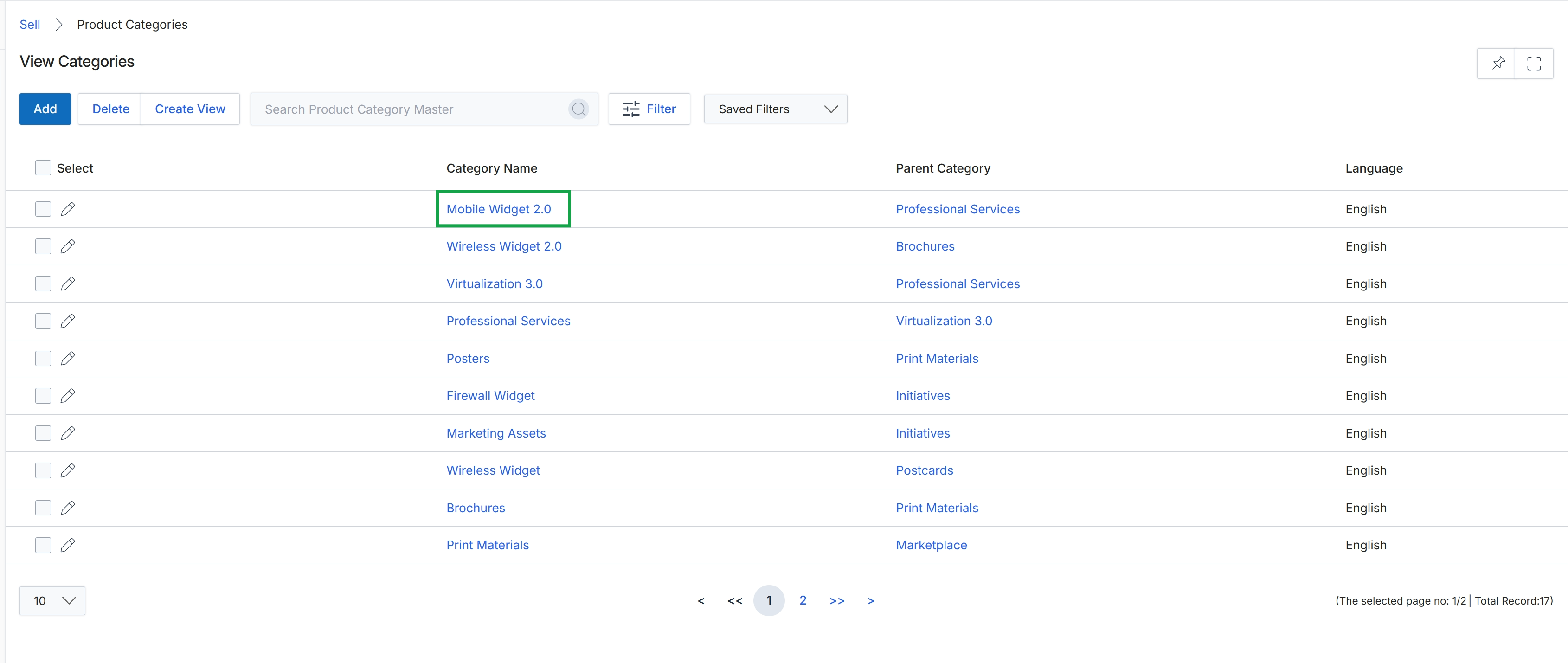
Click the Mobile Widget 2.0 link in the "Category Name" column.
Reviewing Category Details
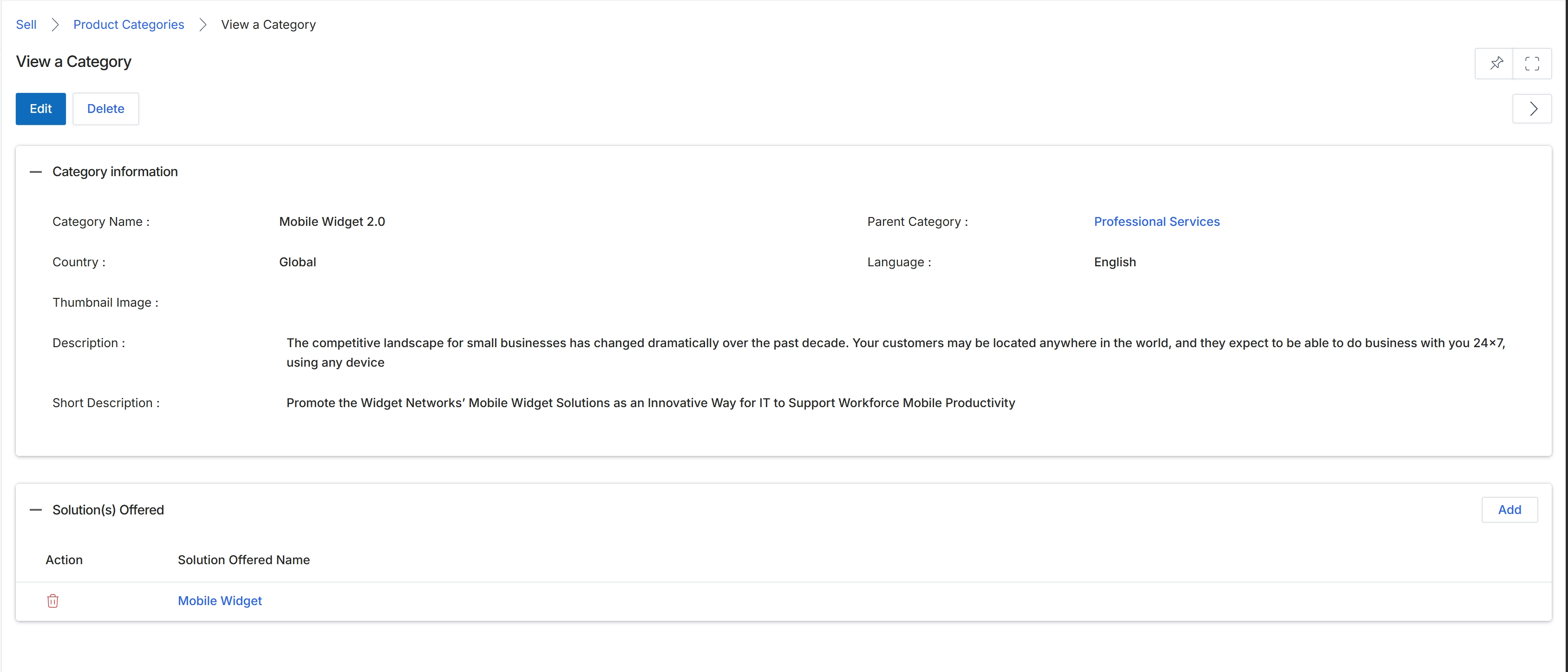
This screen displays the detailed information for a specific product category within the Product Catalog Management module. Administrators use this view to review all attributes associated with a category, including its name, hierarchical relationship to parent categories, geographical and linguistic scope, and descriptive content. It also lists the individual solutions or products that have been assigned to this category. This detailed view is crucial for managing the organization and presentation of products and services offered through the platform, ensuring partners can easily find and market relevant solutions. The information presented here directly influences how products are categorized and displayed in partner portals and marketing materials.
Review the details of the 'Mobile Widget 2.0' product category.
Buttons
| Button | Description |
|---|---|
| Edit | Click to edit the details of this product category. |
| Delete | Click to delete this product category. |
| Add | Click to add a new solution to this category. |
Category information
| Field | Description |
|---|---|
| Category Name | The name of the product category. |
| Parent Category | The parent category to which this category belongs, if any, establishing a hierarchical structure. |
| Country | The geographical region for which this category is relevant. |
| Language | The language associated with this category's content. |
| Thumbnail Image | A placeholder for a thumbnail image associated with the category. |
| Description | A detailed description of the product category. |
| Short Description | A concise description of the product category, often used for summaries or previews. |
Solution(s) Offered
| Field | Description |
|---|---|
| Mobile Widget | A specific solution offered under this category. |
Solution(s) Offered
| Column | Description |
|---|---|
| Action | Column header for actions that can be performed on the listed solutions. |
| Solution Offered Name | Column header for the names of solutions offered within this category. |
Editing or Deleting a Category
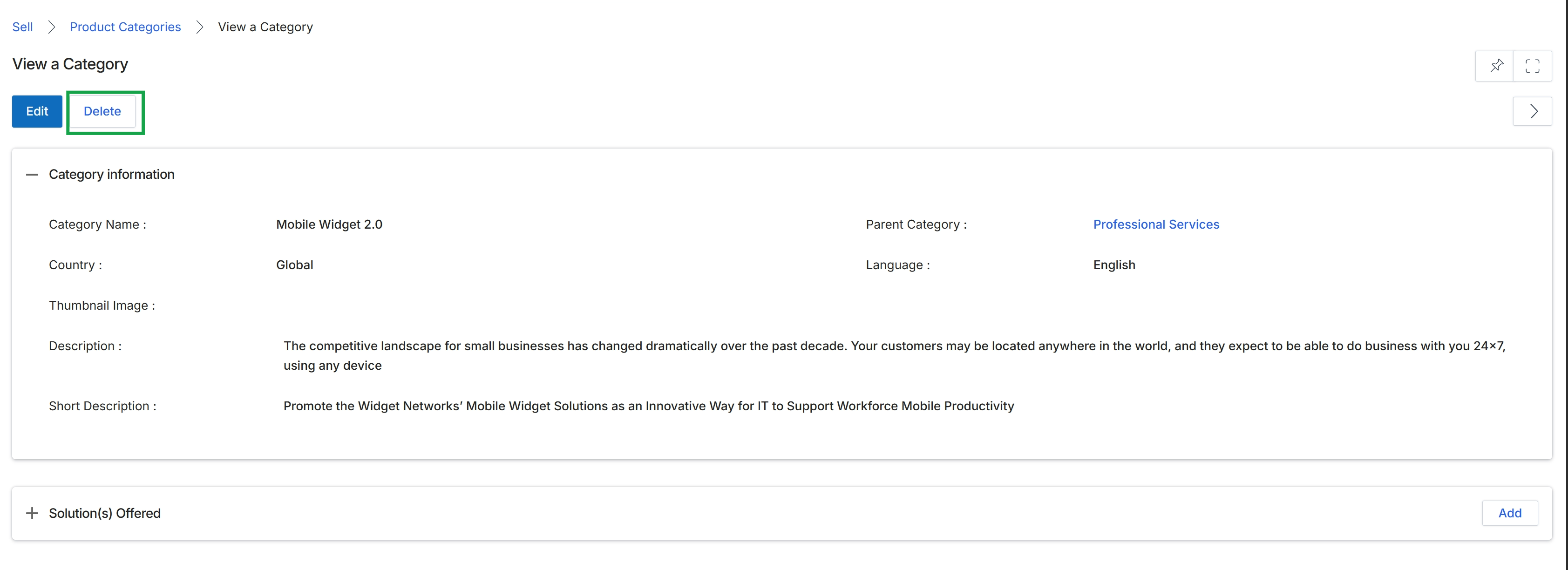
Click the Delete button.