

Overview
Effective management of products and services is crucial for any partner program. This module allows administrators to maintain a comprehensive and accurate product catalog that partners can access when building quotes, registering deals, or simply understanding the offerings. By centralizing product data, the platform ensures consistency across all partner-facing materials and processes.
Administrators can define various attributes for each product, such as its type, retail and minimum prices, and associated categories or solutions. Crucially, the module also enables the configuration of incentive eligibility, allowing administrators to specify whether a product qualifies for Market Development Funds (MDF), rebates, or commissions. This integration with the Incentivize module streamlines the calculation and disbursement of partner rewards, ensuring that sales activities are appropriately compensated based on product-specific rules.
Accessing the Product Edit Page
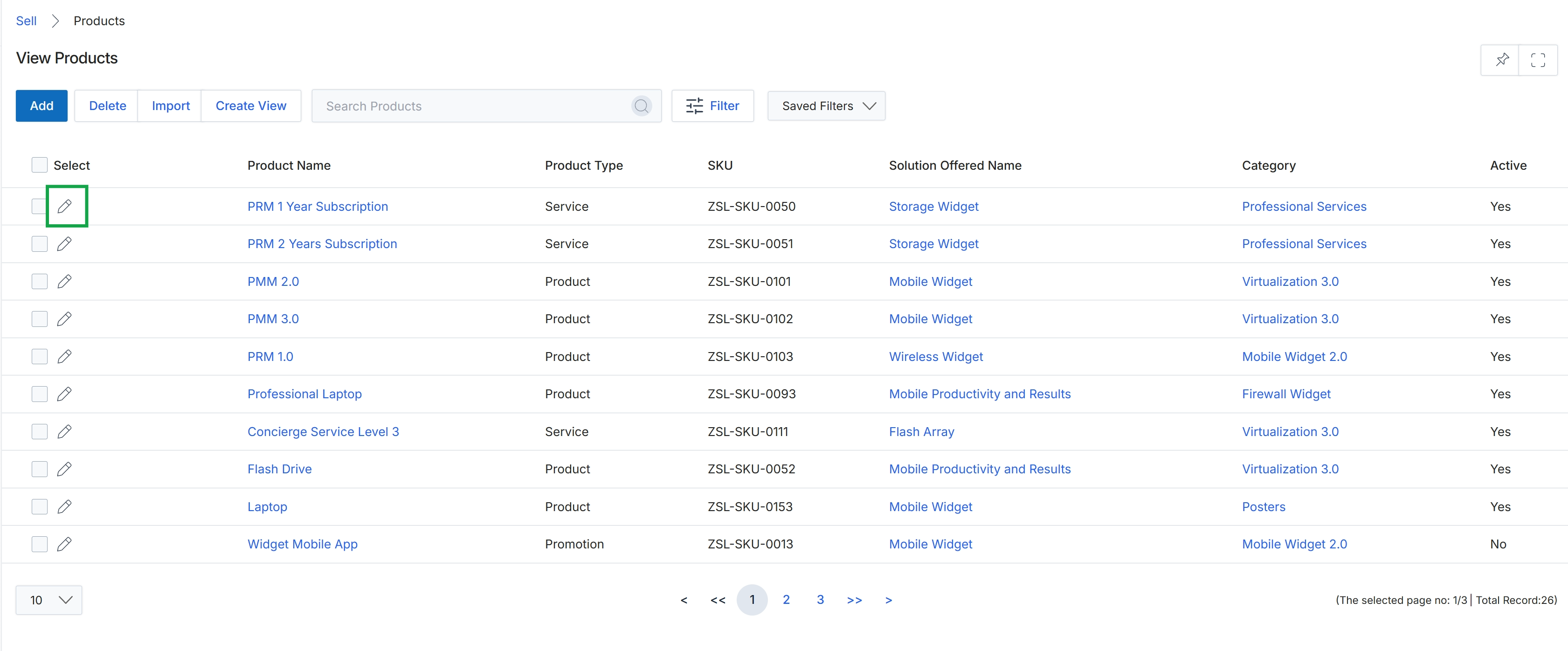
Click the pencil icon next to the desired product to edit it.
Editing Product Information
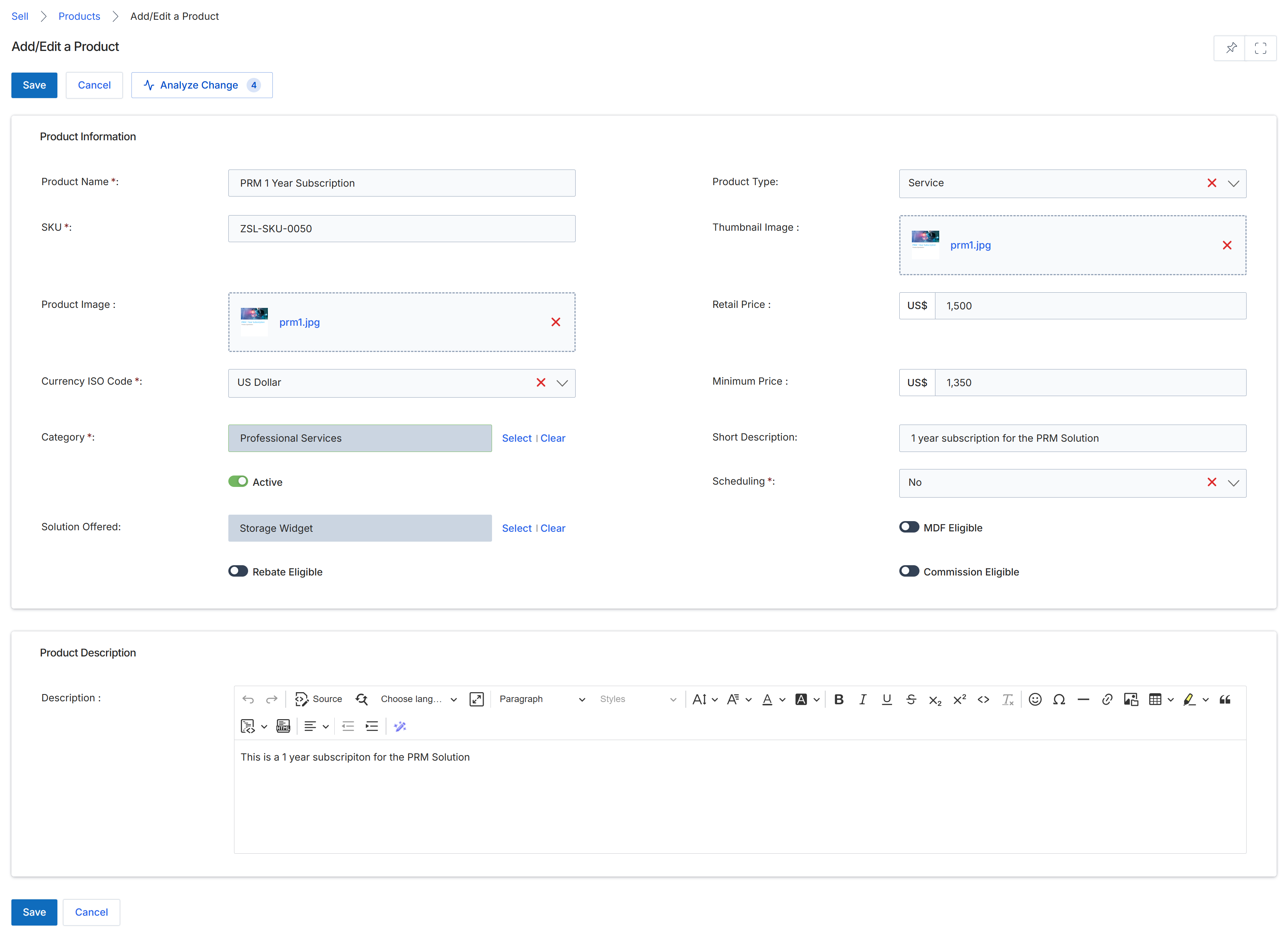
The Add/Edit a Product form allows administrators to define and manage individual products or services offered through the platform. These products are fundamental to the Sell module, as they populate price books, are selected during deal registration and quoting processes, and form the basis for commission calculations in the Incentivize module. This form captures essential product details such as pricing, eligibility for various incentive programs (MDF, Rebate, Commission), and descriptive information, ensuring that partners have accurate and comprehensive data for their sales activities. Products can be marked as active or inactive, controlling their visibility and availability within the partner portal and associated sales workflows.
Review the pre-filled details for the product and make any necessary adjustments.
Buttons
| Button | Description |
|---|---|
| Save | Saves the current product information. |
| Cancel | Discards any changes and returns to the previous screen. |
| Analyze Change | Analyzes the impact of proposed changes to the product. |
Product Information
| Field | Description |
|---|---|
| Product Name | The name of the product or service. |
| SKU | The Stock Keeping Unit, a unique identifier for the product. |
| Product Image | An image associated with the product. |
| Currency ISO Code | The currency in which the product is priced. |
| Category | The category to which the product belongs, such as 'Professional Services'. |
| Active | A toggle to activate or deactivate the product, controlling its visibility. |
| Solution Offered | The specific solution or feature provided by the product. |
| Rebate Eligible | A toggle indicating if the product is eligible for rebates. |
| Product Type | The type of product, such as 'Service'. |
| Thumbnail Image | A smaller image representation of the product. |
| Retail Price | The standard retail price of the product. |
| Minimum Price | The lowest allowable price for the product. |
| Short Description | A brief description of the product. |
| Scheduling | Indicates if the product requires scheduling. |
| MDF Eligible | A toggle indicating if the product is eligible for Market Development Funds. |
| Commission Eligible | A toggle indicating if the product is eligible for commissions. |
Product Description
| Field | Description |
|---|---|
| Description | A detailed description of the product, including rich text formatting options. |