

Overview
In the Sell module, effective management of the solutions offered to partners is crucial for a streamlined sales process. This section provides administrators with the tools to maintain an up-to-date and comprehensive list of all available solutions. By centralizing this information, the platform ensures that partners have accurate details about the products and services they are authorized to sell, which in turn supports deal registration, quoting, and co-selling activities.
Administrators can easily add new solutions as they become available, modify existing solution names to reflect updates, and view the details of any solution in the catalog. This capability helps in maintaining a consistent product and service offering across all partner programs, directly impacting how partners engage with prospects and register deals within the platform.
Accessing and Viewing Solutions Offered
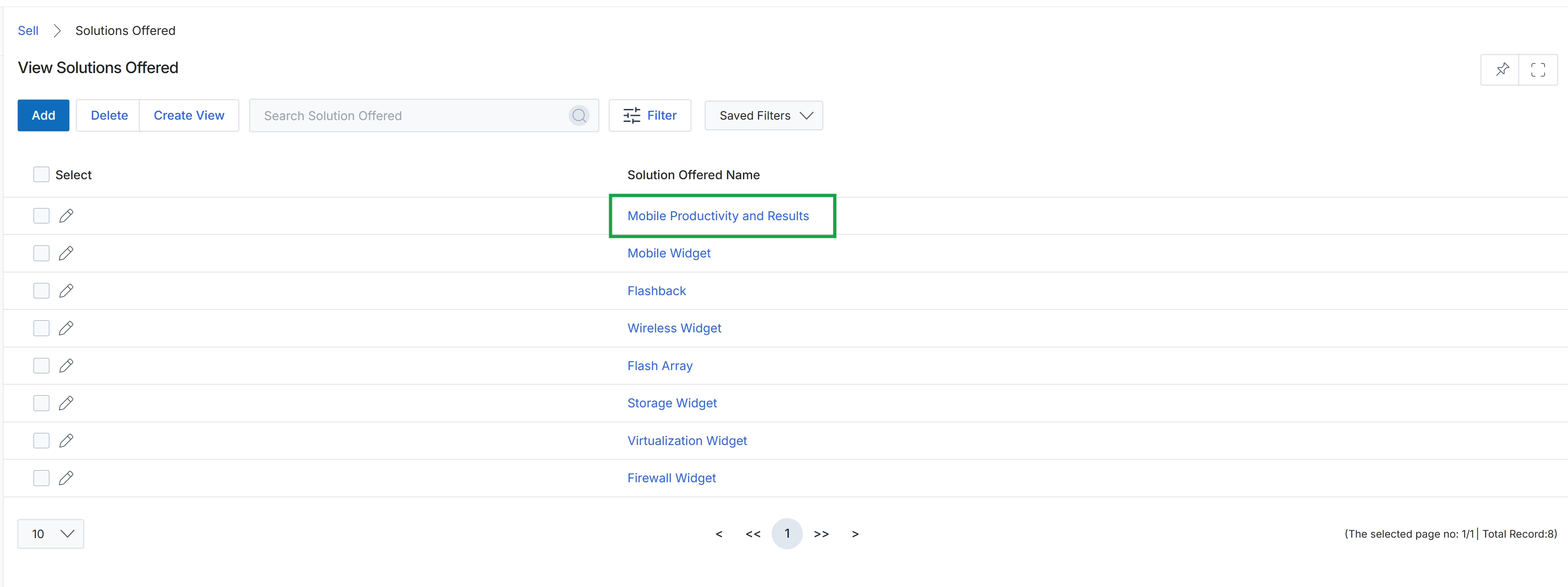
Click the Mobile Productivity and Results link in the "Solution Offered Name" column.
Editing a Solution Offered

Click Mobile Productivity and Results to view the solution offered.
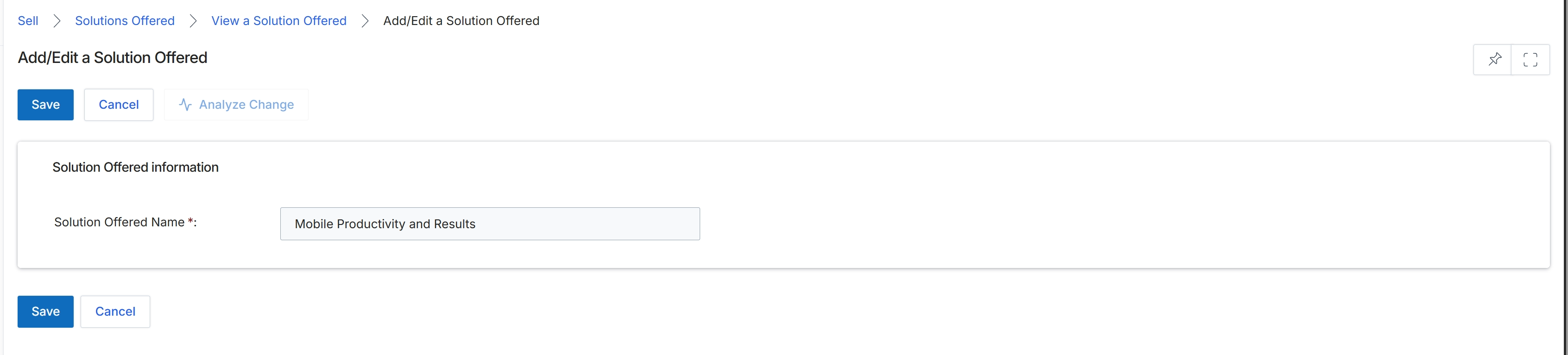
This screen, titled 'Add/Edit a Solution Offered', is part of the Products Catalog Management module, which allows administrators to define and manage the various solutions that partners can offer to their customers. These solutions are typically high-level offerings that encompass multiple products or services. By defining solutions, the platform helps structure the partner's sales catalog and can be used in deal registrations, quotes, and marketing campaigns to ensure consistency and clarity in partner-led sales efforts. This particular form allows for the creation of a new solution or the modification of an existing one, primarily by defining its name.
Enter the name for the solution offered in the "Solution Offered Name" field.
Buttons
| Button | Description |
|---|---|
| Save | Saves the entered solution offered information. |
| Cancel | Discards any changes and returns to the previous screen. |
| Analyze Change | Analyzes the impact of the proposed change before saving. |
Solution Offered information
| Field | Description |
|---|---|
| Solution Offered Name | Enter the name of the solution being offered. This is a required field. |