

Overview
Effective lead management is crucial for nurturing potential sales opportunities and ensuring a healthy sales pipeline. This module allows vendor administrators to track and manage early-stage leads, referred to as Prospects, which may originate from various sources such as marketing campaigns, inbound inquiries, or partner submissions. By systematically managing Prospects, organizations can prioritize engagement, assign follow-up actions, and ultimately convert these potential opportunities into qualified leads or registered deals within the platform's sales ecosystem.
Key Features
- Prospect List View
- Add New Prospect
- Export Prospect Data
- Search & Filter Prospects
- Company & Contact Details
- Pipeline Value Tracking
Accessing the Sell Zone and Leads Module
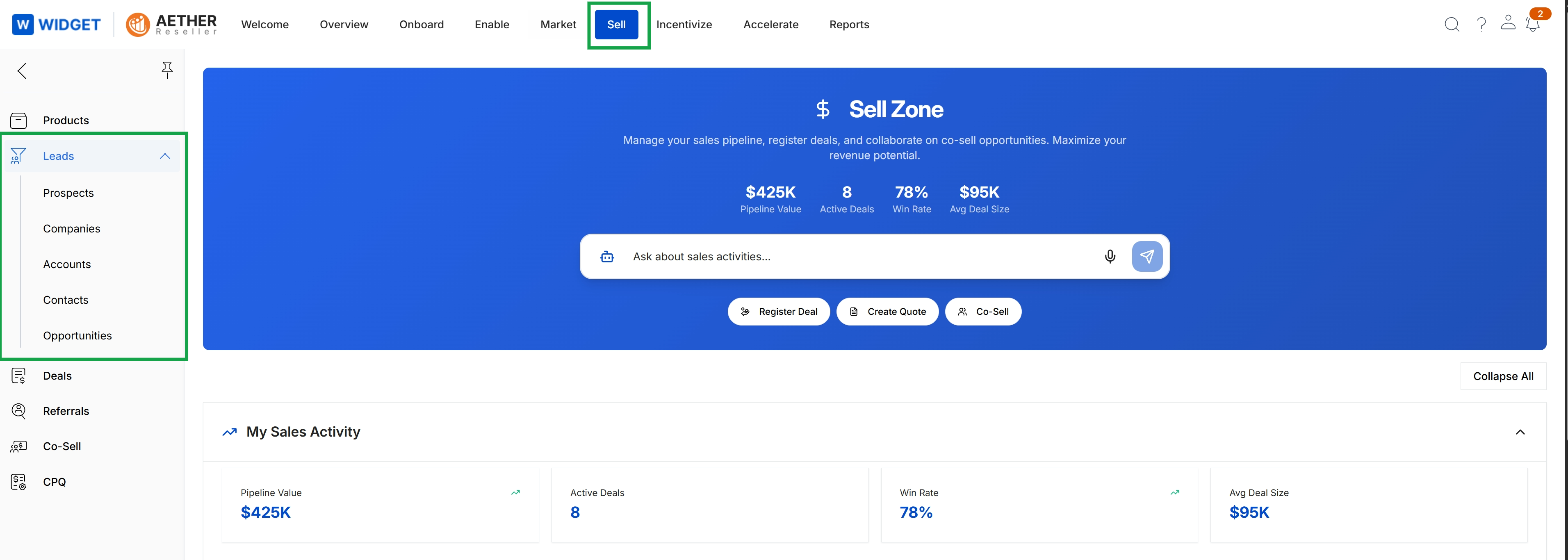
Click Sell → Leads.
Viewing and Managing Prospects
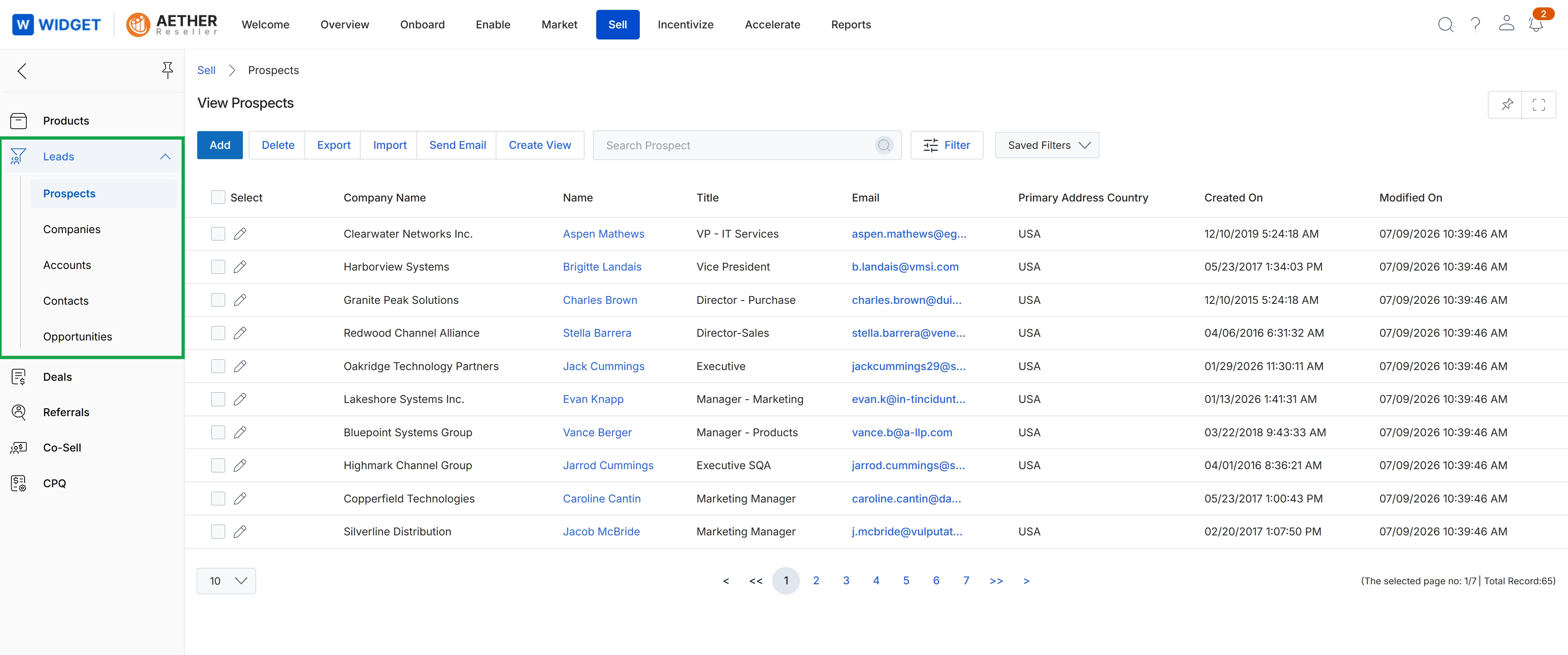
This screen presents a comprehensive list of prospects, which are pre-lead contacts in the recruitment pipeline, within the Sell module. It serves as a central repository for managing potential sales opportunities before they are qualified as leads or registered deals. Users can view key details for each prospect, such as company name, contact name, title, email, and primary address country, along with creation and modification dates. This view allows for the management and tracking of early-stage sales engagements, supporting the initial phases of the sales process.
Frequently asked questions
- What is the purpose of the Leads Management module?
The Leads Management module provides a centralized repository for managing unqualified sales opportunities, known as Prospects, within the platform. It helps nurture potential sales opportunities and ensures a healthy sales pipeline.
- Who uses the Leads Management module?
Vendor administrators primarily use this module to track and manage early-stage leads or Prospects. Partners may also submit Prospects through the system.
- What are Prospects?
Prospects are pre-lead contacts in the recruitment pipeline, representing unqualified sales opportunities. They can originate from marketing campaigns, inbound inquiries, or partner submissions.
- How do I access the Leads Management module?
You can access the module by navigating to 'Sell' and then selecting 'Leads' within the platform interface.
- What information can I see in the Prospects list view?
The Prospects list view displays key details for each prospect, including company name, contact name, title, email, primary address country, and creation and modification dates.