

Overview
In a robust partner program, managing sales opportunities effectively is crucial for driving revenue and fostering collaboration. The Opportunities module gives vendors comprehensive visibility into the sales pipeline, whether opportunities originate from partner-submitted leads, direct vendor generation, or CRM integrations. By centralizing opportunity data, administrators can monitor the health of their channel pipeline, identify high-value deals, and proactively support partners through various sales stages.
Accessing the Opportunities List
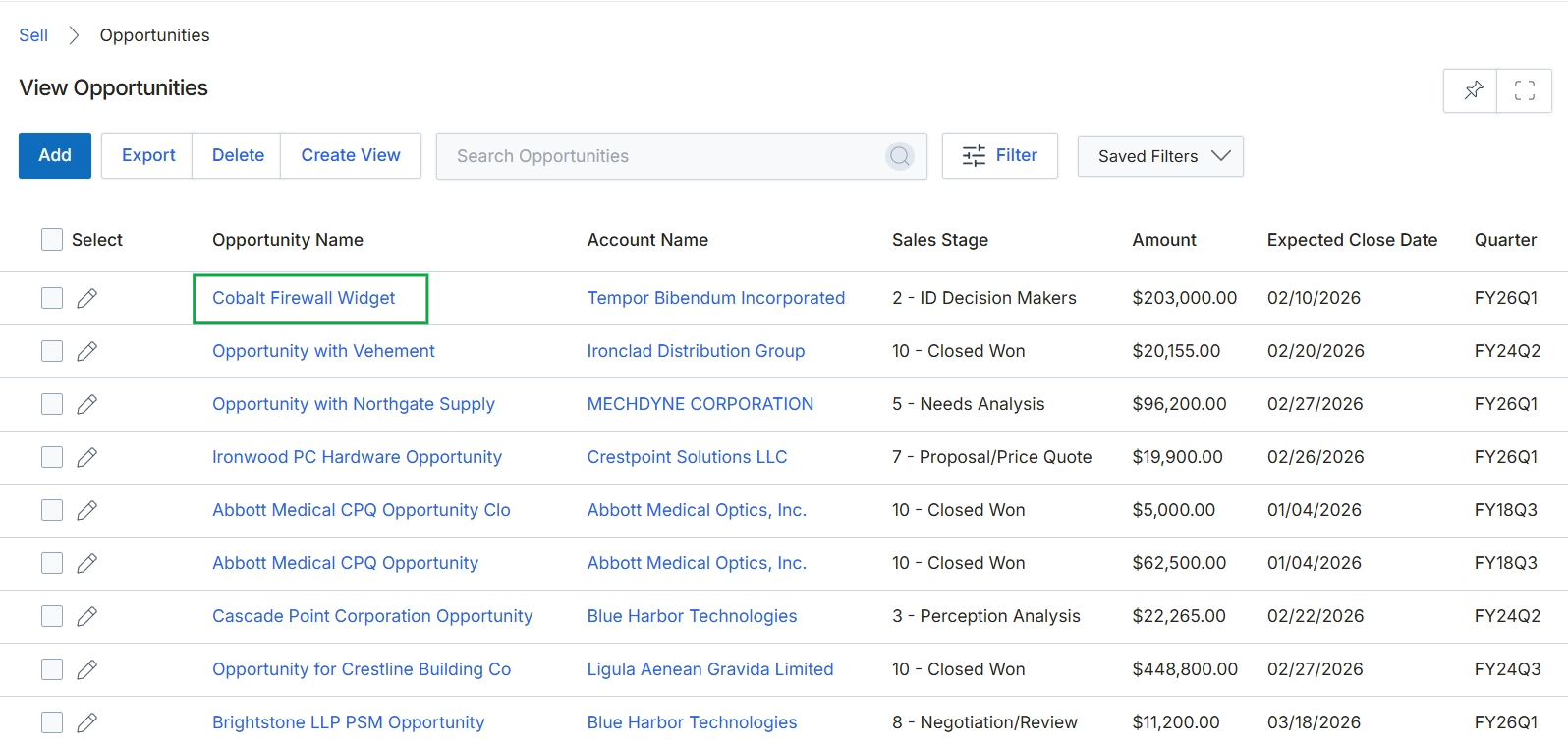
Click the Cobalt Firewall Widget opportunity name.
Viewing Opportunity Details
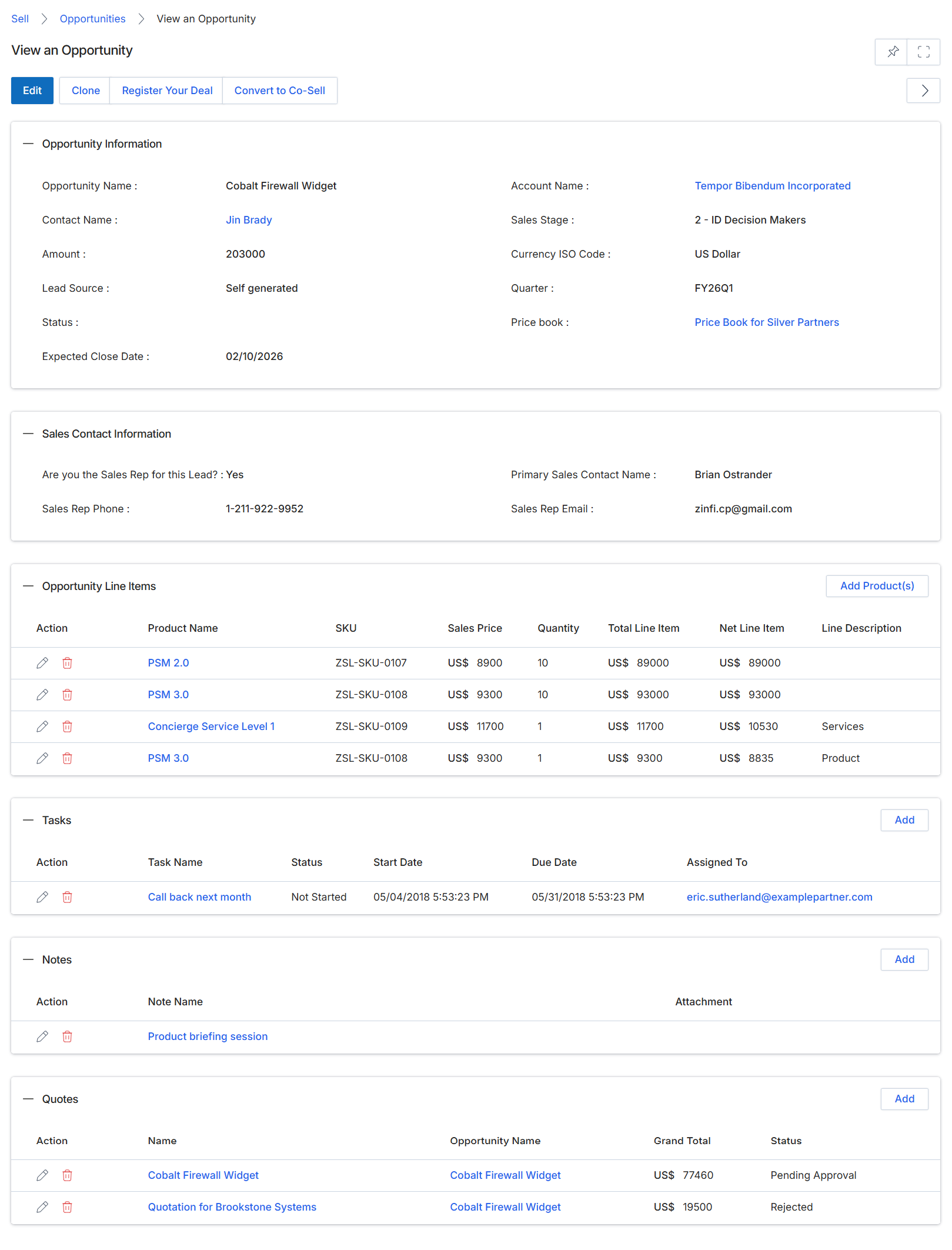
This screen displays the comprehensive details of a specific sales opportunity within the Sell module. It provides a centralized view of all pertinent information related to a potential sale, including core opportunity data, associated sales contact information, a breakdown of products and services (line items), any pending tasks, internal notes, and linked quotes. This detailed view allows administrators to monitor the progress of an opportunity, understand its composition, and identify next steps or related activities. The data presented here helps in managing the sales pipeline, tracking deal progression, and facilitating collaboration between vendor and partner teams.
Review the detailed information for the selected opportunity, including its status, associated contacts, line items, tasks, notes, and quotes.
Buttons
| Button | Description |
|---|---|
| Edit | Allows modification of the opportunity details. |
| Clone | Creates a duplicate of the current opportunity. |
| Register Your Deal | Initiates the process to formally register this opportunity as a protected deal for a partner, preventing conflicts and securing commission eligibility. |
| Convert to Co-Sell | Initiates a co-selling engagement for this opportunity, allowing joint collaboration between the vendor and a partner. |
| Add Product(s) | Adds new products or services to the opportunity's line items. |
| Add | Adds a new task related to the opportunity. |
| Add | Adds a new note to the opportunity. |
| Add | Adds a new quote to the opportunity. |
Opportunity Information
| Field | Description |
|---|---|
| Opportunity Name | The name or title of the sales opportunity. |
| Contact Name | The primary contact associated with this opportunity. |
| Amount | The estimated monetary value of the opportunity. |
| Lead Source | Indicates how the lead for this opportunity was generated (e.g., self-generated, inbound, partner referral). |
| Status | The current status of the opportunity. |
| Expected Close Date | The anticipated date by which the opportunity is expected to close. |
| Account Name | The name of the company or account associated with this opportunity. |
| Sales Stage | The current stage of the opportunity in the sales pipeline. |
| Currency ISO Code | The ISO currency code used for the opportunity's financial values. |
| Quarter | The financial quarter to which the opportunity belongs. |
| Price book | The price book used for pricing products and services within this opportunity, which may vary by partner tier. |
Sales Contact Information
| Field | Description |
|---|---|
| Are you the Sales Rep for this Lead? | Indicates whether the current user is the assigned sales representative for this lead. |
| Sales Rep Phone | The phone number of the assigned sales representative. |
| Primary Sales Contact Name | The name of the primary sales contact for this opportunity. |
| Sales Rep Email | The email address of the assigned sales representative. |
Opportunity Line Items
| Column | Description |
|---|---|
| Action | Actions available for each line item, such as edit or delete. |
| Product Name | The name of the product or service included in the opportunity. |
| SKU | The Stock Keeping Unit identifier for the product. |
| Sales Price | The unit sales price of the product. |
| Quantity | The number of units of the product. |
| Total Line Item | The total price for the quantity of the product. |
| Net Line Item | The net price for the quantity of the product, after any discounts. |
| Line Description | A brief description of the product or service line item. |
Tasks
| Column | Description |
|---|---|
| Action | Actions available for each task, such as edit or delete. |
| Task Name | The name or description of the task. |
| Status | The current status of the task. |
| Start Date | The date the task was started or is scheduled to start. |
| Due Date | The date the task is due. |
| Assigned To | The individual or team assigned to complete the task. |
Notes
| Column | Description |
|---|---|
| Action | Actions available for each note, such as edit or delete. |
| Note Name | The title or subject of the note. |
| Attachment | Indicates if an attachment is associated with the note. |
Quotes
| Column | Description |
|---|---|
| Action | Actions available for each quote, such as edit or delete. |
| Name | The name or title of the quote. |
| Opportunity Name | The name of the opportunity associated with the quote. |
| Grand Total | The total monetary value of the quote. |
| Status | The current approval status of the quote. |
Initiating Deal Registration
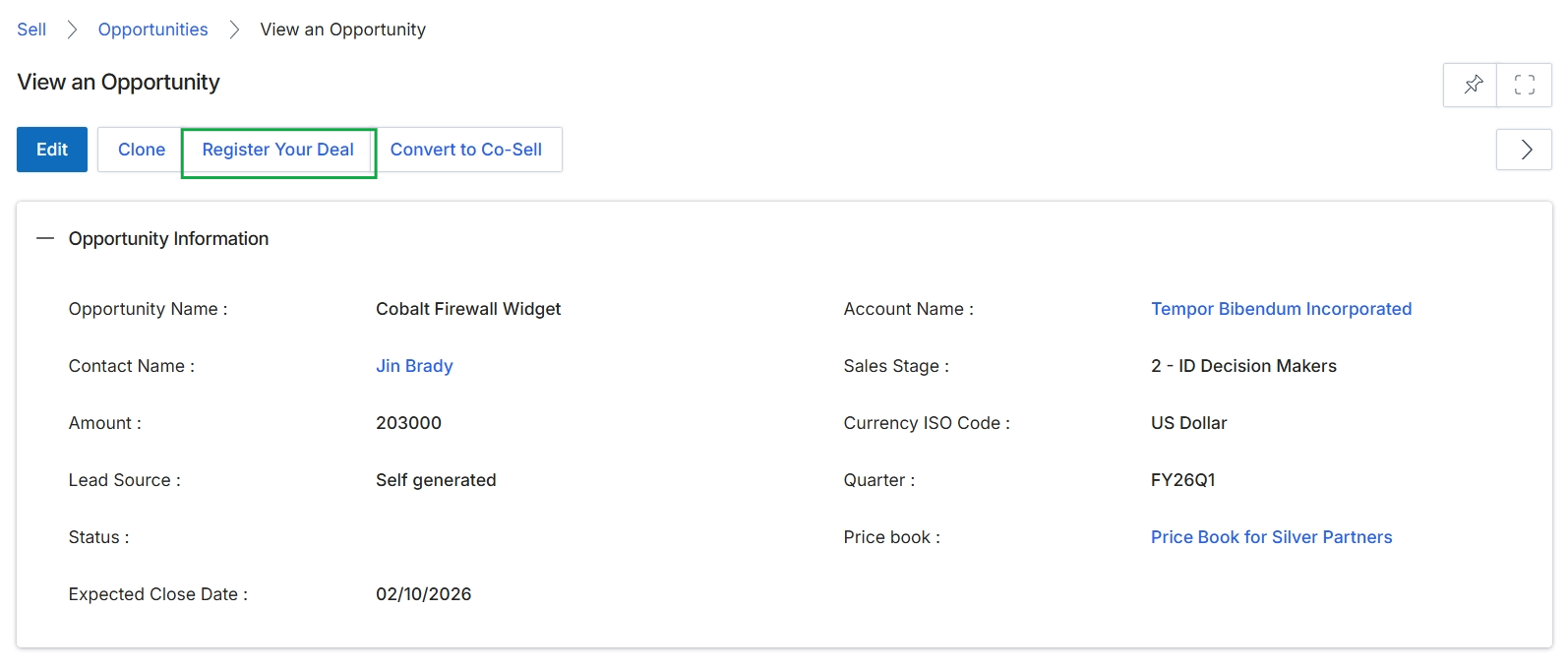
This screen displays the detailed information for a specific sales opportunity within the Sell module. It presents key attributes such as the opportunity name, associated account and contact, estimated amount, sales stage, lead source, and expected close date. From this view, users can initiate actions like registering the deal for protection or converting it into a co-sell request, which are critical steps in the partner sales workflow.
Converting to Co-sell
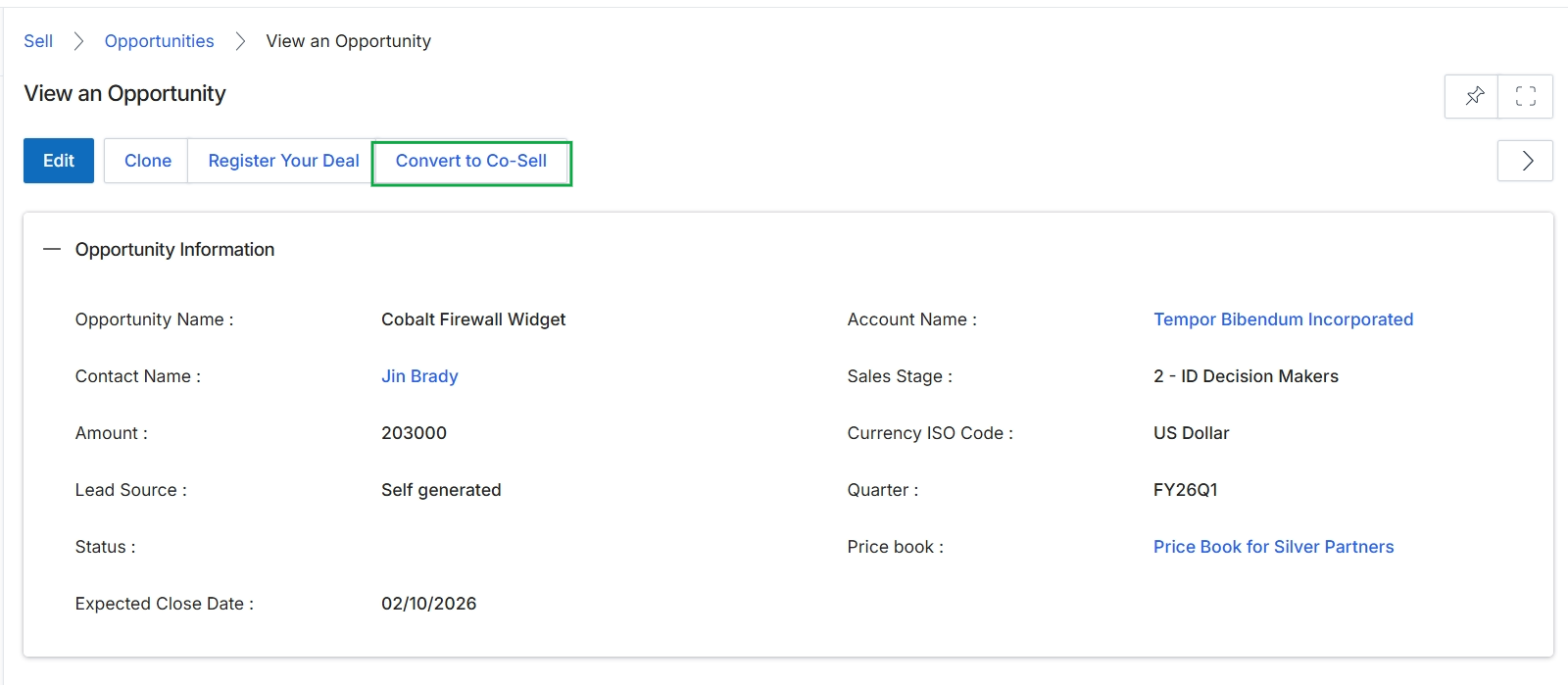
This screen displays the detailed information for a specific sales opportunity within the Sell module, providing a comprehensive overview of its current state and associated data. It presents key attributes such as the opportunity name, contact, account, sales stage, estimated amount, and expected close date. This view allows users to review all relevant details for an opportunity and initiate further actions, such as converting it into a co-sell engagement with a vendor or partner.