

Overview
Effective contact management is crucial for successful partner sales and co-selling initiatives. This module allows administrators to maintain an organized database of all individuals associated with prospects, accounts, and deals. By centralizing contact information, the platform ensures that partners and vendor representatives have access to the most current details, enabling targeted communication and streamlined sales processes.
Accessing and Viewing Contacts
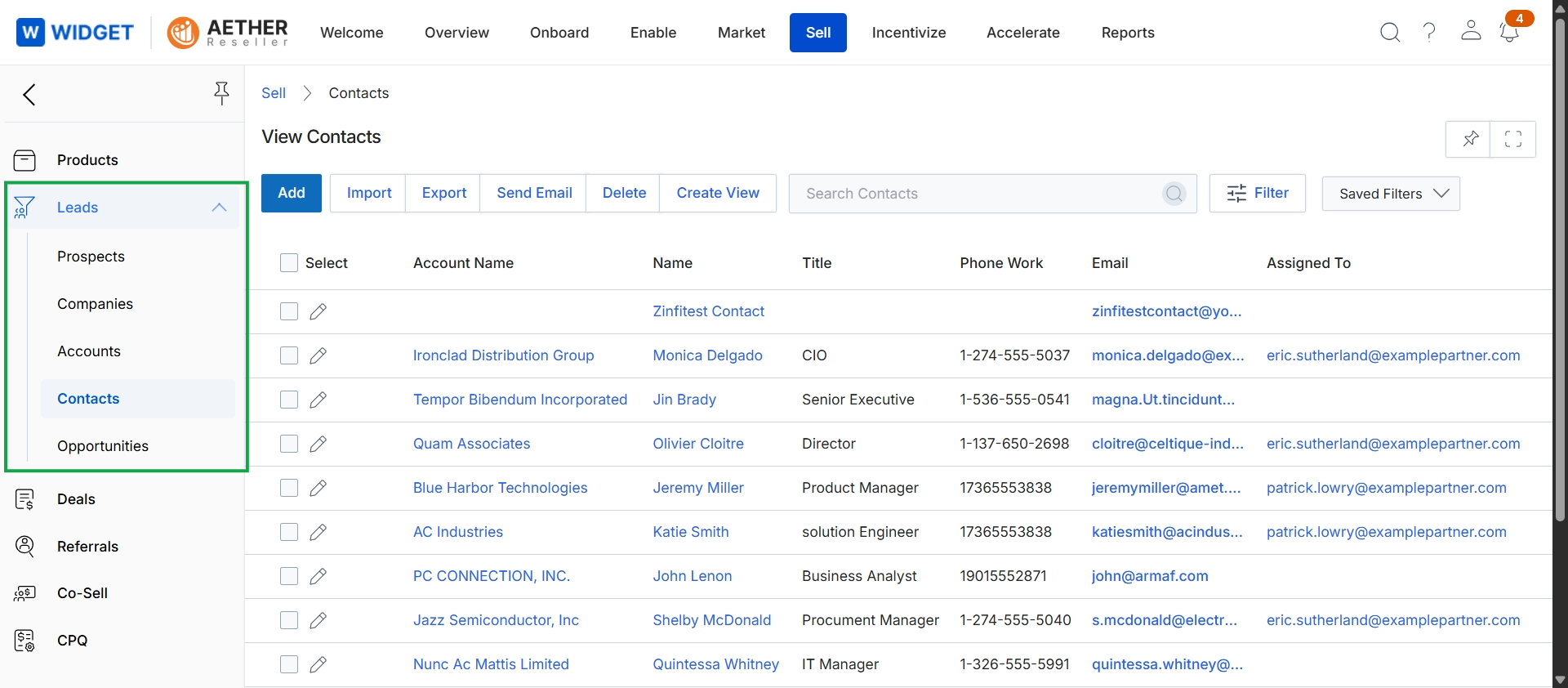
Click Sell → Leads → Contacts.
Managing Contacts and Custom Views
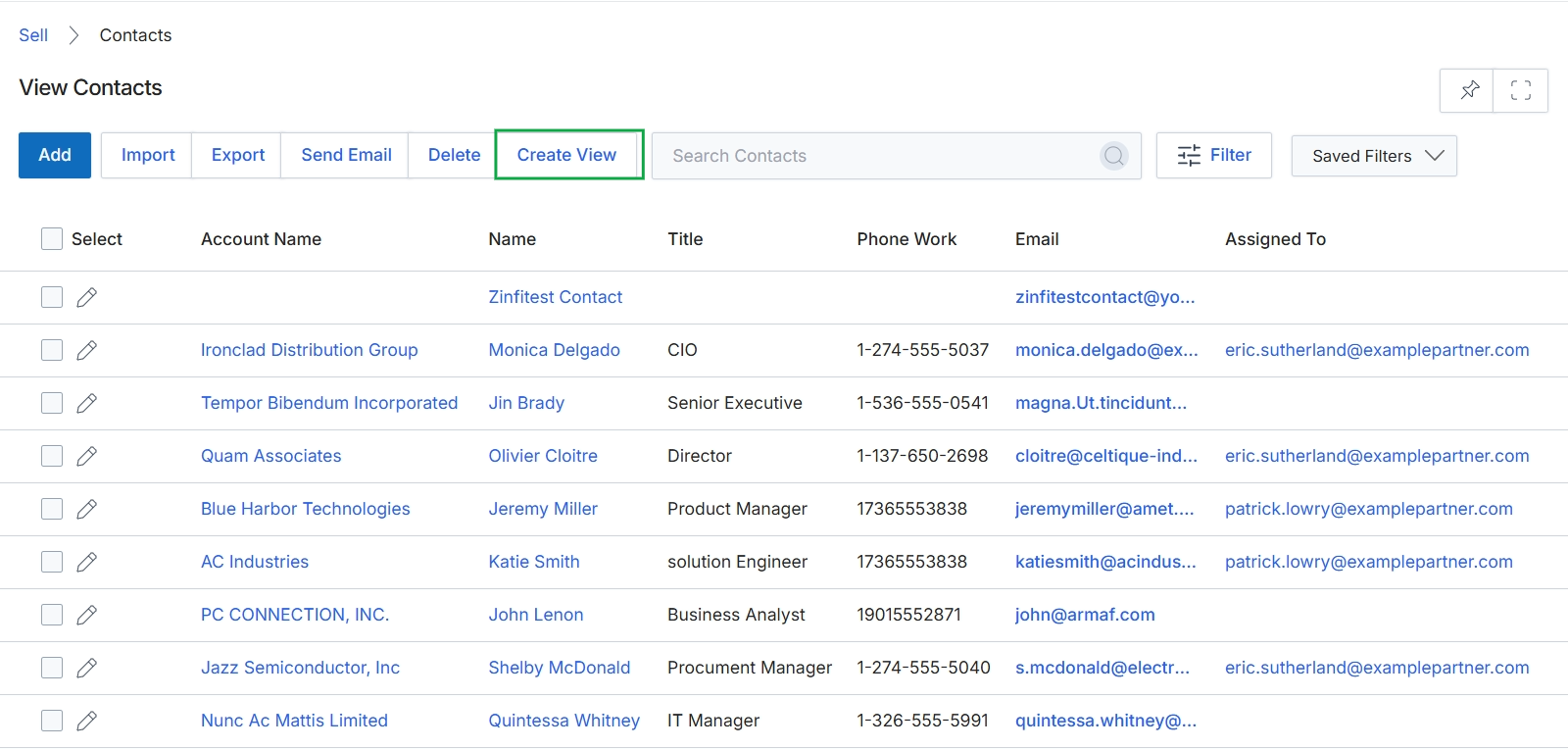
Click Create View.
Customizing the Contact List Display
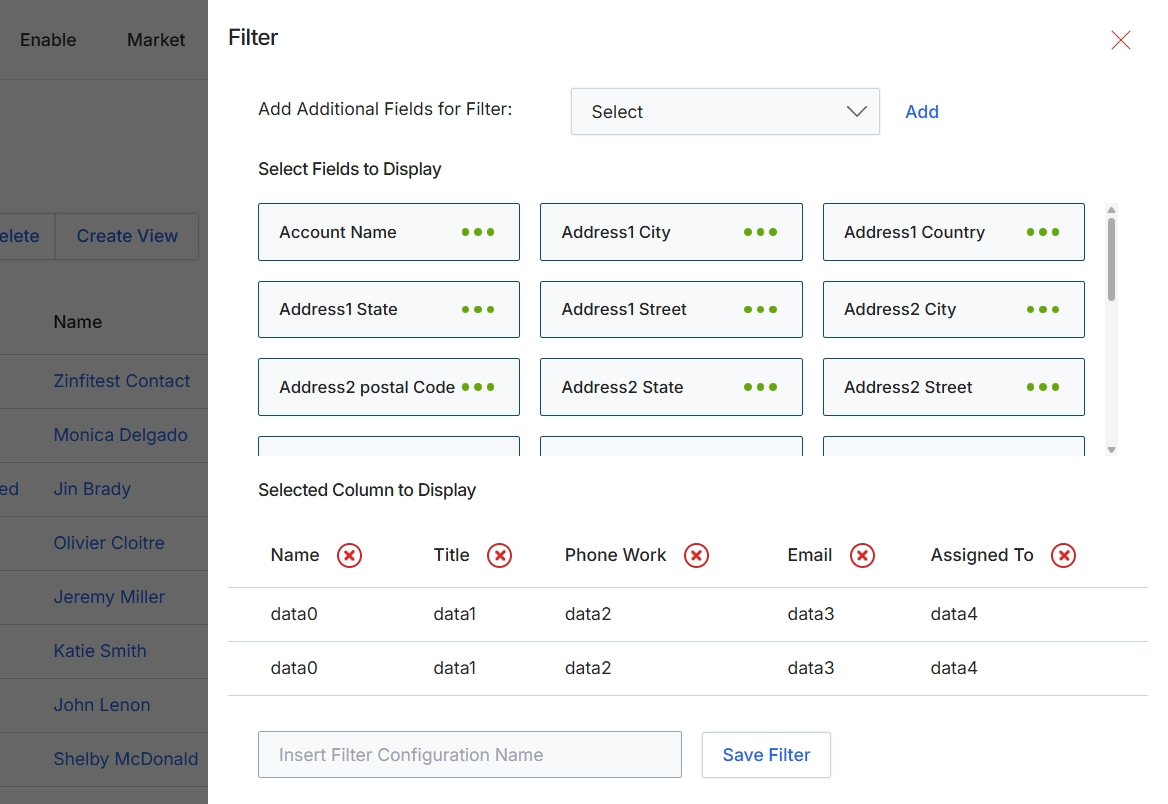
This Filter configuration dialog allows administrators to customize the display and filtering options for list views within the UPM, such as the Contacts list. It enables users to define which data fields are visible as filter criteria and which columns are displayed in the main table, tailoring the view to specific analytical or operational needs. By selecting relevant fields and columns, users can create personalized views that streamline data analysis and improve efficiency when managing entities like leads or contacts. The ability to save these configurations ensures that frequently used views can be quickly reapplied.
Configure the filter and display settings by adding or removing fields and columns, then save the configuration.
Buttons
| Button | Description |
|---|---|
| Add | Adds the selected field from the 'Add Additional Fields for Filter' dropdown to the filter criteria. |
| Save Filter | Saves the current filter and display configuration under the specified name. |
Fields
| Field | Description |
|---|---|
| Select | A dropdown to select additional fields that can be used for filtering the list view. |
| Insert Filter Configuration Name | An input field to enter a name for the current filter and display configuration, allowing it to be saved and reused. |
| Assigned To | A column representing the user or partner to whom the entity is assigned, currently selected to be displayed in the list view. |