

Overview
Effective management of sales opportunities is crucial for understanding pipeline health and partner performance. This module gives administrators a comprehensive view of all opportunities, whether they originated from partner lead submissions, deal registrations, or direct vendor input. By providing tools to filter, sort, and customize the displayed data, administrators can quickly identify high-value opportunities, monitor sales stages, and assess expected close dates, enabling proactive support for partners and informed strategic decisions.
Key Features
- Opportunity List View
- Search and Filter
- Customizable Column Display
- Create Saved Views
- Add/Export Opportunities
- Opportunity Details Management
Accessing and Viewing Opportunities
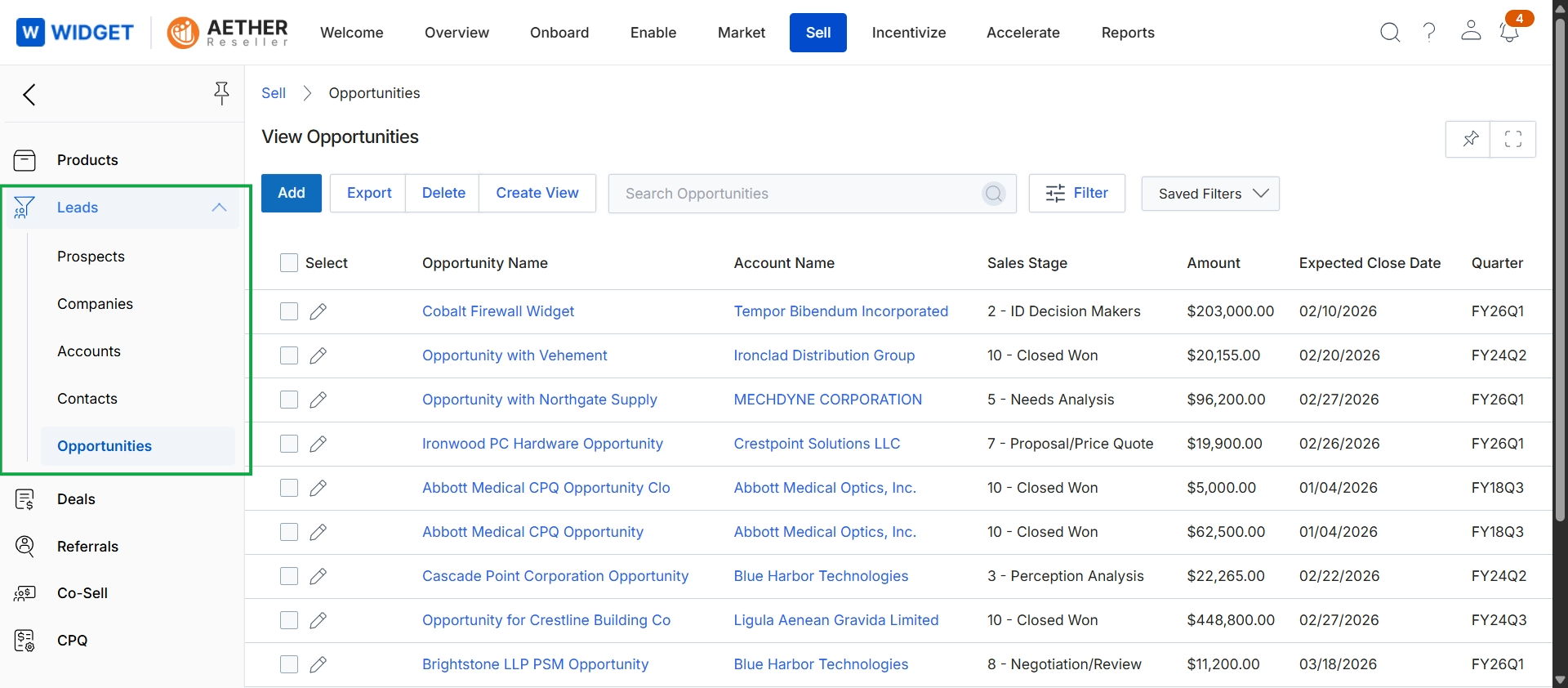
Click Opportunities in the left navigation panel.
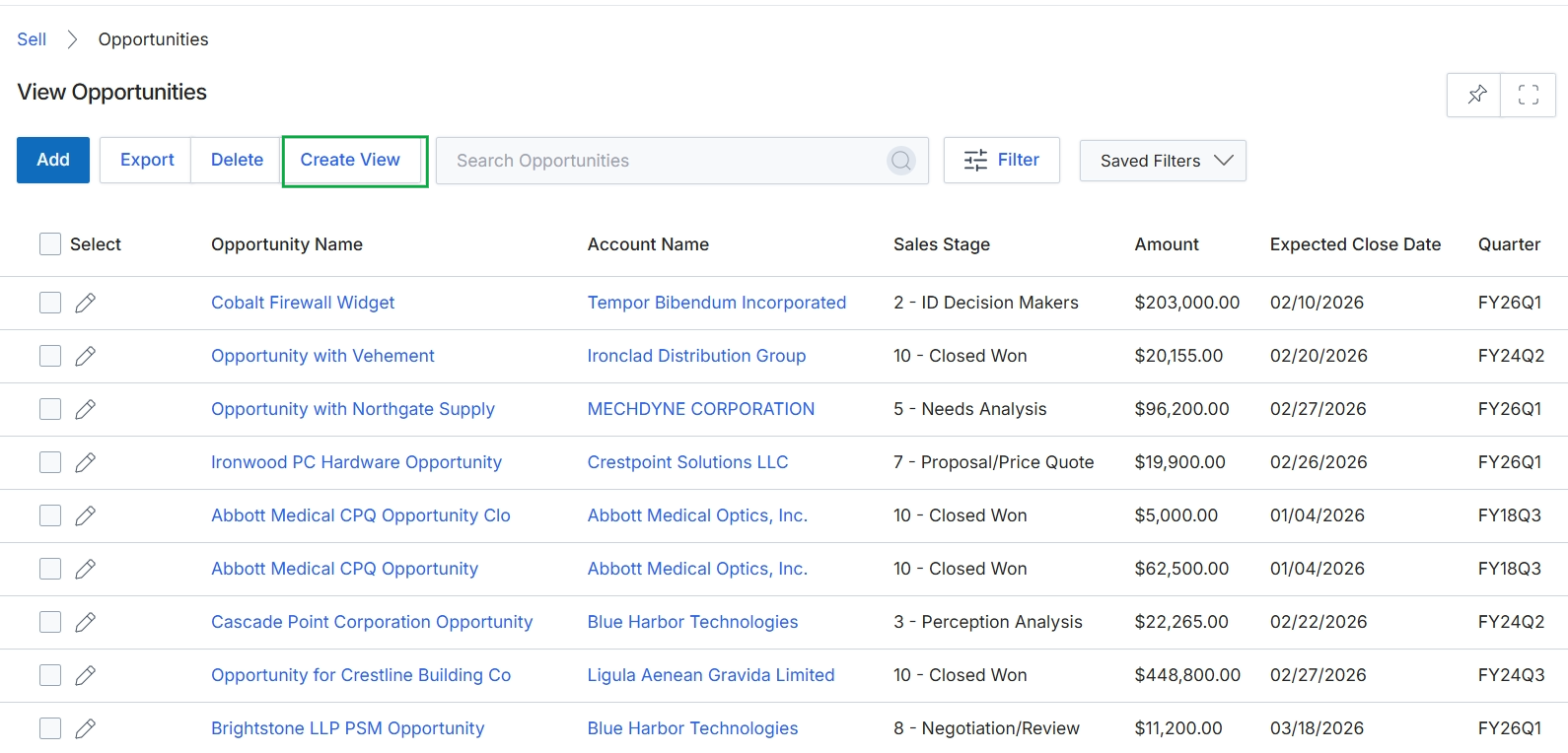
Click the arrow icon to collapse the left navigation panel.
Customizing and Saving Views
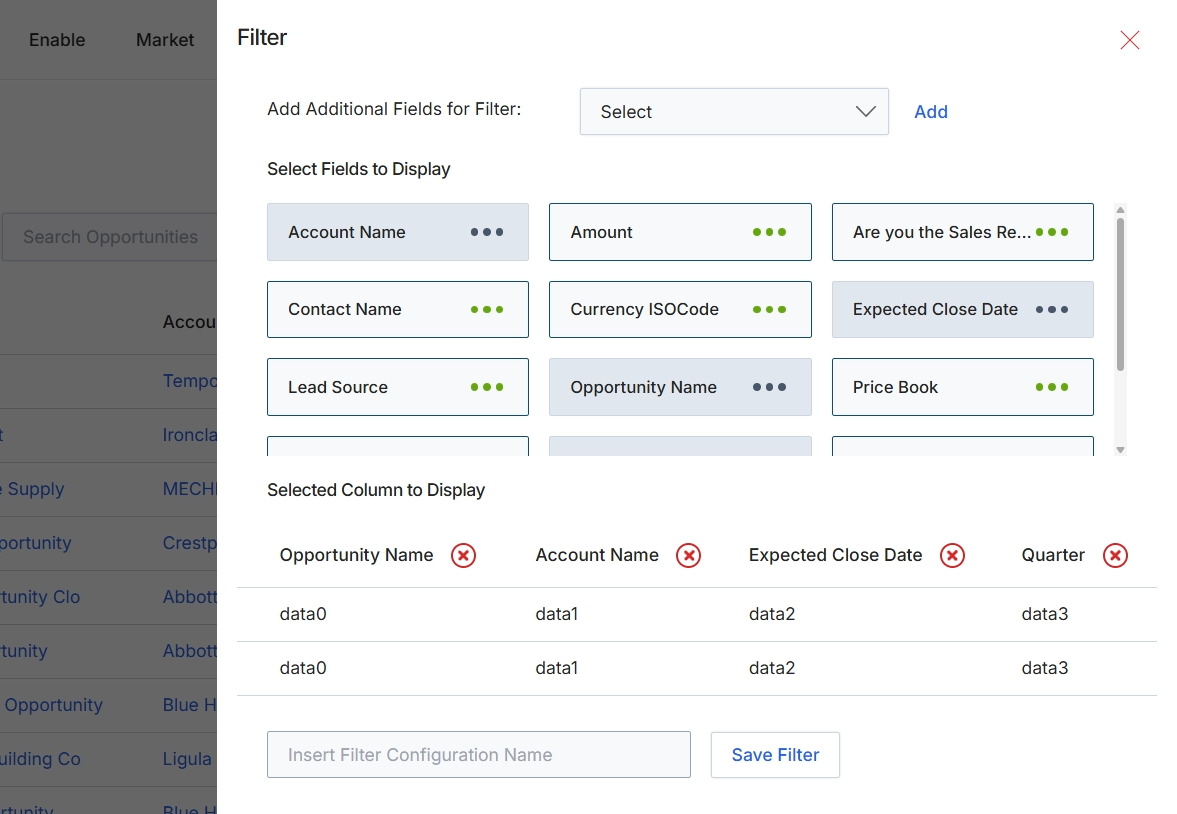
This filter panel provides users with the tools to refine and customize their view of the Opportunities list. It allows for dynamic filtering of the displayed data based on various opportunity attributes, helping users focus on specific subsets of opportunities. Additionally, it enables users to select which data columns are visible in the main list view, tailoring the display to their analytical or operational needs. Users can also save their configured filter and column selections as named configurations for quick recall and reuse, streamlining future data analysis and reporting tasks within the module.
Configure the filter criteria and select the columns to display for the Opportunities list view.
Buttons
| Button | Description |
|---|---|
| Add | A button to add the selected field from the dropdown as a filter option. |
| Save Filter | A button to save the current filter and column configuration under the specified name. |
Fields
| Field | Description |
|---|---|
| Add Additional Fields for Filter | A dropdown menu to select additional fields that can be used to filter the Opportunities list. |
| Select | The dropdown control for adding additional filter fields. |
| Insert Filter Configuration Name | An input field to enter a name for the current filter and column configuration to save it for later use. |
Frequently asked questions
- What is the purpose of the View Opportunities feature?
This feature provides administrators with a centralized repository to view and manage all sales opportunities within the platform. It helps track progress, manage details, and customize displayed information for analytical or operational needs.
- Who can access and use the View Opportunities feature?
Both UPM administrators and channel partners can access and use this feature. Administrators gain a comprehensive view of all opportunities, regardless of their origin.
- How can users customize their view of opportunities?
Users can customize their view by applying filters based on various attributes and selecting which data columns are visible. They can also save these filter and column configurations for future quick recall.
- What types of opportunities are visible in this module?
This module displays all opportunities, whether they originated from partner lead submissions, deal registrations, or direct vendor input.
- What are the benefits of customizing and saving views?
Customizing and saving views helps users focus on specific subsets of opportunities, tailor the display to their analytical needs, and streamline future data analysis by quickly recalling saved configurations.