

Overview
The UPM platform utilizes a standardized list of countries for various administrative and partner-facing functions, such as partner registration, regional targeting for programs, and geographical segmentation. Maintaining an accurate and comprehensive list of countries is crucial for data integrity and for enabling precise configuration across the platform. This administrative tool provides the necessary functionality to manage this foundational geographical data.
Administrators can ensure that all relevant countries are available for selection throughout the platform, and that their associated abbreviations are correctly defined. This capability supports global partner programs and facilitates consistent data capture and reporting across different regions.
Accessing the Country Management Page
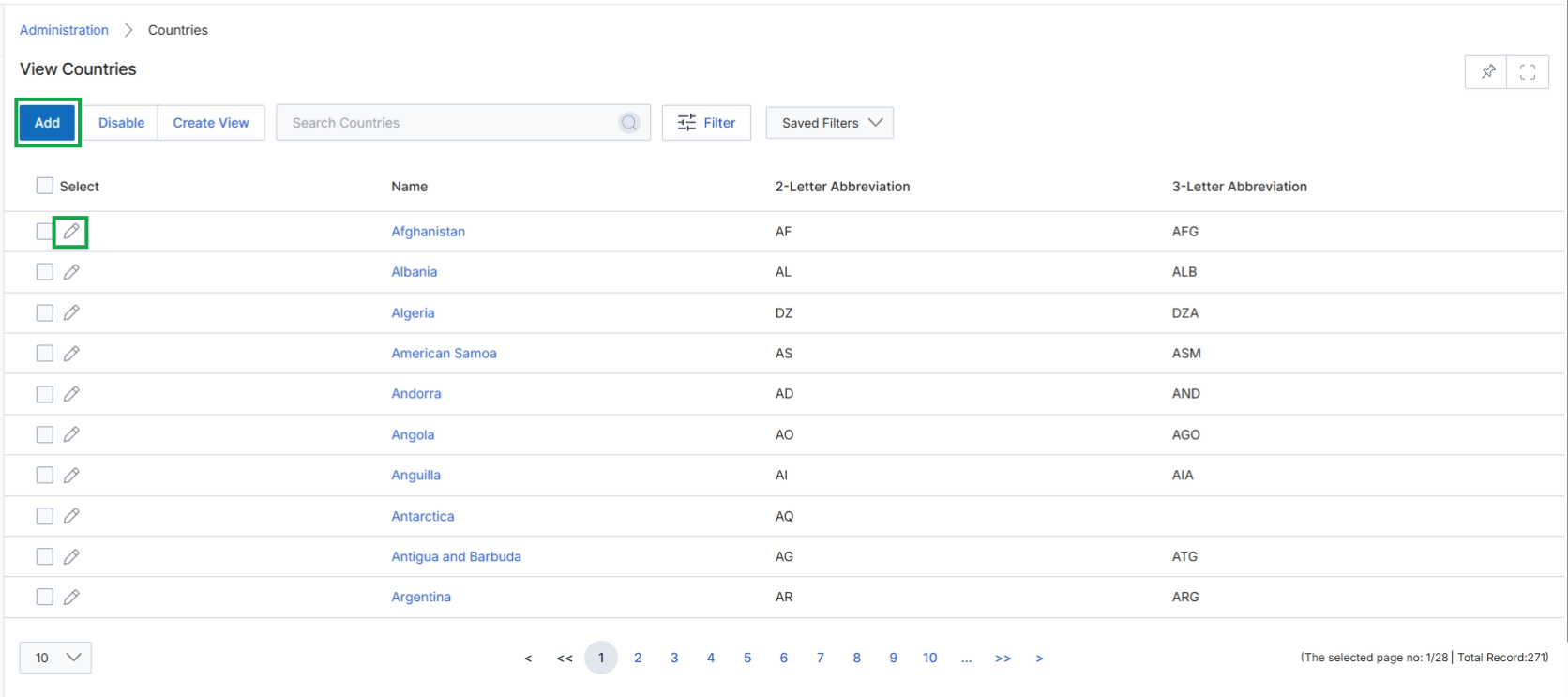
Click the Add button or the edit icon next to a country to open the Add/Edit a Country page.
Adding or Editing Country Information
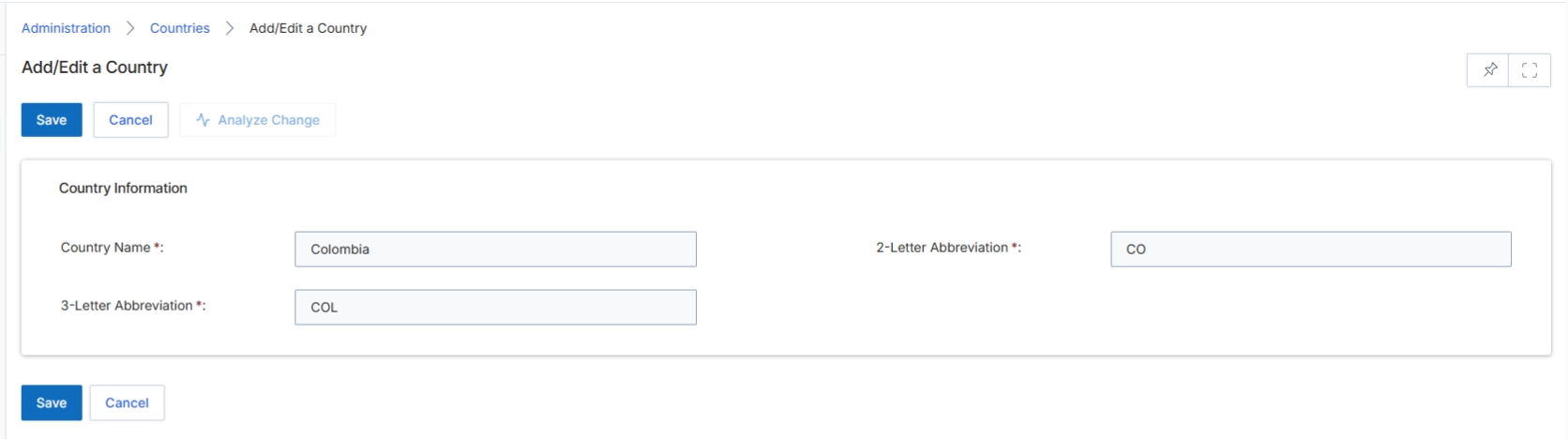
The Add/Edit a Country form allows UPM administrators to define or modify country records within the platform. These country definitions are crucial for various functionalities, including partner registration, lead and deal management, regional assignments, and reporting, ensuring that geographical data is consistent and standardized across the system. By specifying both the full country name and its 2-letter and 3-letter abbreviations, the platform supports international data standards and facilitates integrations with external systems that may use different country code formats. This configuration ensures that all modules requiring country-specific information can accurately process and display data.
Enter or update the country's name and its 2-letter and 3-letter abbreviations in the provided fields.
Buttons
| Button | Description |
|---|---|
| Save | Saves the changes made to the country information. |
| Cancel | Discards any changes and returns to the previous screen. |
Country Information
| Field | Description |
|---|---|
| Country Name * | The full name of the country. |
| 2-Letter Abbreviation * | The two-letter ISO 3166-1 alpha-2 code for the country. |
| 3-Letter Abbreviation * | The three-letter ISO 3166-1 alpha-3 code for the country. |