

Overview
The Administration module is the central hub for configuring the entire platform, including global settings that affect the partner portal's user experience. One critical aspect of supporting a diverse partner ecosystem is providing content and navigation in multiple languages. The View Languages functionality enables administrators to precisely control which languages are available to partners, ensuring the portal is accessible and user-friendly across different regions and demographics. This capability is essential for global partner programs looking to expand their reach and provide localized experiences.
Accessing Language Settings
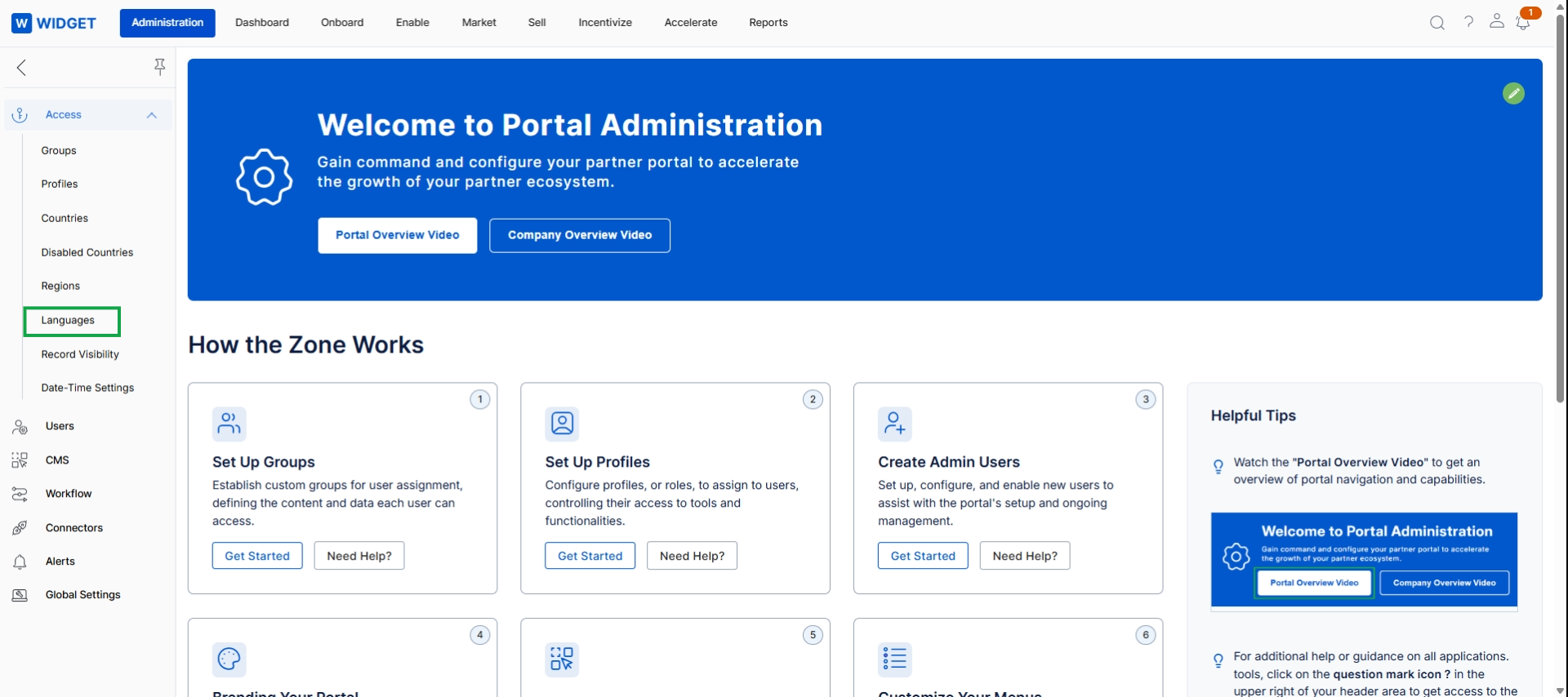
Click Languages in the left navigation panel.
Managing Portal Languages
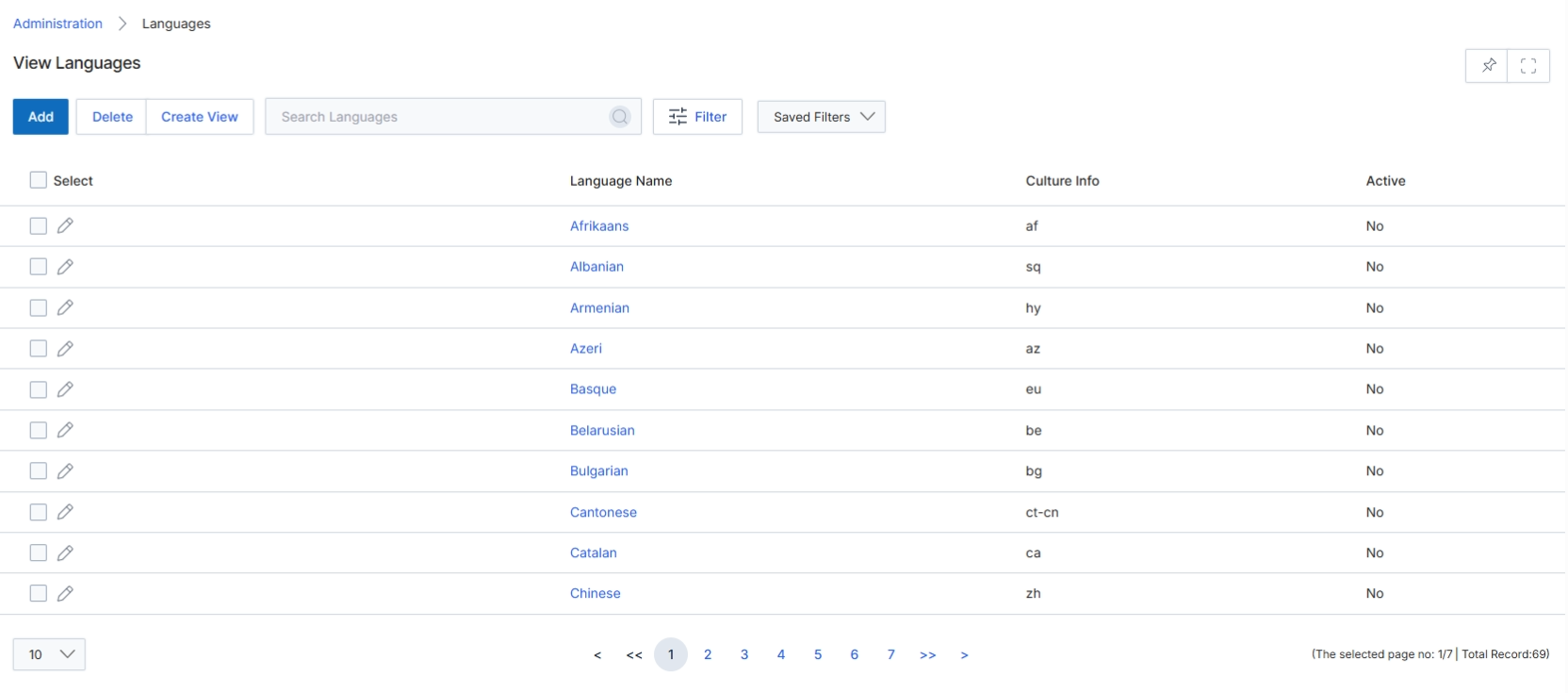
The View Languages screen displays a comprehensive list of all supported languages within the platform, along with their associated culture information and active status. This list is crucial for configuring multi-language support across the partner portal, email templates, and other user-facing elements. Administrators use this screen to manage the availability of different languages, enabling or disabling them as needed to cater to the linguistic requirements of their global partner ecosystem. The culture information, typically an ISO language code, helps ensure proper localization and formatting for dates, numbers, and currency specific to each language-region combination. This screen is part of the broader Administration module, which centralizes all platform configuration settings.
The View Languages screen displays a list of all configured languages, their culture information, and whether they are active.
Buttons
| Button | Description |
|---|---|
| Add | Adds a new language to the system. |
| Delete | Deletes selected languages from the system. |
| Create View | Creates a custom view for the languages list. |
| Filter | Applies filters to narrow down the list of languages. |
| Saved Filters | Applies a previously saved set of filters to the list. |
Fields
| Field | Description |
|---|---|
| Search Languages | Searches for languages by name or other criteria. |
Column Headings
| Column | Description |
|---|---|
| Select | Checkbox to select individual language records for bulk actions. |
| Language Name | The display name of the language. |
| Culture Info | The culture code (e.g., 'en-US', 'fr-FR') associated with the language, used for localization. |
| Active | Indicates whether the language is currently active and available for use in the portal. |