

Overview
The platform supports a global user base, and effective communication requires content to be available in multiple languages. This functionality provides administrators with the tools to configure and manage the specific languages supported by the platform. By adding and enabling languages, administrators ensure that partners and other users can interact with the portal in their preferred language, enhancing user experience and accessibility.
Accessing Language Management
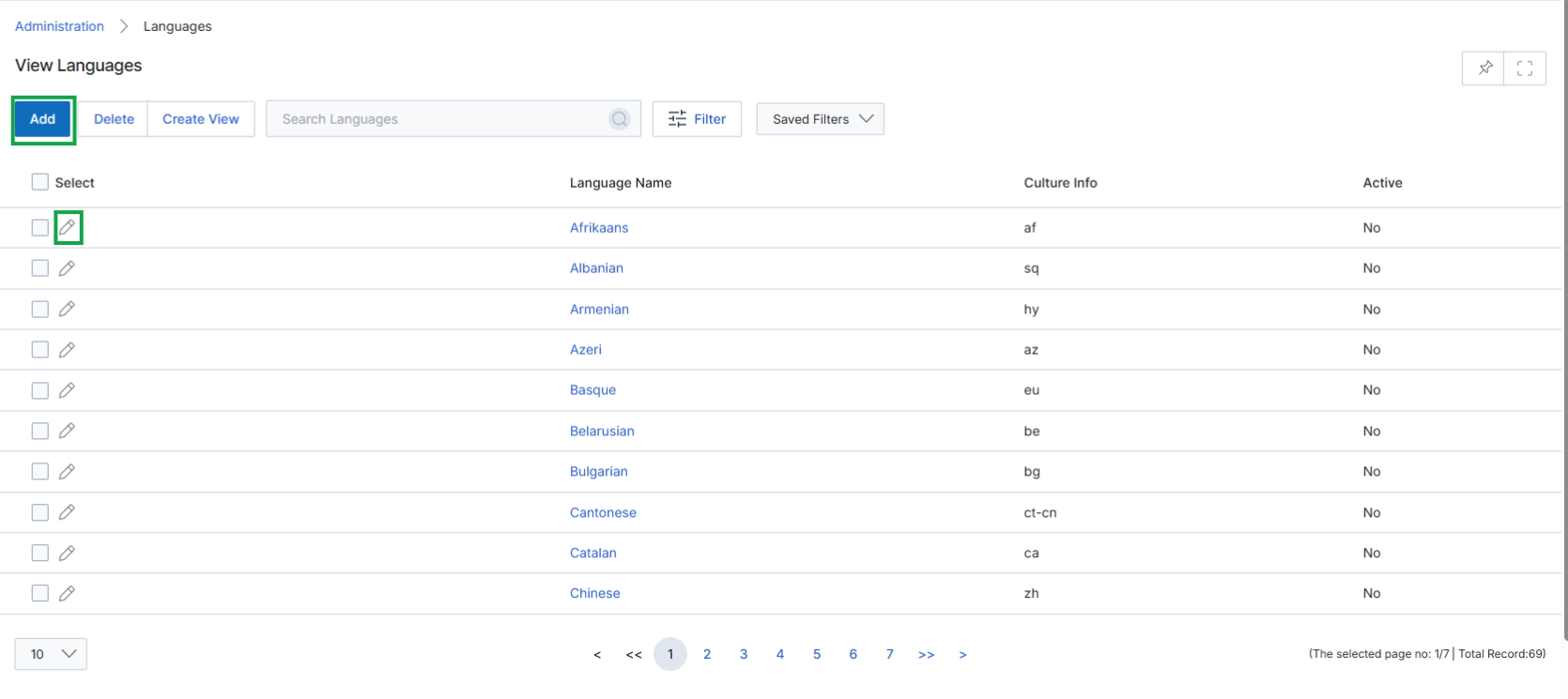
Click Add to create a new language, or click the edit icon next to an existing language to modify it.
Adding or Editing a Language
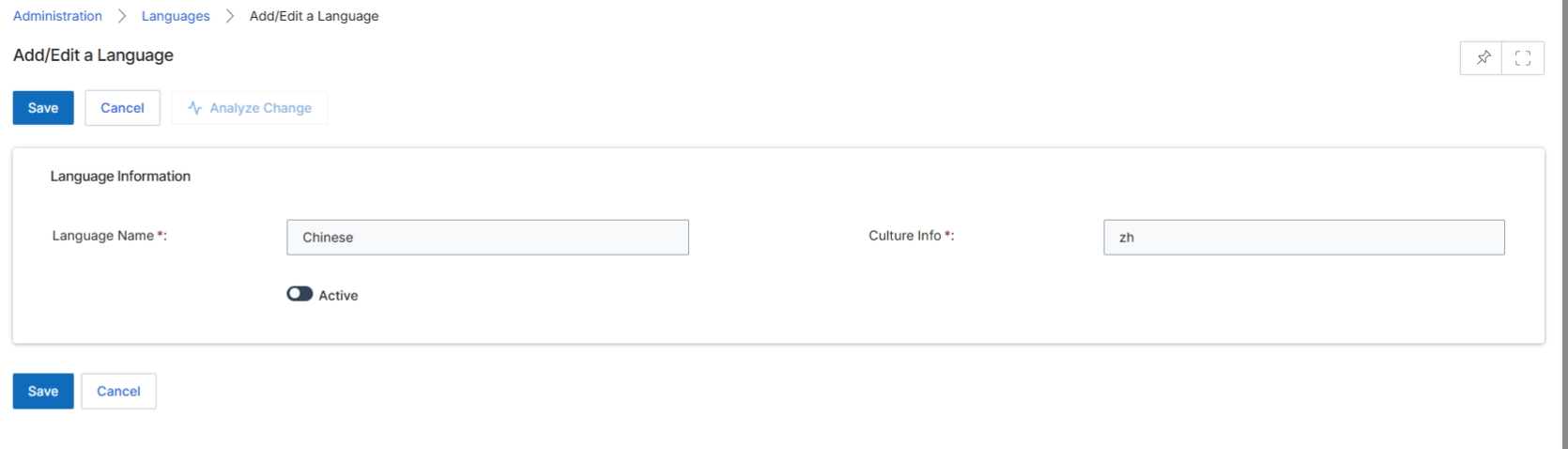
This screen, 'Add/Edit a Language', allows UPM administrators to define or modify language settings for the platform. These language configurations are crucial for supporting multi-language portals and ensuring that partners and users can interact with the system in their preferred language. The settings here typically influence the display of UI elements, content, and email templates across the portal, enabling a localized experience. Administrators use this form to specify the language's name, its associated culture code, and whether it is actively available for use within the platform.
Configure the language details by entering the Language Name and Culture Info, and setting its active status.
Buttons
| Button | Description |
|---|---|
| Save | Saves the current language configuration. |
| Cancel | Discards any changes and returns to the previous screen. |
| Analyze Change | Analyzes the impact of the proposed changes before saving. |
Language Information
| Field | Description |
|---|---|
| Language Name * | The display name of the language, such as 'Chinese'. This is a mandatory field. |
| Culture Info * | The culture code for the language, typically an ISO 639-1 two-letter language code, such as 'zh' for Chinese. This is a mandatory field. |
| Active | A toggle to activate or deactivate the language for use within the platform. |