

Overview
The platform supports multi-language capabilities to cater to a global partner ecosystem. Administrators use this module to configure and manage the various languages available within the system, ensuring that partners and users can interact with the portal in their preferred language. This includes defining language details, associating them with specific country cultures or dialects, and linking languages to countries for accurate localization. Proper language configuration is crucial for partner engagement and user experience, as it directly impacts the display of content, forms, and system messages. Administrators can add new dialects, modify existing language associations, and ensure that the platform's terminology and cultural nuances are correctly represented across different regions.
Viewing Language Details
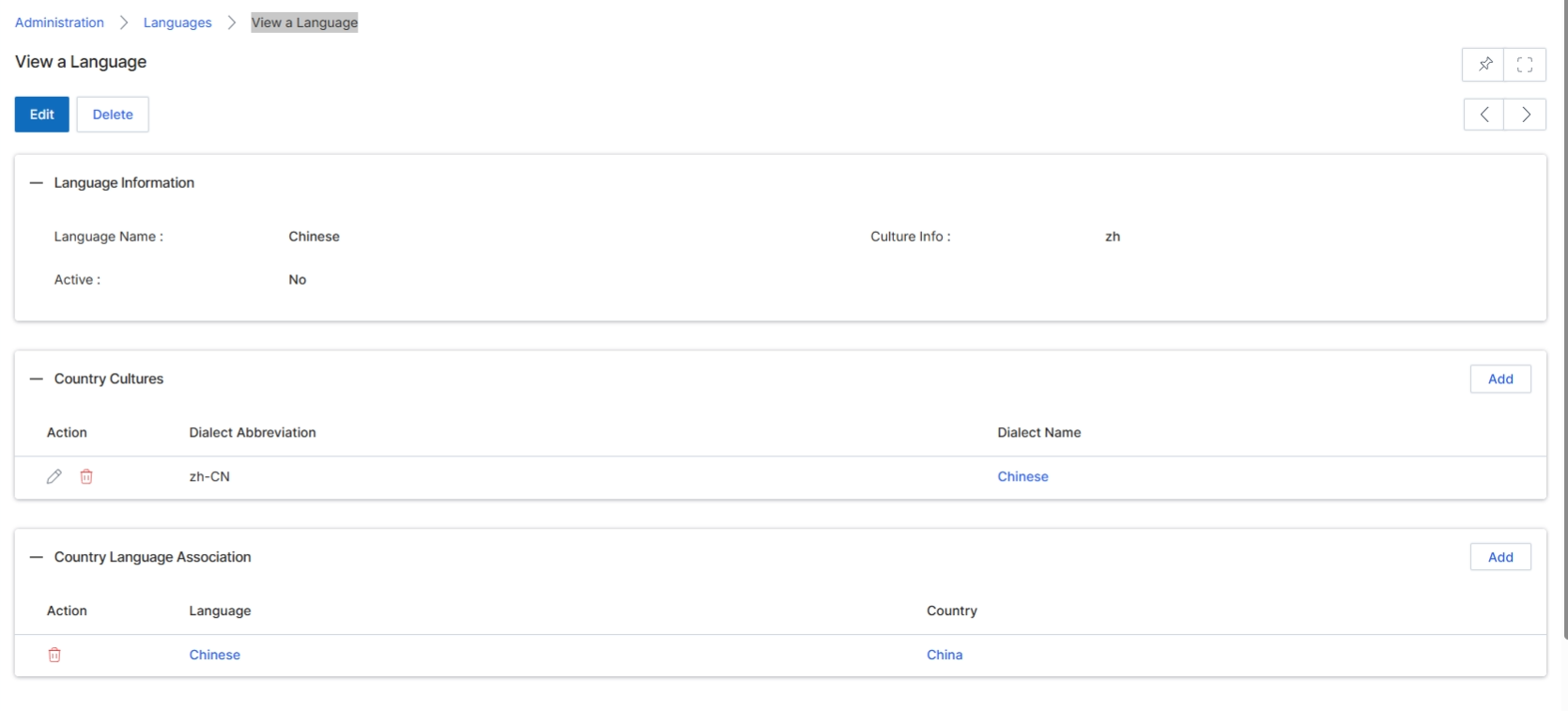
This screen displays the detailed information for a specific language configured within the platform's administration settings. It provides administrators with an overview of the language's properties, including its name, activation status, and associated culture information. Additionally, this view allows for the management of 'Country Cultures' and 'Country Language Associations' related to the selected language, enabling granular control over how the language is applied across different regions and dialects within the system. This level of detail is crucial for supporting multi-language portals and ensuring content is correctly localized for various partner segments and geographical areas.
Review the details of the selected language, including its associated country cultures and language associations.
Buttons
| Button | Description |
|---|---|
| Edit | Click to edit the language information. |
| Delete | Click to delete the language. |
Language Information
| Field | Description |
|---|---|
| Language Name | Displays the name of the language. |
| Culture Info | Displays the culture code associated with the language. |
| Active | Indicates whether the language is currently active in the system. |
Country Cultures
| Column | Description |
|---|---|
| Action | Column header for actions that can be performed on a country culture entry. |
| Dialect Abbreviation | Column header for the abbreviation of the dialect. |
| Dialect Name | Column header for the name of the dialect. |
Country Language Association
| Column | Description |
|---|---|
| Action | Column header for actions that can be performed on a country language association entry. |
| Language | Column header for the language associated with a country. |
| Country | Column header for the country associated with the language. |
Adding or Editing a Dialect
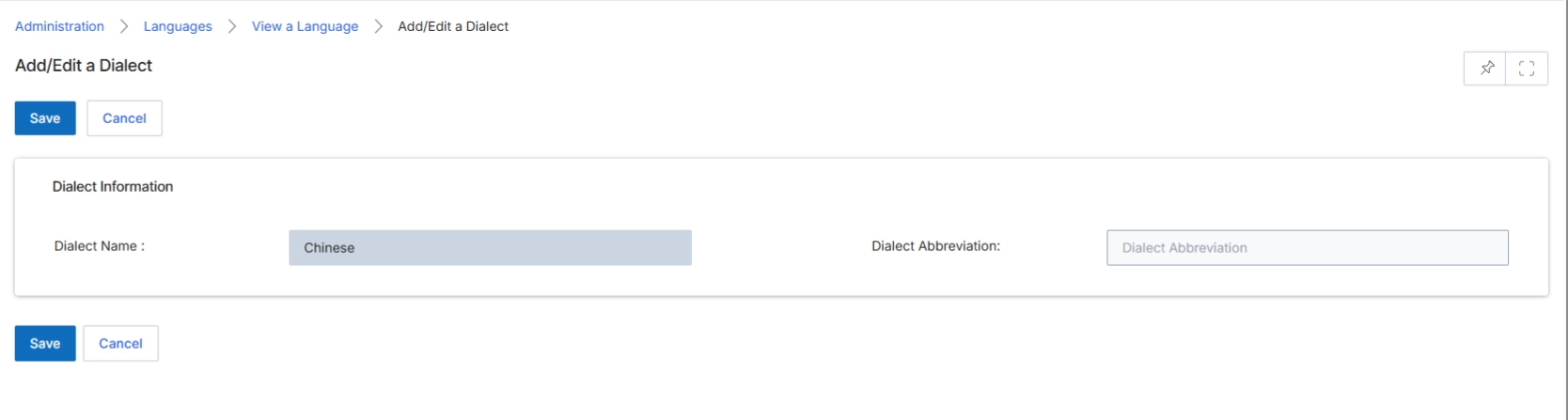
The Add/Edit a Dialect screen in the Administration module allows administrators to define or modify specific dialects associated with a language. This feature is part of the platform's localization capabilities, enabling the system to support various linguistic nuances for different regions or partner segments. By configuring dialects, administrators can ensure that portal content, email templates, and other system communications are accurately tailored to the target audience, enhancing the user experience for partners operating in diverse linguistic environments. The screen displays fields for the dialect's name and an abbreviation, which are essential for its identification and proper system usage.
Review or update the dialect information, including its name and abbreviation, then click "Save" to apply changes.
Buttons
| Button | Description |
|---|---|
| Save | Saves the current dialect information. |
| Cancel | Discards any changes and returns to the previous screen. |
Dialect Information
| Field | Description |
|---|---|
| Dialect Name | The full name of the dialect, which is currently set to 'Chinese'. |
| Dialect Abbreviation | A short abbreviation for the dialect. |
Associating Languages with Countries
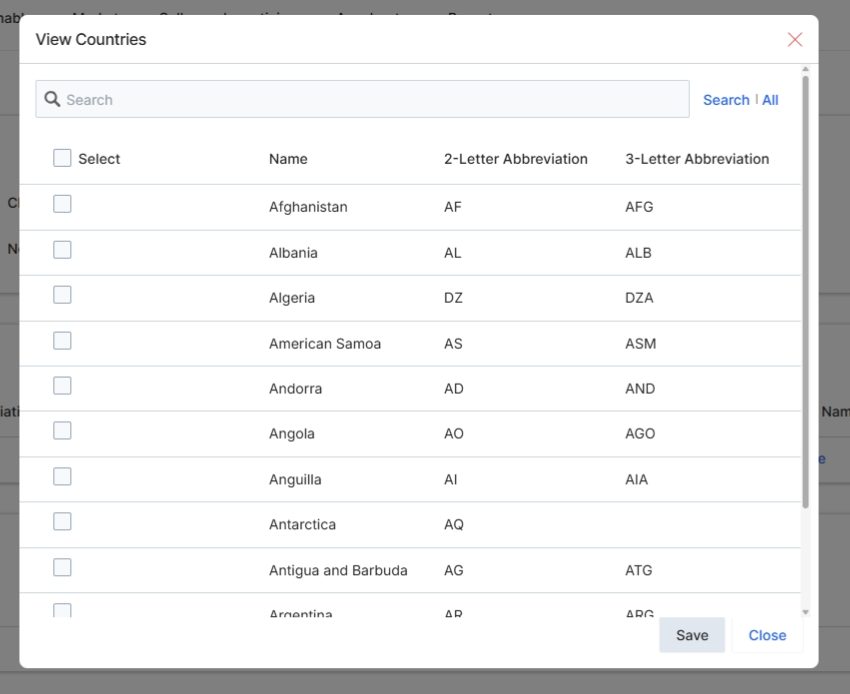
This modal dialog, titled 'View Countries', allows administrators to associate specific countries with a language. This association is crucial for localizing the partner portal and ensuring that partners in different geographic regions receive content and communications in their preferred language. By selecting countries here, the system can dynamically serve language-specific content, email templates, and portal experiences, enhancing the partner's engagement and usability. This feature supports the platform's multi-language capabilities, which are configured under Administration > Portal Identity, where language versions for email templates and other portal elements are managed.
Select the countries to associate with the language.
Buttons
| Button | Description |
|---|---|
| Search | Clickable text link to initiate a search based on the entered text. |
| All | Clickable text link to display all available countries, clearing any search filters. |
| Save | Saves the selected country associations and closes the dialog. |
| Close | Closes the dialog without saving any changes. |
Fields
| Field | Description |
|---|---|
| Search | Text input field to search for specific countries within the list. |
Column Headings
| Column | Description |
|---|---|
| Select | Column header for checkboxes used to select individual countries. |
| Name | Column header for the full name of the country. |
| 2-Letter Abbreviation | Column header for the two-letter ISO 3166-1 alpha-2 code for each country. |
| 3-Letter Abbreviation | Column header for the three-letter ISO 3166-1 alpha-3 code for each country. |