

Overview
The Access module is a critical component of the platform's Administration zone, designed to give administrators granular control over user access and data visibility. This module underpins the security and operational integrity of the entire platform by allowing the definition of user groups, roles (profiles), and permissions. By carefully configuring these settings, administrators can ensure that each user, whether a vendor-side employee or a partner, has access only to the information and functionalities relevant to their role and responsibilities.
Beyond user-specific access, the Access module also handles global settings such as country and region restrictions, language preferences, and date-time formats. These configurations are essential for localizing the partner portal experience and complying with regional data governance requirements. Proper setup in this module is fundamental for maintaining a secure, compliant, and user-friendly partner ecosystem.
Accessing the Access Module
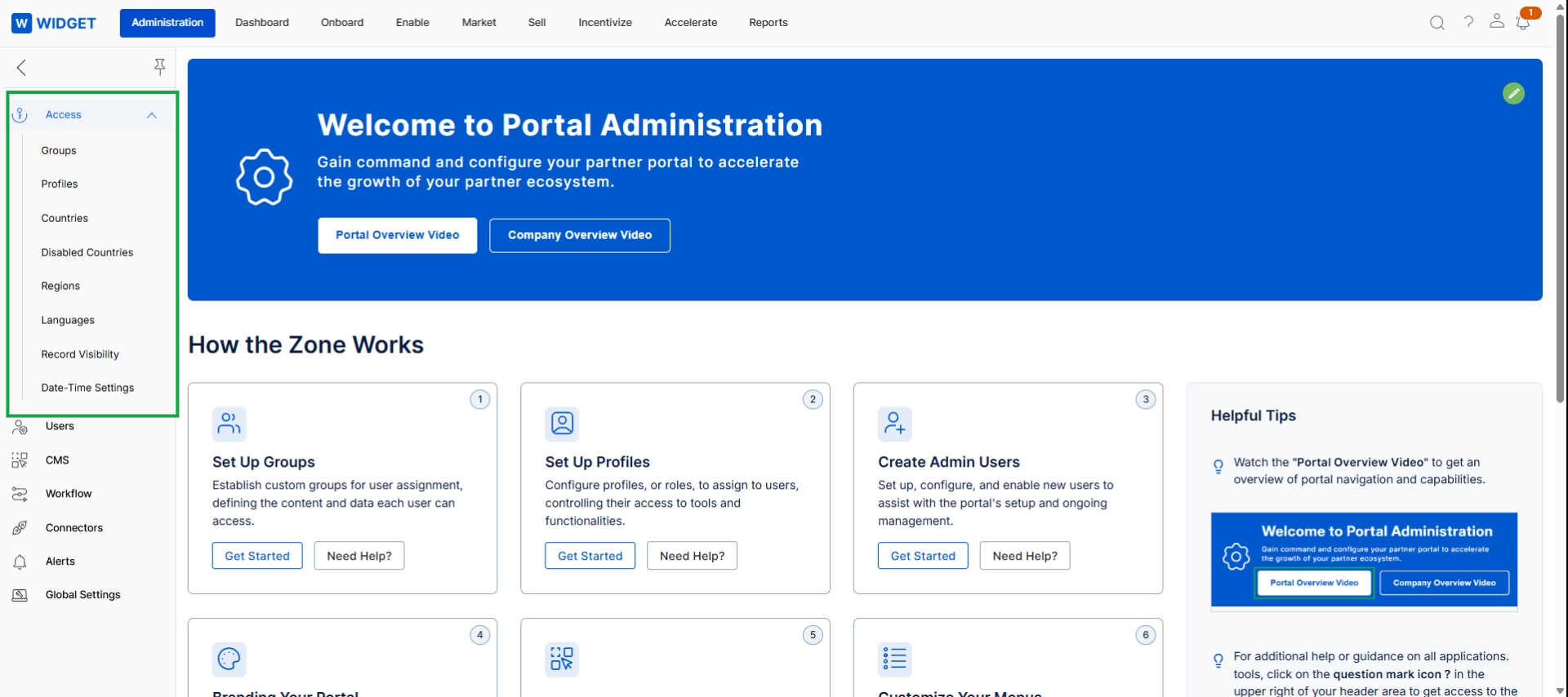
This screen displays the landing page for the Administration module, serving as a central hub for platform configuration. It provides an overview of key administrative functions and quick access to setup tasks. The left-hand navigation pane includes an "Access" section, which contains menu items for managing user groups, profiles (roles), countries, disabled countries, regions, languages, record visibility settings, and date-time settings. These options facilitate the granular control over who can access what data and functionality within the platform, ensuring proper access management and localization.
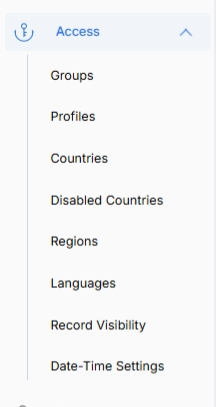
This screen displays the navigation menu for the Access section within the Administration module, providing administrators with options to manage various aspects of user access, permissions, and regional settings within the platform. These settings are crucial for defining how users interact with the platform and what data they can access, ensuring proper security, localization, and data governance. Administrators use these options to configure user groups, define permission profiles, manage country and region availability, set language options, control record visibility, and adjust date and time settings, all of which collectively determine the user experience and data accessibility across the platform.
Review the available options under the Access section to manage user permissions, regional settings, and data visibility.
Buttons
| Button | Description |
|---|---|
| Groups | This option allows administrators to manage user groups, which are collections of users used for approval routing and reporting. |
| Profiles | This option enables administrators to define and manage permission sets (roles) that determine what a user can see and do within the platform. |
| Countries | This option allows administrators to manage the list of available countries within the platform, which can impact partner registration and geographic assignments. |
| Disabled Countries | This option allows administrators to view and manage countries that have been disabled, preventing them from being selected in various platform contexts. |
| Regions | This option enables administrators to define and manage geographical regions, which can be used for user assignments and reporting. |
| Languages | This option allows administrators to configure and manage the language options available across the platform, supporting multi-language portal functionality. |
| Record Visibility | This option provides controls for defining how records are visible to different user roles or groups, ensuring data access is restricted appropriately. |
| Date-Time Settings | This option allows administrators to configure global date and time formats and settings for the platform. |