

Overview
The platform's global nature necessitates a robust system for managing geographical data. The View Countries feature provides administrators with a centralized repository to maintain an accurate and comprehensive list of countries recognized by the system. This master list is critical for various platform functions, including partner onboarding, where partners select their operating regions; deal registration, which often requires country-specific information; and reporting, which can be segmented by geography. By allowing administrators to add, disable, and view country details, the platform ensures data integrity and consistency across all modules that rely on country-specific information.
Accessing the Countries List
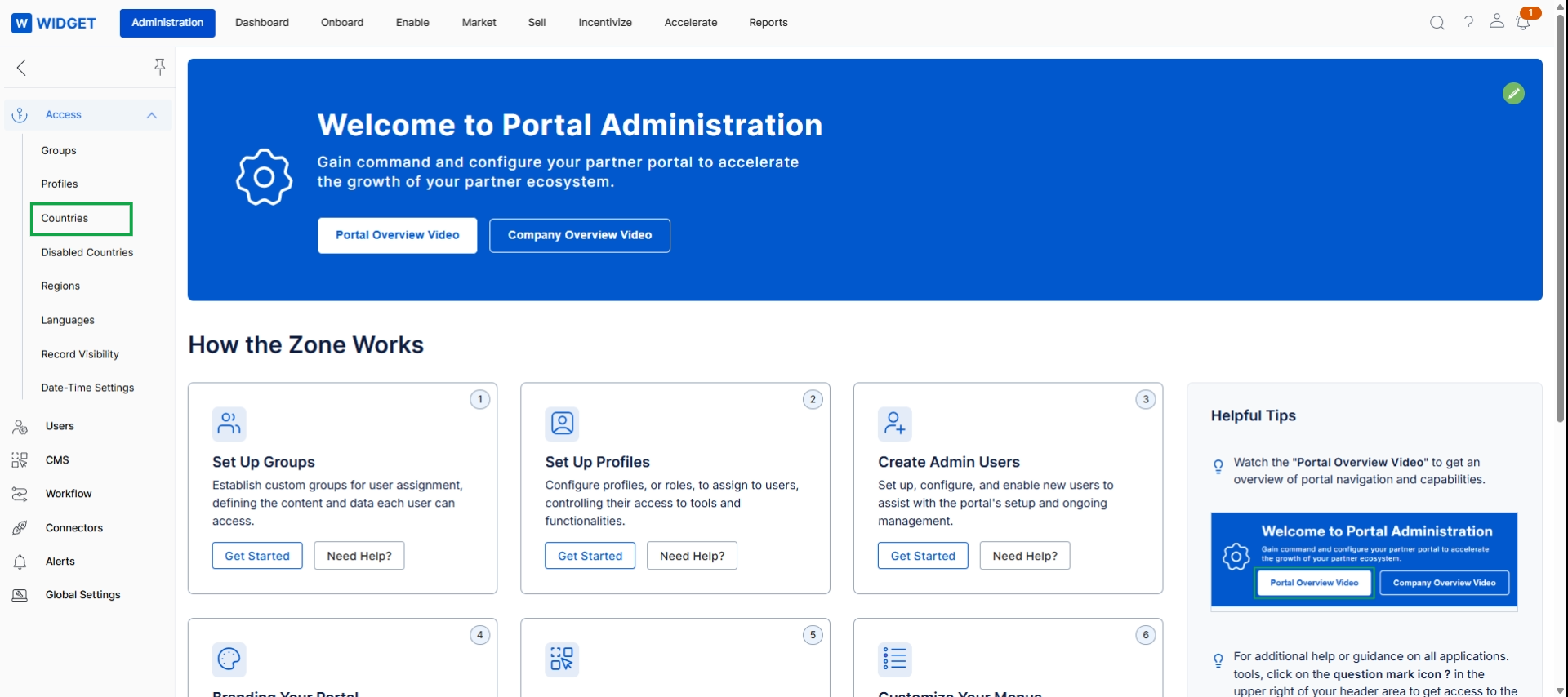
Click Countries in the left navigation menu.
Viewing and Managing Countries
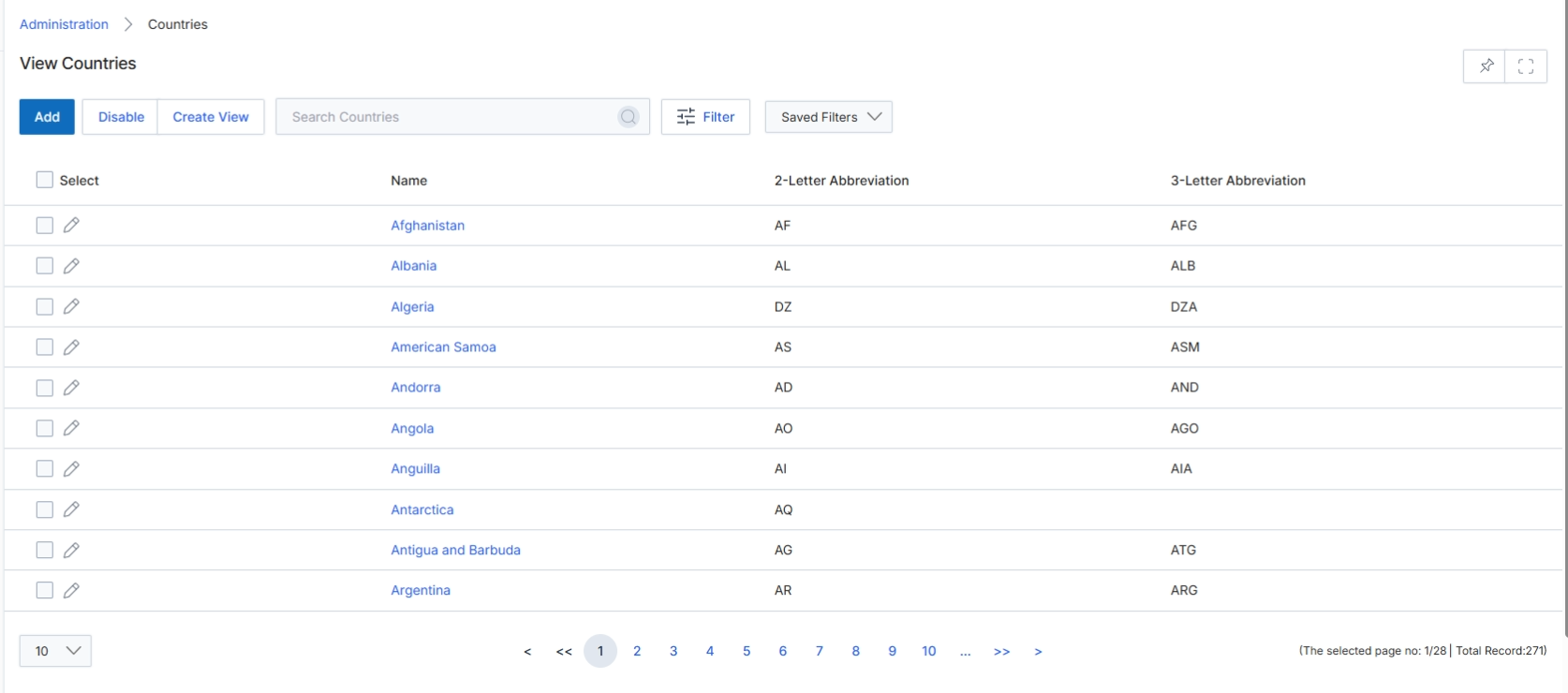
This screen displays a comprehensive list of countries recognized by the platform, which can be used for various configurations such as partner location, regional assignments, or deal territories. Administrators can view existing country entries, search for specific countries, and apply filters to narrow down the list. The table provides key identifiers for each country, including its full name, 2-letter abbreviation, and 3-letter abbreviation, which are often used in international standards and system integrations. This list is foundational for ensuring accurate geographical data across all modules and for managing region-specific settings within the UPM.
Review the list of countries and their associated abbreviations.
Buttons
| Button | Description |
|---|---|
| Add | Initiates the process to add a new country to the list. |
| Disable | Disables selected countries, preventing them from being used in certain platform configurations. |
| Create View | Allows the user to create and save a custom filtered view of the countries list. |
| Filter | Opens a panel to apply advanced filters to the country list. |
| Saved Filters | A dropdown to select and apply previously saved filter configurations. |
Fields
| Field | Description |
|---|---|
| Search Countries | A search bar to find specific countries by name or abbreviation. |
Column Headings
| Column | Description |
|---|---|
| Select | A checkbox column to select individual countries for bulk actions like 'Disable'. |
| Name | The full name of the country. |
| 2-Letter Abbreviation | The two-letter ISO 3166-1 alpha-2 code for the country. |
| 3-Letter Abbreviation | The three-letter ISO 3166-1 alpha-3 code for the country. |
View Disabled Countries
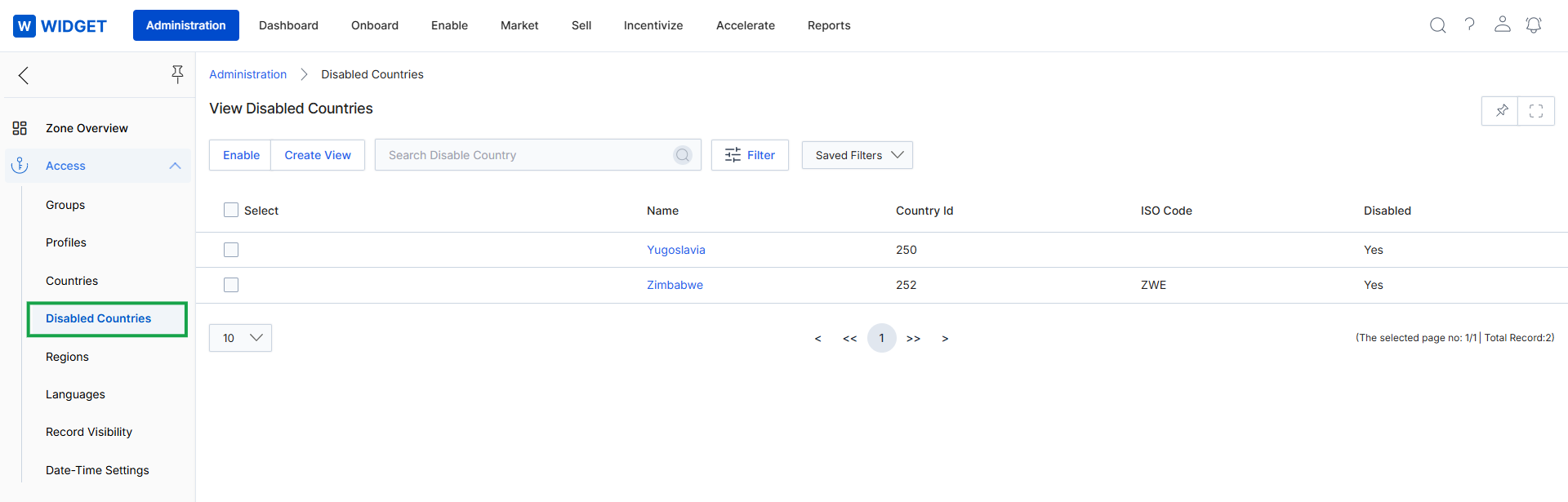
The View Disabled Countries screen within the Administration module displays a list of all countries that have been marked as inactive or unavailable for selection across the UPM platform. This feature allows administrators to control which countries are presented in dropdowns and forms throughout the system, such as during partner registration, lead submission, or user profile creation. By disabling a country, administrators can restrict partners or users from specific geographic regions from interacting with certain platform functionalities or from being onboarded. This list view provides an overview of these restrictions, showing key identifiers for each disabled country.
Click on 'Disabled Countries' in the left navigation panel to view the list of countries currently disabled within the platform.
Buttons
| Button | Description |
|---|---|
| Enable | A button to re-enable selected disabled countries, making them available for use in the platform. |
| Create View | A button to create a custom filtered view of the disabled countries list. |
| Filter | A button to apply advanced filters to the list of disabled countries. |
| Saved Filters | A dropdown to select and apply previously saved filter configurations. |
Fields
| Field | Description |
|---|---|
| Search Disable Country | A search bar to find specific disabled countries by name or other criteria. |
Column Headings
| Column | Description |
|---|---|
| Select | A checkbox column to select individual or multiple countries for bulk actions. |
| Name | The official name of the disabled country. |
| Country Id | A unique numerical identifier for the country. |
| ISO Code | The ISO 3166-1 alpha-3 code for the country. |
| Disabled | Indicates whether the country is currently disabled (Yes) or not. |