

Overview
In the UPM, groups serve as a fundamental organizational tool for managing vendor-side users. By categorizing users into groups, administrators can streamline various operational processes, such as assigning specific approval flows for deal registrations or MDF applications. This structured approach ensures that tasks are routed to the appropriate teams and that reporting can be segmented effectively based on organizational structure.
Groups can also be nested, allowing for the creation of a hierarchical structure that mirrors an organization's internal departments or regional teams. This capability is crucial for large organizations with complex management structures, enabling precise control over access, responsibilities, and reporting lines for different sets of users.
Accessing Group Management
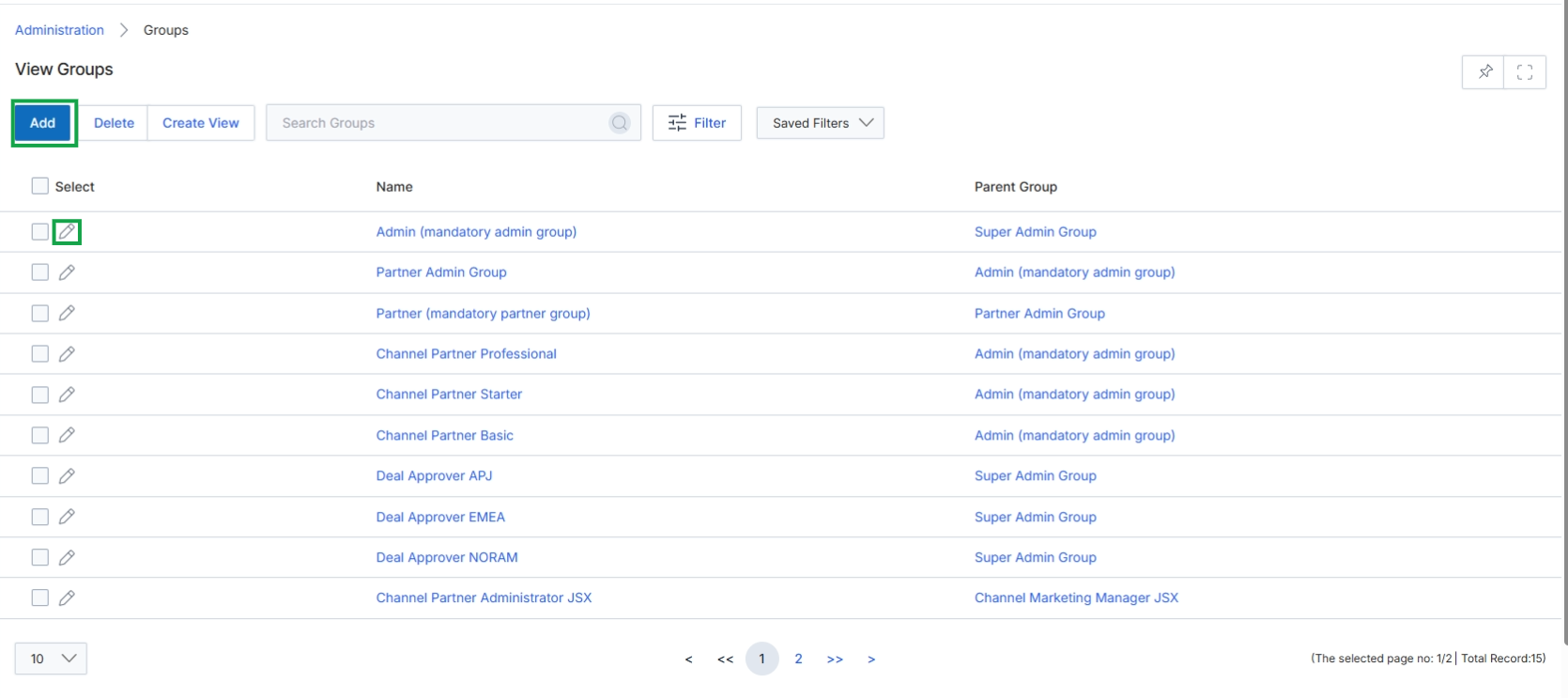
Click the Add button or the edit icon next to an existing group to open the Add/Edit a Group page.
Adding or Editing a Group
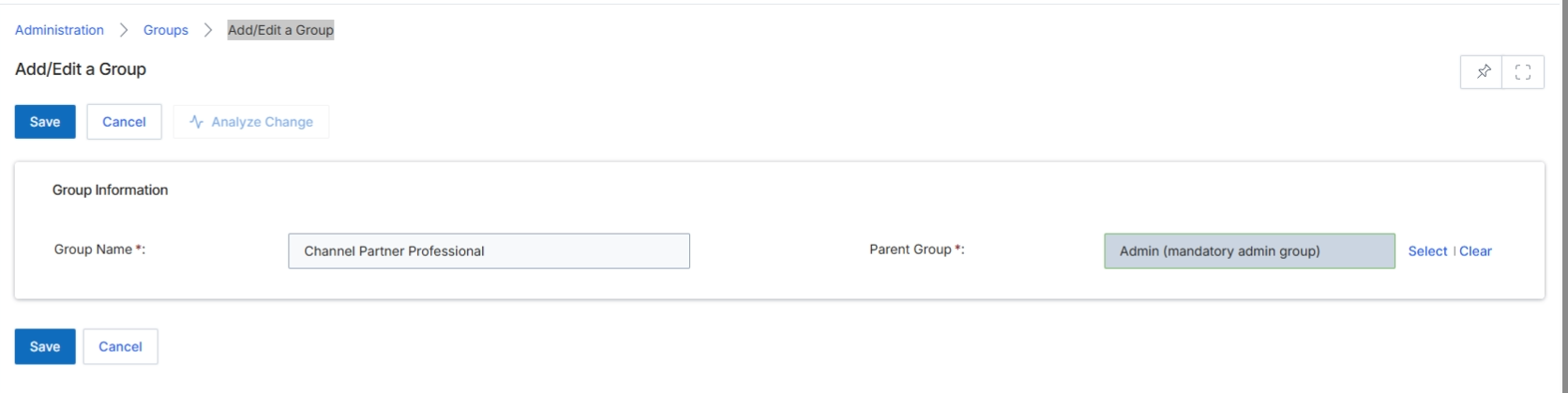
The Add/Edit a Group form in the Administration module allows administrators to define and manage user groups within the platform. These groups are collections of vendor-side employees and are primarily used for approval routing, reporting, and organizing users with similar responsibilities or access needs. By assigning users to specific groups, administrators can streamline workflows, ensure that approval requests are directed to the correct teams, and simplify the management of permissions and reporting structures. This screen facilitates the creation of new groups or the modification of existing ones, including defining their hierarchical relationship through parent groups.
Enter a name for the new group in the "Group Name" field and select a "Parent Group" if applicable.
Buttons
| Button | Description |
|---|---|
| Save | Saves the new or updated group information. |
| Cancel | Discards any changes and returns to the previous screen. |
| Select | Opens a dialog to select a parent group. |
| Clear | Clears the currently selected parent group. |
Group Information
| Field | Description |
|---|---|
| Group Name | The unique name for the group being created or edited. |
| Parent Group | The parent group under which this group will be nested, establishing a hierarchical structure. |
Selecting a Parent Group
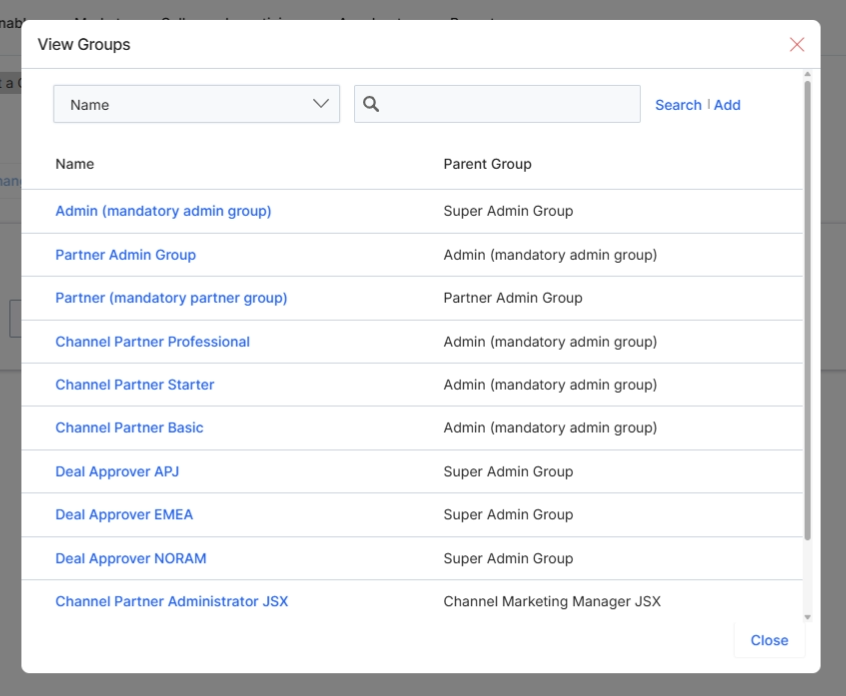
This pop-up window displays a list of existing groups within the platform, allowing administrators to select a parent group when creating or editing a group. Groups are collections of users, used for purposes such as approval routing and reporting. Assigning a parent group helps establish a hierarchical structure for user management and permissions, ensuring that new groups inherit or align with the organizational structure defined by the parent. This selection is critical for maintaining proper access control and workflow delegation across the platform.
Select a parent group from the list to assign it to the current group.
Buttons
| Button | Description |
|---|---|
| Search | A link to initiate a search for groups. |
| Add | A link to add a new group. |
| Close | Closes the pop-up window. |
Column Headings
| Column | Description |
|---|---|
| Name | The name of the group. |
| Parent Group | The parent group to which this group belongs, if any. |