

Overview
The platform's global reach necessitates robust country management capabilities. This section of the Administration module serves as the repository for all country-specific data, which underpins various functionalities such as partner segmentation, content localization, and regional program management. By accurately defining countries and their associated geographical and linguistic attributes, administrators can ensure that partners receive relevant information and experiences tailored to their location. This detailed view of country settings is essential for maintaining data integrity and enabling effective geo-fencing for campaigns, partner recruitment, and compliance with regional regulations. It allows administrators to quickly ascertain and modify the geographical and linguistic context for any given country, directly impacting how partners in those regions interact with the platform.
Accessing Country Details
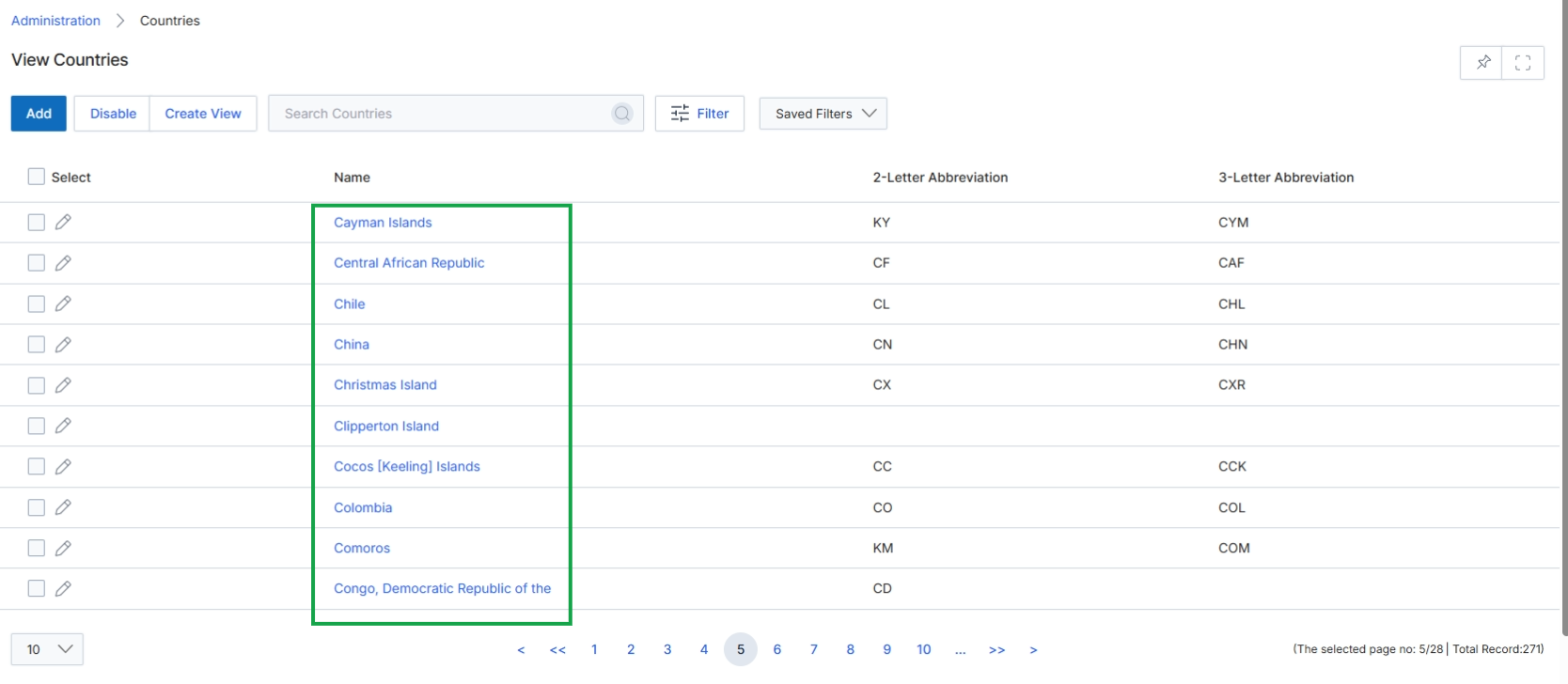
Click on any country name, such as Cayman Islands, in the Name column to view its details.
Viewing Country Information
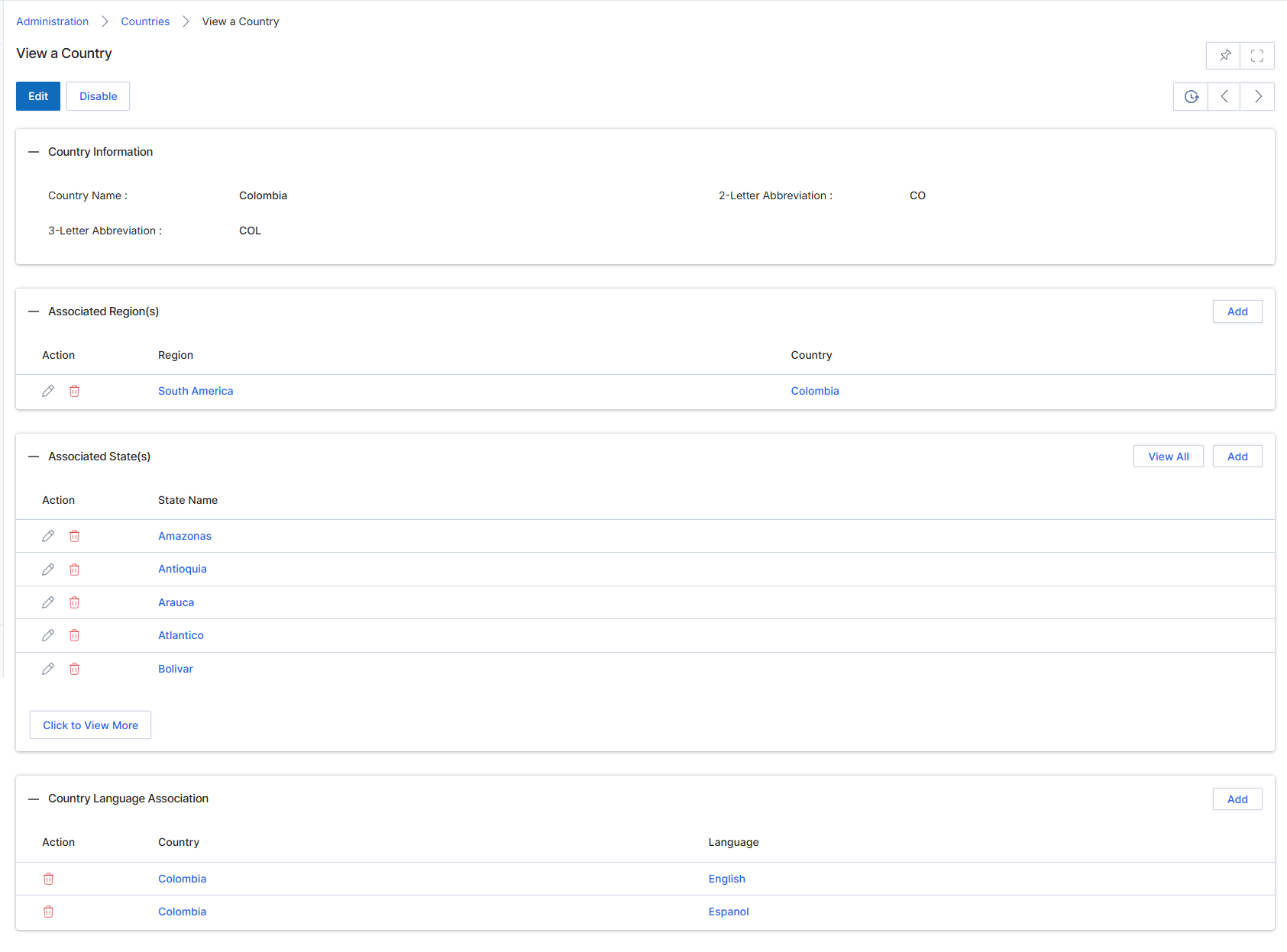
This screen displays the detailed information for a specific country within the platform's Access Management module. Administrators use this view to review the country's basic identifying information, such as its name and abbreviations, and to manage its associated regions, states, and language settings. This granular control over geographical data is crucial for configuring various platform functionalities, including partner assignments, lead routing, and content localization, ensuring that partners and users interact with relevant and correctly localized information. The screen also provides options to edit the country's details or disable it, affecting its availability across the platform.
Review the detailed information for the selected country, including its associated regions, states, and language associations.
Buttons
| Button | Description |
|---|---|
| Edit | Click to edit the country's details. |
| Disable | Click to disable the country, making it unavailable for selection in other parts of the platform. |
| Add | Click to add a new region association for this country. |
| View All | Click to view all associated states. |
| Add | Click to add a new state association for this country. |
| Click to View More | Click to load more associated states if the list is truncated. |
| Add | Click to add a new language association for this country. |
Country Information
| Field | Description |
|---|---|
| Country Name | The full name of the country. |
| 2-Letter Abbreviation | The two-letter ISO country code. |
| 3-Letter Abbreviation | The three-letter ISO country code. |
Associated Region(s)
| Column | Description |
|---|---|
| Action | Column header for actions related to associated regions, such as editing or deleting the association. |
| Region | Column header for the name of the associated region. |
| Country | Column header for the country associated with the region. |
Associated State(s)
| Column | Description |
|---|---|
| Action | Column header for actions related to associated states, such as editing or deleting the association. |
| State Name | Column header for the name of the associated state. |
Country Language Association
| Column | Description |
|---|---|
| Action | Column header for actions related to country language associations, such as deleting the association. |
| Country | Column header for the country in the language association. |
| Language | Column header for the associated language. |
Managing Associated Regions
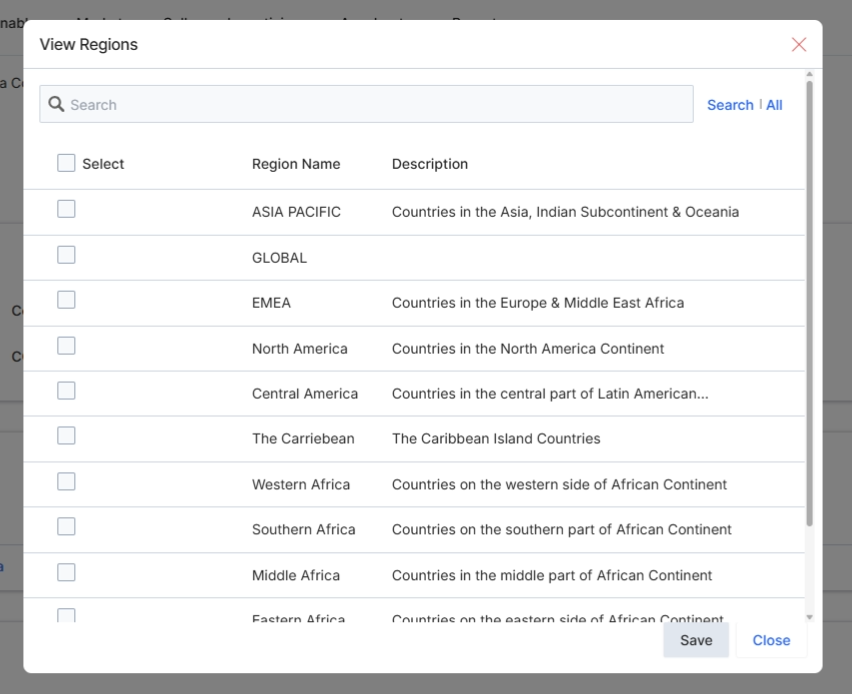
This dialog box, titled 'View Regions', allows administrators to associate specific geographical regions with a country. This association is critical for defining the scope of operations, content availability, and partner assignments within the platform, ensuring that regional settings and content are correctly applied. The list displays predefined regions with their descriptions, enabling administrators to select one or more regions that apply to the country being configured. This functionality supports the granular control over global operations and localization settings within the UPM.
Select the regions to associate with the country.
Buttons
| Button | Description |
|---|---|
| Search | A clickable link to initiate the search based on the entered text. |
| All | A clickable link to display all available regions, clearing any search filters. |
| Save | Saves the selected regions and closes the dialog. |
| Close | Closes the dialog without saving any changes. |
Fields
| Field | Description |
|---|---|
| Search | An input field to search for specific regions within the displayed list. |
Column Headings
| Column | Description |
|---|---|
| Select | A checkbox column to select individual regions from the list. |
| Region Name | The name of the geographical region. |
| Description | A brief description of the region, often detailing the countries or areas it encompasses. |
Managing Associated States
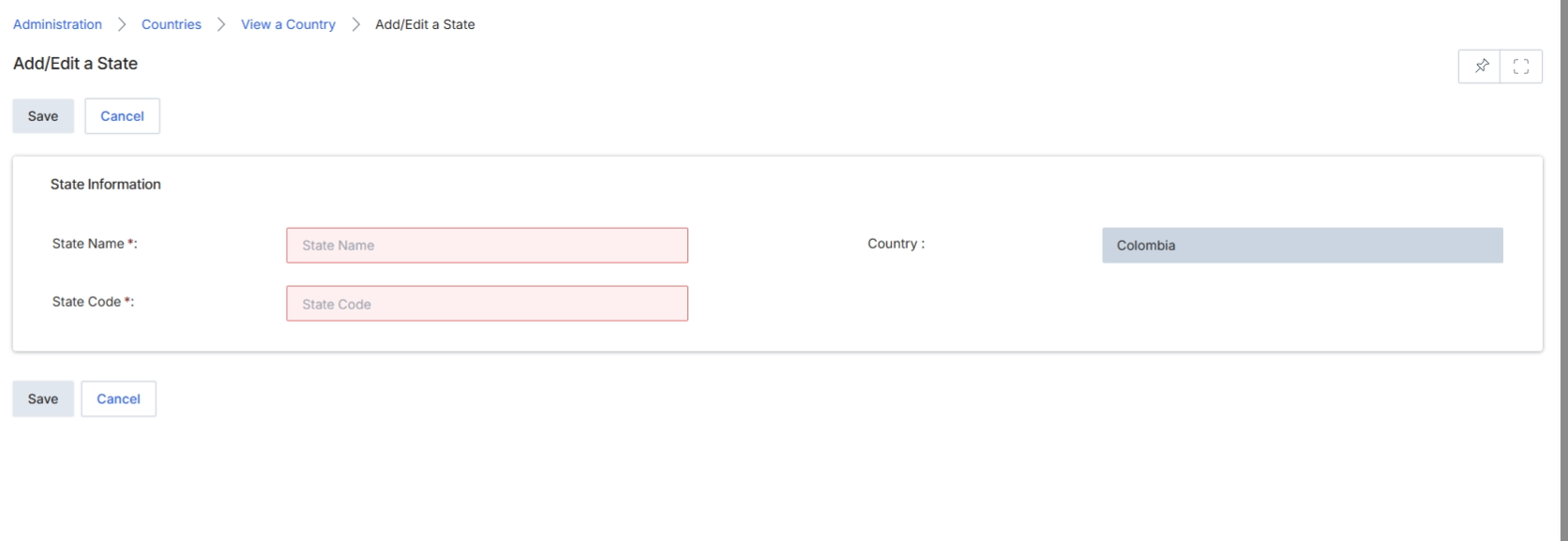
This screen, 'Add/Edit a State', allows administrators to define and manage geographical states or provinces associated with a specific country within the platform's access management settings. This configuration is crucial for ensuring accurate regional targeting, compliance, and data segmentation across various modules, such as partner recruitment, lead distribution, and reporting. By associating states with countries, the platform can enforce geographical rules for partners, content, and campaigns, ensuring that relevant information and opportunities are presented to the correct regional entities. The form requires essential details like the state's name and a unique code, and it displays the parent country to which the new state will belong.
Enter the required information for the new state in the 'State Name' and 'State Code' fields.
Buttons
| Button | Description |
|---|---|
| Save | Saves the newly entered state information. |
| Cancel | Discards any changes and returns to the previous screen. |
State Information
| Field | Description |
|---|---|
| State Name | The full name of the state or province being added. |
| Country | The country to which this state belongs, pre-populated from the previous selection. |
| State Code | A unique code or abbreviation for the state. |
Managing Associated Languages
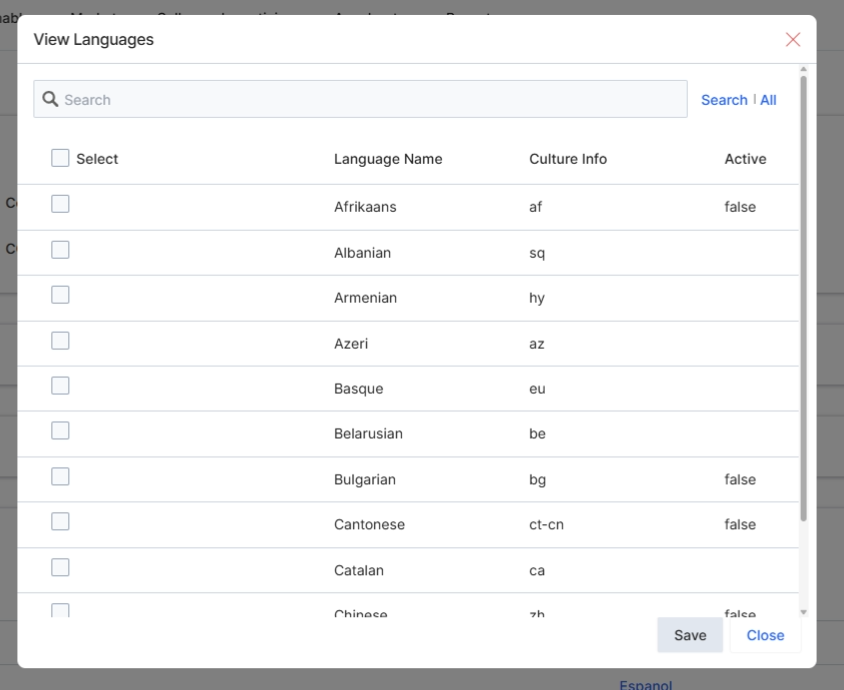
This modal window, titled 'View Languages', is used by UPM administrators to associate specific languages with a country. This association is crucial for localizing the partner portal experience, ensuring that partners in a given country can access content, forms, and communications in their preferred language. The list displays available languages, their culture codes, and their current active status. Administrators can select multiple languages to enable for a country, which then influences the language options presented to partners during onboarding or within their portal settings. This configuration directly impacts the user experience for partners, allowing the platform to cater to diverse linguistic requirements across different regions.
Select the languages to associate with the country by clicking the checkboxes in the Select column, then click "Save".
Buttons
| Button | Description |
|---|---|
| Save | Saves the selected language associations for the country. |
| Close | Closes the modal without saving any changes. |
Fields
| Field | Description |
|---|---|
| Search | Enter text here to filter the list of languages. |
Column Headings
| Column | Description |
|---|---|
| Select | A checkbox to select or deselect a language for association with the country. |
| Language Name | The full name of the language. |
| Culture Info | The culture code for the language (e.g., 'af' for Afrikaans, 'sq' for Albanian). |
| Active | Indicates whether the language is currently active ('true' or 'false'). |