

Overview
In a global partner program, effectively segmenting and managing partners based on their geographical location is crucial for targeted communication, localized support, and regional performance analysis. The Regions feature provides the foundational capability to establish these geographical boundaries within the platform. By defining specific regions, administrators can ensure that channel managers are assigned to partners in their respective territories, marketing campaigns are tailored to local markets, and reporting can provide insights into regional performance.
This structured approach to regional management helps optimize resource allocation, improve partner engagement through localized strategies, and ultimately drive more effective channel growth across diverse markets. Administrators can create, modify, and view all defined regions, ensuring the platform's geographical segmentation aligns with the organization's operational structure.
Accessing Regions
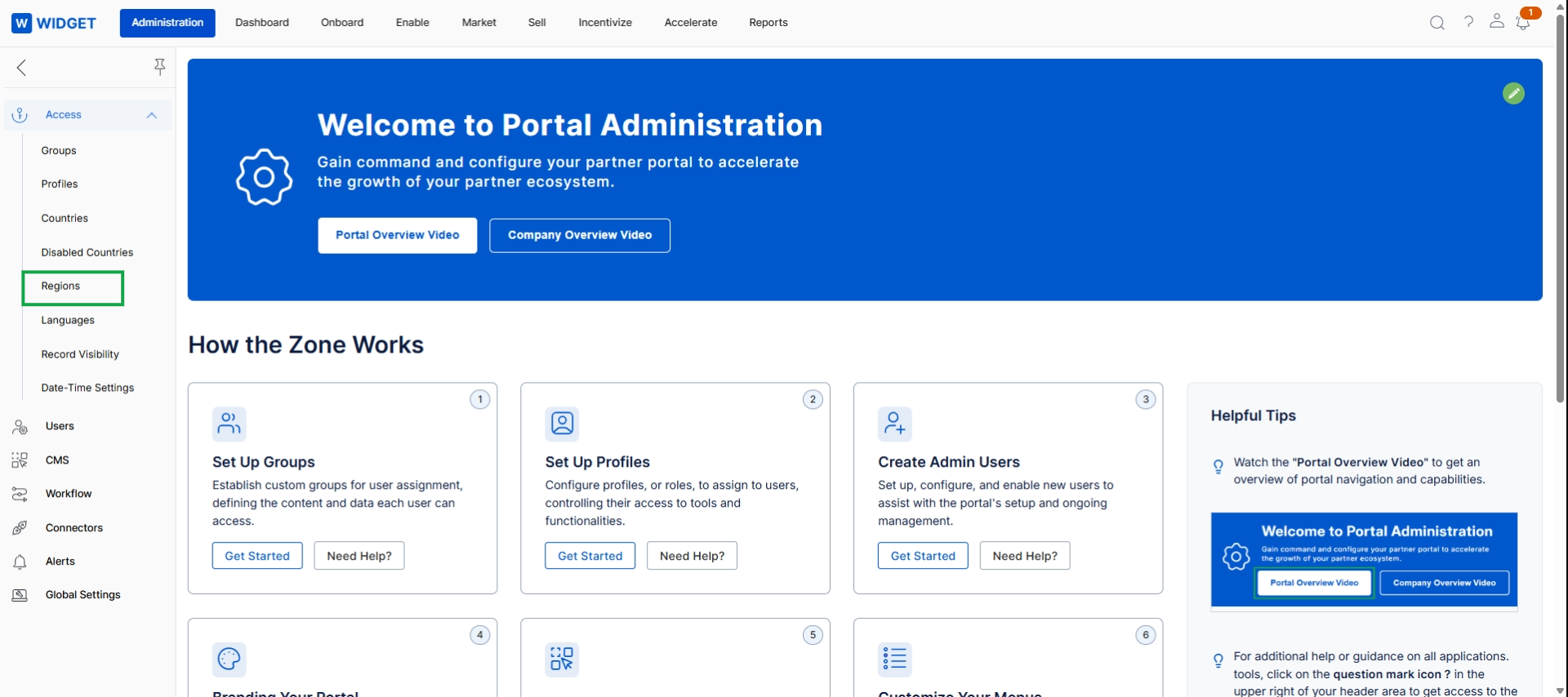
Click Regions in the left navigation menu.
Viewing and Managing Regions
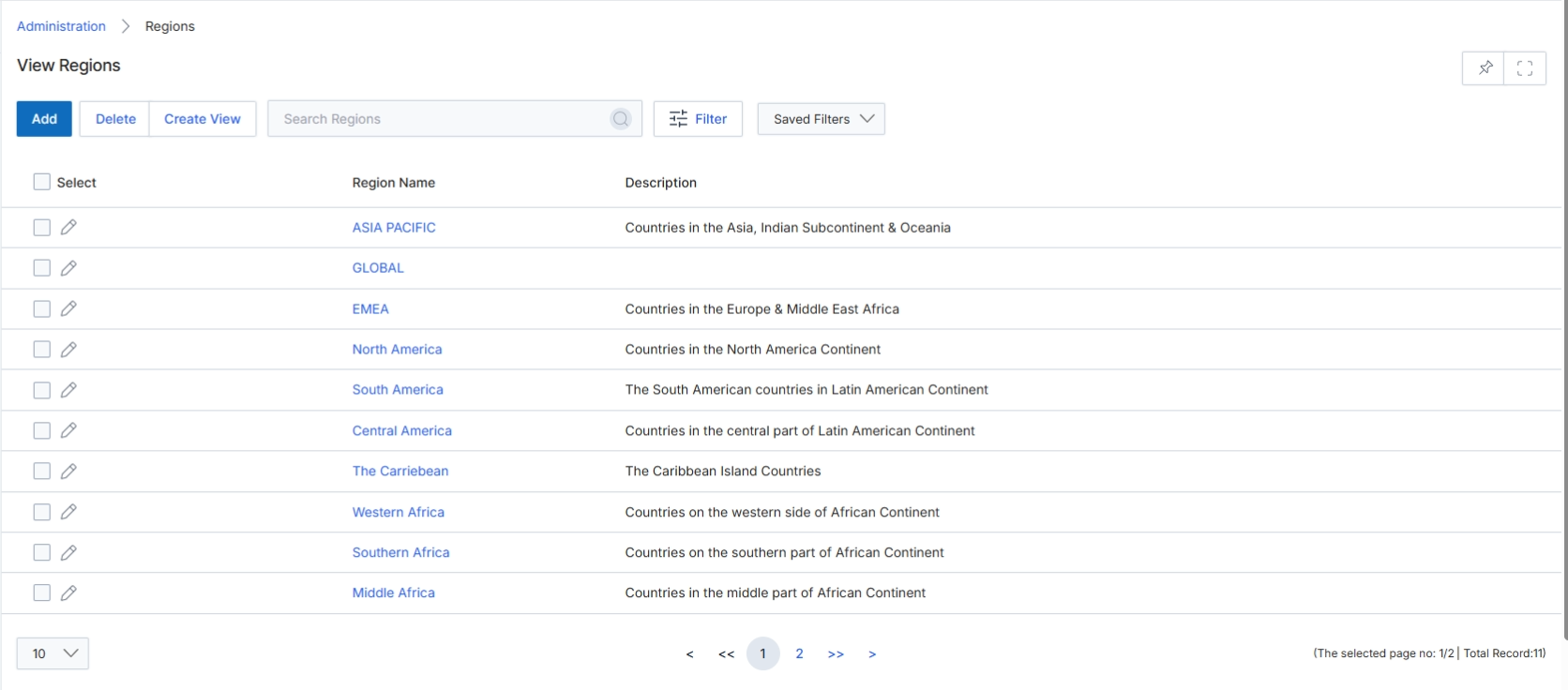
The View Regions screen within the Administration module displays a comprehensive list of all defined geographical regions in the platform. These regions are used for various purposes, including assigning partners to specific territories, filtering data in reports, and configuring region-specific settings or content. Administrators can manage existing regions, add new ones, or delete regions from this centralized view. The list provides key details for each region, such as its name and a descriptive overview, enabling efficient management of the platform's geographical segmentation.
Review the list of existing regions and their descriptions.
Buttons
| Button | Description |
|---|---|
| Add | Adds a new region to the list. |
| Delete | Deletes selected regions from the list. |
| Create View | Creates a custom filtered view of the regions list. |
| Filter | Applies filters to narrow down the list of regions. |
| Saved Filters | Selects from a list of previously saved filter configurations. |
Fields
| Field | Description |
|---|---|
| Search Regions | Searches for regions by name or description. |
Column Headings
| Column | Description |
|---|---|
| Select | Checkbox to select individual regions for bulk actions. |
| Region Name | The name of the geographical region. |
| Description | A brief description of the region, often detailing the countries or areas it encompasses. |