

Overview
In a robust partner management ecosystem, controlling access to sensitive data is paramount. The platform's Record Visibility feature provides granular control over which users can view specific records across different modules. This capability is crucial for maintaining data integrity, complying with privacy regulations, and ensuring that channel managers, finance teams, and other vendor-side users only interact with the data they are authorized to see.
Administrators can configure default access settings for each module, determining whether records are private by default or if a user hierarchy should be enabled to manage visibility. This allows for flexible and scalable access management, adapting to various organizational structures and security requirements.
Accessing Record Visibility Settings
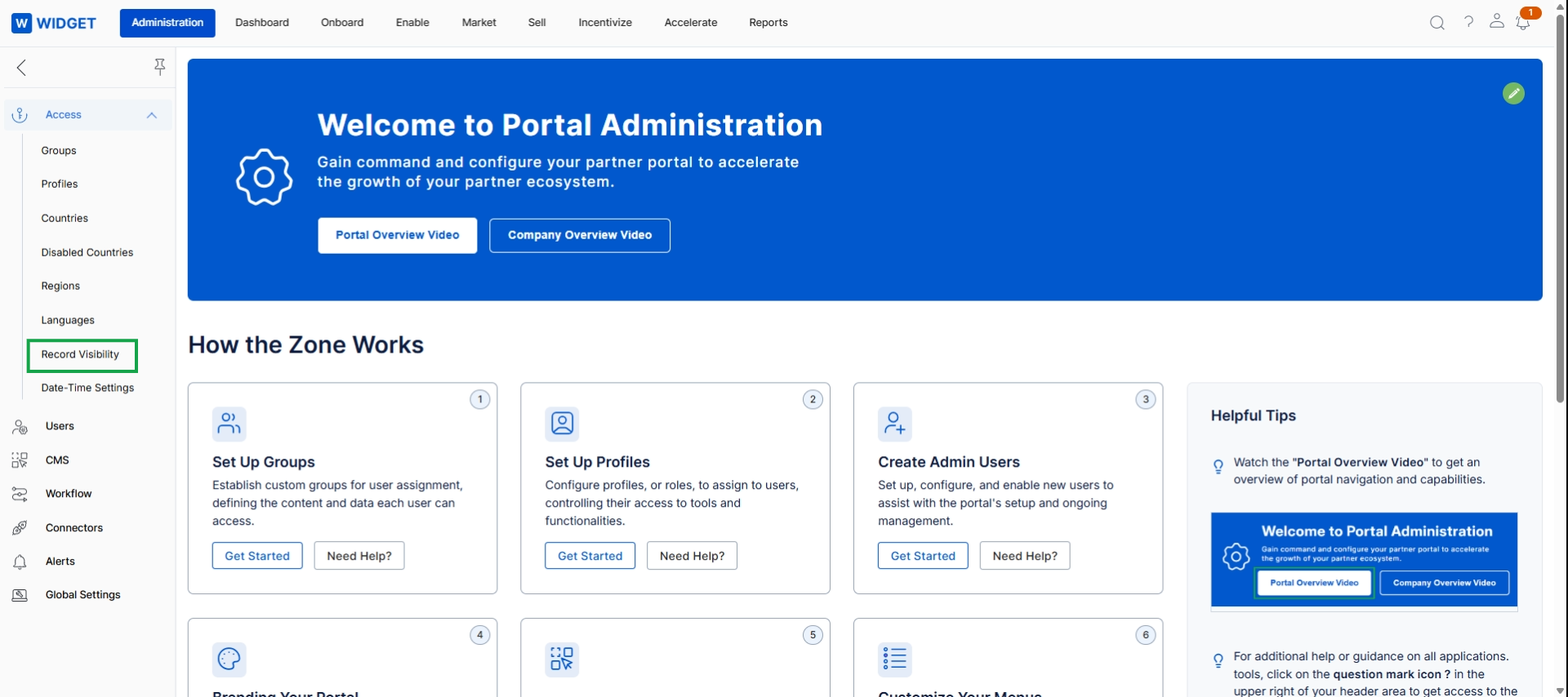
Click Record Visibility in the left navigation menu.
Viewing and Managing Record Visibilities
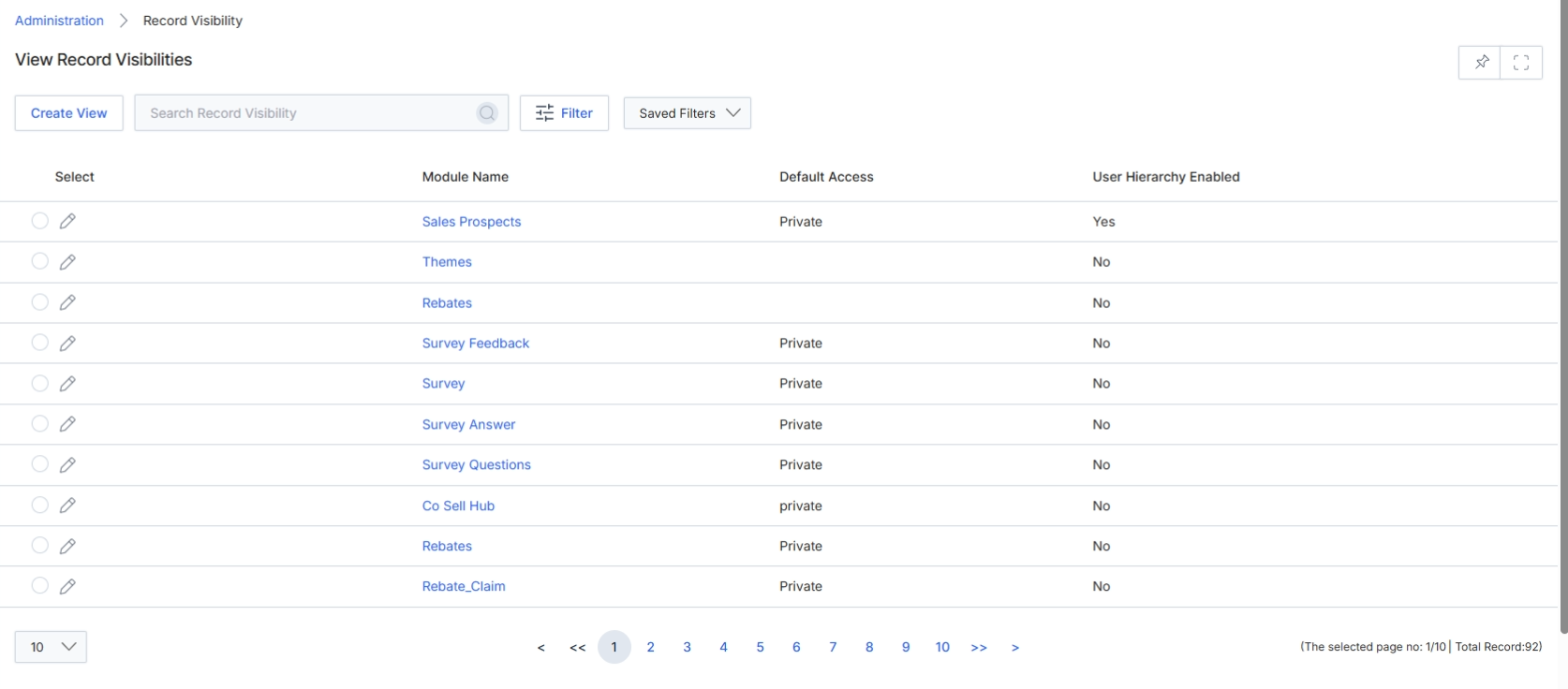
This screen displays the 'Record Visibilities' list view, which allows administrators to manage how different record types are accessed and viewed within the platform. Each entry in this list represents a specific module or entity, and the associated settings determine whether records within that module are private by default and if user hierarchy rules apply to their visibility. This configuration is crucial for maintaining data security and ensuring that users only see the information relevant to their roles and permissions, aligning with the platform's role-based access control framework. Administrators use this view to review existing visibility rules and initiate the process of creating or modifying them for various data entities.
Review the list of record visibilities to understand the default access and user hierarchy settings for each module.
Buttons
| Button | Description |
|---|---|
| Create View | Button to create a new record visibility configuration. |
| Filter | Button to apply filters to the list of record visibilities. |
| Saved Filters | Dropdown to select and apply previously saved filter configurations. |
Fields
| Field | Description |
|---|---|
| Search Record Visibility | Search box to find specific record visibility entries by name. |
Column Headings
| Column | Description |
|---|---|
| Select | Checkbox to select individual record visibility entries for bulk actions. |
| Module Name | The name of the module or entity for which record visibility is configured. |
| Default Access | Indicates the default access level for records within the module (e.g., Private). |
| User Hierarchy Enabled | Indicates whether user hierarchy rules are applied to control access to records in the module. |