

Overview
Regions are a foundational element in the platform's access management and data segmentation capabilities. By defining specific geographical regions, administrators can align their partner programs with their organizational structure and market strategies. This enables granular control over which partners are associated with which regions, facilitating targeted communication, localized marketing efforts, and efficient management by regional channel managers.
Effective use of regions ensures that partners receive relevant information and support, while administrators can analyze performance and allocate resources based on geographical distribution. This feature is crucial for global organizations or those operating in diverse markets, allowing them to tailor their partner engagement strategies to specific regional needs.
Viewing and Managing Regions
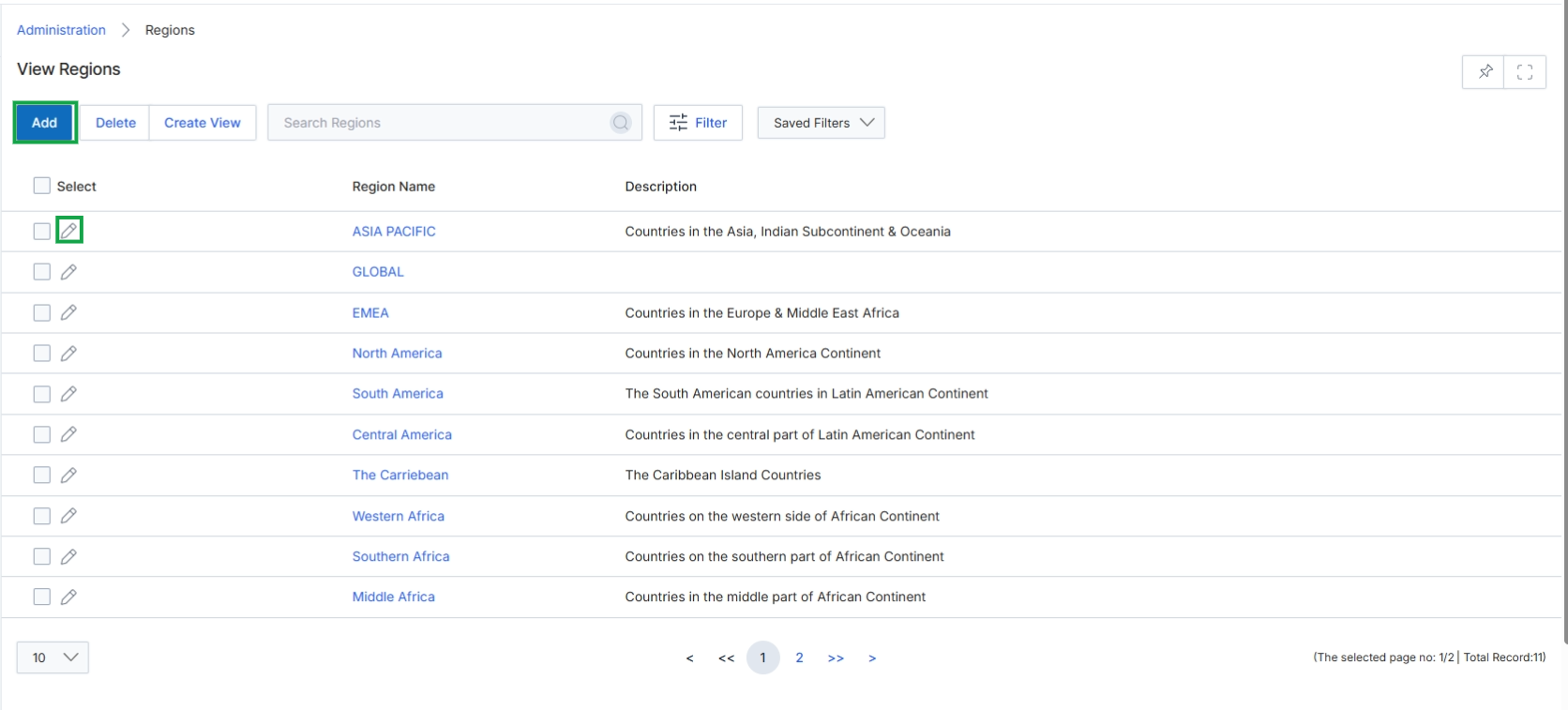
Click the Add button or the pencil icon next to an existing region to open the Add/Edit a Region page.
Adding or Editing a Region
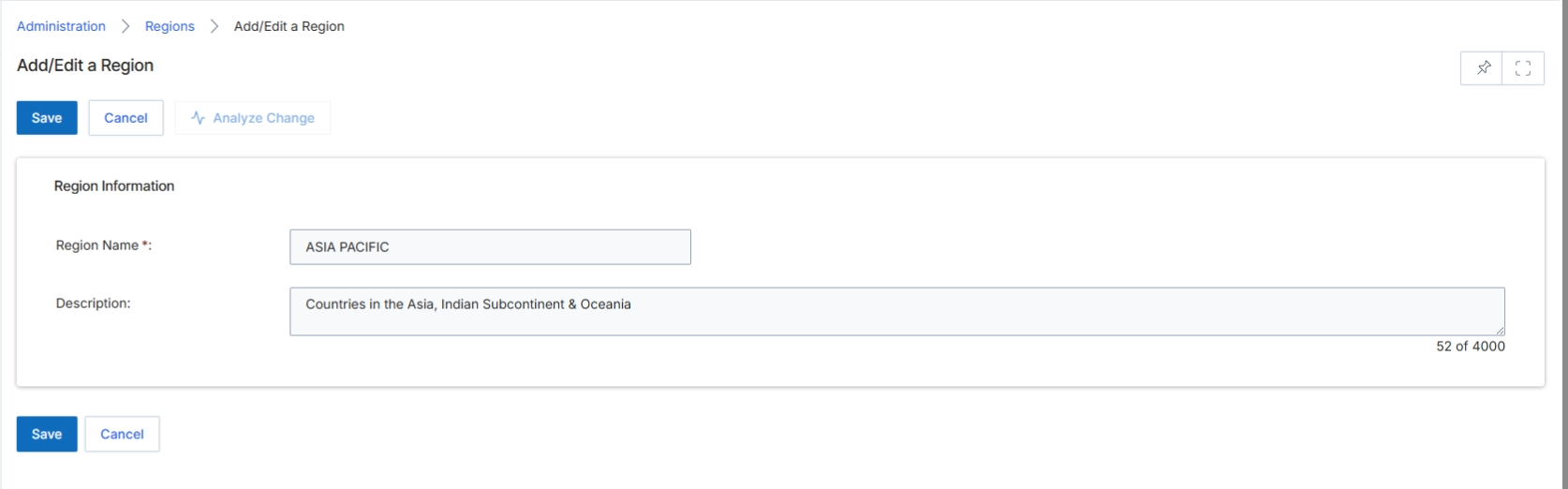
This screen, the Add/Edit a Region form, is part of the Administration module where UPM administrators define and manage geographical regions within the platform. These regions are crucial for segmenting partners, assigning channel managers, and applying region-specific rules for leads, deals, and marketing campaigns. By creating distinct regions, administrators can tailor partner program operations to different geographical markets, ensuring that partners receive relevant support and resources. This form allows for the creation of new regions or the modification of existing ones, enabling granular control over the geographical scope of the partner ecosystem.
Enter or modify the details for the region in the provided fields.
Buttons
| Button | Description |
|---|---|
| Save | Saves the entered region information. |
| Cancel | Discards any changes and returns to the previous screen. |
| Analyze Change | Initiates an analysis of the impact of the proposed changes. |
Region Information
| Field | Description |
|---|---|
| Region Name * | The name of the geographical region, a mandatory field. |
| Description | A descriptive text field for detailing the countries or areas included in this region. |