

Overview
The platform's Administration module includes robust tools for managing geographical regions, which are crucial for segmenting partner programs and operations. By defining and associating countries with specific regions, administrators can streamline various processes such as assigning channel managers, targeting marketing campaigns, and generating region-specific reports. This granular control over geographical definitions ensures that partner programs can be tailored and managed effectively across different territories.
Viewing Region Information
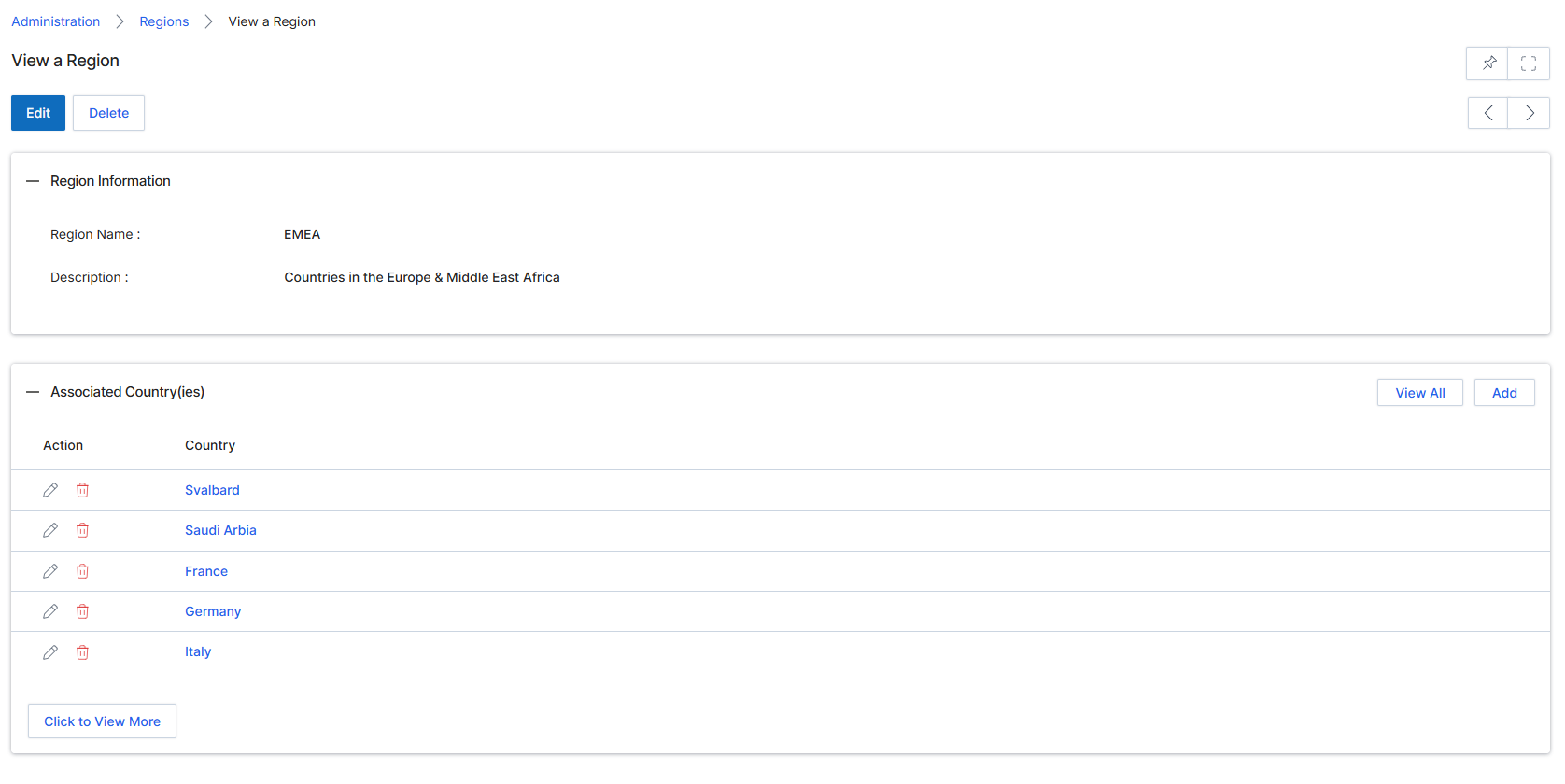
This screen displays the detailed information for a specific region within the platform. Regions are used to group countries, which can then be assigned to partner managers, used in partner segmentation rules, or applied to content targeting. The screen shows the region's name and description, along with a list of all associated countries. Administrators can use this view to review the geographical scope of a region, and from here, they can choose to edit the region's details or manage its associated countries.
Review the details of the selected region, including its name, description, and associated countries.
Buttons
| Button | Description |
|---|---|
| Edit | Click to edit the details of this region. |
| Delete | Click to delete this region. |
| View All | Click to view all associated countries in a separate list. |
| Add | Click to add a new country to this region. |
| Click to View More | Click to load more associated countries if the list is truncated. |
Region Information
| Field | Description |
|---|---|
| Region Name | The name of the region. |
| Description | A brief description of the region. |
Associated Country(ies)
| Column | Description |
|---|---|
| Action | Column header for actions that can be performed on associated countries, such as editing or deleting them. |
| Country | Column header for the names of countries associated with this region. |
Managing Associated Countries
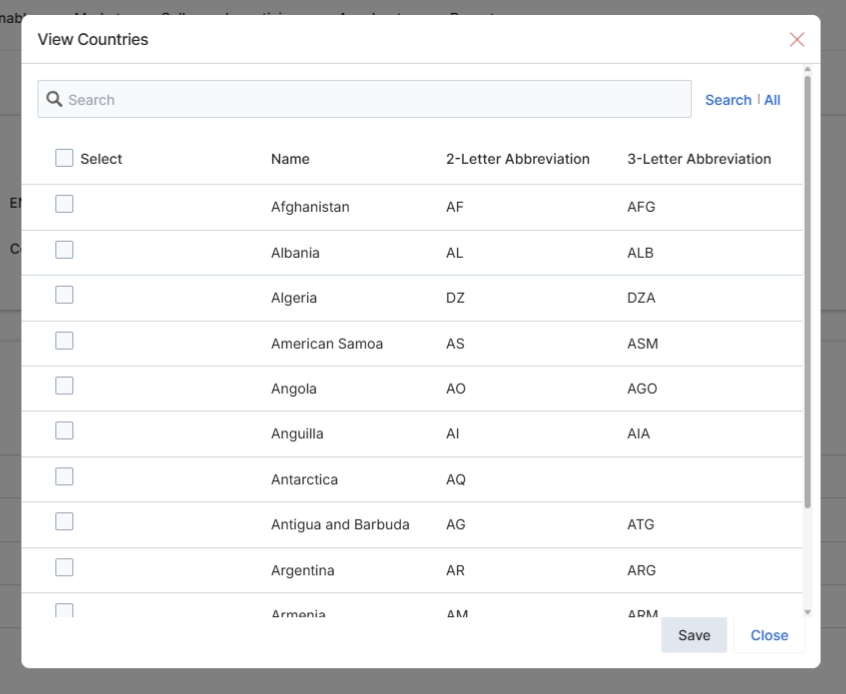
This modal dialog, titled 'View Countries', allows administrators to select specific countries to associate with a region. This functionality is part of the Administration module's access management features, enabling granular control over which geographic areas are linked to defined regions within the platform. By associating countries with regions, administrators can manage partner assignments, content availability, and reporting based on geographical criteria, ensuring that partners and users only access relevant data and resources. The dialog presents a searchable list of countries, each with its name and standard abbreviations, facilitating easy selection and management of regional scope.
Select the countries to associate with the region by clicking their respective checkboxes.
Buttons
| Button | Description |
|---|---|
| Search | A link to initiate the search based on the entered text. |
| All | A link to display all countries in the list, clearing any active search filters. |
| Save | Saves the selected countries and associates them with the current region. |
| Close | Closes the dialog without saving any changes. |
Fields
| Field | Description |
|---|---|
| Search | A text input field to search for specific countries within the list. |
Column Headings
| Column | Description |
|---|---|
| Select | A checkbox column allowing selection of individual countries. |
| Name | The full name of the country. |
| 2-Letter Abbreviation | The two-letter ISO 3166-1 alpha-2 code for the country. |
| 3-Letter Abbreviation | The three-letter ISO 3166-1 alpha-3 code for the country. |