

Overview
In a global partner ecosystem, managing multiple currencies is essential for accurate financial operations, including deal registrations, MDF claims, and reward payouts. The platform's currency management functionality provides administrators with the tools to define and maintain all necessary currency information. This ensures that partners and vendors alike can view and process financial data in their respective local currencies while maintaining a consistent base currency for internal reporting and reconciliation.
Proper currency configuration is critical for preventing discrepancies and facilitating seamless cross-border transactions. By allowing administrators to set conversion rates and designate a base currency, the system supports complex financial models and ensures that all monetary values are correctly translated and displayed throughout the platform, from partner portals to administrative dashboards.
Accessing and Viewing Currencies
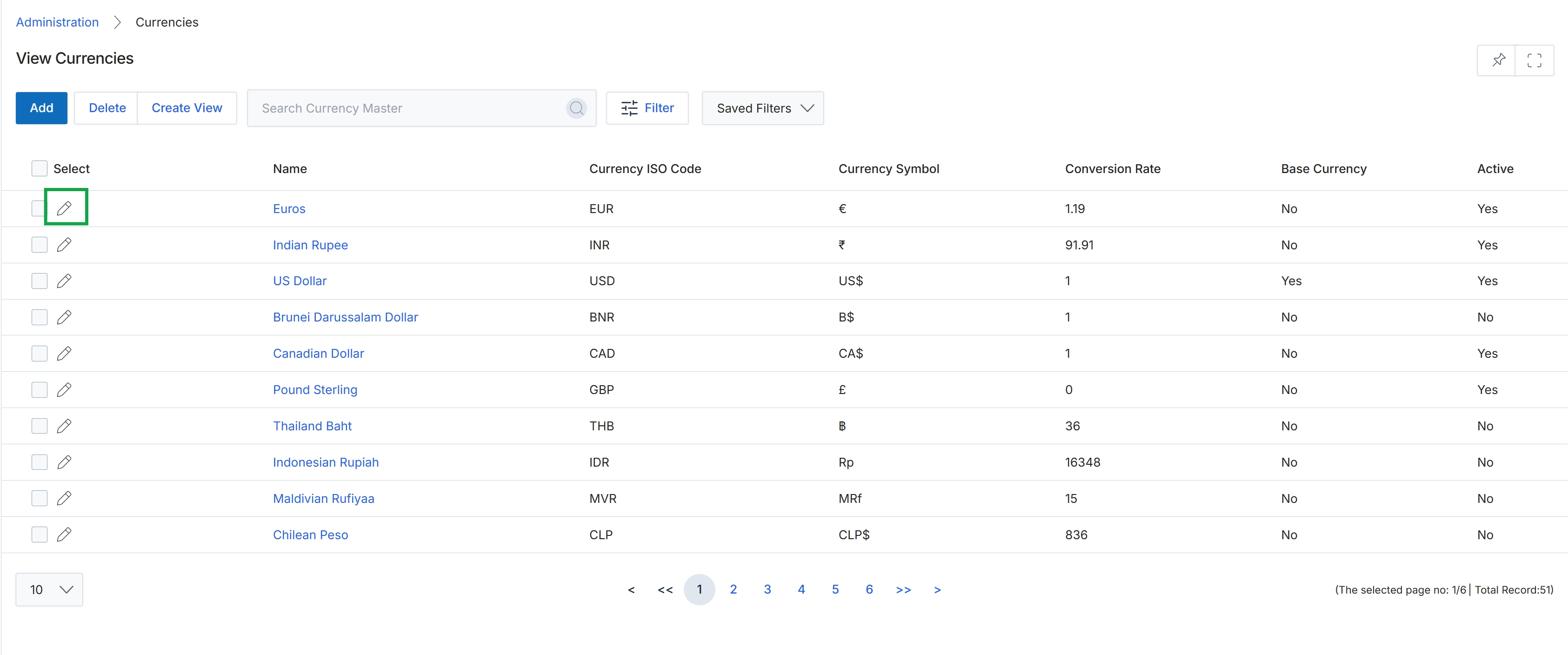
Click the pencil icon next to the "Euros" entry to edit the currency.
Editing Currency Details
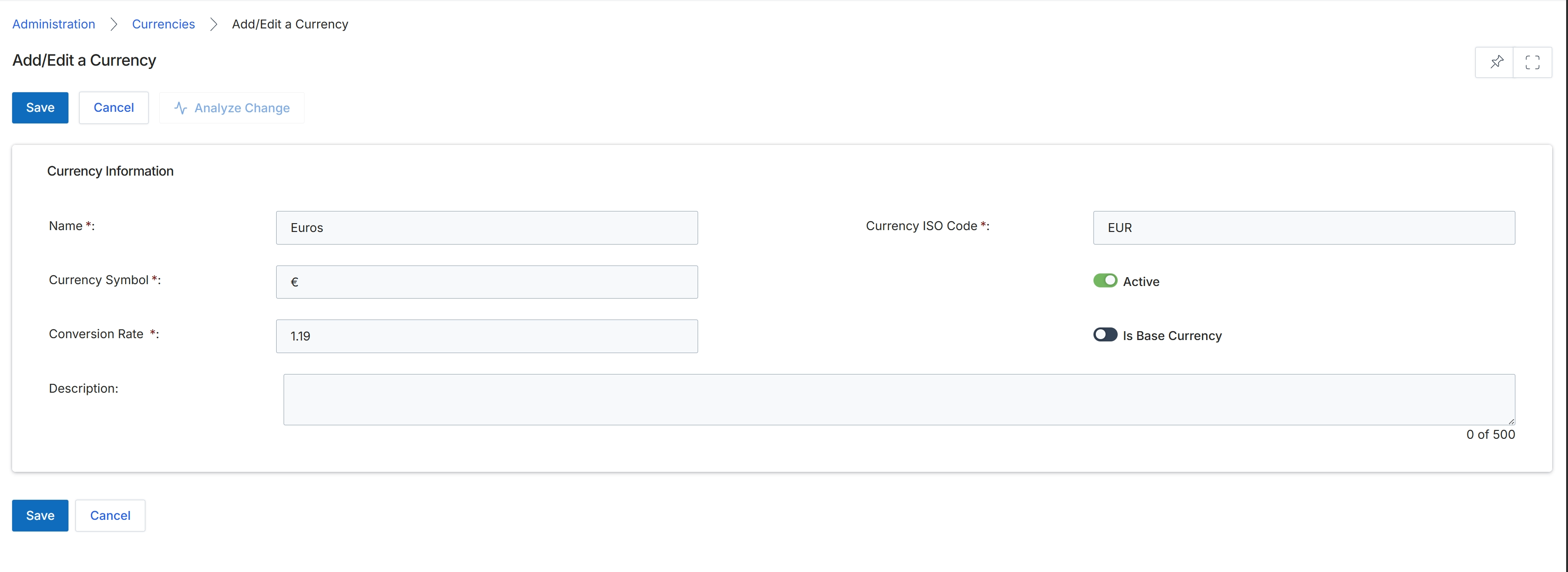
This screen, the Add/Edit a Currency form, allows UPM administrators to define and manage the various currencies used within the platform for financial transactions, reward calculations, and reporting. Each currency record includes essential details such as its name, symbol, ISO code, and conversion rate relative to the base currency. Administrators can also designate a specific currency as the base currency for the entire platform, which serves as the standard against which all other currencies' conversion rates are measured. The form also provides options to activate or deactivate a currency and add a descriptive note for internal reference.
Fill in the required currency details on the Add/Edit a Currency form.
Buttons
| Button | Description |
|---|---|
| Save | Saves the entered currency information. |
| Cancel | Discards any changes and returns to the previous screen. |
| Analyze Change | Analyzes the impact of the changes made to the currency settings. |
Currency Information
| Field | Description |
|---|---|
| Name | The full name of the currency, such as 'Euros' or 'US Dollars'. This is a mandatory field. |
| Currency ISO Code | The three-letter ISO 4217 code for the currency, such as 'EUR' for Euros or 'USD' for US Dollars. This is a mandatory field. |
| Currency Symbol | The symbol used to represent the currency, such as '€' for Euros or '$' for US Dollars. This is a mandatory field. |
| Active | A toggle to indicate whether the currency is currently active and available for use within the platform. |
| Conversion Rate | The rate at which this currency converts to the designated base currency. This is a mandatory field. |
| Is Base Currency | A toggle to designate this currency as the base currency for the entire platform. Only one currency can be set as the base currency. |
| Description | An optional field for adding a descriptive note about the currency, with a limit of 500 characters. |