

Overview
The Portal Settings section within Administration serves as the central control panel for the entire UPM platform's operational behavior. These settings are global, meaning a change here affects all partners and all modules across the portal. Administrators use this area to enable or disable core functionalities, integrate with third-party services like e-signature platforms, and define system-wide parameters that govern how partners interact with the portal and its features.
Managing these settings is crucial for tailoring the platform to specific program requirements and ensuring seamless operation. For instance, enabling DocuSign here allows partners to electronically sign agreements directly within the portal, streamlining the onboarding process. Careful consideration is needed when modifying these settings, as they can have broad impacts on partner experience and system functionality.
Viewing the List of Portal Settings
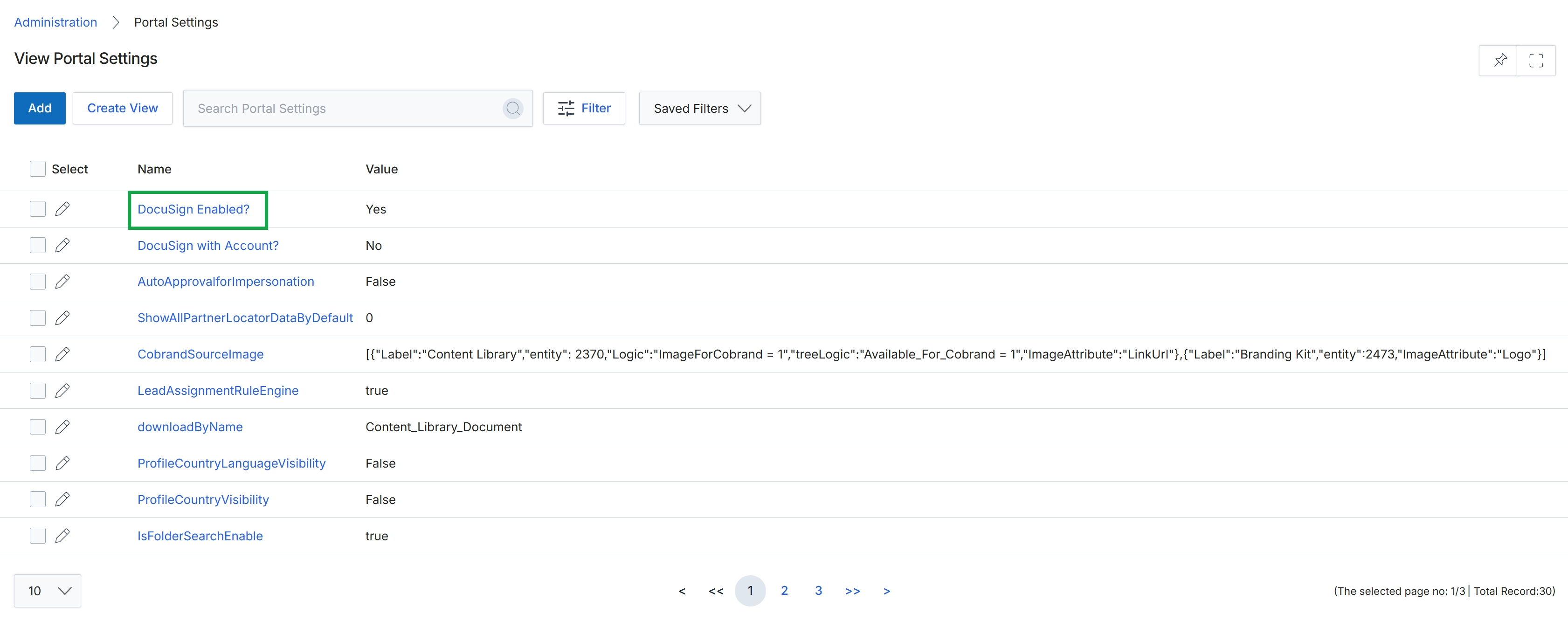
Click the DocuSign Enabled? link to view the details of this portal setting.
Viewing Specific Portal Setting Details
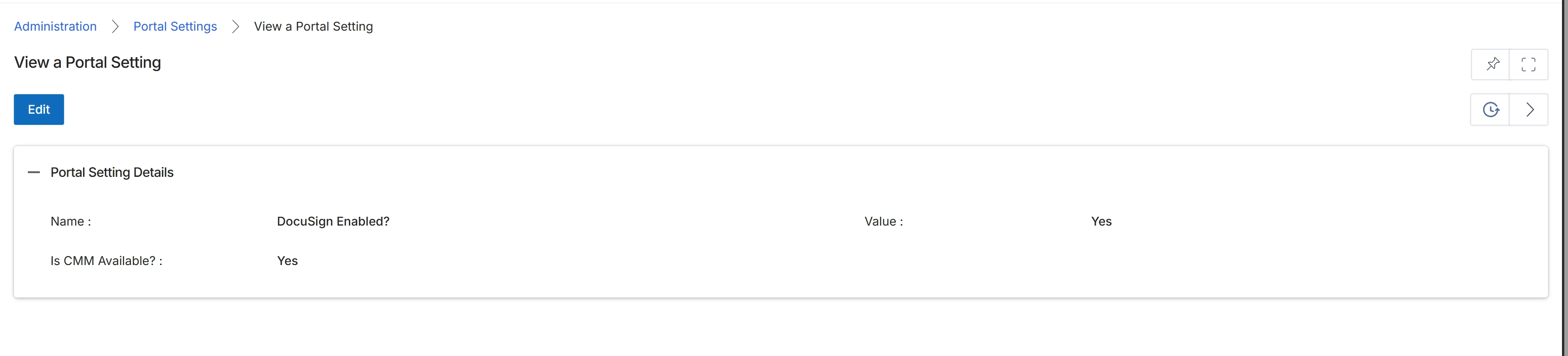
This screen displays the details of a specific portal setting within the Administration module. Portal settings are global configurations that control various aspects of the partner portal's functionality and appearance. Administrators use this view to review the current configuration of individual settings, such as whether specific integrations or features are enabled. The details presented here reflect the current state of the setting, which can impact how partners interact with the platform and what capabilities are available to them. This screen acts as a read-only display for individual settings, providing transparency into the platform's configuration.
Review the details of the selected portal setting.
Buttons
| Button | Description |
|---|---|
| Edit | Click to modify the details of this portal setting. |
Portal Setting Details
| Field | Description |
|---|---|
| Name | The name of the portal setting, which identifies its function or purpose. |
| Value | The current configured value for this portal setting, indicating its status or configuration. |
| Is CMM Available? | Indicates whether the Channel Marketing Management (CMM) module is available. |