

Overview
The UPM is built upon a modular architecture, where each core function (e.g., Onboard, Sell, Incentivize) and underlying system component (e.g., Accounts, Agreement Templates) is represented as a distinct module or application. This modularity provides flexibility, allowing administrators to enable, disable, and configure individual components to tailor the platform to their specific program requirements. Managing these modules is crucial for maintaining the integrity and functionality of the entire partner ecosystem, ensuring that only relevant and correctly configured components are active.
Administrators can access a comprehensive list of all modules, search for specific ones, and apply filters to quickly locate components. From this central management interface, they can then delve into the details of each module to adjust settings, view associated workflows, and manage field configurations, ensuring that every part of the platform operates as intended for both vendor and partner users.
Accessing Module Management
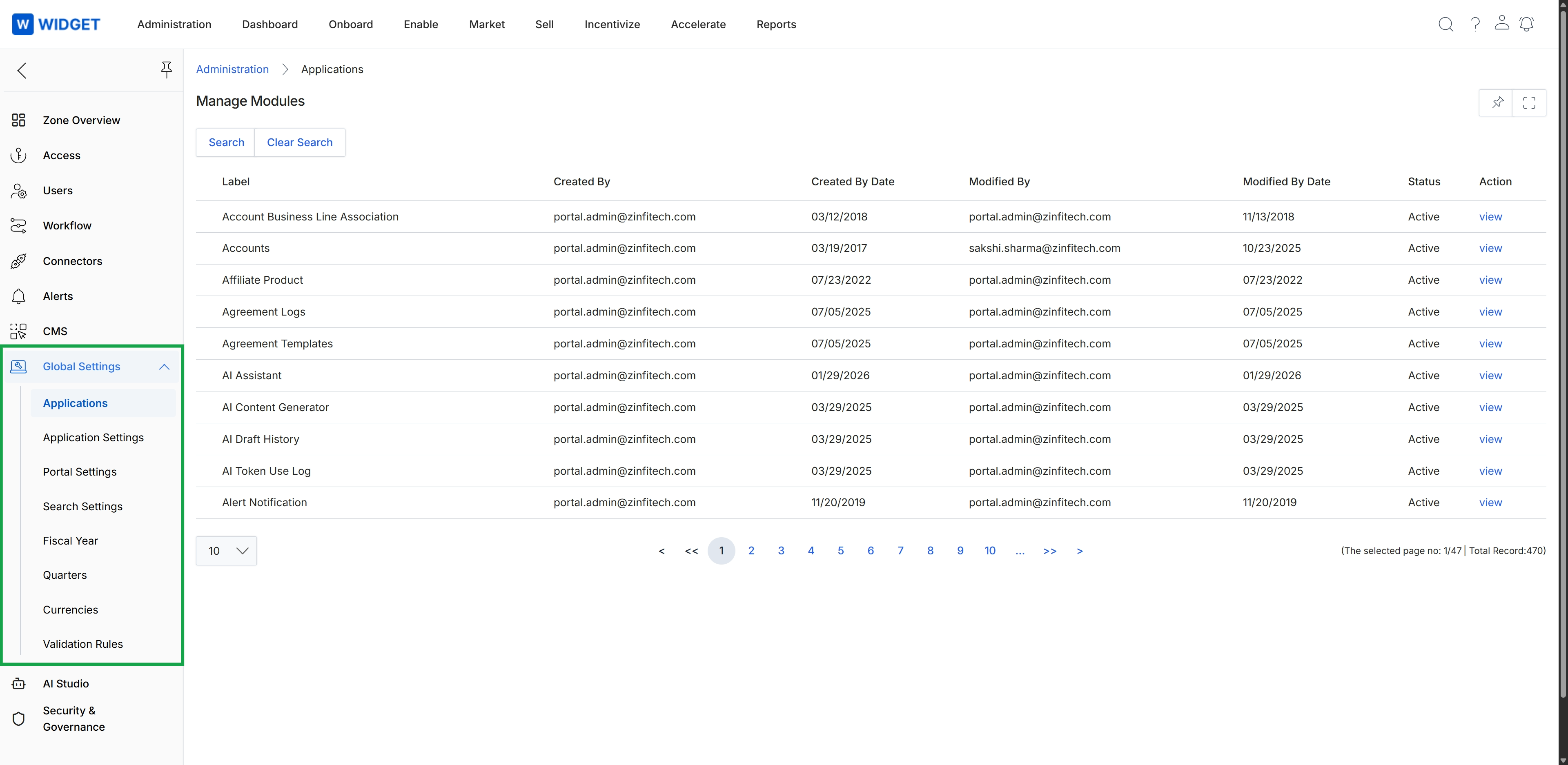
Click Global Settings to expand the menu, then click Applications.
Searching and Filtering Modules
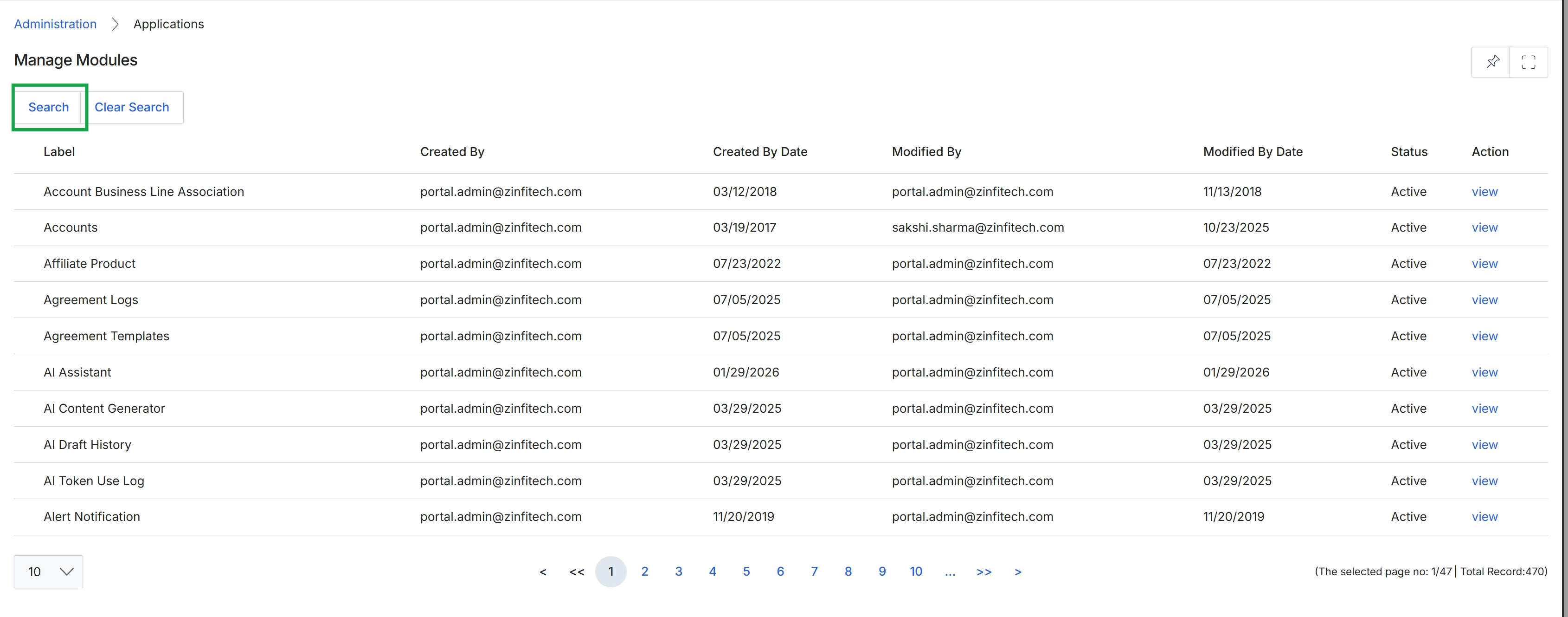
Click Global Settings to expand the menu, then click Applications.
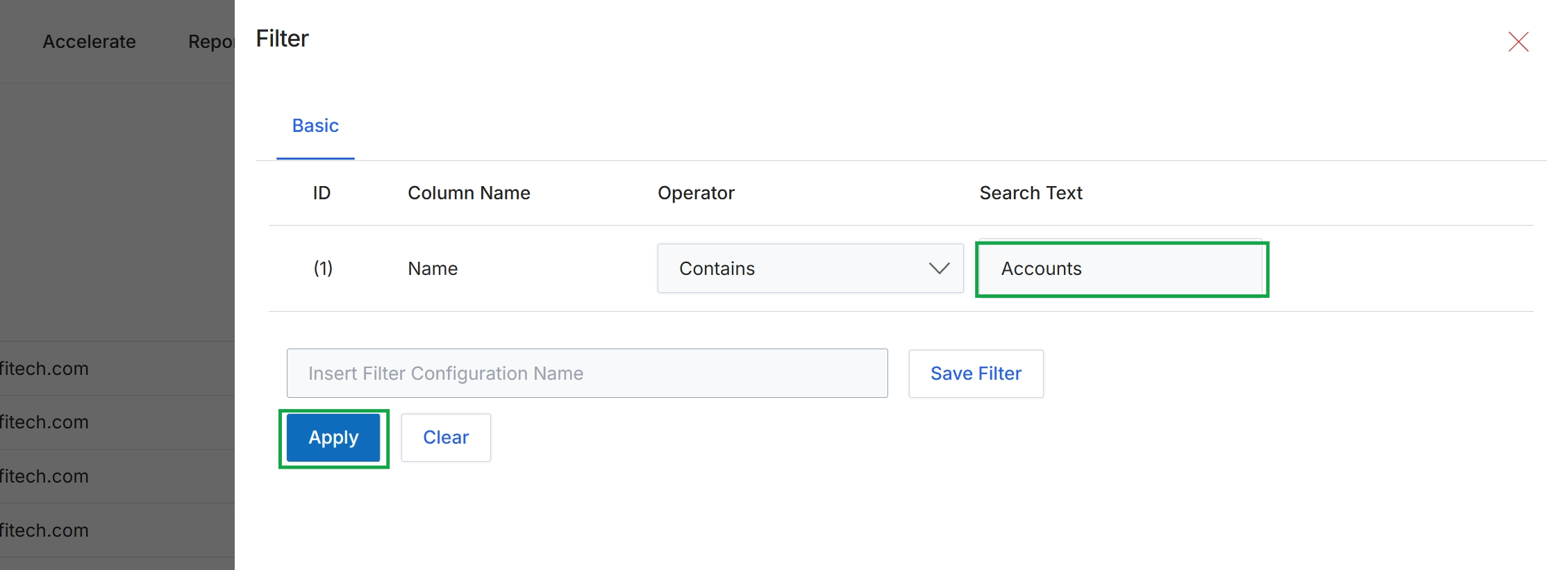
This filter panel allows users to refine the displayed list of items by applying specific criteria. It supports basic filtering operations, enabling users to search for records that match certain conditions based on column names, operators, and search text. This functionality is crucial for efficiently navigating large datasets, allowing administrators to quickly locate specific records or groups of records that meet their requirements. The panel also provides options to save frequently used filter configurations for future use, streamlining repetitive search tasks.
Click "Apply" to apply the filter to the current list.
Buttons
| Button | Description |
|---|---|
| Basic | This tab indicates the current view is for basic filter configurations. |
| Save Filter | This button saves the current filter configuration with the specified name. |
| Clear | This button clears all applied filter conditions. |
Fields
| Field | Description |
|---|---|
| Name | This field specifies that the filter is applied to the 'Name' column. |
| Contains | This dropdown allows selection of the comparison operator for the filter condition. Currently set to 'Contains'. |
| Accounts | This text input field specifies the value to search for within the selected column, in this case, 'Accounts'. |
| Insert Filter Configuration Name | This field allows users to enter a name to save the current filter configuration for later use. |
Column Headings
| Column | Description |
|---|---|
| ID | This column header indicates the identifier for each filter row. |
| Column Name | This column header specifies the name of the column to which the filter condition applies. |
| Operator | This column header defines the comparison operator used in the filter condition (e.g., Contains, Equals, Starts With). |
| Search Text | This column header indicates the text value used for filtering. |
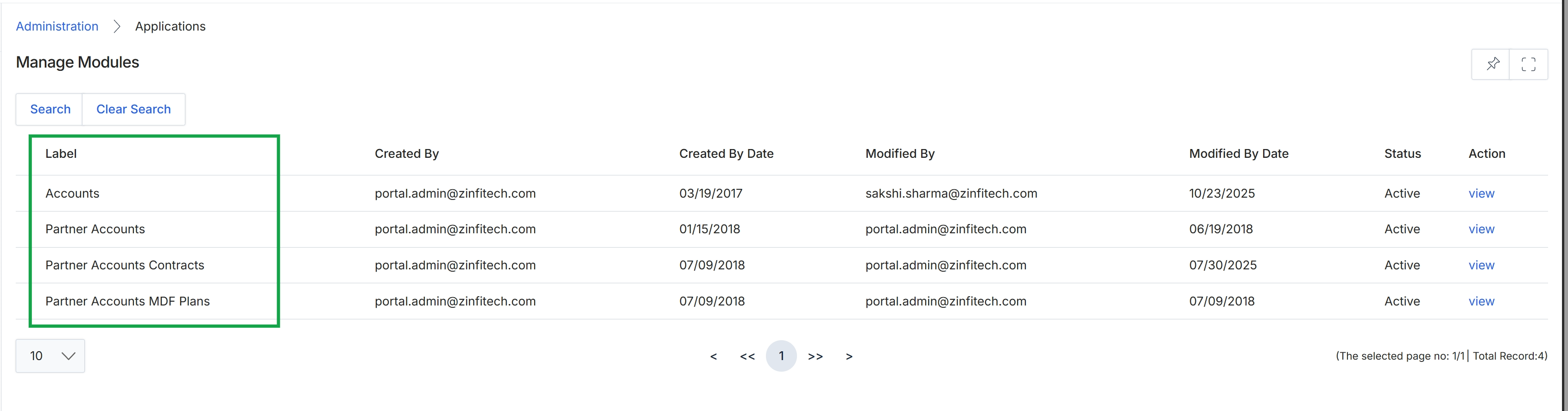
Click Apply.
Clearing Search Filters
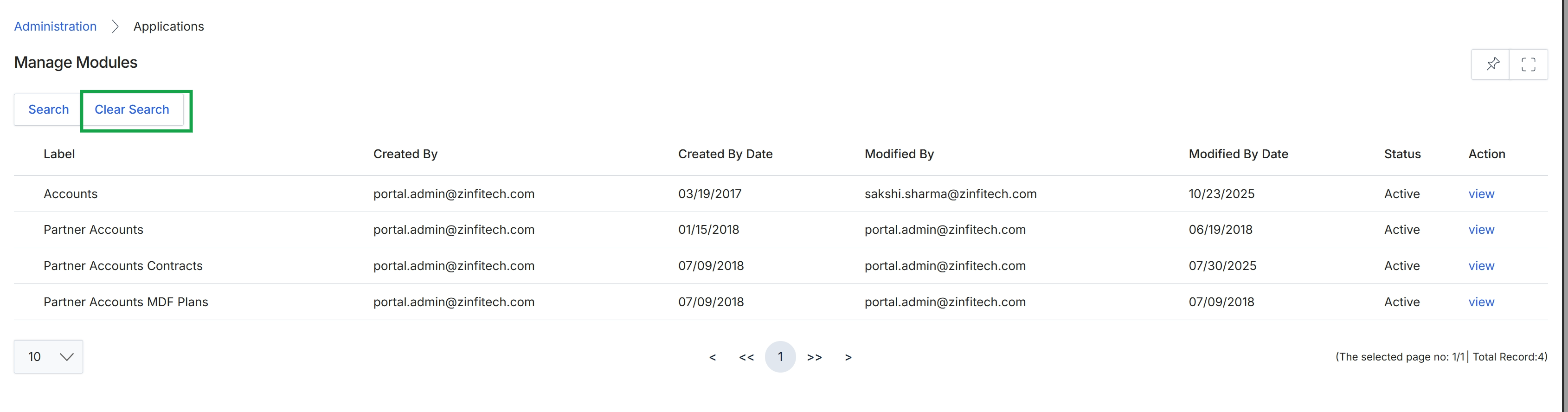
Click Clear Search to remove any active search filters.
Viewing Module Details
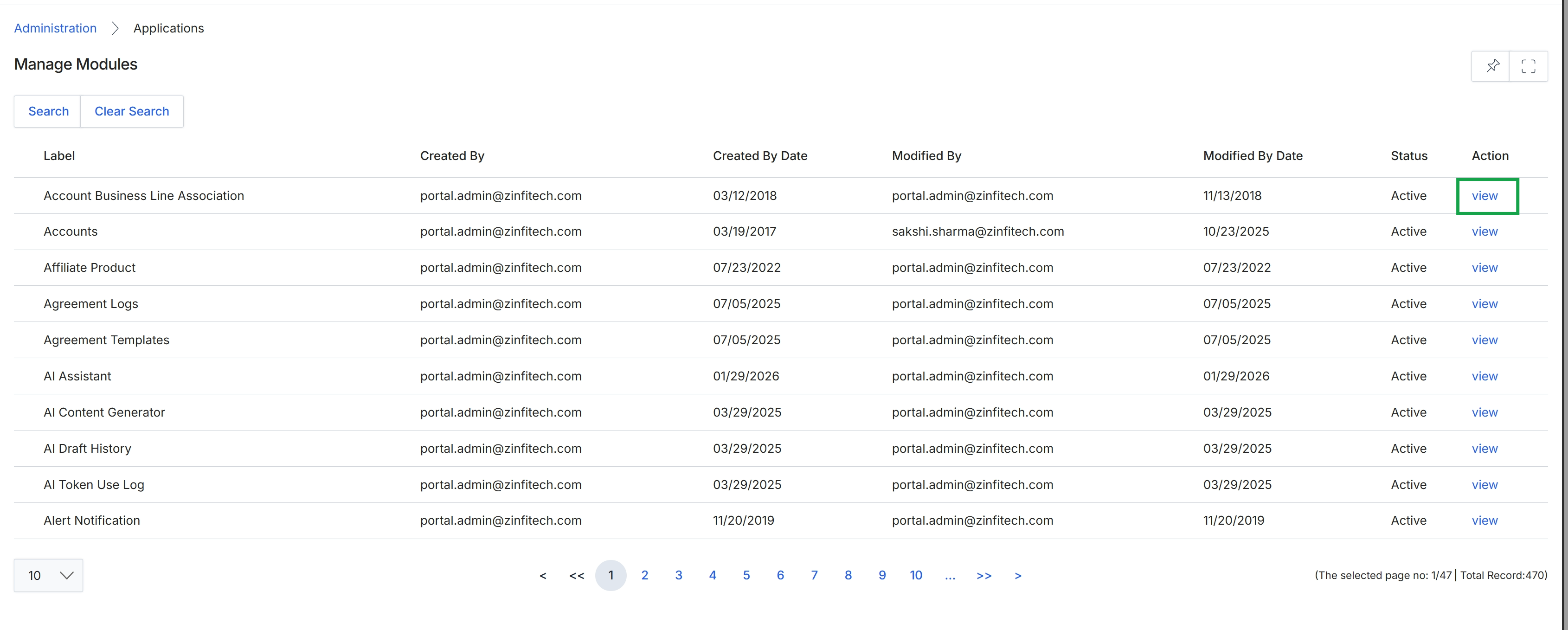
This screen displays a comprehensive list of all modules and applications available within the platform, providing administrators with an overview of the system's functional components. Each entry includes details about its creation and modification history, current status, and an action to view its specific configuration. This view is essential for managing the overall structure and availability of features across the entire platform.
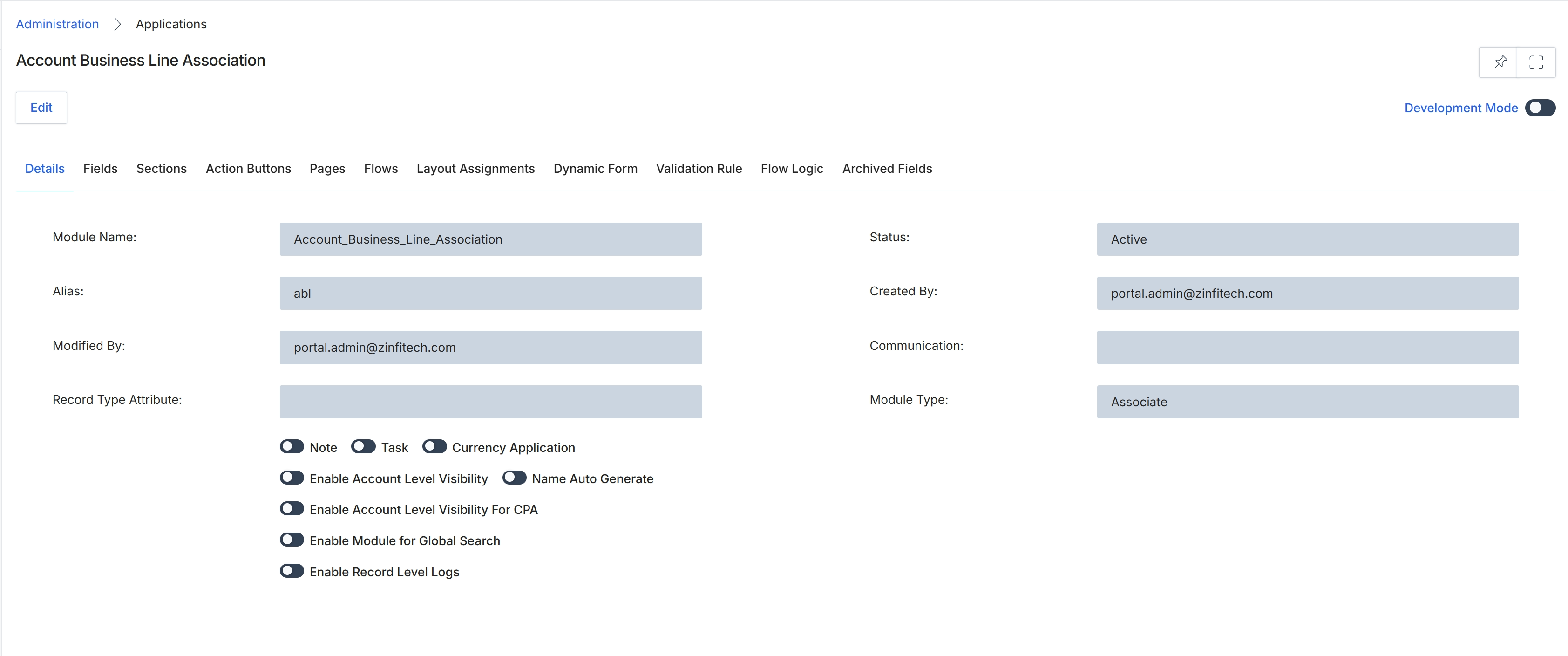
This screen displays the detailed configuration settings for a specific application module within the platform's Administration section. Administrators use this view to understand the core properties and behaviors of a module, such as its name, alias, status, and various functional toggles that control its visibility, logging, and integration with other features like notes, tasks, and currency applications. The tabs at the top allow navigation to other configuration aspects of this module, including fields, sections, action buttons, and workflow logic, providing a comprehensive overview of how the module is structured and behaves within the overall system. This level of detail is crucial for customizing the platform to meet specific vendor requirements and ensuring modules function as intended across the partner ecosystem.
Review the details and configuration settings displayed on the 'Details' tab for the 'Account Business Line Association' module.
Buttons
| Button | Description |
|---|---|
| Edit | Click to enter edit mode and modify the module's configuration settings. |
| Details | Displays the core properties and configuration settings of the module. |
| Fields | Navigate to configure the data fields associated with this module. |
| Sections | Navigate to manage the sections within the module's forms and layouts. |
| Action Buttons | Navigate to configure custom action buttons for this module. |
| Pages | Navigate to manage pages associated with this module. |
| Flows | Navigate to configure workflow automation flows for this module. |
| Layout Assignments | Navigate to assign different layouts based on user roles or other criteria. |
| Dynamic Form | Navigate to configure dynamic form behavior for this module. |
| Validation Rule | Navigate to define data validation rules for fields within this module. |
| Flow Logic | Navigate to view or edit the flow logic for this module. |
| Archived Fields | Navigate to view any archived fields for this module. |
Fields
| Field | Description |
|---|---|
| Development Mode | Toggle to enable or disable development mode for this module, which may expose additional features or debugging options. |
| Module Name | The internal name of the application module. |
| Alias | A short, alternative name or identifier for the module. |
| Modified By | The user who last modified the module's settings. |
| Record Type Attribute | Specifies the attribute used to define different record types within this module. |
| Note | Toggle to enable or disable the ability to add notes to records within this module. |
| Task | Toggle to enable or disable the ability to assign tasks related to records within this module. |
| Currency Application | Toggle to enable or disable currency-related functionalities for this module. |
| Enable Account Level Visibility | Toggle to control whether records in this module are visible at the account level. |
| Name Auto Generate | Toggle to enable or disable automatic generation of names for records in this module. |
| Enable Account Level Visibility For CPA | Toggle to control account-level visibility specifically for CPA (Cost Per Action) related functionalities. |
| Enable Module for Global Search | Toggle to include or exclude this module's records from the platform's global search functionality. |
| Enable Record Level Logs | Toggle to enable or disable detailed logging of changes at the individual record level for this module. |
| Status | The current operational status of the module, indicating if it is active or inactive. |
| Created By | The user who originally created the module. |
| Communication | Configuration related to communication settings for this module. |
| Module Type | The classification or type of the module, such as 'Associate'. |