

Overview
In a global partner ecosystem, managing multiple currencies is critical for accurate financial operations, including deal registrations, MDF claims, and reward payouts. The platform provides a centralized 'Currencies' module within Administration to define and maintain all necessary currency information. This ensures that all financial data, regardless of its origin, is correctly converted and reported against a designated base currency.
Administrators can view detailed information for each currency, including its historical conversion rates, which is essential for auditing and ensuring financial compliance. This capability supports the accurate calculation of commissions, rebates, and other financial incentives for partners operating in different regions and using various local currencies.
Viewing the Currency List
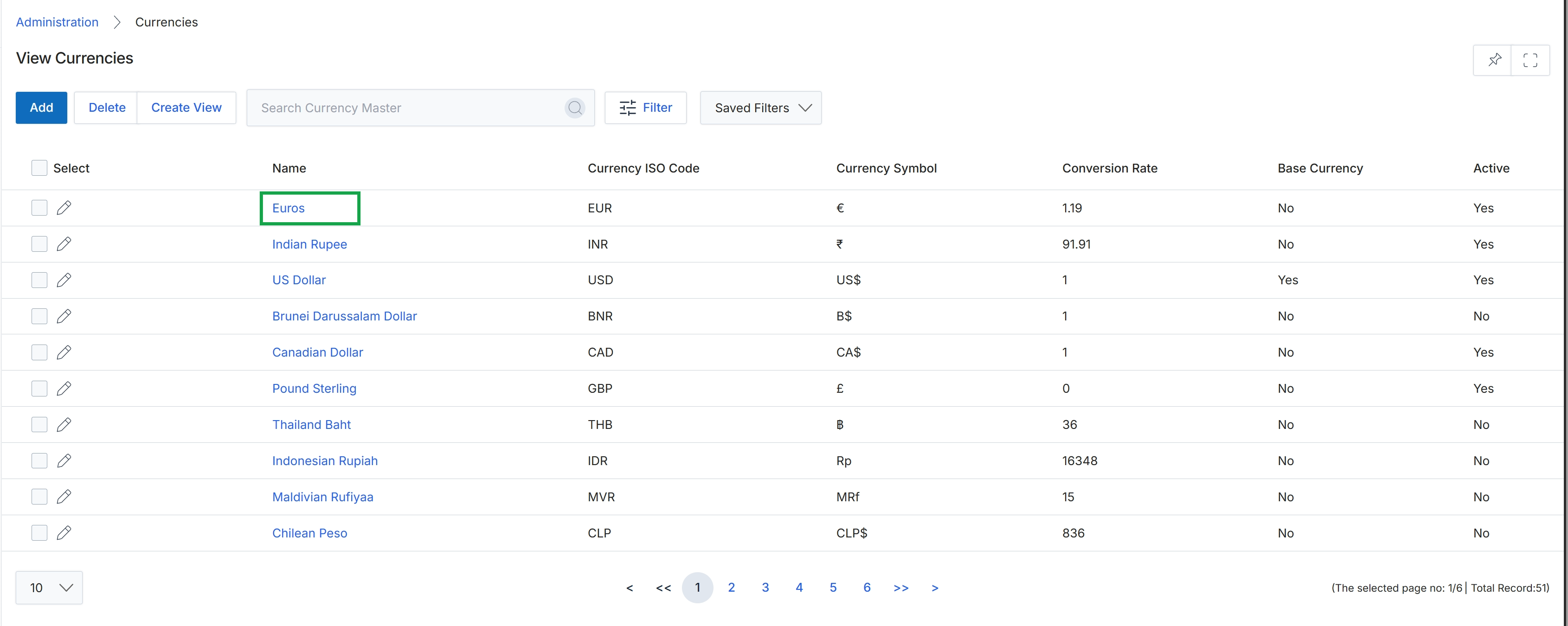
Click Euros in the Name column to view the currency details.
Reviewing Currency Details and History
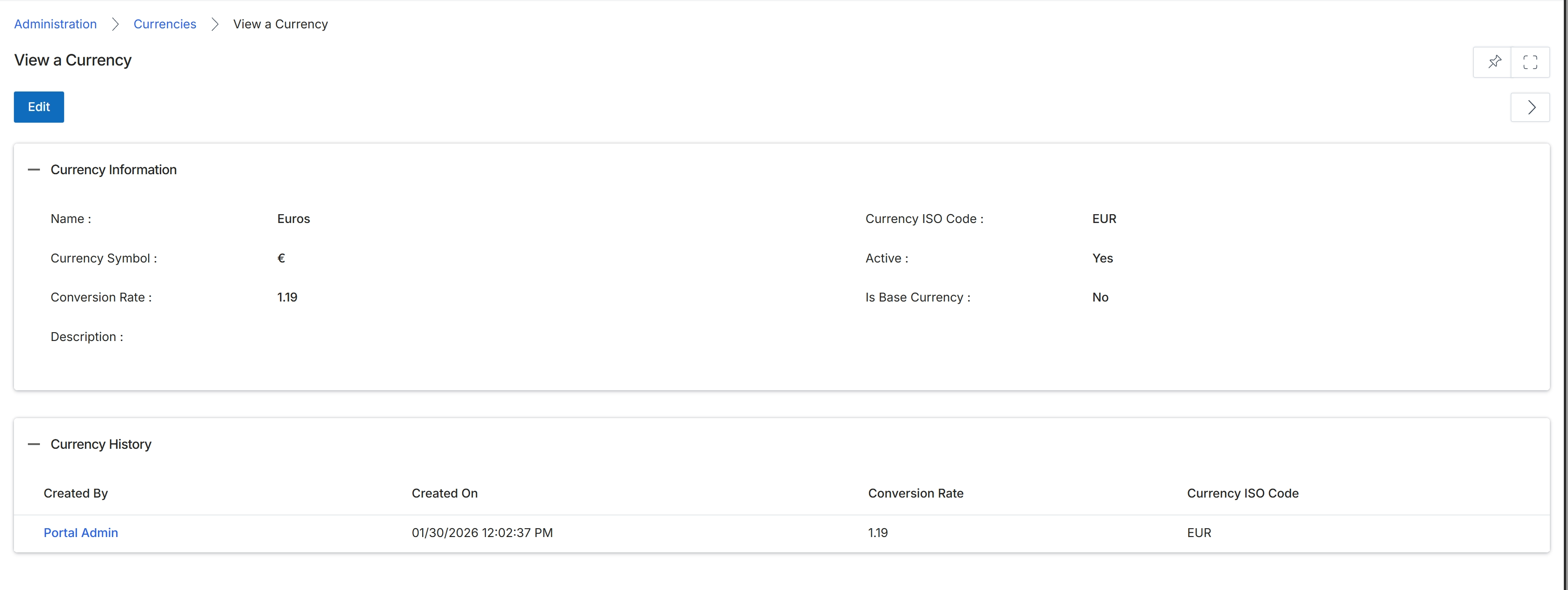
This screen displays the detailed information for a selected currency within the platform's global settings. It provides administrators with a comprehensive view of the currency's attributes, including its name, symbol, ISO code, and current conversion rate. The screen also indicates whether the currency is active for use across the platform and if it is designated as the base currency for financial calculations. Additionally, a history section tracks changes made to the currency, providing an audit trail of who created it and when, along with any modifications to its conversion rate.
Review the details of the selected currency, including its information and history.
Buttons
| Button | Description |
|---|---|
| Edit | Click to modify the currency's details. |
Currency Information
| Field | Description |
|---|---|
| Name | The display name of the currency. |
| Currency Symbol | The symbol representing the currency (e.g., € for Euros). |
| Conversion Rate | The current conversion rate of this currency relative to the base currency. |
| Description | An optional description for the currency. |
| Currency ISO Code | The international standard three-letter code for the currency (e.g., EUR for Euros). |
| Active | Indicates whether the currency is currently active and available for use in the platform. |
| Is Base Currency | Indicates whether this currency is set as the primary base currency for the platform. |
Currency History
| Column | Description |
|---|---|
| Created By | The user who created the currency record. |
| Created On | The date and time when the currency record was created. |
| Conversion Rate | The conversion rate of the currency at the time of the history entry. |
| Currency ISO Code | The ISO code of the currency at the time of the history entry. |