

Overview
Fiscal quarters are fundamental organizational units for financial management and operational planning within any business. In the context of a partner management platform, defining these quarters accurately is crucial for aligning partner activities, such as Market Development Fund (MDF) planning and claims, with the vendor's financial cycles. This ensures that all time-bound programs and incentives are correctly tracked, reported, and processed within the appropriate financial periods.
By establishing clear fiscal quarters, administrators can set specific deadlines for MDF plan submissions and claim processing, which helps in managing budgets, forecasting expenditures, and ensuring timely reimbursements to partners. This structured approach to quarterly management supports efficient financial operations and provides a consistent framework for evaluating partner performance and program effectiveness over defined periods.
Viewing and Managing Fiscal Quarters
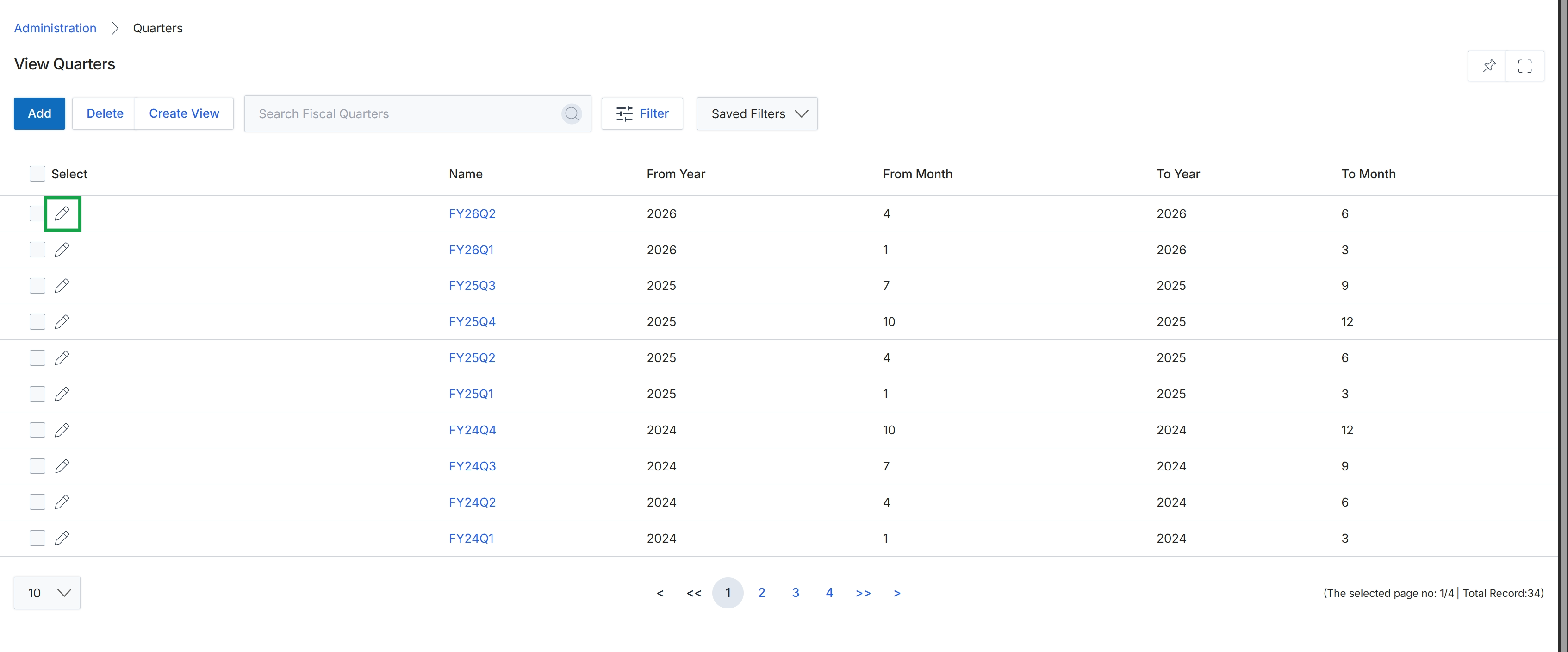
Click the pencil icon next to the quarter you want to edit.
Adding or Editing a Fiscal Quarter
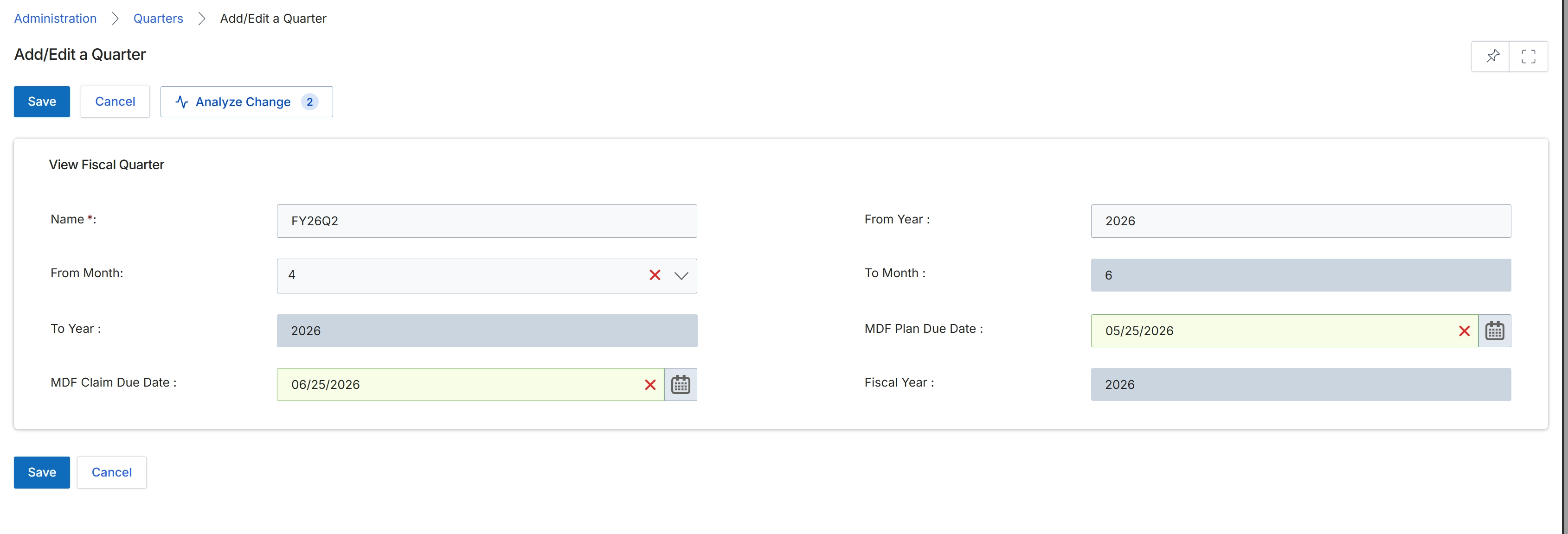
This screen, titled 'Add/Edit a Quarter', is part of the global settings within the Administration module, allowing administrators to define or modify fiscal quarters. These fiscal quarters are crucial for various platform functions, including financial reporting, MDF (Market Development Funds) planning and claims, and other time-bound program activities. The form displays fields for defining the quarter's name, its start and end months and years, and specific due dates for MDF planning and claims, which are critical for managing partner marketing activities and financial incentives. Accurate configuration of these quarters ensures that all time-sensitive processes and financial calculations across the platform operate correctly.
Review the pre-filled details for the FY26Q2 fiscal quarter and make any necessary adjustments.
Buttons
| Button | Description |
|---|---|
| Save | Saves the current quarter configuration. |
| Cancel | Discards any changes and returns to the previous screen. |
| Analyze Change | Analyzes the impact of the proposed changes to the fiscal quarter. |
View Fiscal Quarter
| Field | Description |
|---|---|
| Name * | The unique name for the fiscal quarter, such as FY26Q2. |
| From Year | The starting year of the fiscal quarter. |
| From Month | The starting month of the fiscal quarter. |
| To Month | The ending month of the fiscal quarter. |
| To Year | The ending year of the fiscal quarter. |
| MDF Plan Due Date | The due date for submitting MDF plans for this fiscal quarter. |
| MDF Claim Due Date | The due date for submitting MDF claims for this fiscal quarter. |
| Fiscal Year | The fiscal year to which this quarter belongs. |