

Overview
The Administration module's Portal Settings section is the central control panel for configuring the partner portal's behavior and features. These settings are global, meaning a change here affects all partners accessing the portal. This capability is crucial for administrators to customize the partner experience, enable or disable integrations, and manage data display rules according to their organization's specific requirements and partner program design.
By providing a granular level of control over various aspects of the portal, this feature ensures that the platform can be tailored to support diverse partner programs, from simple referral systems to complex co-selling ecosystems. Administrators can quickly adjust settings like DocuSign enablement or partner data visibility, ensuring the portal remains aligned with evolving business needs and compliance standards.
Accessing and Viewing Portal Settings
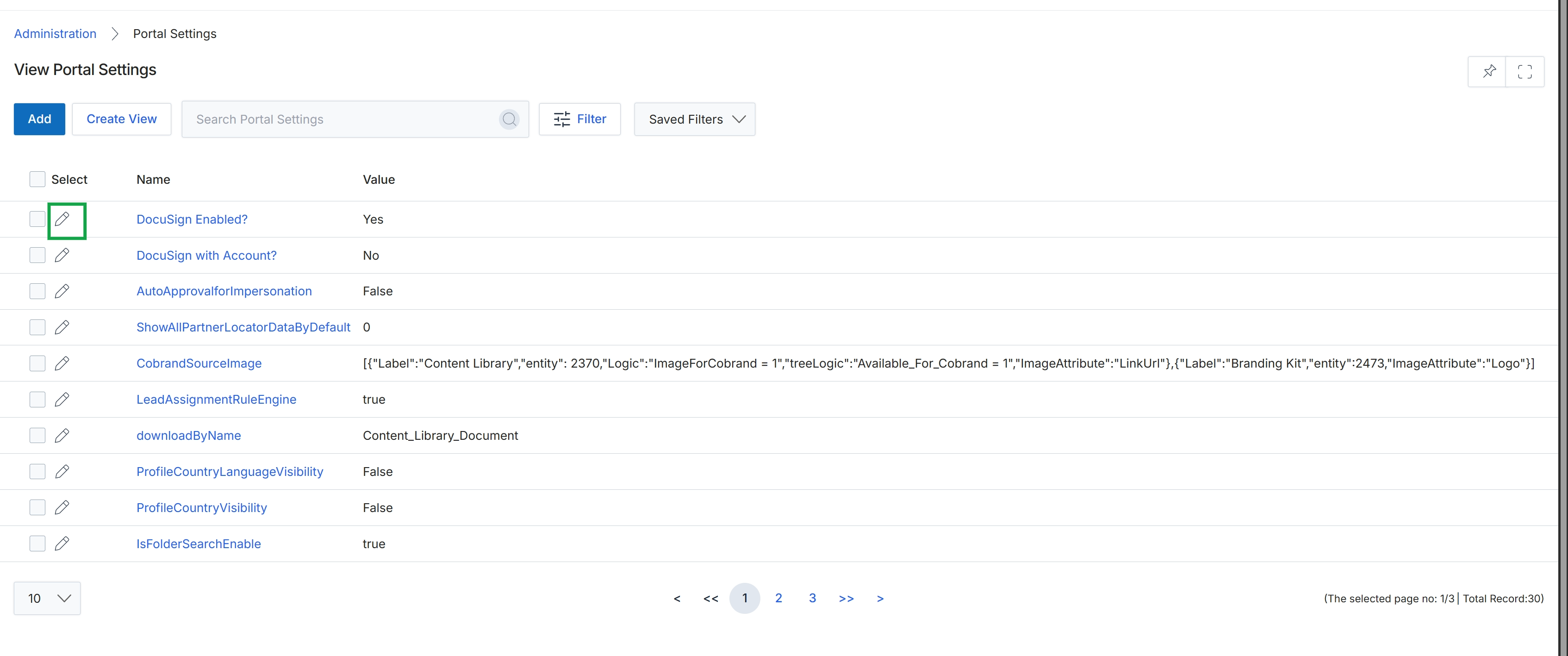
Click the edit icon next to "DocuSign Enabled?".
Editing a Portal Setting
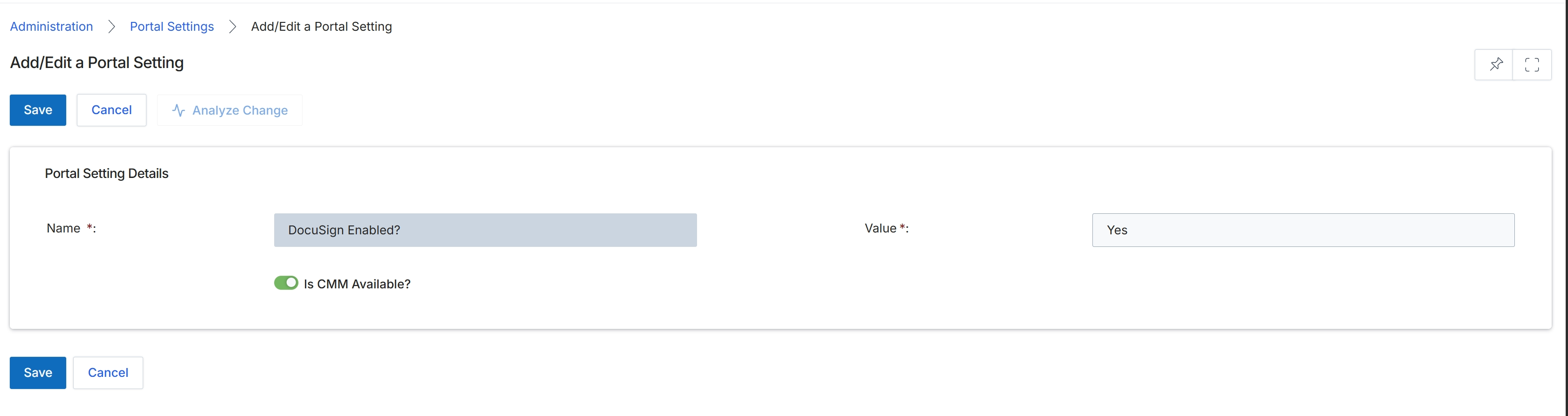
The Add/Edit a Portal Setting screen allows administrators to configure specific global settings that control the behavior and functionality of the partner portal. These settings are part of the Administration module's configuration layer, influencing how the entire platform operates for a given vendor deployment. Each setting has a name and a corresponding value, which can be a simple text input or a toggle for enabling/disabling a feature. Changes made here are applied across the portal and can affect various other modules, ensuring consistent functionality and branding for partners.
Configure the portal setting details by entering the name and value, and adjusting the toggle as needed.
Buttons
| Button | Description |
|---|---|
| Save | Saves the changes made to the portal setting. |
| Cancel | Discards any changes and returns to the previous screen. |
| Analyze Change | Analyzes the impact of the proposed changes before saving. |
Portal Setting Details
| Field | Description |
|---|---|
| Name * | The name of the portal setting being configured, such as 'DocuSign Enabled?'. |
| Value * | The value associated with the portal setting, which can be 'Yes' or 'No' for boolean settings, or other data types for different settings. |
| Is CMM Available? | A toggle to enable or disable the CMM (Channel Marketing Management) feature within the portal. |