

Overview
The platform's global search functionality is a critical component for user efficiency, enabling quick access to information across various modules. Proper configuration of search settings ensures that users can find data related to partners, deals, content, and other entities without navigating through multiple sections. This administrative capability allows for granular control over what content is indexed and made available through the search bar, optimizing the user experience and data accessibility.
By defining search settings per module and page/zone, administrators can tailor the search scope to align with the organizational structure and user roles. For instance, a search setting can be configured to only return results from the 'Sell' zone when searching for 'Contacts', preventing irrelevant results from other areas of the platform. This level of control is essential for maintaining a streamlined and effective information retrieval system.
Accessing and Viewing Search Settings
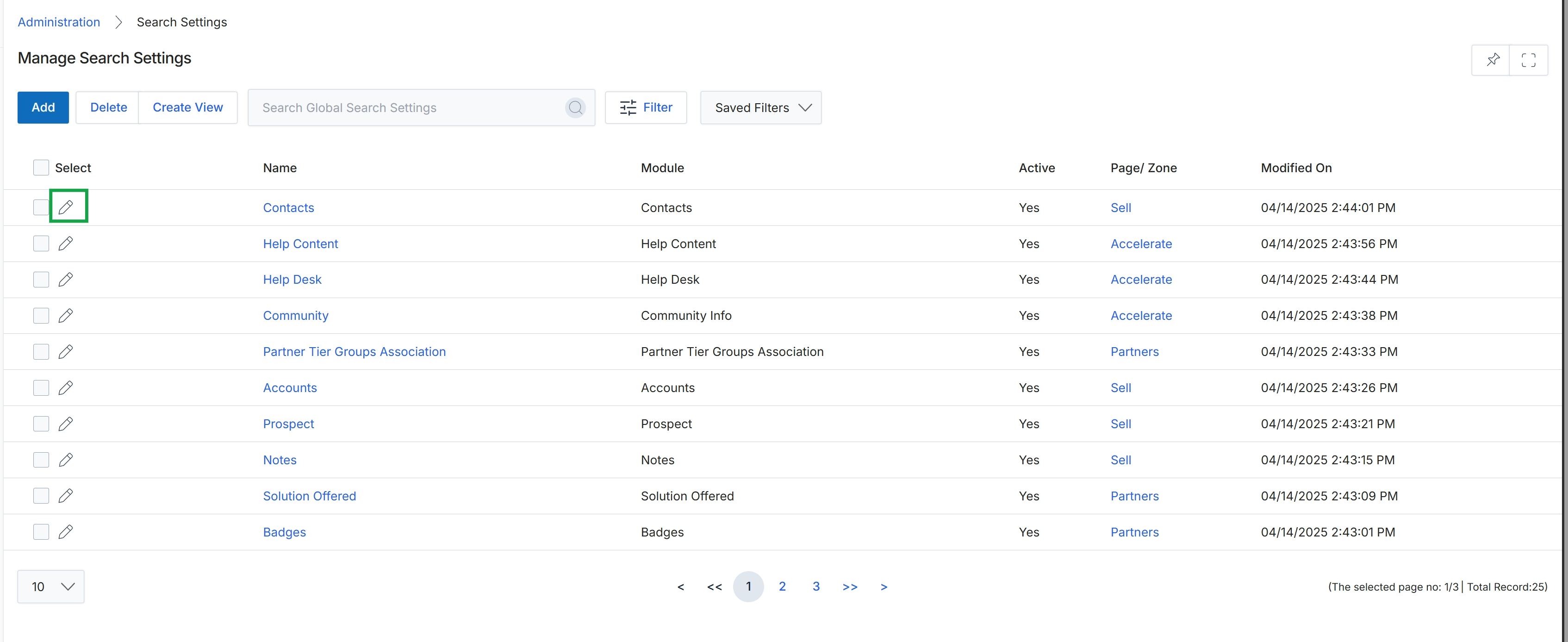
Click the pencil icon next to "Contacts" to edit the search settings for that module.
Editing a Search Setting
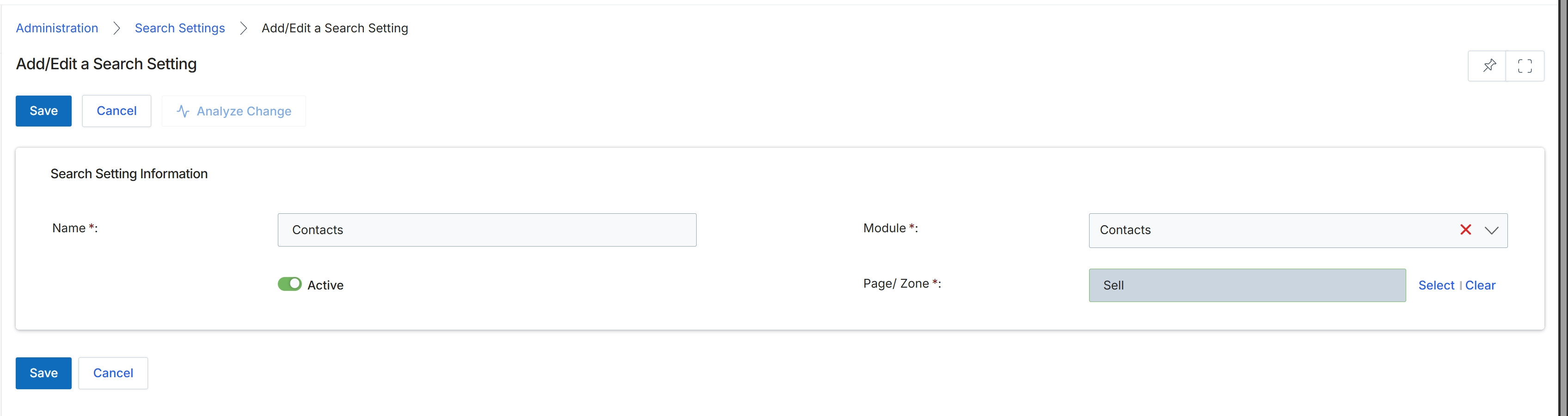
This screen, 'Add/Edit a Search Setting', allows administrators to define and manage search configurations within the platform. These settings determine how search functionality behaves for specific modules and zones, enabling tailored search experiences. Administrators can specify the name of the search setting, the module it applies to, and the particular page or zone where it will be active. The 'Active' toggle controls whether the search setting is currently enabled or disabled, providing flexibility to activate or deactivate search behaviors as needed. This configuration ensures that users can efficiently find relevant information within different areas of the UPM, optimizing their workflow and data retrieval processes.
Configure the search setting details by filling in the required fields.
Buttons
| Button | Description |
|---|---|
| Save | Saves the current search setting configuration. |
| Cancel | Discards any changes and returns to the previous screen. |
| Analyze Change | Analyzes the impact of the proposed changes before saving. |
| Select | Opens a dialog or dropdown to select the page or zone. |
| Clear | Clears the selected page or zone. |
Search Setting Information
| Field | Description |
|---|---|
| Name | The name of the search setting. |
| Module | The module to which this search setting applies. |
| Active | A toggle to activate or deactivate the search setting. |
| Page/ Zone | The specific page or zone within the module where this search setting will be active. |