

Overview
Accurate financial reporting and performance analysis are critical for any partner program. The platform uses defined fiscal years to organize and categorize financial data, such as MDF claims, reward accruals, and sales performance. By establishing clear fiscal year boundaries, administrators can ensure that all financial operations and reporting align with the organization's accounting periods, facilitating consistent data aggregation and analysis.
This module provides the necessary tools for administrators to set up, review, and maintain these fiscal year definitions. This foundational setup impacts various financial processes and reports within the platform, making it essential for accurate budgeting, forecasting, and partner incentive management.
Key Features
- Fiscal Year Definition
- Start/End Date Configuration
- View Fiscal Year Details
- Edit Fiscal Years
- Delete Fiscal Years
- Search & Filter
Accessing and Managing Fiscal Years
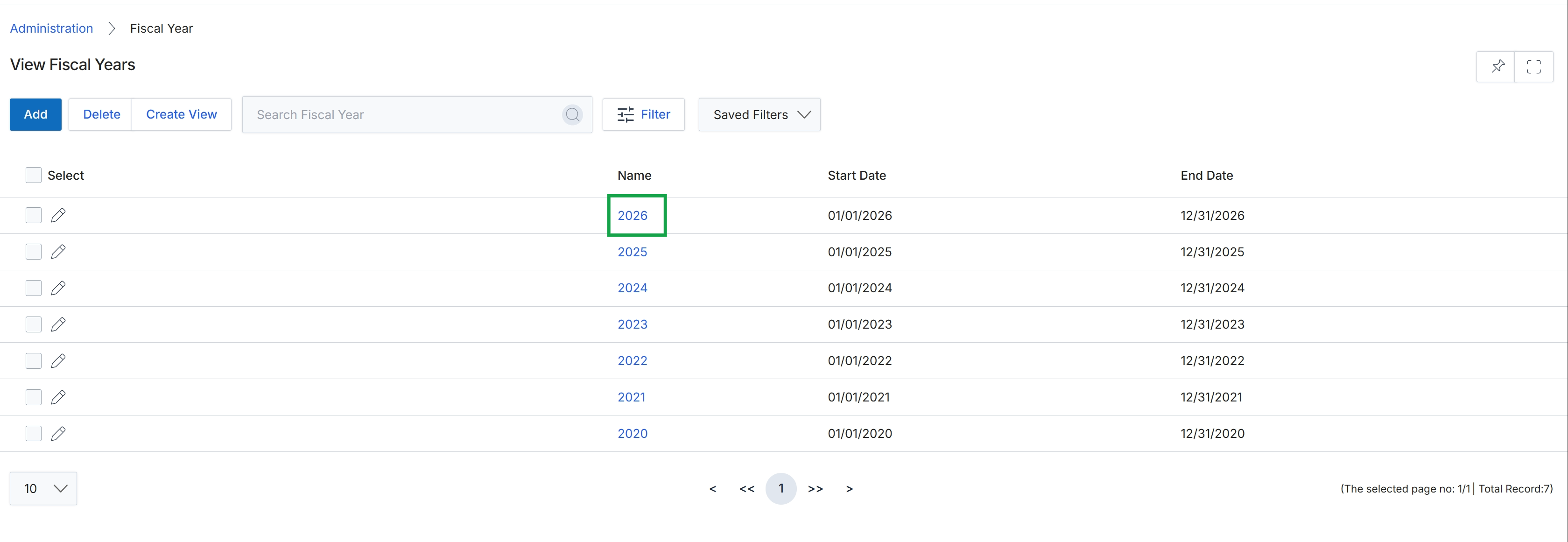
Click the 2026 link in the Name column to view the details of that fiscal year.
Viewing Fiscal Year Details
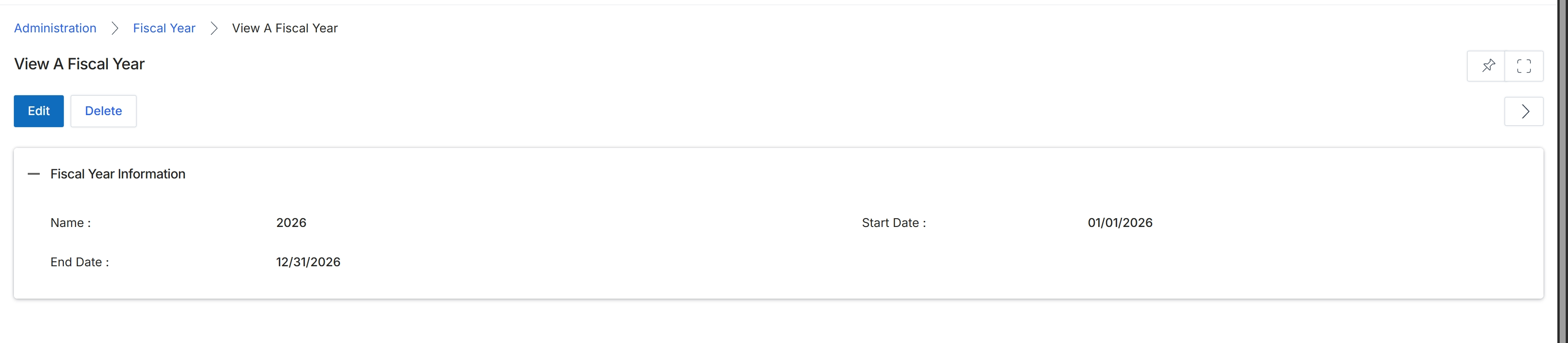
This screen displays the details of a specific fiscal year, providing a read-only view of its defined properties. Fiscal years are critical for financial reporting, budgeting, and aligning various module activities such as reward accruals, MDF claims, and sales targets with specific accounting periods. Administrators use this view to quickly verify the start and end dates and the name of a configured fiscal year, ensuring that the financial cycles within the platform are correctly established and correspond to the organization's accounting practices. This detail view is typically accessed after selecting a fiscal year from a list, allowing for a focused review of its configuration before any potential edits or deletions.
Review the details of the selected fiscal year.
Buttons
| Button | Description |
|---|---|
| Edit | Click to modify the details of this fiscal year. |
| Delete | Click to remove this fiscal year from the system. |
Fiscal Year Information
| Field | Description |
|---|---|
| Name | The name or identifier of the fiscal year, typically the calendar year it represents. |
| Start Date | The official beginning date of the fiscal year. |
| End Date | The official ending date of the fiscal year. |
Frequently asked questions
- What is the purpose of the View Fiscal Year feature?
This feature allows administrators to define and manage the fiscal years used throughout the platform for financial reporting, planning, and performance tracking. It serves as a central repository for all fiscal year definitions.
- Who uses this feature?
UPM administrators use this feature to establish the financial calendar that governs how revenue, expenses, and performance metrics are aggregated and analyzed.
- How does the platform use defined fiscal years?
The platform uses defined fiscal years to organize financial data, such as MDF claims, reward accruals, and sales performance, ensuring alignment with accounting periods.
- What information is displayed in the Fiscal Year Details screen?
The Fiscal Year Details screen displays a read-only view of a specific fiscal year's defined properties, including its name, start date, and end date.
- What actions can be performed from the Fiscal Year Details screen?
From the Fiscal Year Details screen, administrators can click 'Edit' to modify the fiscal year's details or 'Delete' to remove it from the system.