

Overview
Accurate financial reporting and performance analysis are critical for any partner program. The platform's fiscal year configuration provides the foundational calendar for all financial operations, including rebate calculations, commission payouts, and MDF budget cycles. By clearly defining fiscal years, administrators ensure consistency across all financial data and reporting within the UPM, enabling precise tracking of partner performance against predefined goals and budgets.
Accessing and Viewing Fiscal Years
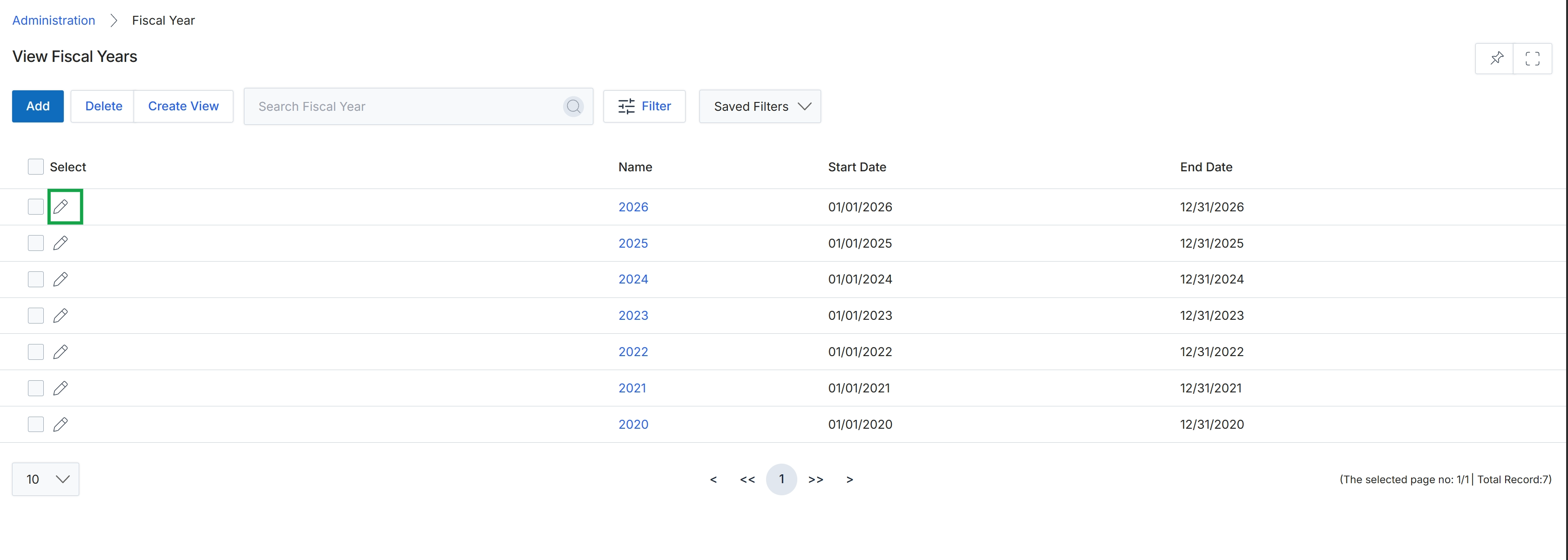
Click the pencil icon next to the fiscal year you want to edit.
Adding or Editing a Fiscal Year
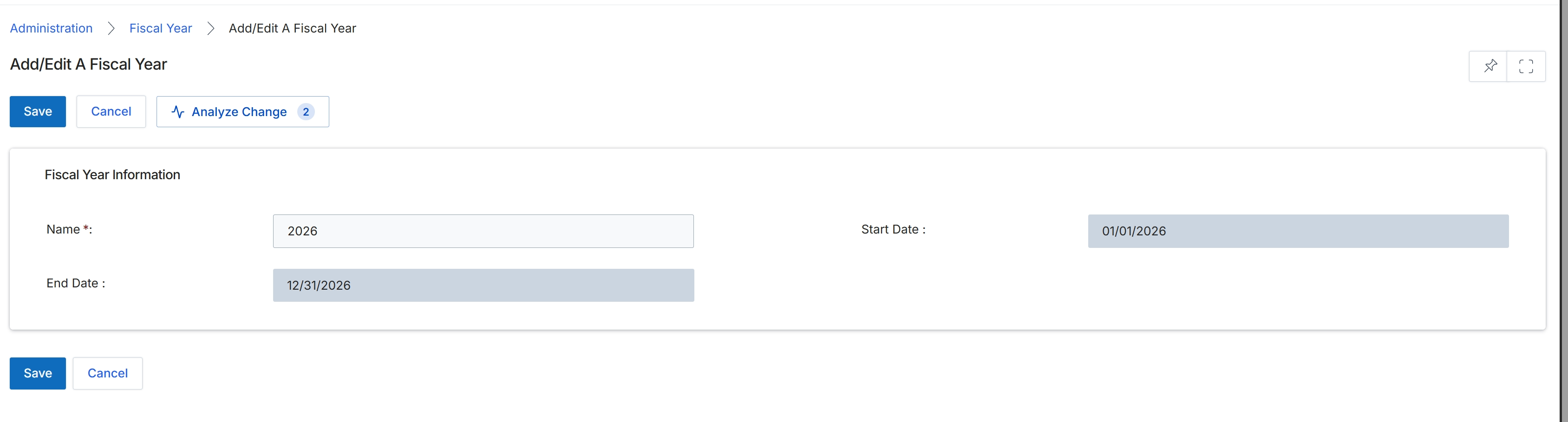
This screen allows administrators to define or modify a fiscal year within the platform. Fiscal years are critical for financial reporting, budgeting, and performance tracking, as they establish the accounting periods used across various modules for data aggregation and analysis. By setting specific start and end dates, the system can correctly categorize and report on financial activities, such as revenue, expenses, and partner incentives, ensuring alignment with the organization's financial calendar. This configuration impacts how financial data is displayed in dashboards and reports, providing a structured view of performance over defined periods.
Enter the details for the fiscal year, including its name, start date, and end date.
Buttons
| Button | Description |
|---|---|
| Save | Saves the current fiscal year information. |
| Cancel | Discards any changes and returns to the previous screen. |
| Analyze Change | Analyzes the impact of the proposed changes to the fiscal year. |
Fiscal Year Information
| Field | Description |
|---|---|
| Name | The name of the fiscal year, typically representing the year it covers. |
| Start Date | The beginning date of the fiscal year. |
| End Date | The concluding date of the fiscal year. |