

Overview
Application Settings in the UPM provide a granular level of control over the platform's operational parameters. These settings are typically configured by Super Admins to define default behaviors, enable or disable features, and set system-wide values that affect all users and partners. Each setting is identified by a unique key and holds a specific value, often tied to a particular module.
Administrators use this module to review existing configurations, understand their impact, and ensure the platform aligns with the organization's policies and operational requirements. For instance, a setting might define the default recipient for system reports, as shown in the screenshots, ensuring critical information is routed correctly.
Accessing Application Settings
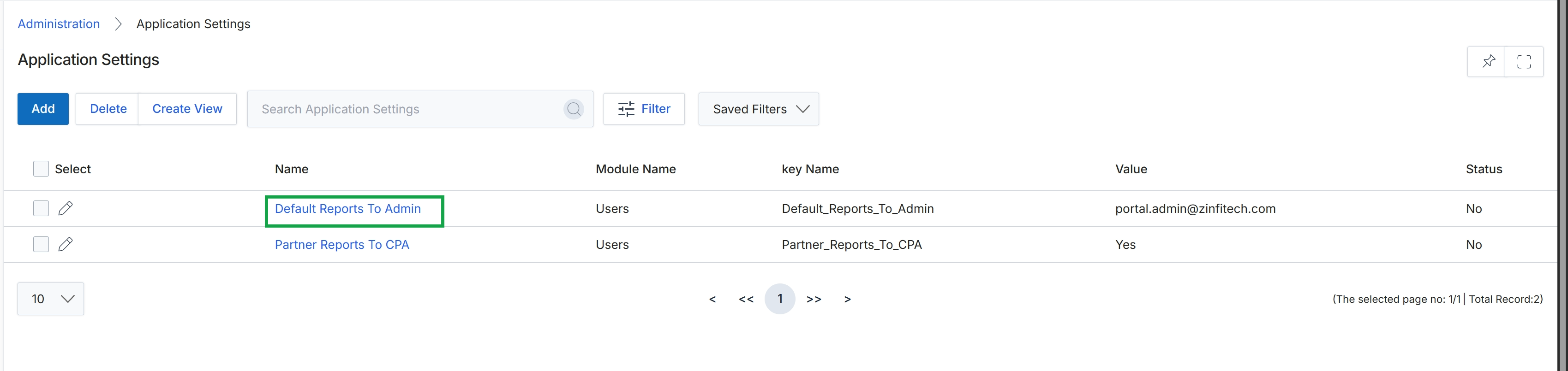
Click Default Reports To Admin in the Name column.
Viewing Specific Setting Details
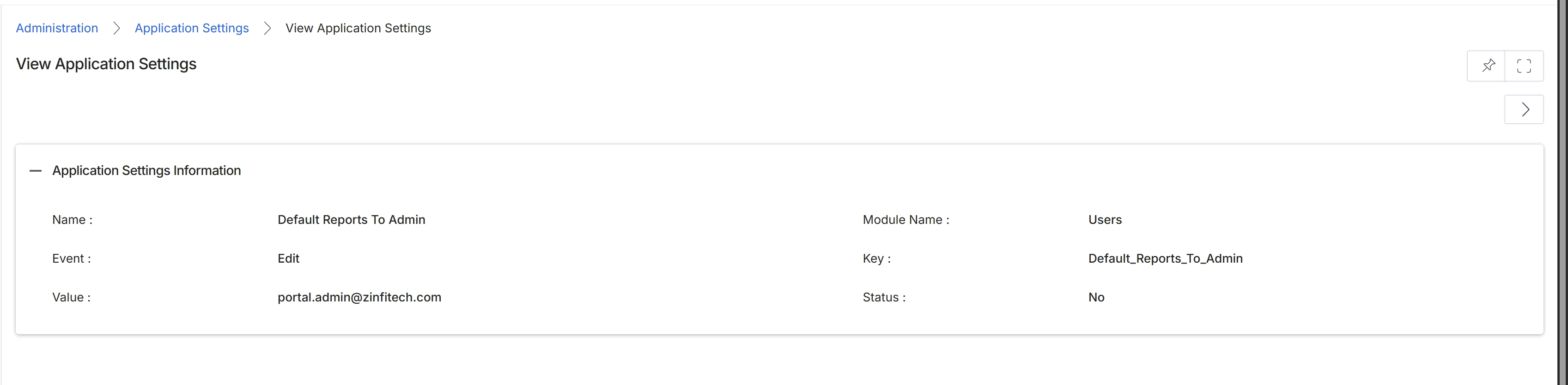
This screen displays the details of a specific application setting within the platform's Administration module. Application settings are global configurations that control various aspects of the platform's behavior, affecting how different modules and features operate. These settings can include default values, system-wide flags, or integration parameters. Viewing an individual setting provides administrators with insight into its current configuration, including its name, the module it pertains to, its unique key, the event it's associated with, its current value, and its status. This detailed view is crucial for troubleshooting, auditing, and understanding the platform's operational parameters.
Review the details of the selected application setting.
Application Settings Information
| Field | Description |
|---|---|
| Name | The display name of the application setting. |
| Event | The event associated with this application setting, indicating when it might be triggered or relevant. |
| Value | The current configured value for this application setting. |
| Module Name | The name of the module that this application setting primarily affects or belongs to. |
| Key | The unique identifier or key for this application setting, often used for programmatic access or internal referencing. |
| Status | Indicates whether the application setting is currently active or inactive. |