

Overview
In the Incentivize module, Market Development Funds (MDF) play a vital role in co-funding partner-led marketing activities to drive channel demand and pipeline generation. The MDF Funds repository provides vendors with centralized budget governance, allowing program managers and finance administrators to assign designated fund amounts to partner organizations for specific fiscal years. By establishing these financial baselines, vendors ensure marketing investments align with joint business plans and partner tier commitments.
The Add/Edit a MDF Fund workflow allows administrators to review total allocations against remaining available funds, adjust fund names and programmatic details, and analyze financial impacts before committing changes. Integrating seamlessly with campaign execution and claims processing, this tool maintains strict auditability and real-time visibility into partner co-marketing capital.
Key Features
- Fund Budget Allocation
- Partner Account Assignment
- Fiscal Year Tracking
- Remaining Fund Monitoring
- Currency ISO Configuration
- Fund Modification Analysis
Accessing and Reviewing MDF Funds
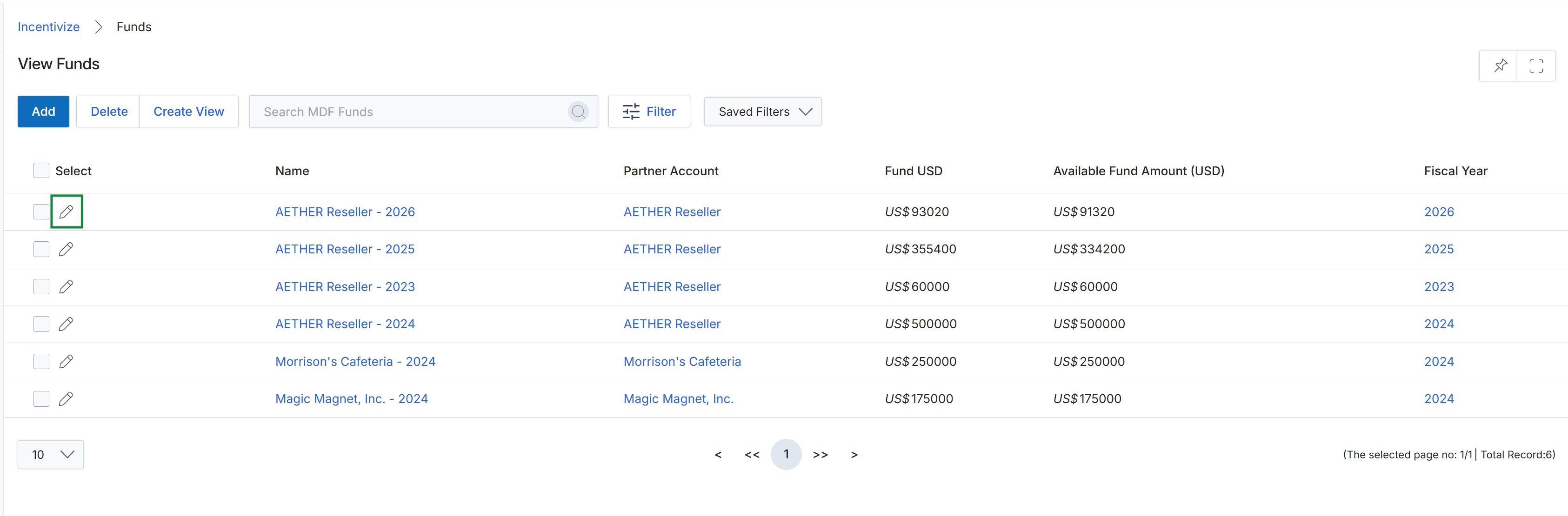
Click the Edit icon next to the fund record you want to modify.
Editing MDF Fund Information
Frequently asked questions
- What is the purpose of the Add/Edit a MDF Fund tool?
It enables administrators to allocate, configure, and modify co-marketing fund budgets for specific partner accounts across defined fiscal periods.
- How does fund management support partner governance?
By establishing financial baselines and tracking remaining balances, vendors ensure marketing investments align with joint business plans and partner tier commitments.
- What details can administrators modify on an existing MDF fund?
Administrators can review total allocations, update fund names, adjust programmatic details, and analyze financial impacts before saving changes.
- How do administrators access an existing fund to edit it?
Navigate to the funds list view and select the edit icon next to the fund record you want to modify.