

Overview
Within the Incentivize module, Contribution Rules define the financial co-investment split required when partners apply for and execute Market Development Funds (MDF) programs. Vendors utilize these budget-sharing rules to incentivize desired channel tiers and profiles by adjusting the percentage of marketing expenditure funded by the vendor versus the partner's required contribution.
From the View Contribution Rules repository, administrators can review existing sharing policies, create new cost-sharing guidelines, and assign them directly to specific partner groups. The interface supports granular filtering, custom view creation, search capabilities, and bulk deletion tools, ensuring partner marketing funds align with corporate budgeting governance.
Key Features
- MDF Budget Sharing Rules
- OEM Contribution Split
- Partner Contribution Percentage
- Partner Group Assignment
- Custom List Views
- Batch Record Management
Navigating to MDF Contribution Rules
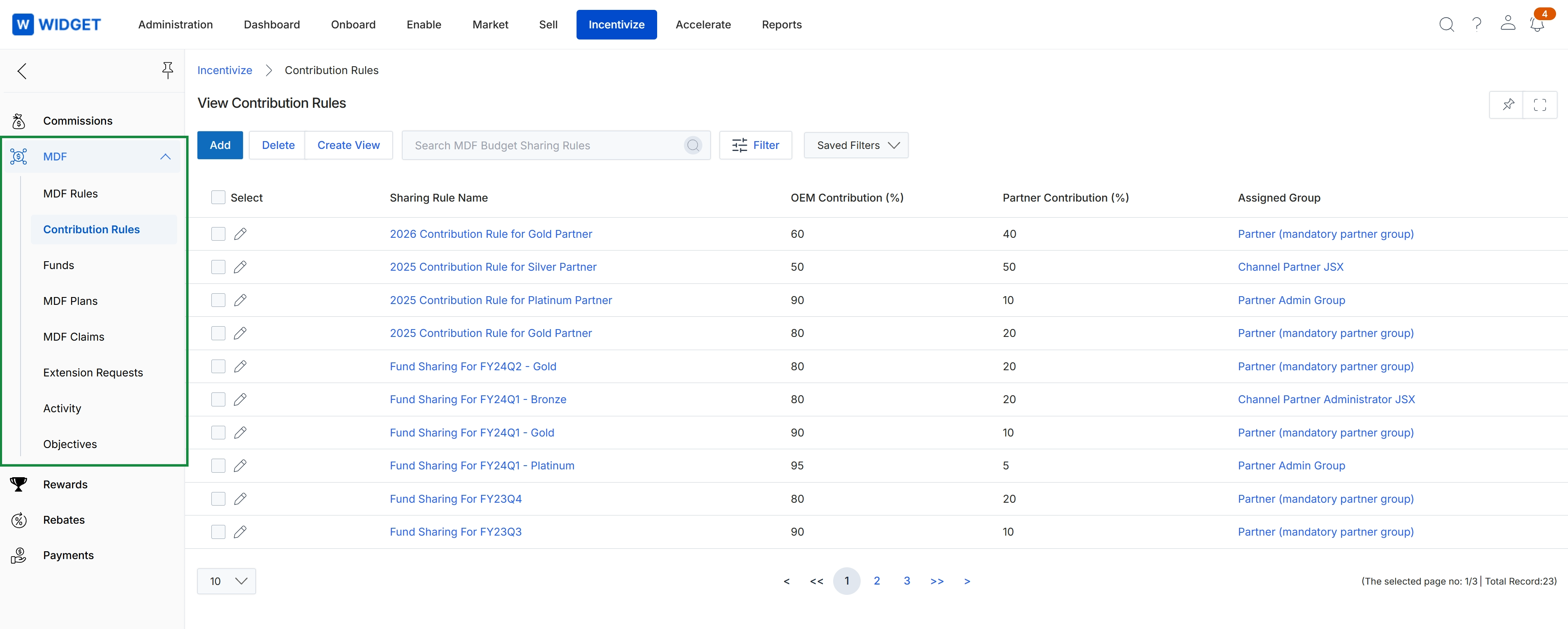
Navigate to Incentivize → MDF → Contribution Rules.
Managing Budget Sharing Rules
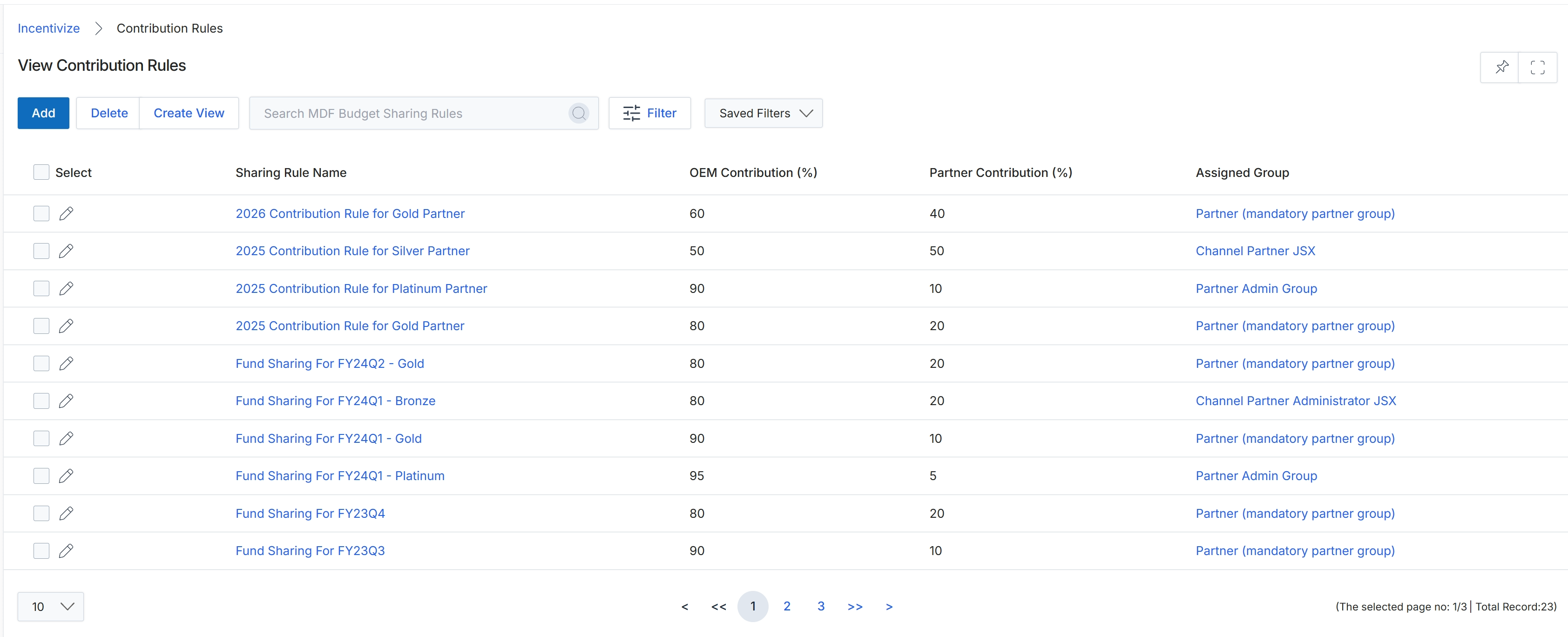
This administrative list view displays the configured Market Development Funds (MDF) contribution rules used to govern co-marketing expense sharing between the vendor and partner organizations. Each record defines the specific budget split percentages allocated between the OEM and the partner for targeted partner groups and program tiers across designated fiscal periods. Program administrators rely on this central repository to review existing funding ratios, adjust co-investment policies, and manage cost-sharing parameters before funds are disbursed or claimed.
Frequently asked questions
- What are MDF contribution rules?
Contribution rules define the required co-investment split and budget-sharing percentages between the vendor and channel partner groups when applying for and executing MDF programs.
- Who can configure contribution rules?
Program administrators access the repository to configure vendor versus partner contribution percentages across tiers and enforce financial co-investment guidelines.
- How do administrators navigate to the contribution rules repository?
Navigate to Incentivize, select MDF, and then click Contribution Rules.
- What management features are available in the contribution rules list view?
Administrators can review existing sharing policies, assign rules to partner groups, create custom list views, search records, and execute bulk deletions.