

Overview
Market Development Funds (MDF) rules define the operational criteria, funding allocation schedules, and sales target thresholds that govern co-op marketing distribution between vendors and partners. Within the Incentivize module, administrators configure these rules to ensure that marketing fund entitlements align with partner tiers, accounts, and performance targets across designated fiscal quarters.
Viewing an MDF rule allows administrators to audit specific parameters—such as currency, allocation frequency, minimum/maximum sales bands, and entitlement percentages—prior to execution. Once verified, rules in a draft or ready status can be submitted into the approval workflow, transitioning them to pending approval to enforce program governance.
Key Features
- MDF Rule Directory
- Rule Information Review
- MDF Entitlements Configuration
- Target-Based Incentive Tracking
- Product Association Management
- Approval Workflow Submission
Accessing MDF Rules
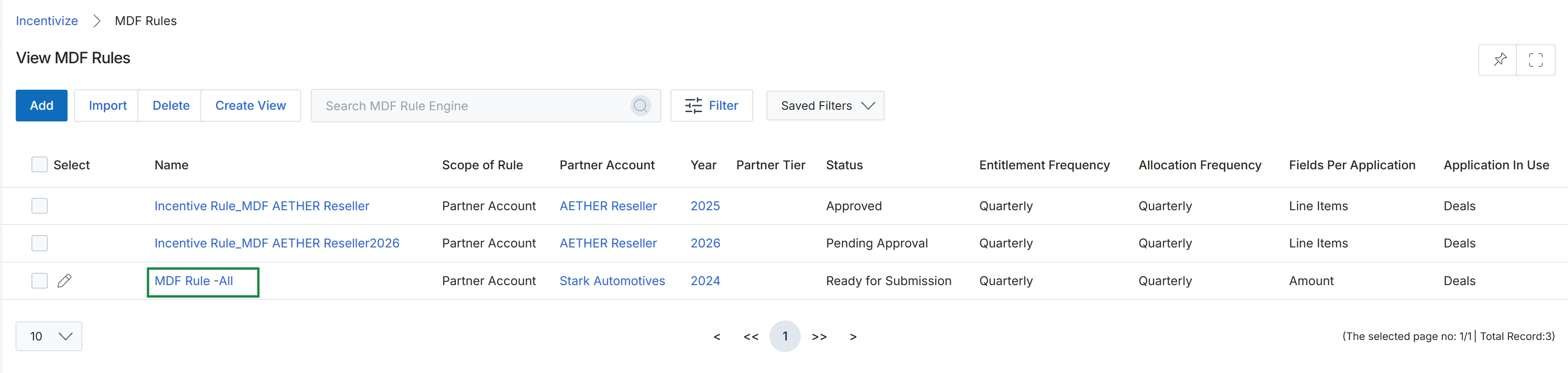
Click the name of the rule you want to view, such as MDF Rule -All.
Reviewing MDF Rule Details and Entitlements
Submitting the MDF Rule for Approval
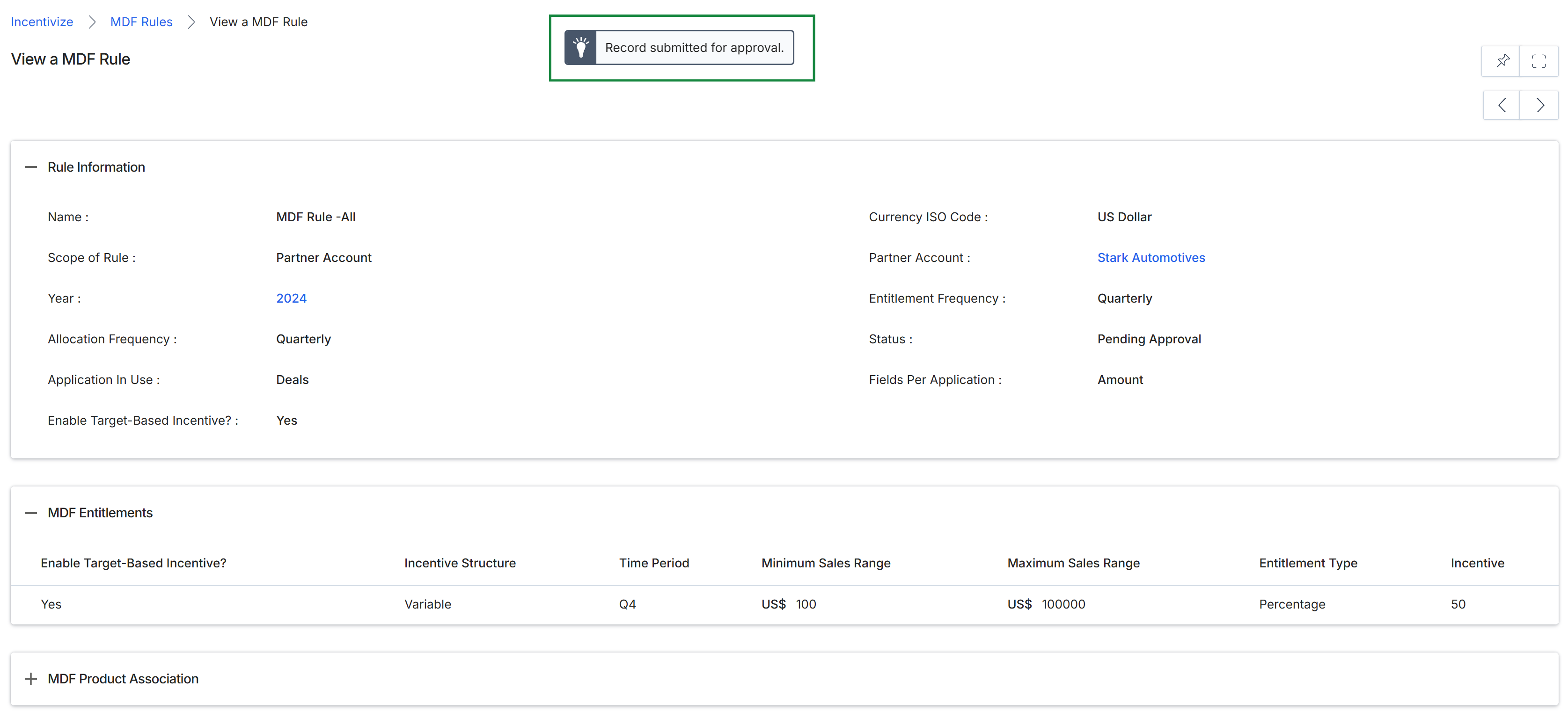
This view displays the detailed configuration and current status of an individual Market Development Funds (MDF) rule following its submission for review. The record outlines key governance parameters—including partner account scope, currency, allocation frequencies, and target-based entitlement structures—while reflecting a pending approval state. Administrators use this summary to verify rule criteria, sales thresholds, and incentive calculations before the policy takes effect across the partner program.
Frequently asked questions
- What is the purpose of viewing an MDF rule?
Viewing an MDF rule allows administrators to audit operational criteria, funding schedules, currency, and sales tiers. This verification ensures all allocation parameters are accurate prior to submitting the rule for approval.
- What details can administrators inspect within an MDF rule?
Administrators can inspect partner account associations, allocation frequencies, minimum and maximum sales bands, product mappings, and entitlement percentage calculations.
- What happens when an MDF rule is submitted for approval?
Submitting a verified rule transitions its status from draft or ready to pending approval, enforcing program governance before allocations take effect across the partner program.