

Overview
Market Development Funds (MDF) represent a critical co-investment mechanism enabling channel partners to execute demand-generation campaigns, regional brand initiatives, and partner-led events. Within the Incentivize zone, the View MDF Plans dashboard provides channel administrators and finance teams with end-to-end visibility into proposed marketing initiatives prior to fund commitment and claim submission. Each plan record captures total project valuations alongside agreed cost-sharing splits between OEM contributions and partner co-investments.
By consolidating proposal performance indicators—including projected return on investment (ROI), split expenditure figures, and real-time approval states such as Approved, Rejected, and Pending Approval—the dashboard empowers program managers to make informed funding decisions. Administrators can customize table columns, execute multi-attribute searches, and build saved views to streamline campaign governance across global partner tiers.
Key Features
- MDF Plan Tracking
- Cost-Share Allocation Breakdown
- Projected ROI Monitoring
- Custom View Configuration
- Multi-Criteria Filtering
- Approval Status Oversight
Navigating to MDF Plans
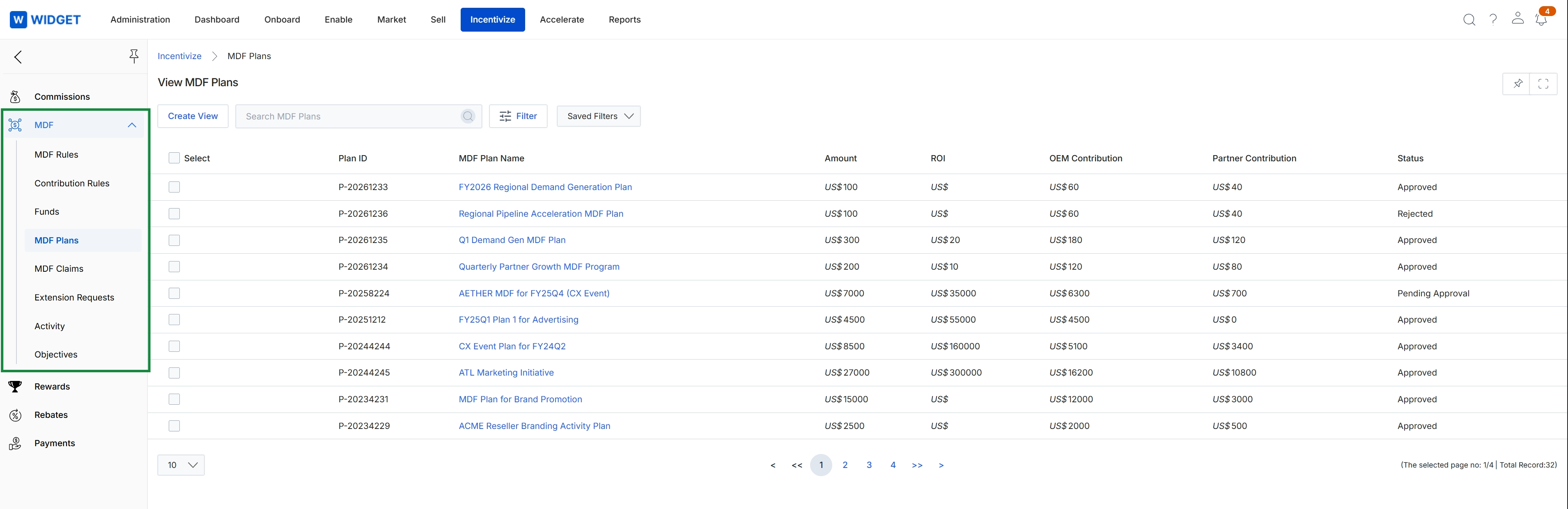
Click Incentivize → MDF → MDF Plans.
Reviewing and Filtering Plan Records
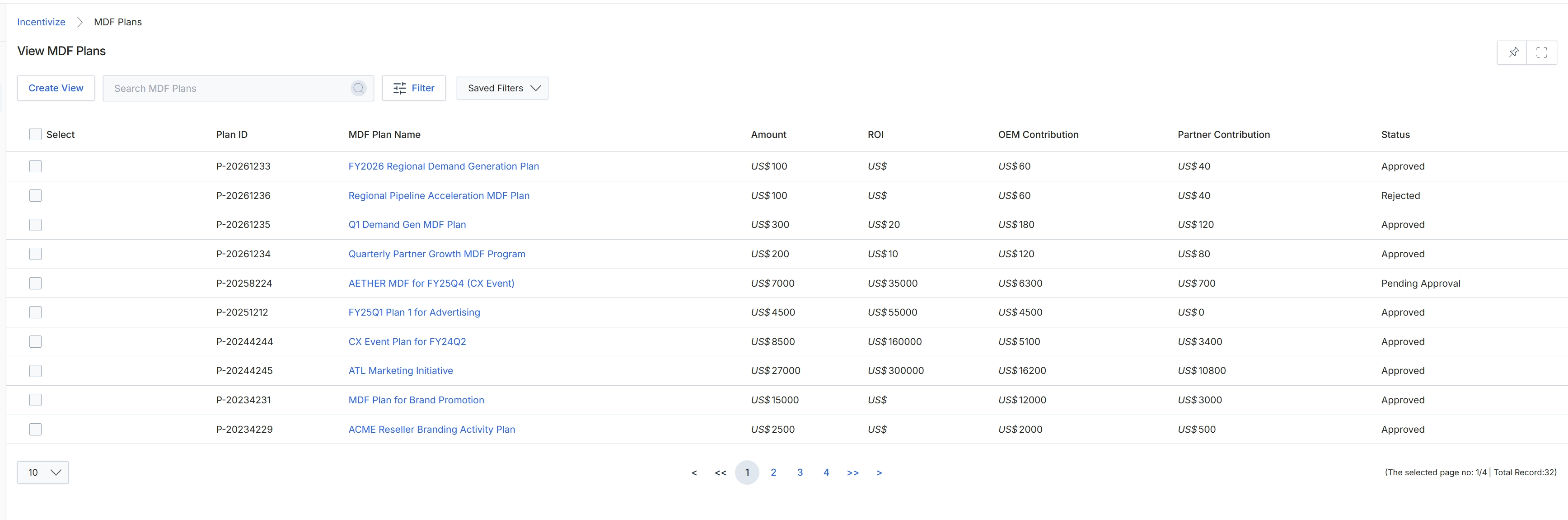
This screen provides a centralized listing of market development fund (MDF) plans within the Incentivize module. Administrators use this view to track proposed and active co-marketing plans, monitoring overall budget allocations alongside split figures for OEM and partner contributions. Each record displays key financial metrics, estimated returns on investment, and current workflow approval statuses to ensure marketing co-investment initiatives align with program guidelines.
Frequently asked questions
- What is the primary function of the View MDF Plans interface?
It serves as a centralized repository for tracking, reviewing, and monitoring partner marketing development fund proposals across their lifecycle. It allows administrators to evaluate co-marketing requests and ensure initiatives align with program budgets.
- What financial metrics are displayed for each MDF plan?
Each plan record outlines total project valuations, agreed cost-sharing splits between OEM and partner contributions, and projected return on investment.
- Which approval statuses can administrators monitor in the dashboard?
Administrators can monitor real-time workflow statuses including Approved, Rejected, and Pending Approval.
- How do users navigate to the MDF Plans dashboard?
Go to the navigation menu, click Incentivize, select MDF, and choose MDF Plans.